Community Center | Not monitored
Tag not monitored by Microsoft.

This browser is no longer supported.
Upgrade to Microsoft Edge to take advantage of the latest features, security updates, and technical support.
' cx='32' cy='32' r='32' /%3E%3Ctext x='50%25' y='55%25' dominant-baseline='middle' text-anchor='middle' fill='%23FFF' %3EMV%3C/text%3E%3C/svg%3E)
Post : https://graph.microsoft.com/v1.0/me/events with a token generated getting below issue
{
"error": {
"code": "RequestBodyRead",
"message": "The property 'subject' does not exist on type 'Microsoft.OutlookServices.Event'. Make sure to only use property names that are defined by the type or mark the type as open type. REST APIs for this mailbox are currently in preview. You can find more information about the preview REST APIs at https://dev.outlook.com/.",
"innerError": {
"date": "2022-06-24T08:46:29",
"request-id": "e000f260-3cea-4516-b5e3-dd1bff8ff6b8",
"client-request-id": "e000f260-3cea-4516-b5e3-dd1bff8ff6b8"
}
}
}

Hello @Mahesh Venkatashamappa , please ensure you have a valid Microsoft 365 or Exchange Online license assigned for the target user. If you do and the problem persist, please come back with new response/debugging information.
Let us know if this answer was helpful to you or if you need additional assistance. If it was helpful, please remember to accept it and complete the quality survey so that others in the community with similar questions can more easily find a rated solution.
Hi @Alfredo Revilla - Upwork Top Talent | IAM SWE SWA , We have verified the license is valid for Office 365 E1 while consuming the API through postman by token authentication getting the same issue. please let me know if you need any more information
{
"error": {
"code": "RequestBodyRead",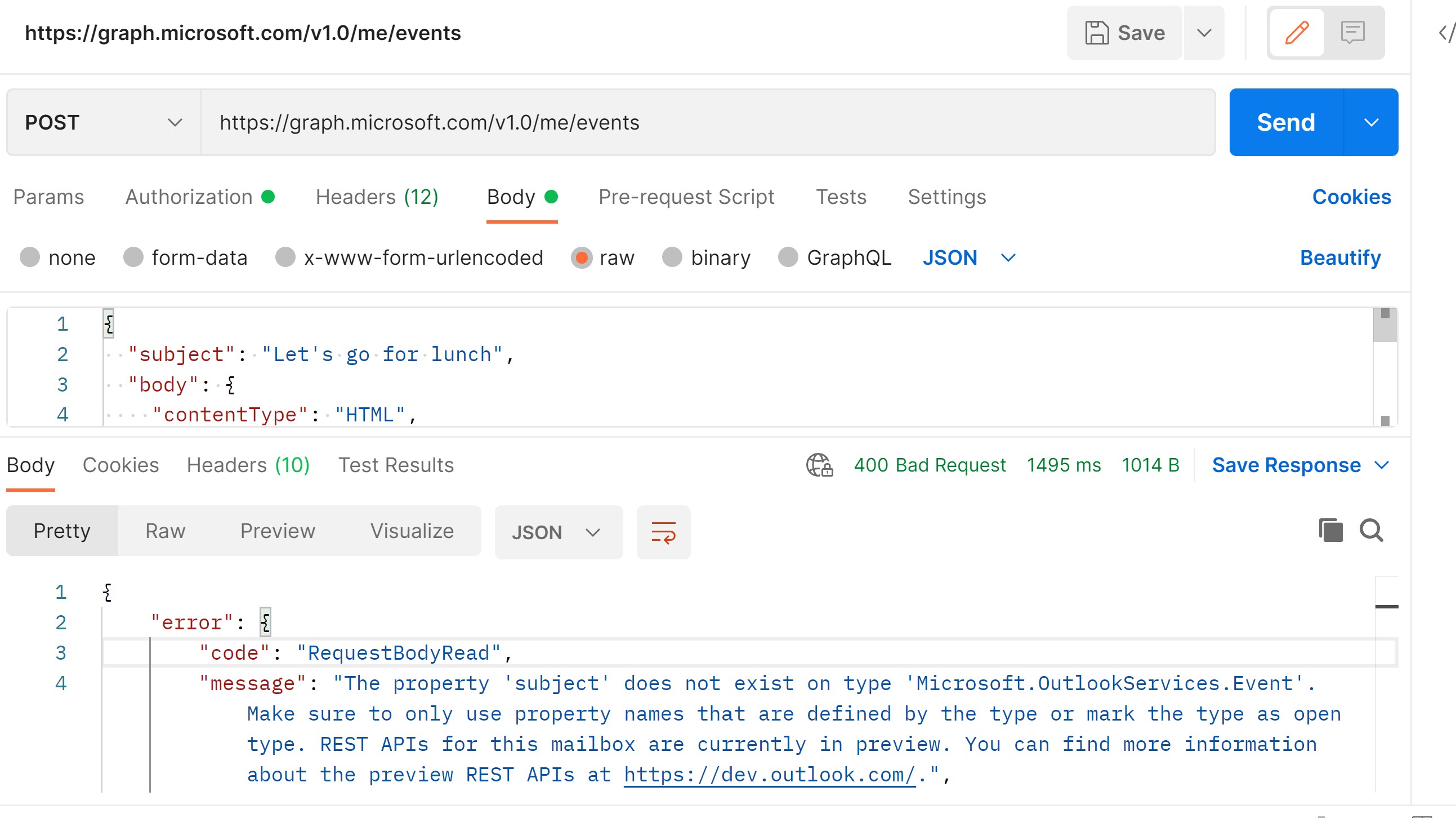
"message": "The property 'subject' does not exist on type 'Microsoft.OutlookServices.Event'. Make sure to only use property names that are defined by the type or mark the type as open type. REST APIs for this mailbox are currently in preview. You can find more information about the preview REST APIs at https://dev.outlook.com/.",
"innerError": {
"date": "2022-07-13T06:40:13",
"request-id": "37fffef5-cffd-4431-85ee-c10995e0ab9f",
"client-request-id": "37fffef5-cffd-4431-85ee-c10995e0ab9f"
}
}
}

Note This is going away in March 2023 :https://techcommunity.microsoft.com/t5/exchange-team-blog/the-end-of-the-rest-api-for-on-premises-mailboxes-preview/ba-p/3221219
I've seen other posts from people seeing issues as well so not sure if everything is still working as expected.