Azure Data Factory
An Azure service for ingesting, preparing, and transforming data at scale.
This browser is no longer supported.
Upgrade to Microsoft Edge to take advantage of the latest features, security updates, and technical support.
' cx='32' cy='32' r='32' /%3E%3Ctext x='50%25' y='55%25' dominant-baseline='middle' text-anchor='middle' fill='%23FFF' %3EL%3C/text%3E%3C/svg%3E)
Hi,
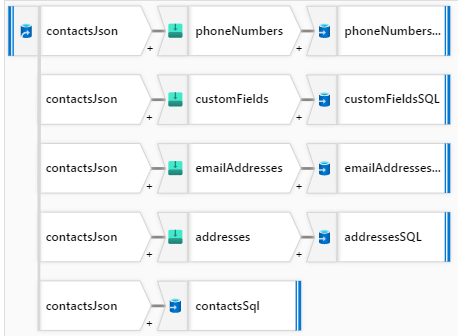
I've set up an Azure Data Factory data flow that uses a JSON file from Azure Blob Storage. The JSON file has 23,000 items (rows) and 4 array attributes. I've added 4 Flatten Formatters and 5 destinations that are different tables in Azure Database for MySQL.
The problem I have is that it's incredibly slow to process. It's been running for 4 hours now. Is this type of processing time to be expected or have I done something incorrectly?
Thank,
Liam

Hi @LiamG ,
Welcome to Microsoft Q&A platform and thanks for posting your question.
It seems you are facing performance issue in the mapping dataflow execution. Here are few things you can consider:
To view detailed monitoring information of a data flow, click on the eyeglasses icon in the activity run output of a pipeline. For more information, see Monitoring mapping data flows.

When monitoring data flow performance, there are four possible bottlenecks to look out for:
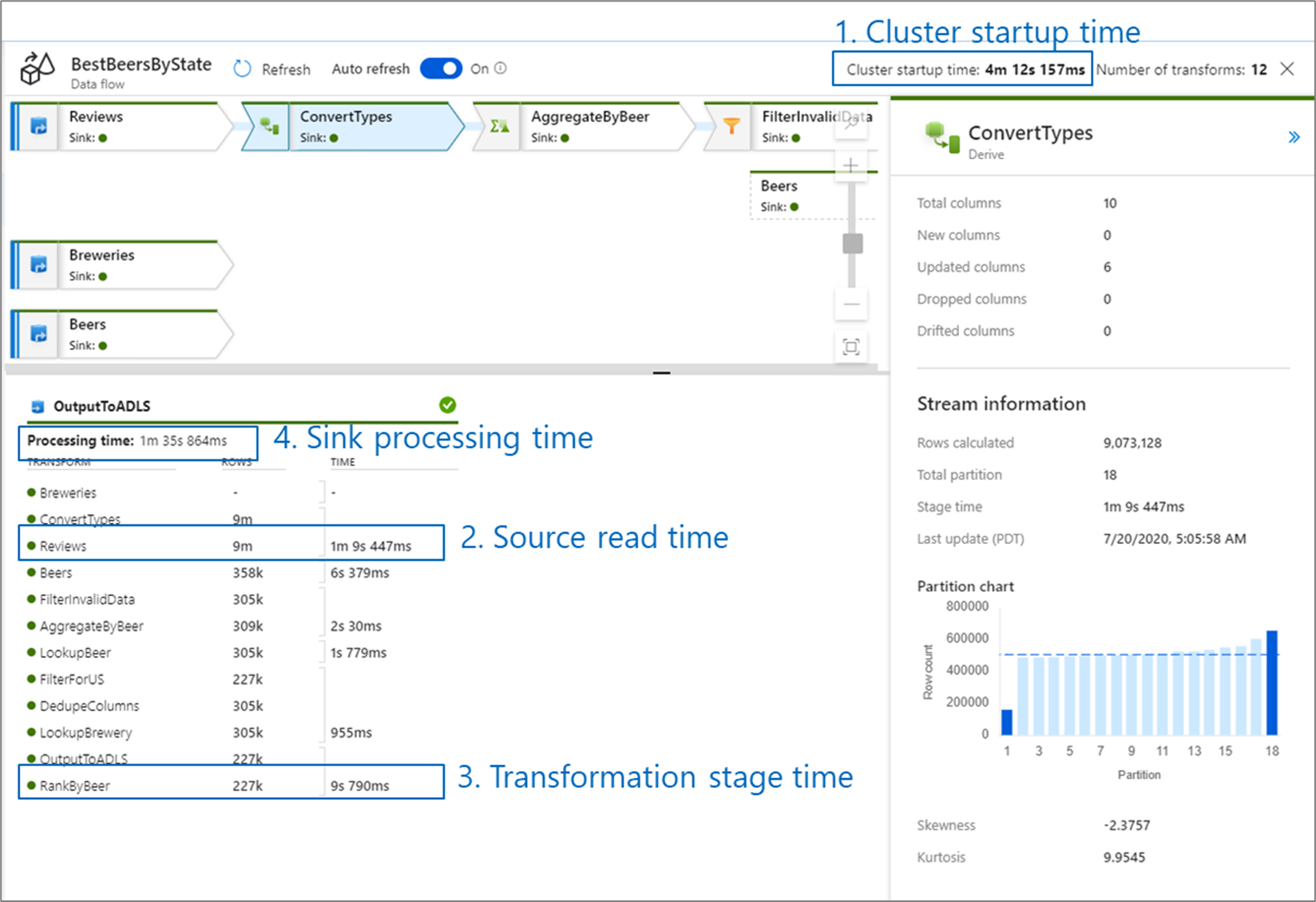
Cluster start-up time is the time it takes to spin up an Apache Spark cluster. This value is located in the top-right corner of the monitoring screen. Data flows run on a just-in-time model where each job uses an isolated cluster. This start-up time generally takes 3-5 minutes. For sequential jobs, this can be reduced by enabling a time to live value. For more information, refer to the Time to live section in Integration Runtime performance.
Data flows utilize a Spark optimizer that reorders and runs your business logic in 'stages' to perform as quickly as possible. For each sink that your data flow writes to, the monitoring output lists the duration of each transformation stage, along with the time it takes to write data into the sink. The time that is the largest is likely the bottleneck of your data flow. If the transformation stage that takes the largest contains a source, then you may want to look at further optimizing your read time. If a transformation is taking a long time, then you may need to repartition or increase the size of your integration runtime. If the sink processing time is large, you may need to scale up your database or verify you are not outputting to a single file.
Once you have identified the bottleneck of your data flow, use the optimizations strategies to improve performance.
For more details: Check Mapping data flows performance and tuning guide
Hope this will help. Please let us know if any further queries.
------------------------------
 or upvote
  button whenever the information provided helps you.
Hi @LiamG ,
Just checking in to see if the above answer helped. Please do consider clicking Accept Answer and Up-Vote for the same as accepted answers help community as well. If you have any further query do let us know.