Note
Access to this page requires authorization. You can try signing in or changing directories.
Access to this page requires authorization. You can try changing directories.
In this sprint, it's easier than ever to strengthen application security by using GitHub Advanced Security for Azure DevOps. CodeQL default setup is now generally available, providing the fastest way to enable code scanning without authoring or maintaining pipeline YAML. This sprint also introduces C/C++ support, automatic initial scans when default setup is enabled, enhanced visibility into scan execution, and expanded Copilot Autofix configuration at the organization, project, and repository levels.
Together, these improvements help teams identify and remediate security vulnerabilities faster while reducing administrative overhead.
Check out the release notes for details.
General
- Enterprise Live Migration tools added to the Azure DevOps Remote MCP Server
- Project-level cost reporting for Copilot Code Reviews
GitHub Advanced Security for Azure DevOps
- CodeQL default setup is now generally available
- CodeQL default setup now supports C/C++
- CodeQL default setup automatically queues an initial run on enablement
- Enable Autofix at the organization, project, or repository level
- Clear failure state and retry for Autofix runs
Azure Pipelines
- Manual and automatic disablement of service connections
- The Azure DevOps issuer in workload identity federation service connections is deprecated
Azure Repos
Azure Test Plans
General
Enterprise Live Migration tools added to the Azure DevOps Remote MCP Server
Enterprise Live Migrations (ELM) helps you migrate Azure DevOps repositories to GitHub Enterprise Cloud with data residency while minimizing disruption to your development teams.
We've added ELM support to the Azure DevOps Remote MCP Server, enabling agents to perform common migration tasks through the server.
For a list of the available tools and the required configuration, see the Azure DevOps Remote MCP Server documentation.
Note
Enterprise Live Migrations (ELM) is currently in private preview.
Project-level cost reporting for Copilot Code Reviews
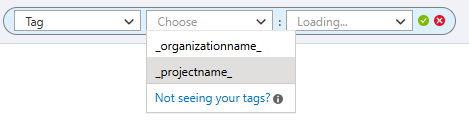
We've added project tags to Copilot Code Review billing data, enabling Azure Cost Management reporting, budgets, and alerts on a per-project basis. This makes it easier to track Copilot Code Review costs by Azure DevOps project, improve cost attribution, and monitor usage across your organization.
GitHub Advanced Security for Azure DevOps
CodeQL default setup is now generally available
CodeQL default setup is now generally available. Default setup is the fastest way to turn on CodeQL code scanning, it configures and runs CodeQL for your repository automatically, with no pipeline YAML to author or maintain. Enable it from your repository's Settings and Advanced Security handles the rest.
This release also brings improvements that make default setup runs easier to monitor and find:
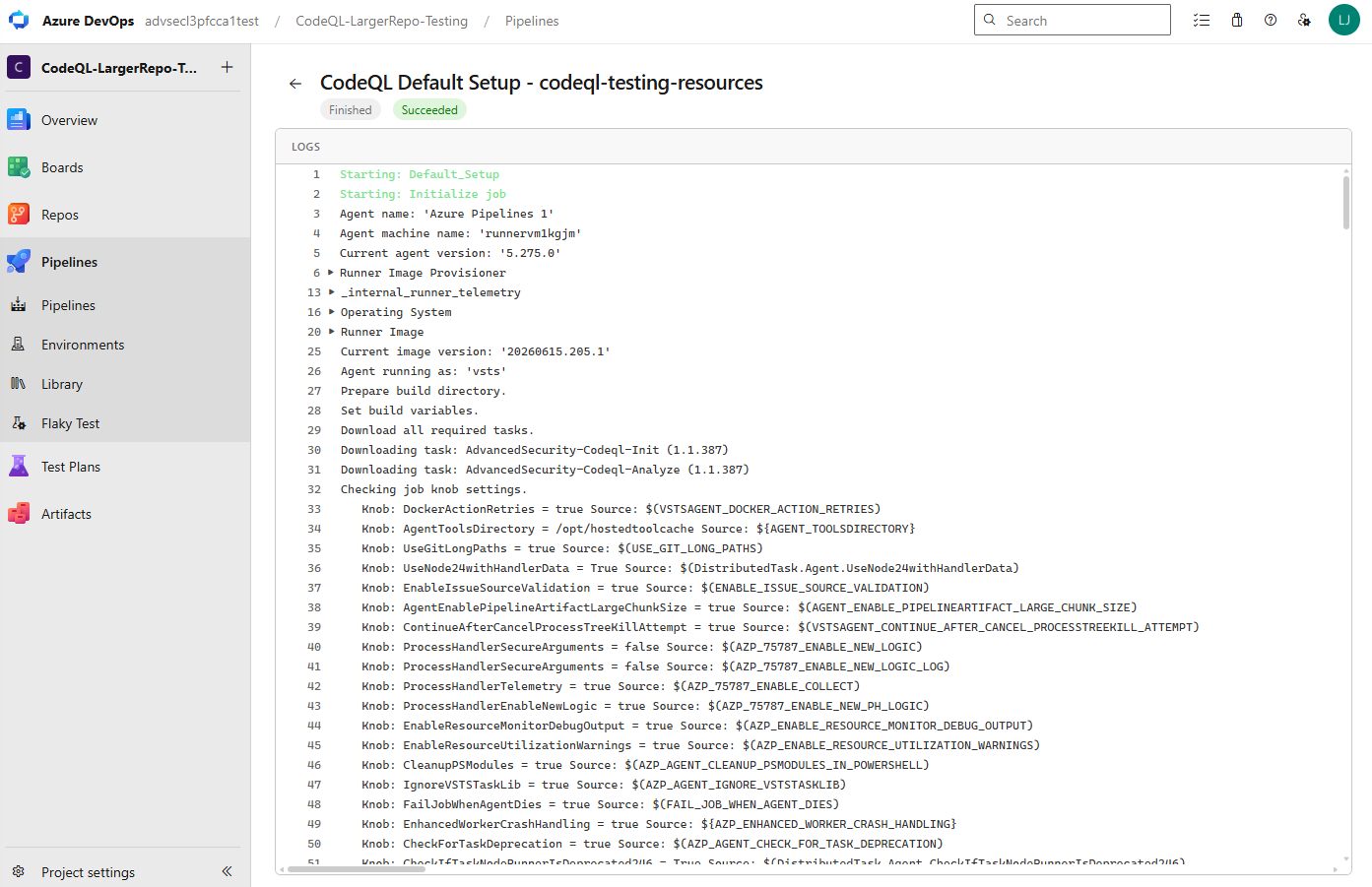
- Enhanced log viewer for default setup runs — a focused, easy-to-read log view so you can quickly confirm a scan finished and succeeded, and dig into the details when you need to.
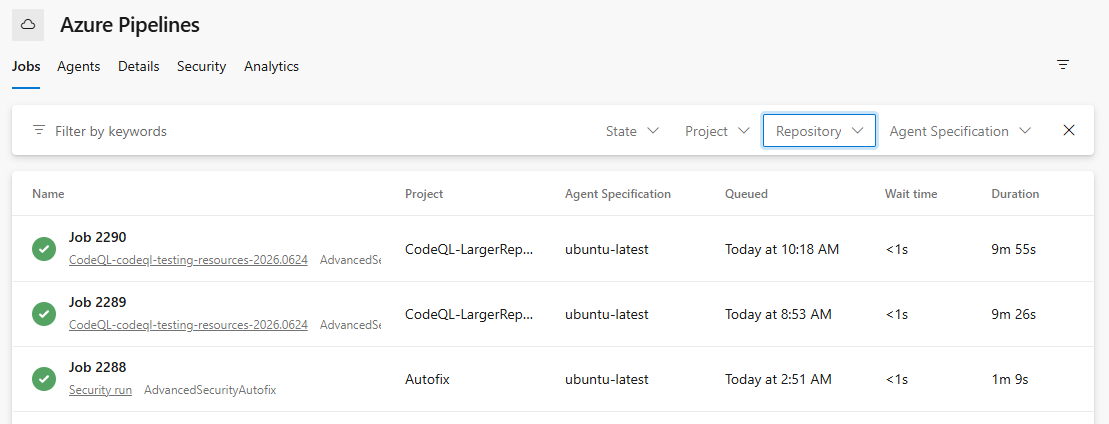
- Clearer run naming — an updated naming convention makes default setup runs easy to identify at a glance in your agent pool job log view.
- New state and repository filters in the agent pool job log view — filter jobs by state and repository to quickly find out what happened to a job across your agent pool. These filters apply to all jobs in the view, not just default setup runs.
CodeQL default setup now supports C/C++
CodeQL default setup now supports C/C++. When you enable default setup, C/C++ appears as a supported language in the additional details panel and is scanned as part of your configured default setup experience. For more information, see set up code scanning.
CodeQL default setup automatically queues an initial run on enablement
When you enable CodeQL default setup at the organization or project level, an initial run is now automatically queued so you don't have to wait for the scheduled weekly run to get your first results. For more information, see set up code scanning.
Enable Autofix at the organization, project, or repository level
You can now enable Copilot Autofix at the organization, project, or repository level. Previously, Autofix could only be configured per repository; with multi-scope enablement you can turn it on once at a broader scope and have it apply across your repositories. For more information, see Copilot Autofix for code scanning.
Clear failure state and retry for Autofix runs
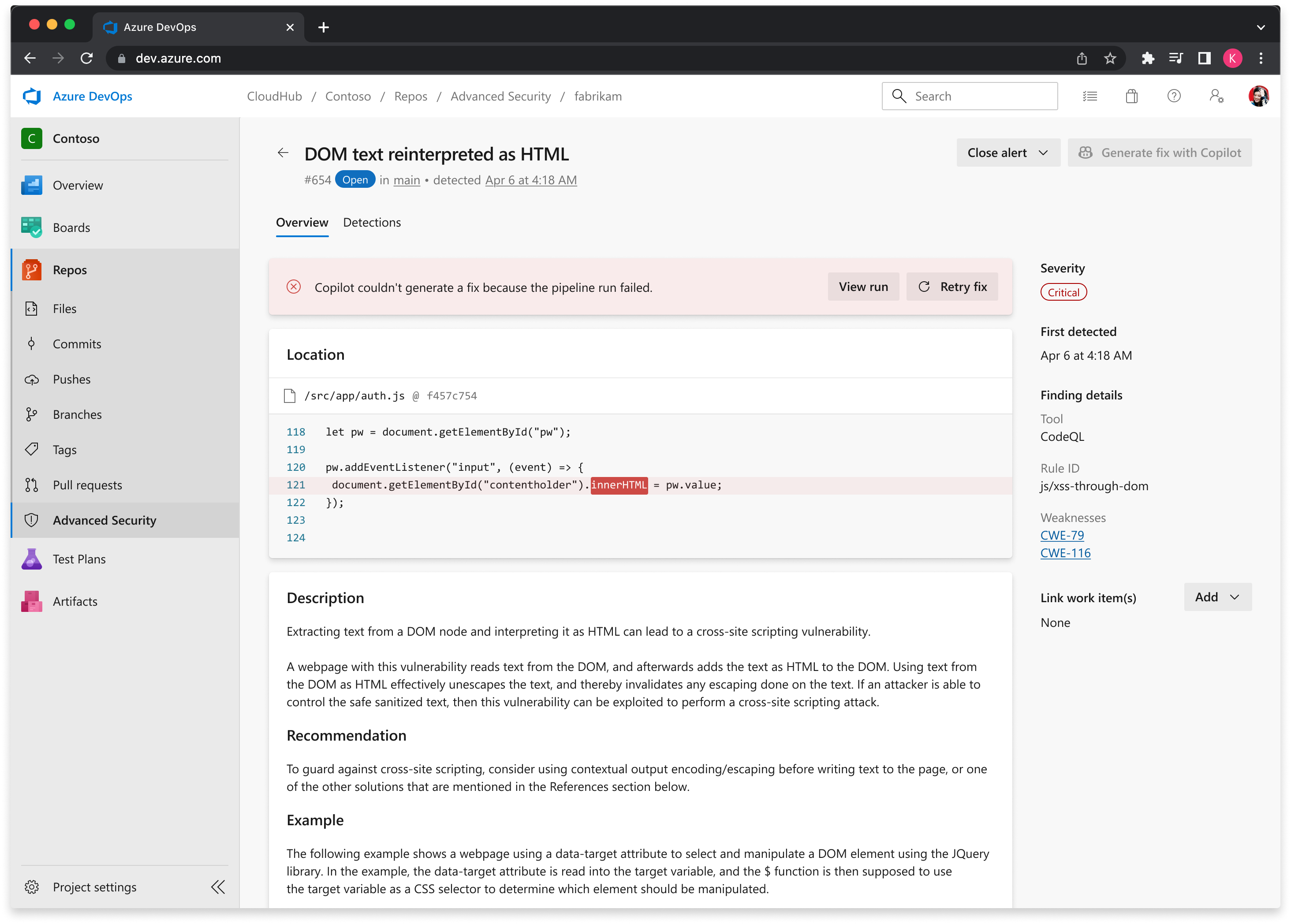
When a Copilot Autofix run fails, the alert detail view now surfaces a prominent failure state so you can quickly see that a run didn't succeed and where to go to investigate, along with a clear option to re-try the run.
For more information on Copilot Autofix, see Copilot Autofix for code scanning.
Azure Pipelines
Manual and automatic disablement of service connections
Service connections have standing access to external or remote services that are targeted or used in tasks in a pipeline job. When a pipeline is updated to trigger manually but in fact is never triggered, the access remains.
Service connections that are still referenced in pipelines but no longer used, can be disabled by the service connection admin e.g. the person who created the service connection or a Project Administrator. To disable a service connection click the 3 dots in the top right corner and select Disable.
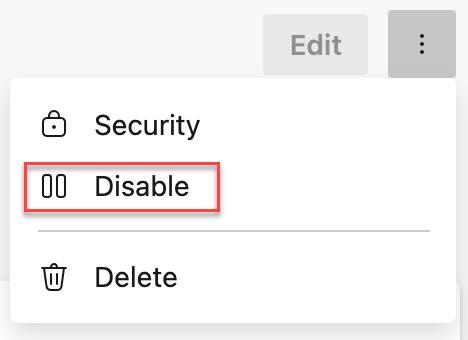
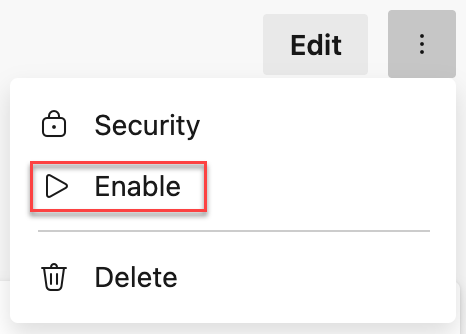
Within Microsoft, we consider it a best practice to automatically disable service connections that have no usage. As part of the Secure Future Initiative Secure by default principle, we are starting to disable service connections that have not been used for 100 days. Service connections that are disabled are logged in the Audit log. If you need to re-enable a service connection for usage after 100 days of inactivity, click the 3 dots in the top right corner and select Enable.
The Azure DevOps issuer in workload identity federation service connections is deprecated
The Azure DevOps issuer in workload identity federation service connections is deprecated and is scheduled for retirement on July 1, 2027. The deprecated issuer uses the https://vstoken.dev.azure.com prefix in federated credentials.
New workload identity federation service connections use the Microsoft Entra issuer by default. Existing service connections that still use the Azure DevOps issuer continue to work until retirement, but you should update them to the Microsoft Entra issuer before July 1, 2027.
Service connections that need action appear at the top of the service connection list and show a warning in the service connection configuration UI. Select Update on the service connection to convert it to the Microsoft Entra issuer.
Important
This deprecation applies only to service connections in Azure public cloud that use single-tenant Microsoft Entra applications or managed identities. Service connections targeting non-public clouds, such as Azure Government, Azure China, or Azure Stack, and service connections that use multi-tenant applications (signInAudience: AzureADMultipleOrgs) are excluded.
For more information, see the Retirement of Azure DevOps issuer in workload identity federation service connections announcement and Convert service connections from the Azure DevOps issuer to the Microsoft Entra issuer documentation.
Azure Repos
Pull request link added to git push output
When you push a new branch to Azure Repos, the git push output now includes a direct link to create a pull request. This makes it faster to open a PR right after pushing, without needing to navigate to the web UI manually.
Example output:
remote:
remote: Create a pull request for 'my-branch' on Azure DevOps by visiting:
remote:   https://dev.azure.com/org/project/_git/repo/pullrequestcreate?sourceRef=my-branch&targetRef=main
remote:
Azure Test Plans
Actual Result feature for manual testing is now generally available
The Actual Result feature for manual testing in Azure Test Plans is now generally available. We announced the public preview in April, and based on the positive feedback from the community and the feature's solid technical performance, we're now promoting it to general availability.
Actual Result was one of the most requested capabilities from the community. Actual Result lets you record precise, step-level outcomes for each test step using text and attachments. This feature improves traceability, audit readiness, and collaboration across teams. You can enable Actual Result as an optional or mandatory field at the test plan level, review captured results directly in the Test Run Hub, and access them programmatically through the Azure DevOps REST API.
Next steps
Note
These features will roll out over the next two to three weeks. Go to Azure DevOps and take a look.
How to provide feedback
We want to hear what you think about these features. Use the help menu to report a problem or provide a suggestion.
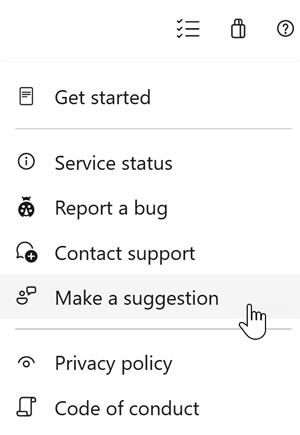
You can also get advice and your questions answered by the community on Stack Overflow.