Note
Access to this page requires authorization. You can try signing in or changing directories.
Access to this page requires authorization. You can try changing directories.
LlamaIndex is a data framework for building LLM applications over your own data. It chunks and embeds source documents, stores them in a vector store, and exposes retrievers and query engines that combine retrieval with an LLM call. The llama-index-vector-stores-azurecosmosmongo package provides AzureCosmosDBMongoDBVectorSearch, a VectorStore implementation that targets the MongoDB-compatible wire protocol exposed by Azure DocumentDB.
This how-to walks through wiring the integration to your cluster, ingesting documents into a VectorStoreIndex, creating a DiskANN vector index, and running semantic and metadata-filtered RAG queries.
What is LlamaIndex?
LlamaIndex provides a small set of building blocks for retrieval-augmented generation:
DocumentandNode— the source text and the chunked, embedded units written to a vector store.VectorStoreIndex— orchestrates chunking, embedding, and persistence into a configuredVectorStore.- Retrievers and query engines — pull the top-k most relevant nodes for a query (optionally with metadata filters) and combine retrieval with an LLM and a prompt template.
AzureCosmosDBMongoDBVectorSearch implements the VectorStore interface against Azure DocumentDB. Vector queries run as $search aggregations using the cosmosSearch operator, which Azure DocumentDB executes natively.
LlamaIndex Azure DocumentDB integration
Azure DocumentDB pairs well with LlamaIndex for the following reasons:
- One store for source data and vectors. Native vector indexing lives alongside document data, enabling RAG and similarity search without introducing a separate vector store. Chunks, metadata, and embeddings stay in the same collection.
- MongoDB-compatible drivers and integrations. Azure DocumentDB exposes the MongoDB wire protocol, so
pymongoand the LlamaIndex Cosmos vCore vector store work against your cluster directly. MongoDB drivers and tools work without application-level rewrites, simplifying migration in common scenarios. - Pre-filter inside vector search. LlamaIndex
MetadataFilterstranslate to acosmosSearch.filterclause, narrowing the candidate set before kNN runs and preserving top-k recall. - DiskANN, HNSW, and IVF indexes. Pick the algorithm that matches your dataset size and recall/latency budget.
Get started: install dependencies
Install LlamaIndex, the Cosmos Mongo vCore vector store, an embedding/LLM provider, and the MongoDB driver. Copy your Connection string value from the Azure portal for your DocumentDB cluster and store it as DOCUMENTDB_URI.
pip install llama-index \
    llama-index-vector-stores-azurecosmosmongo \
    llama-index-llms-azure-openai \
    llama-index-embeddings-openai \
    pymongo
Note
The vector store integration is Python-only. If you're building a TypeScript app, use the mongodb driver and run vector queries with the $search + cosmosSearch aggregation pipeline shown in Vector search in Azure DocumentDB.
Configure Azure OpenAI for embeddings and chat
The example uses Azure OpenAI for both the embedding model and the chat completion model. Set the following environment variables before running the code:
| Variable | Purpose |
|---|---|
AZURE_OPENAI_ENDPOINT |
The Azure OpenAI resource endpoint. |
AZURE_OPENAI_API_KEY |
API key for the resource. |
AZURE_OPENAI_API_VERSION |
API version (for example, 2024-08-01-preview). |
AZURE_OPENAI_CHAT_DEPLOYMENT |
Deployment name for the chat model (for example, gpt-4o-mini). |
AZURE_OPENAI_EMBEDDING_DEPLOYMENT |
Deployment name for the embedding model (for example, text-embedding-3-small). |
import os

from llama_index.core import Settings
from llama_index.llms.azure_openai import AzureOpenAI
from llama_index.embeddings.azure_openai import AzureOpenAIEmbedding

Settings.llm = AzureOpenAI(
    model="gpt-4o-mini",
    deployment_name=os.environ["AZURE_OPENAI_CHAT_DEPLOYMENT"],
    api_key=os.environ["AZURE_OPENAI_API_KEY"],
    azure_endpoint=os.environ["AZURE_OPENAI_ENDPOINT"],
    api_version=os.environ["AZURE_OPENAI_API_VERSION"],
    temperature=0,
)

Settings.embed_model = AzureOpenAIEmbedding(
    model="text-embedding-3-small",
    deployment_name=os.environ["AZURE_OPENAI_EMBEDDING_DEPLOYMENT"],
    api_key=os.environ["AZURE_OPENAI_API_KEY"],
    azure_endpoint=os.environ["AZURE_OPENAI_ENDPOINT"],
    api_version=os.environ["AZURE_OPENAI_API_VERSION"],
)

Settings.chunk_size = 256
Settings.chunk_overlap = 20
To use OpenAI (non-Azure) instead, swap AzureOpenAI/AzureOpenAIEmbedding for OpenAI/OpenAIEmbedding and provide OPENAI_API_KEY.
Load source documents
Use SimpleDirectoryReader to load any folder of .pdf, .txt, .md, or .docx files into a list of Document objects.
from llama_index.core import SimpleDirectoryReader

documents = SimpleDirectoryReader(input_dir="./data").load_data()
print(f"Loaded {len(documents)} documents.")
You can also build Document objects in code with custom metadata to enable filtered retrieval later:
from llama_index.core import Document

documents = [
    Document(
        text="Azure DocumentDB supports DiskANN, HNSW, and IVF vector indexes.",
        metadata={"title": "Vector indexes", "category": "vector-search"},
    ),
    Document(
        text="Reuse a single MongoClient instance per process for best throughput.",
        metadata={"title": "Connection best practices", "category": "ops"},
    ),
]
Connect to Azure DocumentDB and build the index
Wrap a pymongo.MongoClient with AzureCosmosDBMongoDBVectorSearch and a StorageContext, then call VectorStoreIndex.from_documents. The index chunks each document, embeds the chunks with Settings.embed_model, and writes them to the configured collection.
import pymongo
from llama_index.core import StorageContext, VectorStoreIndex
from llama_index.vector_stores.azurecosmosmongo import AzureCosmosDBMongoDBVectorSearch

DB_NAME = "llamaindex_db"
COLLECTION_NAME = "documents"
VECTOR_INDEX_NAME = "vector-diskann"

mongodb_client = pymongo.MongoClient(
    os.environ["DOCUMENTDB_URI"],
    appname="llamaindex-sample",
)

vector_store = AzureCosmosDBMongoDBVectorSearch(
    mongodb_client=mongodb_client,
    db_name=DB_NAME,
    collection_name=COLLECTION_NAME,
    index_name=VECTOR_INDEX_NAME,
    embedding_key="embedding",
    text_key="text",
)

storage_context = StorageContext.from_defaults(vector_store=vector_store)

index = VectorStoreIndex.from_documents(
    documents,
    storage_context=storage_context,
    show_progress=True,
)
Key parameters:
| Parameter | Purpose |
|---|---|
db_name / collection_name |
Target database and collection. |
index_name |
Name of the vector index used by cosmosSearch queries. |
embedding_key |
Field that stores the vector. |
text_key |
Field that stores the chunk text. |
Create a DiskANN vector index
LlamaIndex doesn't create the vector index — call create_index on the underlying collection with cosmosSearchOptions after writing your chunks. The cell is idempotent: re-running it skips creation if an index by the same name exists.
EMBEDDING_DIMS = 1536  # text-embedding-3-small

coll = mongodb_client[DB_NAME][COLLECTION_NAME]
existing = {idx["name"] for idx in coll.list_indexes()}

if VECTOR_INDEX_NAME not in existing:
    coll.create_index(
        [("embedding", "cosmosSearch")],
        name=VECTOR_INDEX_NAME,
        cosmosSearchOptions={
            "kind": "vector-diskann",
            "dimensions": EMBEDDING_DIMS,
            "similarity": "COS",
            "maxDegree": 32,
            "lBuild": 50,
        },
    )
For HNSW or IVF, change kind to vector-hnsw or vector-ivf and adjust the algorithm-specific options (for example, m and efConstruction for HNSW, numLists for IVF).
Query the index
Convert the index into a query engine and ask natural-language questions. The engine retrieves the top-k most similar chunks and grounds the LLM's answer in them.
import textwrap

query_engine = index.as_query_engine()

response = query_engine.query("Which vector index should I pick for production?")
print(textwrap.fill(str(response), 100))
To inspect the chunks the engine grounded its answer on, read response.source_nodes:
for src in response.source_nodes:
    print(f"- {src.metadata.get('title')} (score={src.score:.3f})")
Filter retrieval by metadata
Use MetadataFilters to restrict retrieval to chunks whose metadata matches an exact value. The vector store translates the filter into a cosmosSearch.filter clause that runs inside the kNN stage.
from llama_index.core.vector_stores import ExactMatchFilter, MetadataFilters

filters = MetadataFilters(filters=[ExactMatchFilter(key="category", value="ops")])

filtered_engine = index.as_query_engine(similarity_top_k=2, filters=filters)
print(filtered_engine.query("How should I configure my Mongo client?"))
The same pattern works with other LlamaIndex query engines — RetrieverQueryEngine, SubQuestionQueryEngine, RouterQueryEngine, and agents — once the vector store is wired up.
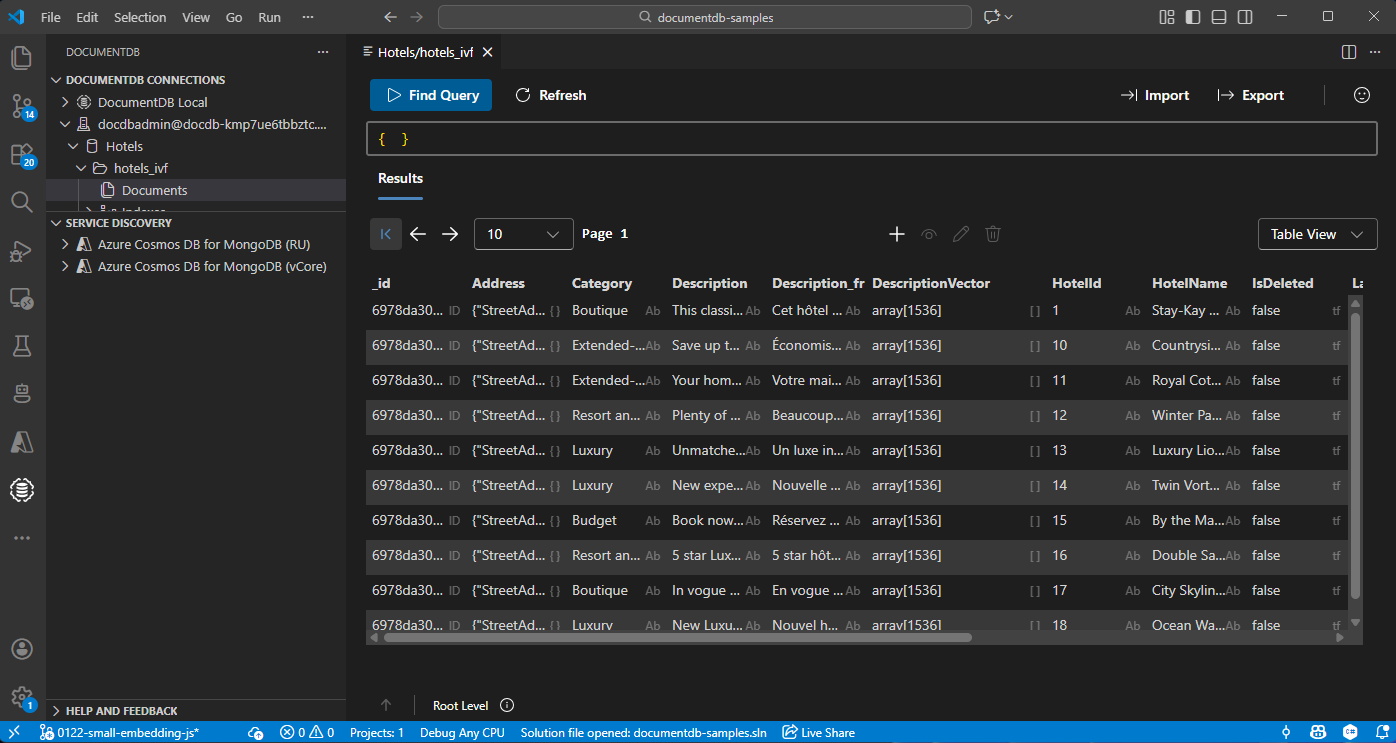
View and manage data in Visual Studio Code
You can browse the persisted chunks, embeddings, and vector index without leaving your editor.
Install the Azure DocumentDB extension for Visual Studio Code.
Connect to your Azure DocumentDB cluster from the DocumentDB Connections view by using the same connection string you set as
DOCUMENTDB_URI.Expand the
llamaindex_db.documentscollection to view chunks, run find queries, and inspect the DiskANN vector index.