Note
Access to this page requires authorization. You can try signing in or changing directories.
Access to this page requires authorization. You can try changing directories.
Voice-based agents use the same observability and evaluation stack as other agents in Microsoft Foundry Agent Service. They use the same Application Insights connection, OpenTelemetry data, tracing tools, monitoring dashboard, and transcript-based evaluators.
This article describes only what is different for voice-based agents. For standard setup and workflows, use the linked Foundry observability articles.
Important
Items marked (preview) in this article are currently in public preview. This preview is provided without a service-level agreement, and we don't recommend it for production workloads. Certain features might not be supported or might have constrained capabilities. For more information, see Supplemental Terms of Use for Microsoft Azure Previews.
What's different for voice-based agents
| Area | What's different for voice |
|---|---|
| Traces | A trace represents a voice conversation and includes voice-pipeline operations, turn events, transcripts, and audio references when content capture is enabled. The replay experience can present both a technical span view and a conversation-oriented user view. |
| Monitoring | Voice dashboards emphasize time to first audio and provide separate charts for overall, model, speech-to-text, and text-to-speech latency. |
| Evaluation | Voice-based agents support dataset-based and trace-based evaluation with the standard transcript-based evaluators. Simulation-based evaluation adds voice synthesis, audio effects, and simulated interruption behavior. |
| Conversation storage | Tracing and conversation storage are separate. To read transcripts, event timelines, and audio from the agent endpoint after a session, enable conversation storage on the agent. |
Trace a voice-based agent
Voice traces flow to the Application Insights resource connected to your Foundry project. You don't need a voice-specific exporter or Application Insights connection.
A voice session produces one trace. The trace can contain a span for each conversational turn and child spans for the stages of that turn, including model calls, tool calls, speech recognition, speech synthesis, and voice activity detection. Voice telemetry can also record signals such as time to first audio and caller interruptions.
Trace views
In the Traces tab:
- Each trace represents one conversation. The Responses view and Response ID column don't appear because voice traces don't have a Responses API
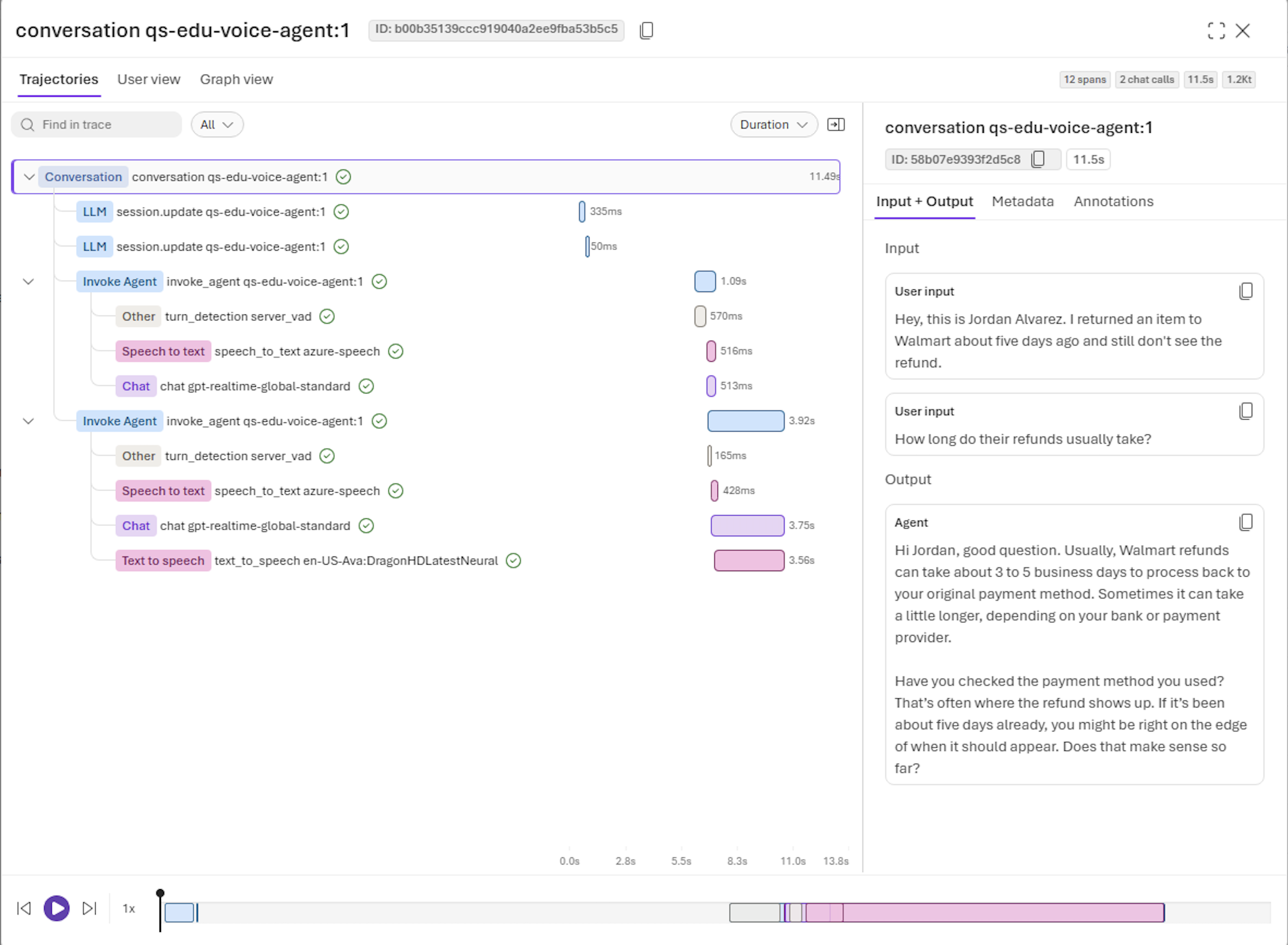
response_id. - Trajectories shows the voice pipeline as a span tree and waterfall timeline.
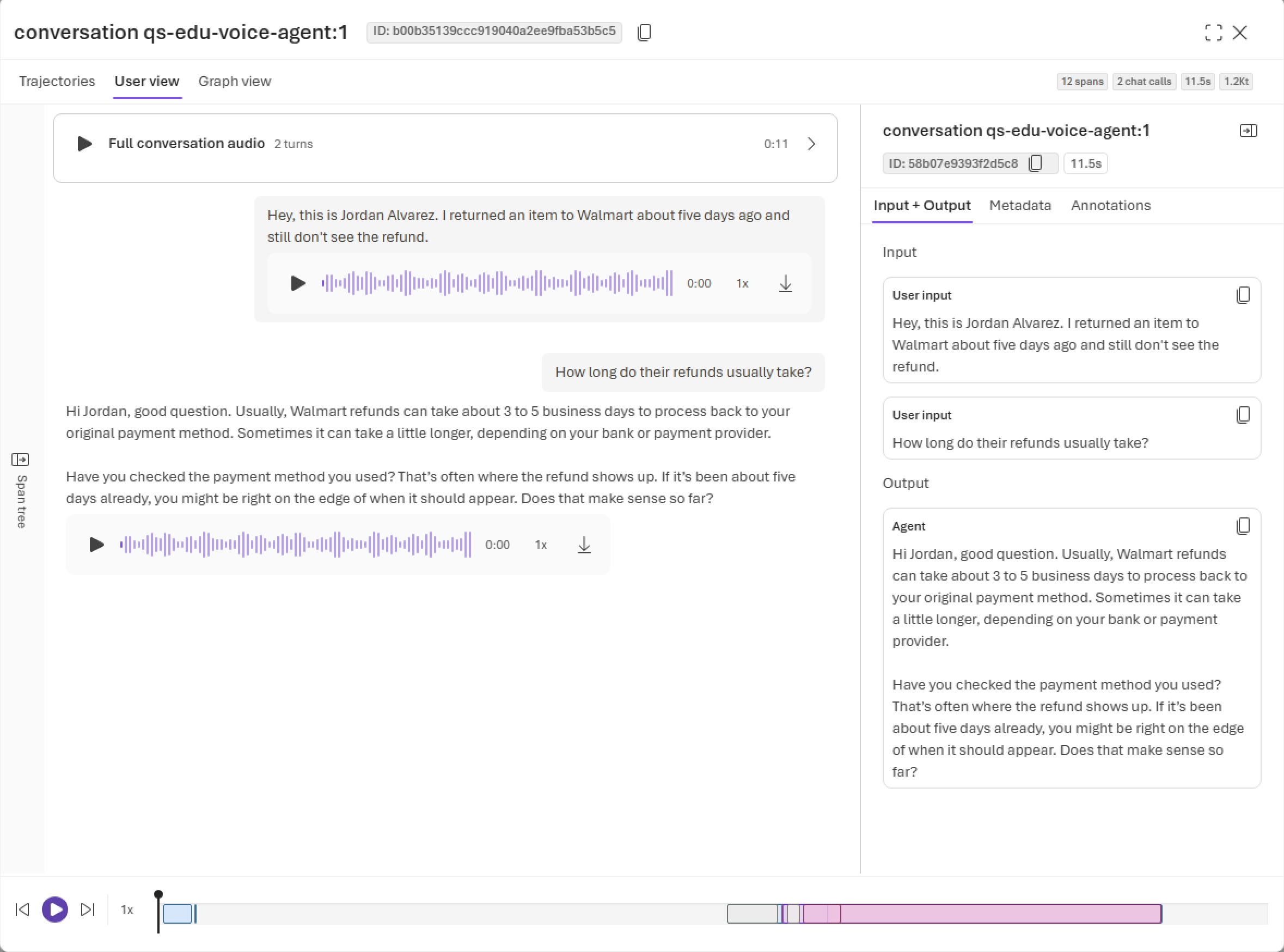
- User view shows caller and agent turns, links each turn to its span, and provides audio playback when audio is available.
The Trajectories view shows the duration and hierarchy of each voice-pipeline stage for every turn.
The User view combines transcripts with full-conversation and per-turn audio playback.
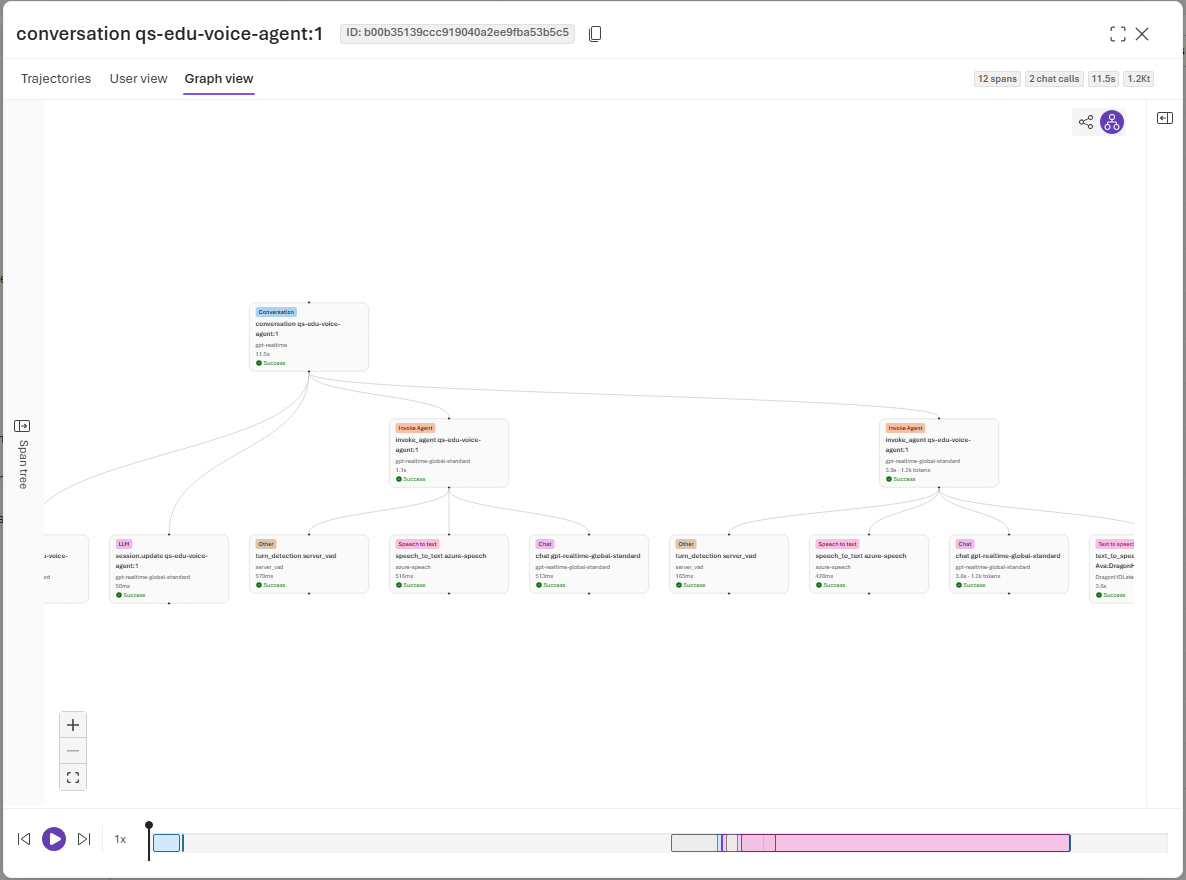
The Graph view displays the relationships between the conversation, agent turns, and voice-pipeline operations.
Audio is requested only when you use playback or download. Foundry checks access before enabling those controls.
Warning
Audio, transcripts, model content, and tool data can contain personal, confidential, biometric, financial, health, or other regulated information. Apply appropriate notice, consent, access, retention, and download controls.
Transcripts and audio
The system doesn't capture transcripts and audio references by default. Treat content capture as a privacy decision rather than only a debugging setting. Anyone who can read the connected Application Insights resource and protected telemetry can read captured content, subject to the configured access controls.
For composed voice pipelines, user transcripts typically come from speech recognition. Realtime speech-to-speech models can emit input and output transcripts directly. The trace view uses the transcript and audio references available in the emitted telemetry.
Audio remains in voice-agent-owned storage and is referenced from the trace. Application Insights stores the telemetry reference, not the audio recording itself.
What's the same as other agents
Application Insights setup, trace search, time filters, annotations, tool-call inspection, and the underlying OpenTelemetry pipeline work the same way as they do for other agents.
| Task | Article |
|---|---|
| Connect Application Insights and start tracing | Set up tracing for agents |
| Understand agent trace structure and semantics | Agent tracing overview |
| Understand trace data and storage | Trace data |
| Control sensitive-content capture | Manage sensitive content in traces |
| Use trace replay | Replay agent traces |
| Troubleshoot tracing | Troubleshoot observability |
Monitor a voice-based agent
Voice-based agents appear in the same agent monitoring dashboard as other agents. The voice dashboard adds signals that show whether the spoken interaction feels responsive and where delay enters the pipeline.
Summary metrics
| Metric | What it shows |
|---|---|
| Average time to first audio | Average time from the start of a caller turn until the first agent audio is returned. |
| Total sessions | Number of recorded voice sessions. |
| Total and average session duration | How long callers spend in voice sessions. |
| Total turns and average turns per session | Conversation depth and possible repetition. |
| Audio token usage | Input, output, and cached audio token categories when the selected model emits them. |
Time to first audio is the most customer-visible voice latency measure. If it shows NaN, telemetry was found but no valid sample could be calculated for the selected period. It doesn't mean zero seconds.
Latency charts
The voice monitoring dashboard provides separate charts for each part of the voice pipeline:
| Chart | What it shows |
|---|---|
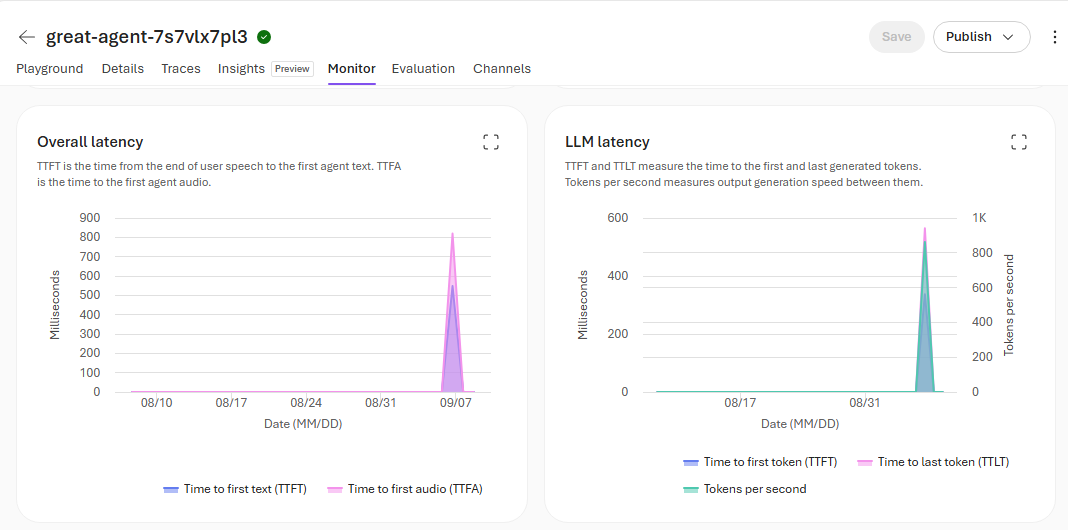
| Overall latency | Time to first text (TTFT), measured from the end of voice activity detection to the first generated token, and time to first audio (TTFA), measured from the end of voice activity detection to the first agent audio. |
| LLM latency | Time to first token (TTFT), time to last token (TTLT), and tokens per second. |
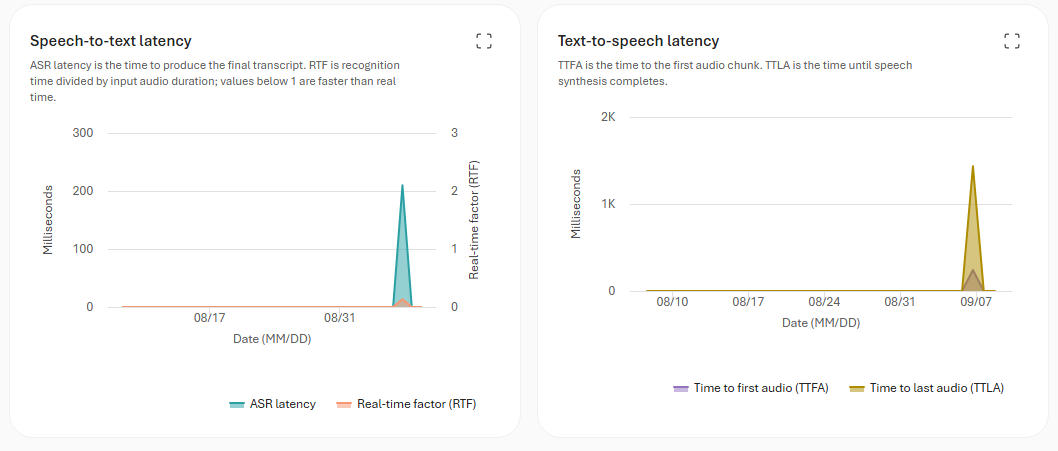
| Speech-to-text latency | Speech-recognition latency (ASR) and real-time factor (RTF). RTF is recognition time divided by input audio duration; values below 1 are faster than real time. |
| Text-to-speech latency | Time to first audio chunk (TTFA) and time to last audio (TTLA), when speech synthesis finishes. |
Use the Overall latency and LLM latency charts to compare response latency with model generation latency and speed.
Use the Speech-to-text latency and Text-to-speech latency charts to compare recognition and synthesis latency.
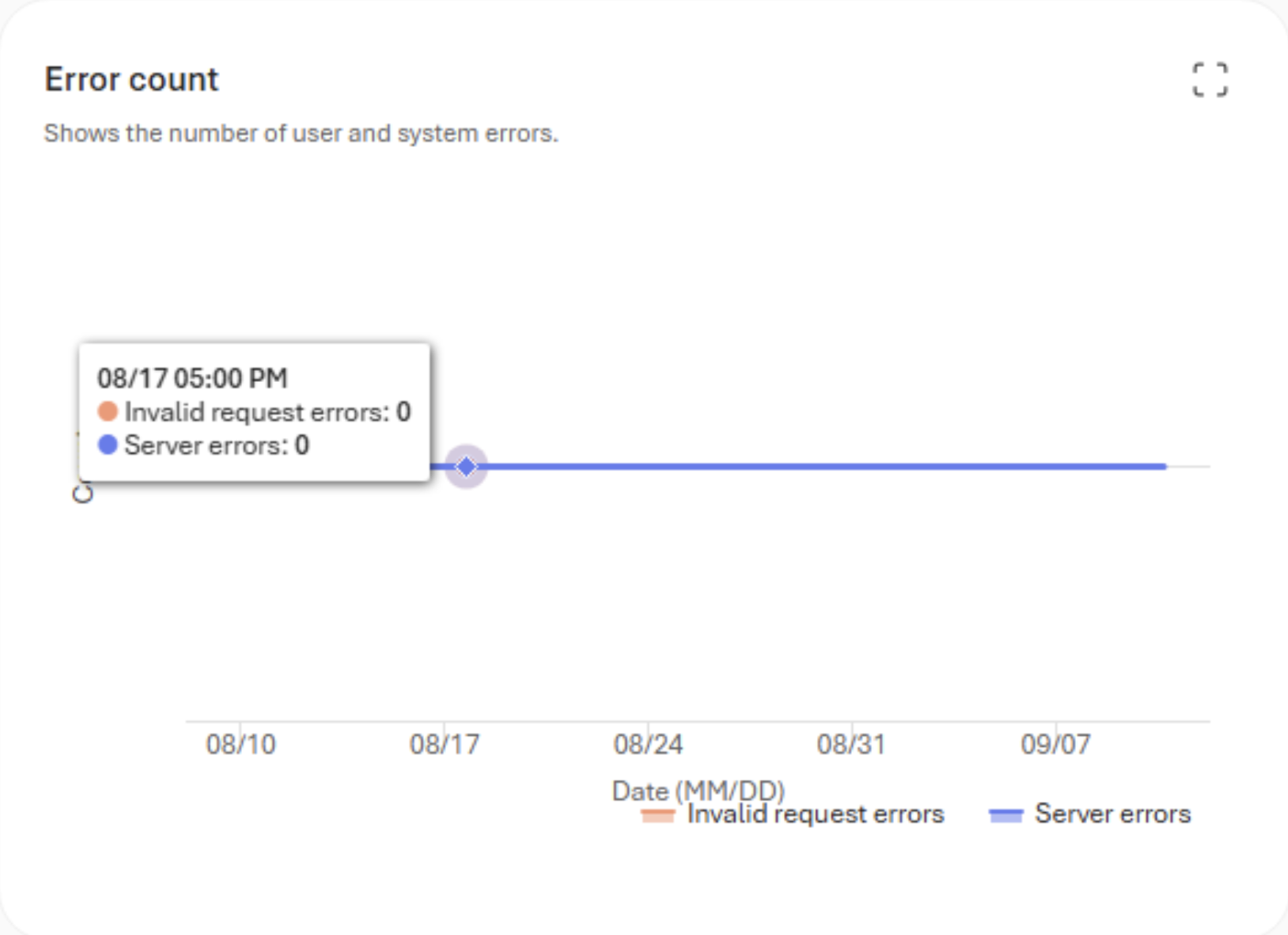
The error chart separates invalid request errors from server errors.
What's the same as other agents
Time-range selection, agent and version filters, traffic and token trends, tool usage, error rate, drill-through to traces, and Application Insights retention and billing behavior are unchanged. See Monitor your agents.
The Insights and ROI tabs aren't currently available for voice-based agents. Recurring evaluations are supported on a fixed schedule, but event-triggered evaluations aren't supported for full-conversation voice evaluation.
Evaluate a voice-based agent
Voice-based agent evaluation uses text transcripts and the standard Foundry evaluators. These evaluators can assess intent resolution, task adherence, tool-call accuracy, coherence, relevance, groundedness, and content safety. They don't assess pronunciation, prosody, echo, background noise, audio quality, or interruption timing.
Evaluation workflows
Voice-based agents support three evaluation workflows:
| Workflow | Voice-based agent behavior |
|---|---|
| Dataset-based evaluation | Evaluate stored voice conversation transcripts from a JSONL dataset by using the standard turn-level or conversation-level evaluators that support the selected evaluation level. |
| Trace-based evaluation | Evaluate existing voice conversations ingested from Application Insights. Select conversations by trace ID, conversation ID, or agent and time-based filters. |
| Simulation-based evaluation | Generate voice conversations from test scenarios, run them against the voice agent, and apply conversation-level evaluators to the resulting transcripts. Voice simulation adds a text-to-speech voice, audio effects, and simulated user interruption behavior. |
Each eligible voice trace is treated as one conversation row. Telemetry typically takes several minutes to ingest. If a recent conversation isn't listed, wait for ingestion and extend the selected time range beyond the conversation time.
Enhanced user conversation simulation
Voice simulation uses the same scenario-driven workflow as text conversation simulation, with additional configuration for spoken interactions:
- Voice model: Configure the Azure standard neural voice that converts simulated user text to speech. You can also set the voice model's synthesis temperature.
- Audio conditions: Add background or channel effects and control their volume to test how the agent performs under different listening conditions.
- Interruption behavior: Simulate a user speaking while the agent responds to test how the agent handles interruptions.
For scenario sources, conversation controls, test-case overrides, generated datasets, and request examples, see Simulate conversations with the Microsoft Foundry SDK.
What's the same as other agents
Evaluator selection, custom rubrics, cloud evaluation runs, result interpretation, and troubleshooting use the standard evaluation workflow.
| Task | Article |
|---|---|
| Evaluate a single-turn dataset | Evaluate existing datasets with the Microsoft Foundry SDK |
| Evaluate a conversation dataset | Evaluate conversation datasets with the Microsoft Foundry SDK |
| Evaluate single-turn traces | Evaluate traces with the Microsoft Foundry SDK |
| Evaluate multi-turn traces | Evaluate deployed conversations with the Microsoft Foundry SDK |
| Evaluate an agent as a single-turn target | Evaluate an agent target with the Microsoft Foundry SDK |
| Evaluate simulated conversations | Simulate conversations with the Microsoft Foundry SDK |
| Evaluate with a rubric evaluator | Use rubric evaluators to run an evaluation |
| Evaluate with an endpoint-based custom evaluator | Run an evaluation with an endpoint-based evaluator |
Use custom rubric criteria for voice conversation outcomes that you can judge from the transcript and trace, such as whether the agent asked one question at a time, confirmed important details, handled recognition errors without guessing, and clearly stated the final outcome.
Read stored conversations
Tracing and conversation storage are separate. Traces describe how a session behaved. A stored conversation preserves what was said and heard.
Set store to true on the agent definition to persist the transcript, event timeline, and raw audio. The default is false. Read stored conversations from /agents/{agent_name}/endpoint/protocols/voice/conversations, including per-turn transcripts, per-turn audio, and a merged stereo recording with the caller on the left channel and the agent on the right.
Deleting a stored conversation also deletes its responses, items, and audio. If you use bring-your-own storage, the service returns recordings as a URI in your storage account, and Azure RBAC on that account governs access.