Note
Access to this page requires authorization. You can try signing in or changing directories.
Access to this page requires authorization. You can try changing directories.
In this article, you learn how to use the rule impact analyzer feature to simulate your security admin rules on the traffic flows of your virtual networks in your Azure Virtual Network Manager instance’s security admin configuration’s rule collections blade. You can use the Azure portal to analyze what impact the security admin rules in your rule collection can have on your virtual networks before deploying them.
This feature helps you validate security admin rule behavior, identify potential impact to existing traffic flows, and ensure your connectivity requirements are met without disrupting live traffic. By understanding the impact of your security admin rules, you can confidently plan changes, maintain compliance, and reduce the risk of misconfiguration across your virtual networks.
Prerequisites
An Azure subscription. If you don't have an Azure subscription, create a free account before you begin.
An existing network manager instance. If you don't have a network manager instance, see Create a network manager instance.
A network group. If you don’t have a network group, see Create a network group.
A security admin configuration with at least one rule collection containing at least one security admin rule. If you don’t have a security admin configuration, see Create a security admin configuration. If you don’t have a rule collection or security admin rule, see Add a rule collection and security rule.
Traffic analytics enabled for your virtual network flow logs. If you don’t have virtual network flow logs enabled on the network groups’ virtual networks you want to include in the analysis, see Create a flow log. If you don’t have traffic analytics enabled for your virtual network flow logs, see Enable traffic analytics on virtual network flow logs.
- It can take time after configuring these tools before data becomes available for rule impact analyzer.
Required role-based access control (RBAC) permissions. For more information, see Traffic analytics RBAC Permissions.
Simulate security admin rules in the Azure portal
Use rule impact analyzer in the Azure portal to analyze your security admin rules and simulate traffic flow patterns. In this step, you go to the rule impact analyzer feature.
In the Azure portal, search for and select Network managers.
Select your network manager instance.
In the left menu, under Settings, select Configurations.
Select your security admin configuration.
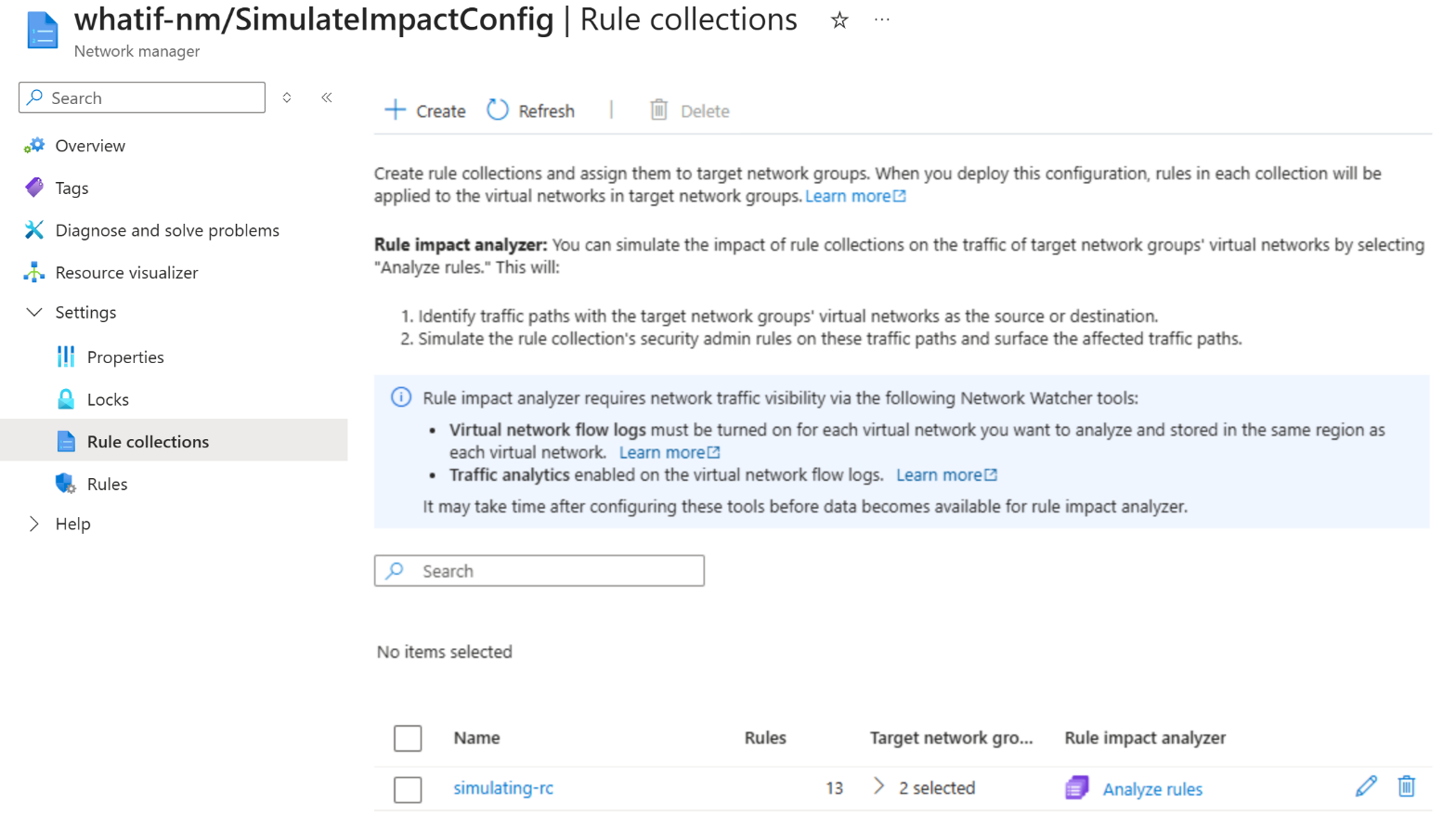
In the left menu, under Settings, select Rule collections.
Select Analyze rules for the rule collection you want.
Important
Rule impact analysis works only on virtual networks with traffic analytics fully enabled. This requirement ensures the simulation is based on complete and accurate traffic data. The following virtual networks are automatically excluded because they can result in incomplete or inaccurate simulation results:
- Virtual networks with subnet or NIC‑level flow logs.
- Virtual networks with flow log filtering enabled.
- AKS‑injected virtual networks.
Review results
After running the simulation, you see a detailed report that lists all existing traffic paths that have the target network groups’ virtual networks as the source or destination. The report shows how your security admin rules can affect those traffic paths.
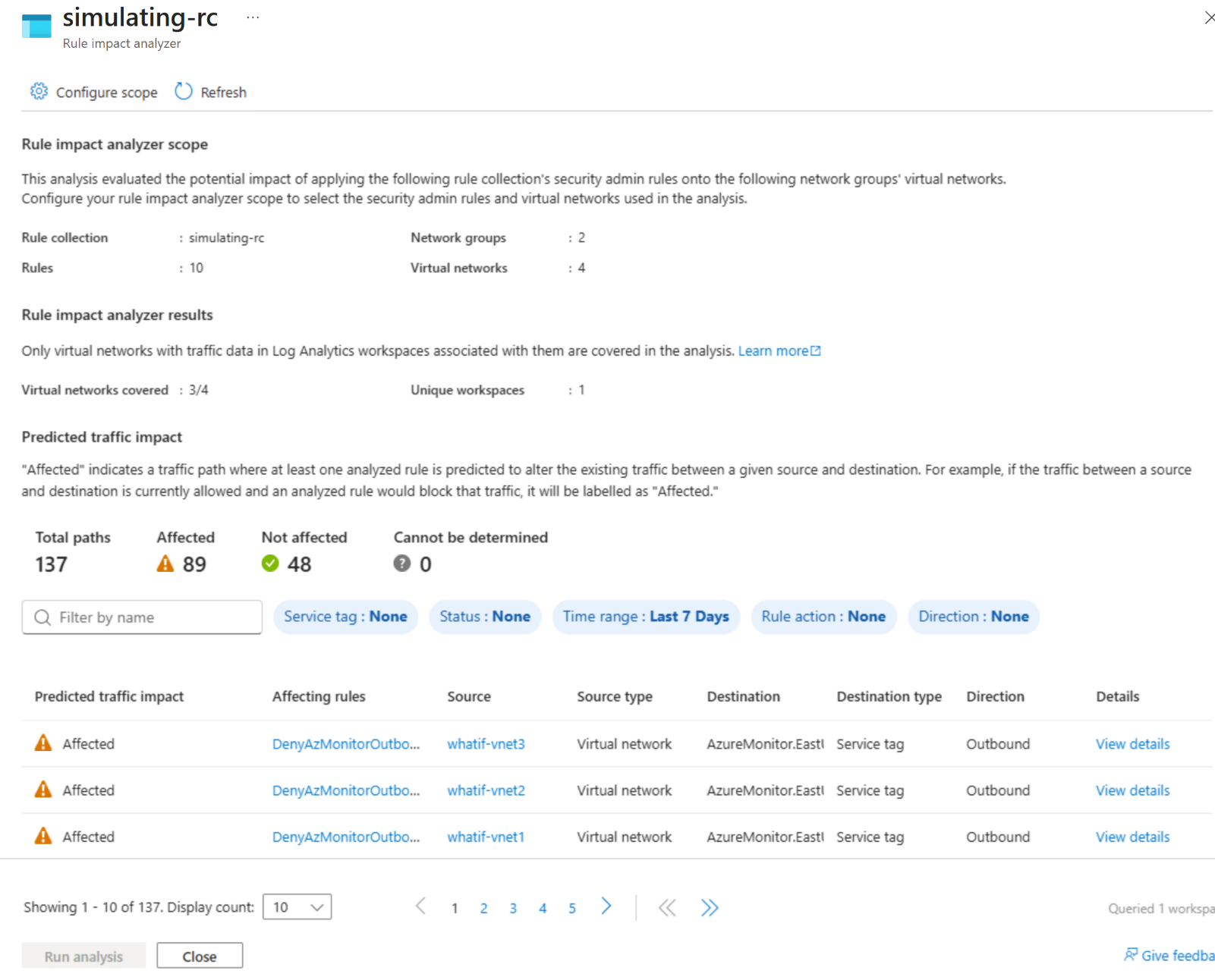
The Predicted traffic impact column of the simulation results returns one of the following states:
Affected: a path where at least one simulated rule changes the existing traffic behavior.
Not affected: a path where none of the simulated rules change the existing traffic behavior.
Cannot be determined: a path where the analysis can't compute a result. For example, this state occurs if a Log Analytics workspace doesn't exist for traffic analytics, if access to the workspace is denied, or if required data is missing.
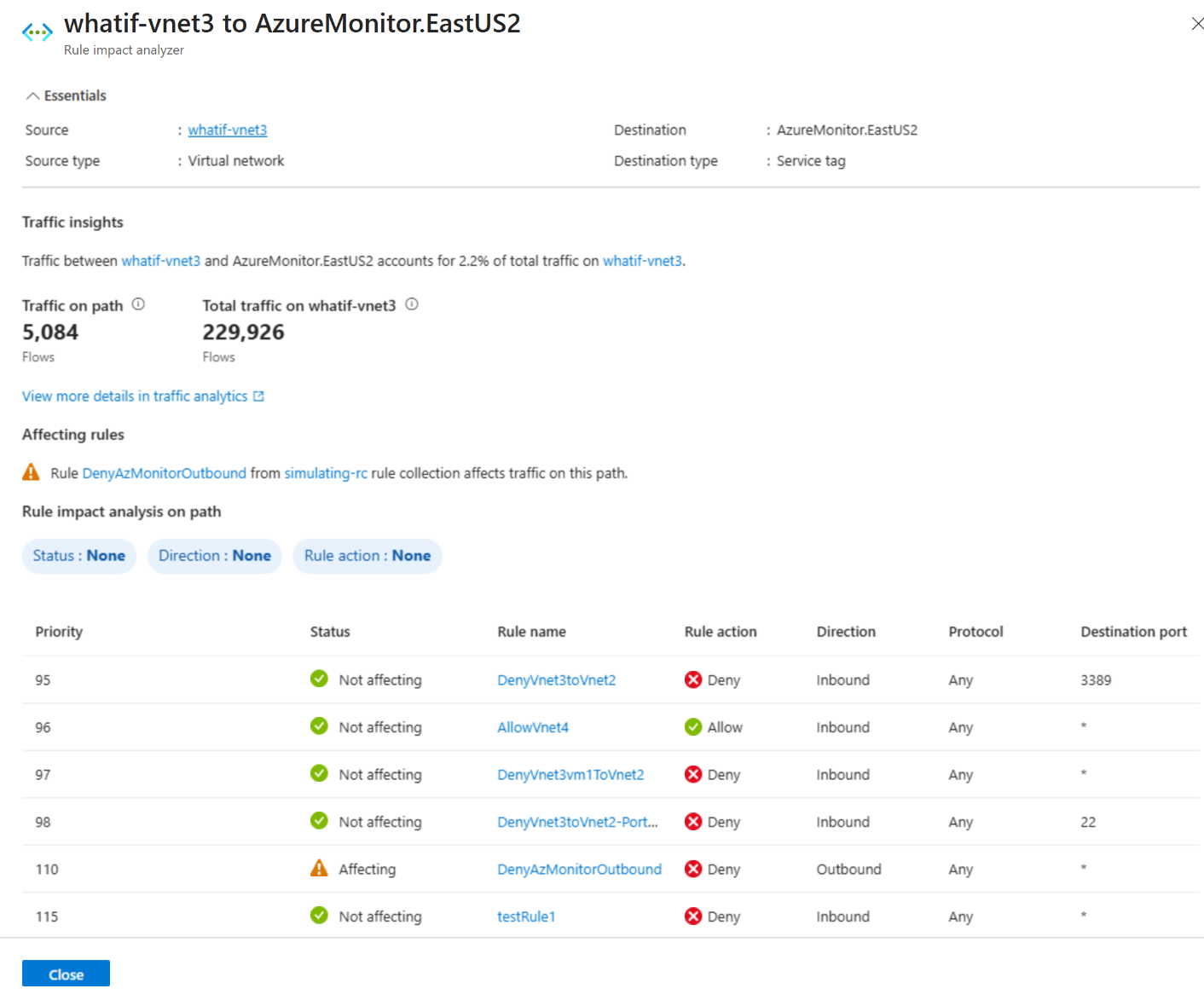
Select View details for any of the listed traffic paths. This selection opens a pane with additional information on each of the simulated security admin rules, showing whether a rule affects the selected traffic path.
Configure scope
You can configure the scope of rule impact analyzer to choose your desired rule collections and specific security admin rules to simulate traffic flow patterns for your desired set of network groups and specific virtual networks.
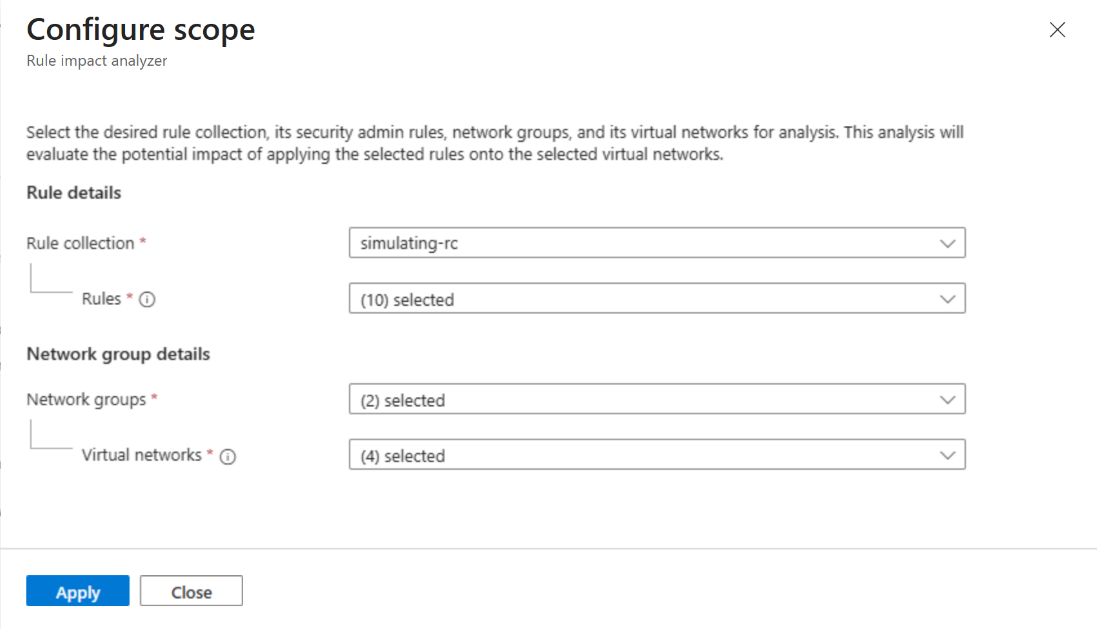
In the rule impact analyzer results page, select Configure scope.
Use each dropdown to select your desired rule collection, rules, network groups, and virtual networks.
Select Apply to run rule impact analyzer on the new scope.