Note
Access to this page requires authorization. You can try signing in or changing directories.
Access to this page requires authorization. You can try changing directories.
This article describes how to view available backups for your tenant in Microsoft Entra Backup and Recovery.
Microsoft Entra backups provide a point-in-time view of supported tenant objects and their attributes. Backups help administrators review changes and recover from accidental or unwanted modifications.
Key characteristics of Backup and Recovery:
- One backup per day: Microsoft Entra automatically creates one backup each day for your tenant.
- Retained for seven days: Each backup is available for up to seven days from its timestamp.
- Non-editable: Backups can't be modified or deleted.
Prerequisites
To view available backups in your tenant, you must have the Microsoft Entra Backup Reader role or a higher-privileged role.
View backups
Sign in to the Microsoft Entra admin center as at least a Microsoft Entra Backup Reader.
Browse to Backup and recovery. The Overview page shows feature highlights, alerts, and recent activity.
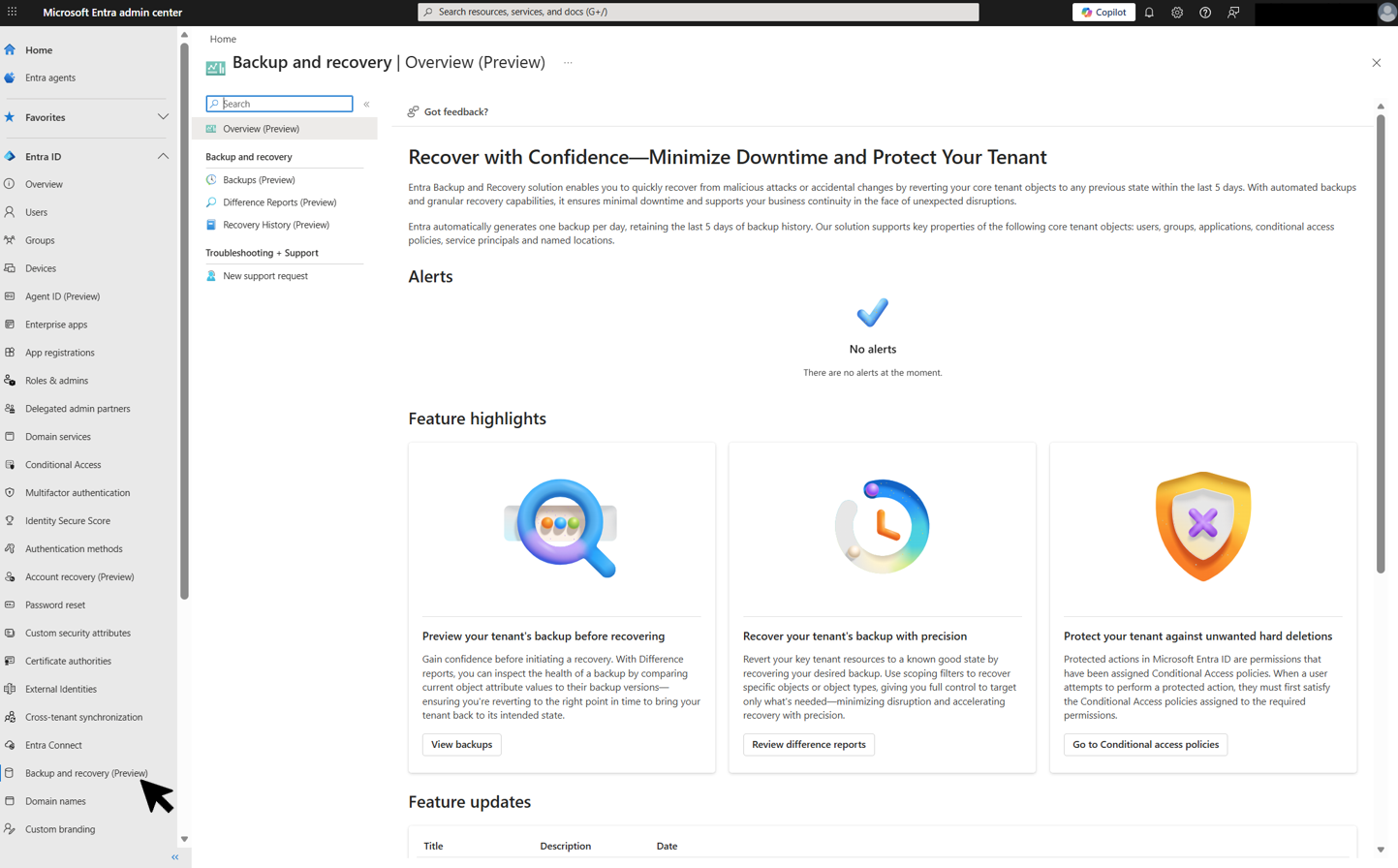
Select Backups to view the list of available backups for your tenant. Each backup shows its timestamp and backup ID.
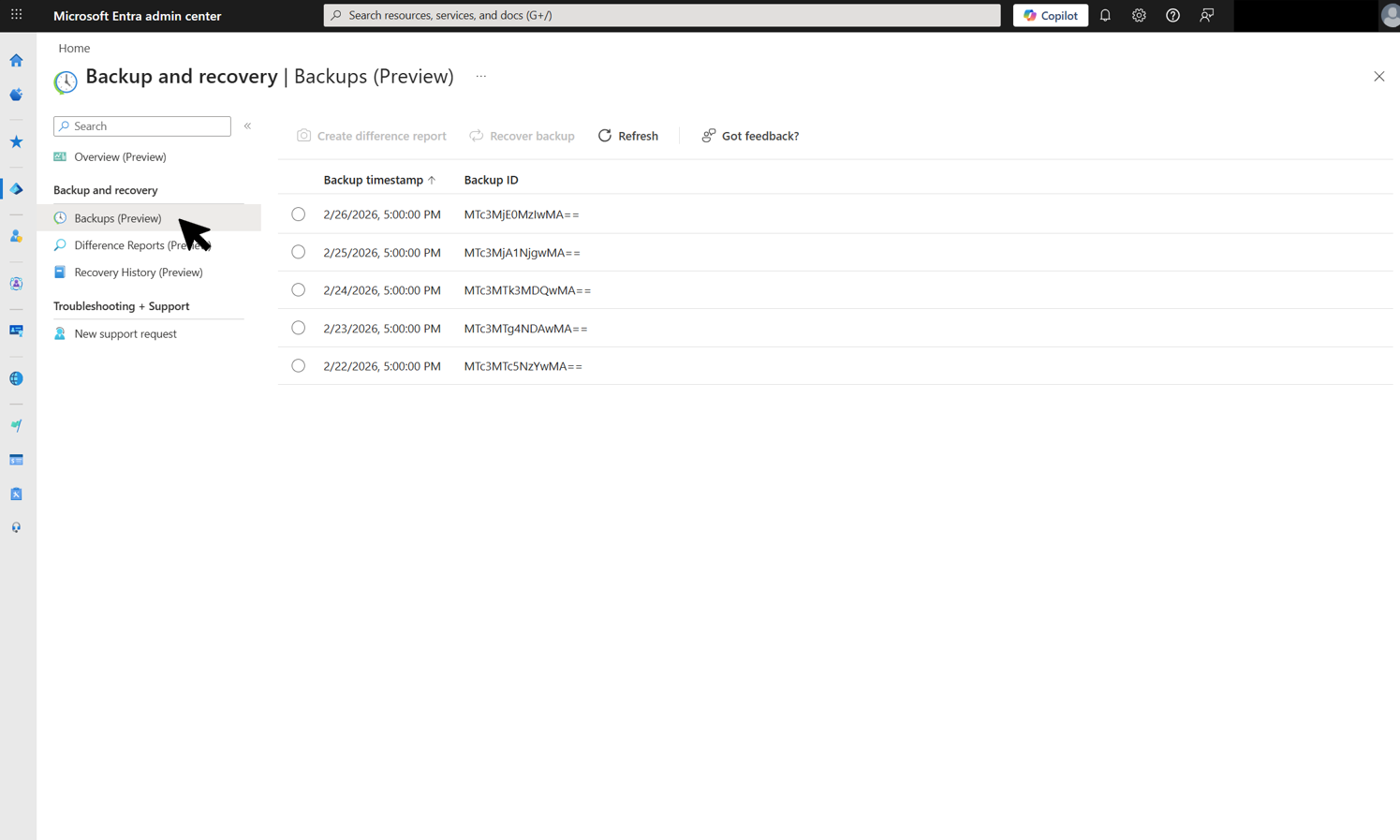
From the Backups page, select a backup to create a difference report or start a recovery.