Note
Access to this page requires authorization. You can try signing in or changing directories.
Access to this page requires authorization. You can try changing directories.
Fabric data agent lets you ask plain-language questions over SQL data in OneLake — Lakehouse, Data Warehouse, Fabric SQL Database, and Mirrored Databases — and get back governed, read-only answers. Behind the scenes, the agent uses a built-in natural-language-to-SQL (NL2SQL) tool to translate each question into a T-SQL query, validate it against the schema you selected, and execute it through the source's SQL analytics endpoint.
This article describes the two query-generation tools the agent can use for SQL sources:
- NL2SQL — the generally available (GA) tool, used by data agents on the standard runtime.
- Advanced NL2SQL — a preview tool with multi-step reasoning, used by data agents on the preview runtime.
Both tools draw on the schema selection, data source instructions, and example queries that you provide for each SQL source. Advanced NL2SQL can also use preview-only configurations, including schema object descriptions and topics. For details on configuring these inputs, see Add and configure data sources in Fabric data agent.
NL2SQL
NL2SQL is the default query-generation tool for SQL sources and is the tool used by data agents on the standard runtime. It generates a T-SQL query in a single pass:
- It reads the selected schema and the data source instructions you provided.
- It retrieves the top example queries that are most similar to the user's question, using vector similarity over your example query library.
- It generates a SQL query grounded in that context, validates it against the approved schema, and executes it through the SQL analytics endpoint.
NL2SQL is optimized for stable, predictable behavior and is the recommended choice for production data agents where consistent output between releases is important. For details on the schema selection, data source instructions, and example queries that feed NL2SQL, see Add and configure data sources in Fabric data agent.
Advanced NL2SQL (preview)
Advanced NL2SQL is a new version of the NL2SQL tool, available on the preview runtime. It's the same tool — natural-language-to-SQL over your SQL sources — with one key difference: instead of generating the query in a single pass, it plans and executes several reasoning steps before returning a query. For example, it can inspect the schema, pick relevant examples, resolve ambiguous filter values, or ask a clarifying question before committing to a query.
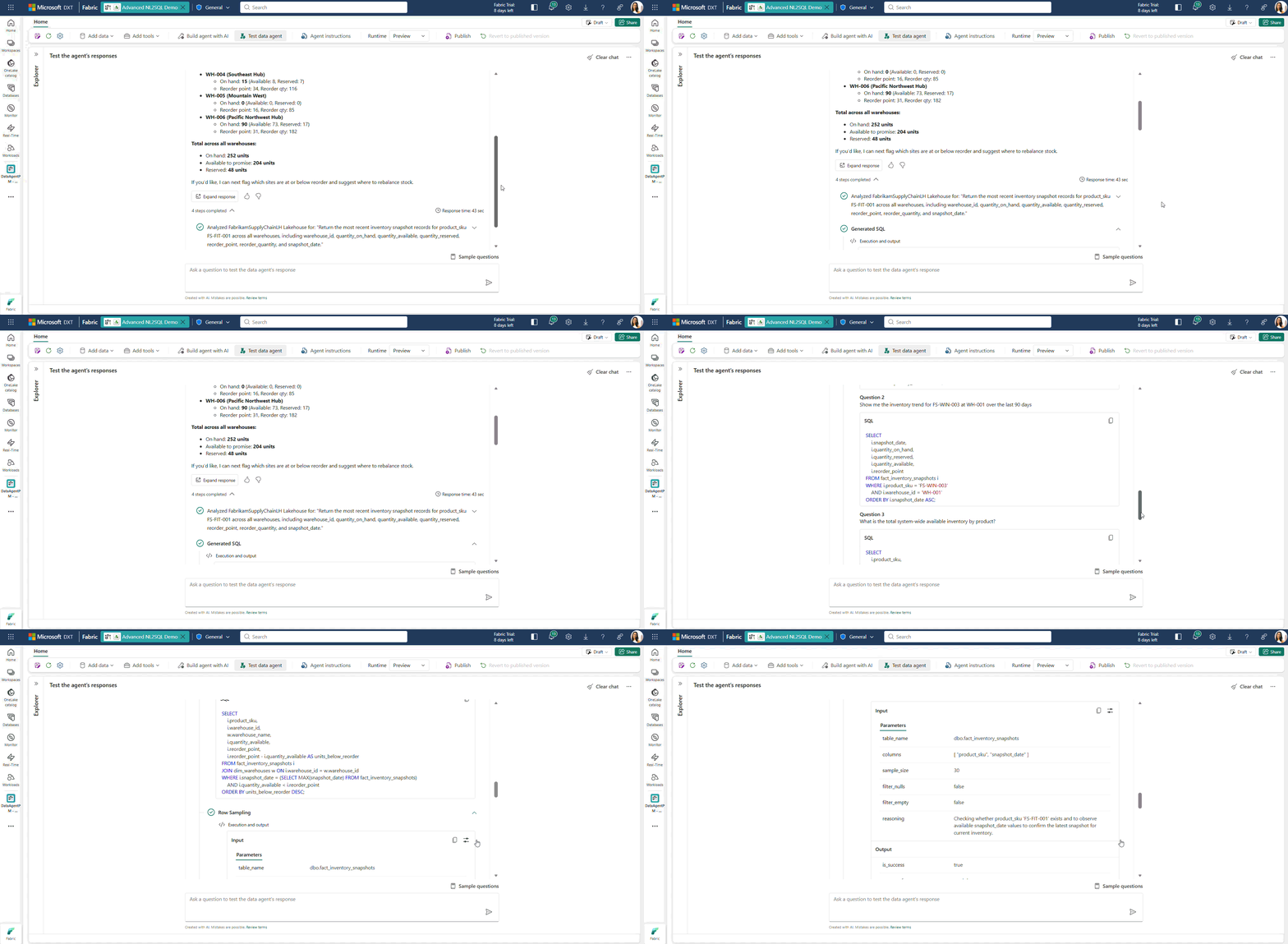
Advanced NL2SQL provides quality improvements and configuration experiences that aren't available in NL2SQL:
- Following example queries more consistently. NL2SQL doesn't always follow your example queries closely, and sometimes adds logic or constraints that weren't in the examples. Advanced NL2SQL adheres more closely to the patterns demonstrated in your example query library.
- Substituting filter values correctly. When a question implies multiple categorical or boolean filters rather than stating them explicitly, NL2SQL may miss or misapply some of them. Advanced NL2SQL reasons through the implied filters and substitutes the right values into the query.
- Handling ambiguous questions. When a question is ambiguous, NL2SQL tends to commit to an assumption and generate a query anyway. Advanced NL2SQL can detect the ambiguity and ask the user a clarifying question before generating SQL, reducing incorrect answers caused by misread intent.
- Understands schema details. Object names alone might not explain what schema elements mean, and data source instructions might not have enough space to describe every object. By using schema object descriptions, creators can provide context for individual tables, columns, and other schema elements so Advanced NL2SQL can interpret the schema and generate more accurate queries.
- Retrieves topic-based instructions. You don't need to send large instruction sets with every question. By using topics, creators can organize up to 1 million characters of guidance by subject. The data agent finds the relevant sections and provides them to Advanced NL2SQL.
Advanced NL2SQL uses the schema selection, data source instructions, and example queries that you already configured for NL2SQL. It can also use configurations available only in Advanced NL2SQL, such as schema object descriptions and topics.
Use Advanced NL2SQL
Advanced NL2SQL is part of the preview runtime. To use it, switch your data agent to the preview runtime. See Fabric data agent runtime for how to switch runtimes and what else changes when you do.
Because Advanced NL2SQL is in preview, its behavior can change between releases. Use it to evaluate upcoming improvements and to give feedback before they graduate to GA; for production data agents that need consistent output, stay on the standard runtime with NL2SQL.