Note
Access to this page requires authorization. You can try signing in or changing directories.
Access to this page requires authorization. You can try changing directories.
By using topics, you can provide large, topic-based instructions that help a Fabric data agent generate SQL. Instead of sending all topic content with every question, the data agent searches the content and provides the NL2SQL tool with only the parts that are relevant to the question.
Use topics when you have a large set of guidance that you can organize by subject. For example, you can create sections for sales, inventory, and customer retention, and then provide the business definitions and query guidance that apply to each subject.
Note
Topics are in preview and are available only for SQL data sources on the preview runtime.
Topics and data source instructions
Topics and data source instructions provide different kinds of context to query-generation tools:
| Configuration | How the data agent uses it | When to use it |
|---|---|---|
| Topics | The data agent searches the topic content and sends the relevant sections to NL2SQL. | Use for large instructions that you can divide into subjects and that you need only when a question relates to a subject. |
| Data source instructions | The data agent sends the instructions to the query-generation tool every time it uses the data source. | Use for rules and context that must apply to every question sent to the data source. |
For example, put an organization-wide fiscal-year definition in data source instructions if every query must use it. Put detailed guidance for calculating customer retention in a customer retention topic if the guidance is needed only for questions about retention.
You can use topics and data source instructions together. When a question requires both, NL2SQL receives the data source instructions and the relevant topic content.
Add topic-based instructions
You can add up to 1 million characters of topic content to each supported SQL data source.
Open your Fabric data agent, and select a SQL data source.
In the data source configuration, open Data source topics.
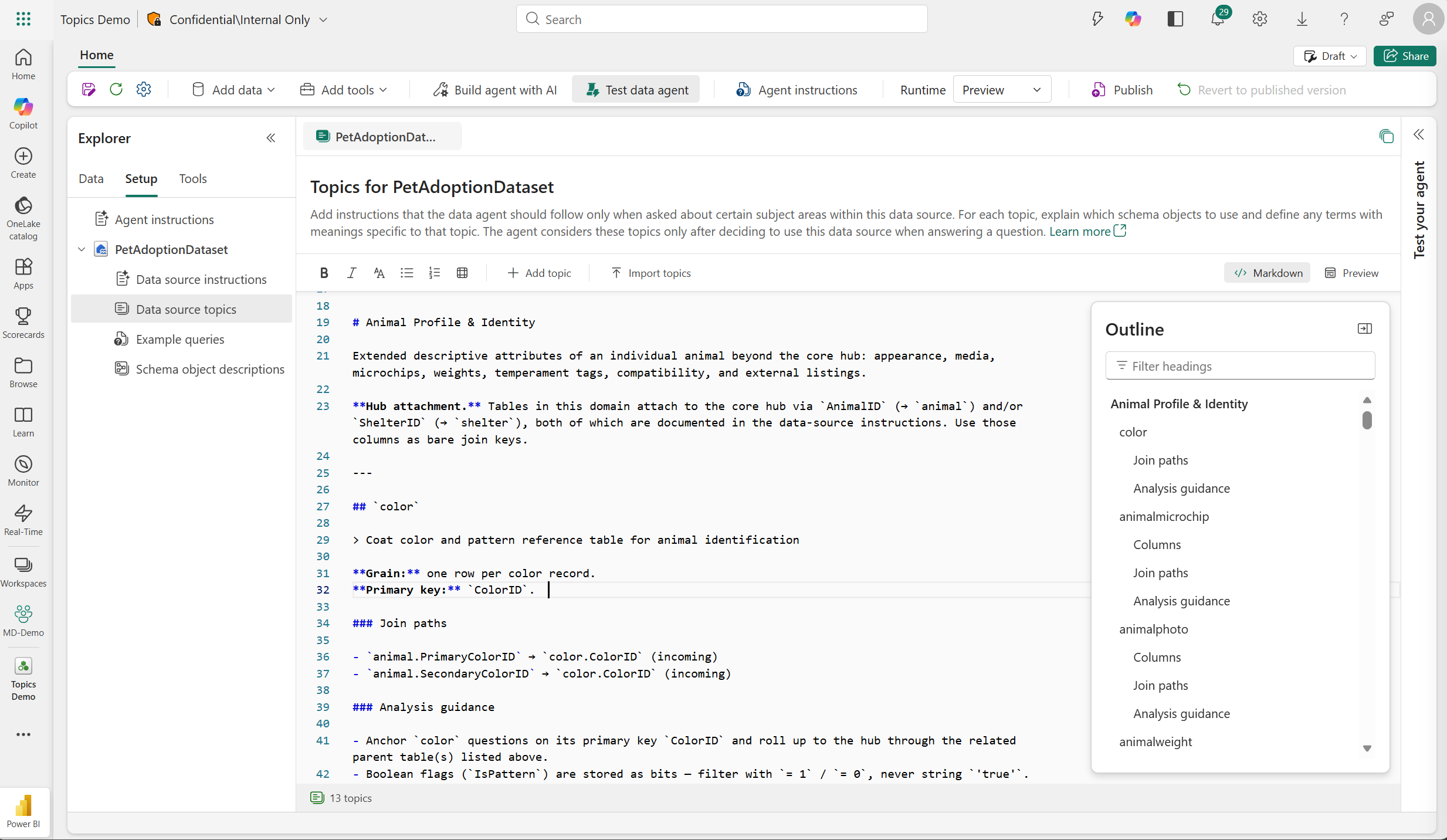
Enter your topic-based instructions. Use Markdown headings to organize the content into distinct subjects.
Save the data agent configuration.
Test questions that map to individual topics and questions that require more than one topic.
Structure topic content
Use descriptive Markdown headings so the data agent can find the correct section for a question. Keep all guidance for a subject under the corresponding heading.
## Customer retention

Use the CustomerSubscription table for retention questions.

### Retained customers

A customer is retained when IsActive is 1 and RenewalDate is after the reporting date.

### Churn rate

Calculate churn rate as the number of subscriptions canceled during the period divided by the number of active subscriptions at the start of the period.

## Inventory

Use the InventorySnapshot table for current inventory questions.

### Low-stock products

A product is low in stock when QuantityOnHand is less than ReorderPoint.
When a user asks about churn, the data agent can retrieve the customer retention guidance without sending the unrelated inventory guidance to NL2SQL.
Review retrieved topics in run steps
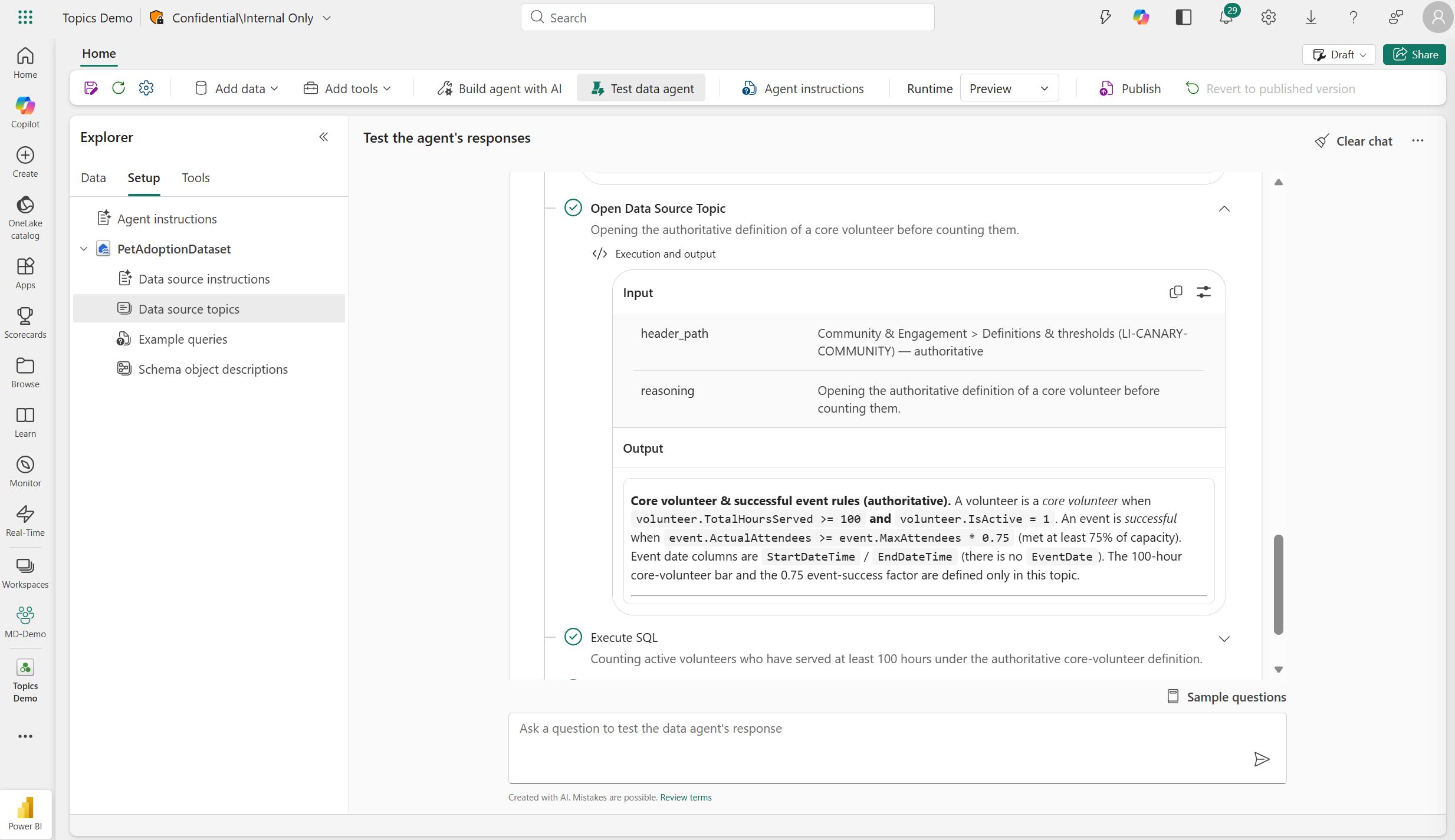
After you test a question, review the Open Data Source Topic run step to see which topic content the data agent selected. The input shows the heading path and the reason the topic was selected. The output shows the instructions provided to NL2SQL.
Best practices
- Use headings that match the terms people use in their questions.
- Keep each topic self-contained. Include the relevant business definitions, tables, columns, relationships, filters, and calculation rules under the same topic heading.
- Use subheadings to separate related scenarios within a broad topic.
- Put rules that must apply to every SQL question in data source instructions instead of repeating them in multiple topics.
- Avoid duplicating or contradicting guidance across topics and data source instructions.
- Test direct questions, alternate phrasings, and questions that require content from multiple topics.