Note
Access to this page requires authorization. You can try signing in or changing directories.
Access to this page requires authorization. You can try changing directories.
As a data consumer, accept an IQ Sharing invitation to access another organization's shared data. Fabric creates a Share Subscription in your selected workspace and a OneLake Mirrored Item for each shared source item.
Note
IQ Sharing is currently in preview. This preview is provided without a service-level agreement and isn't recommended for production workloads. Certain features might not be supported or might have constrained capabilities. For more information, see Supplemental Terms of Use for Microsoft Azure Previews.
Prerequisites
Before you accept a Share:
- A Fabric administrator must enable Enable Share Subscription Item (preview).
- You must receive the invitation URL from the data producer.
- Meet the acceptance permissions requirements, including access to a destination workspace in the consumer tenant.
Accept a Share
Sign in to Fabric with the invited identity, and then open the invitation URL.
In Preview incoming share, review Sent from, Share expiration, and the entries under Shared data.
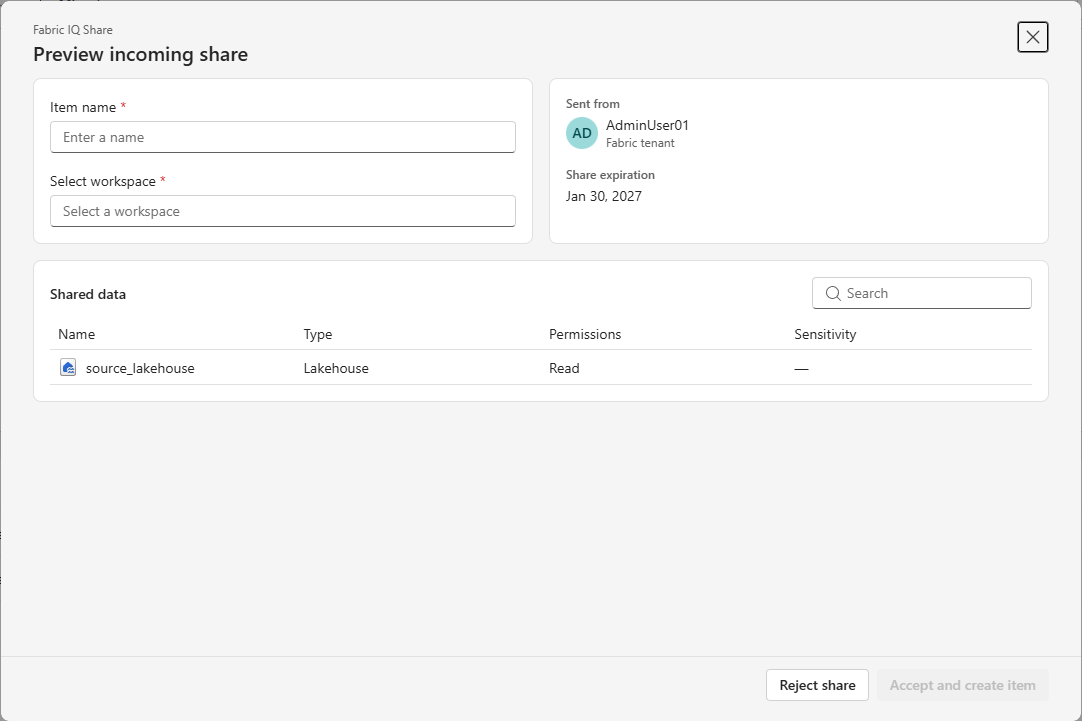
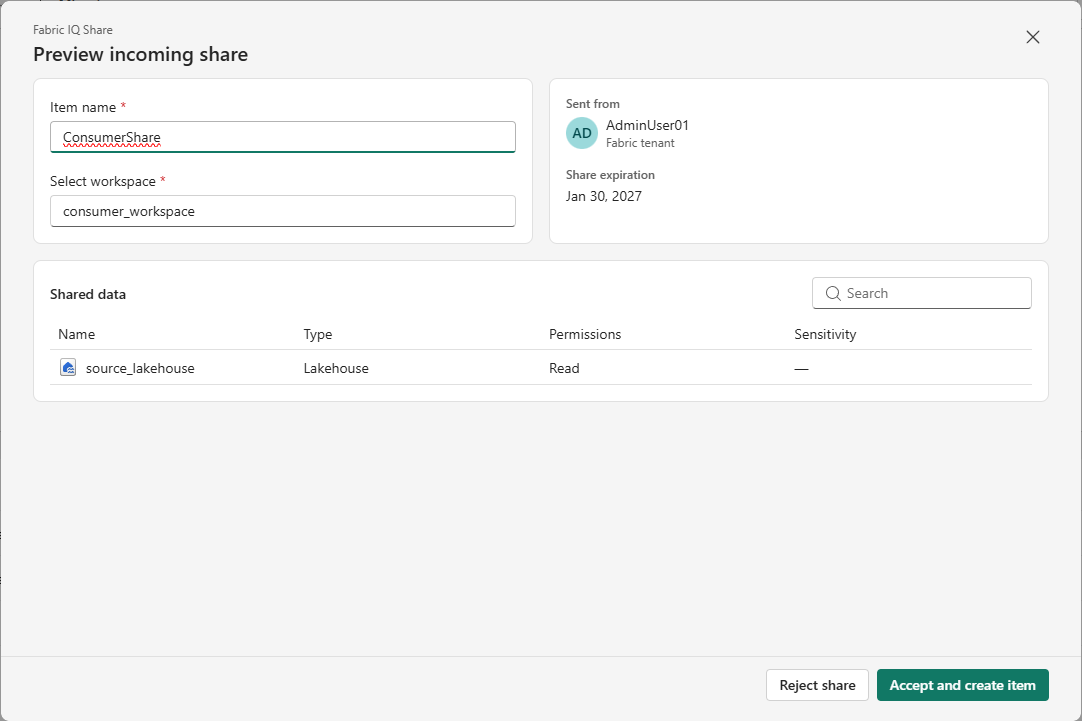
Enter a name for the Share Subscription in Item name.
Under Select workspace, select the consumer workspace where Fabric should create the Share Subscription and OneLake Mirrored Items.
Select Accept and create item.
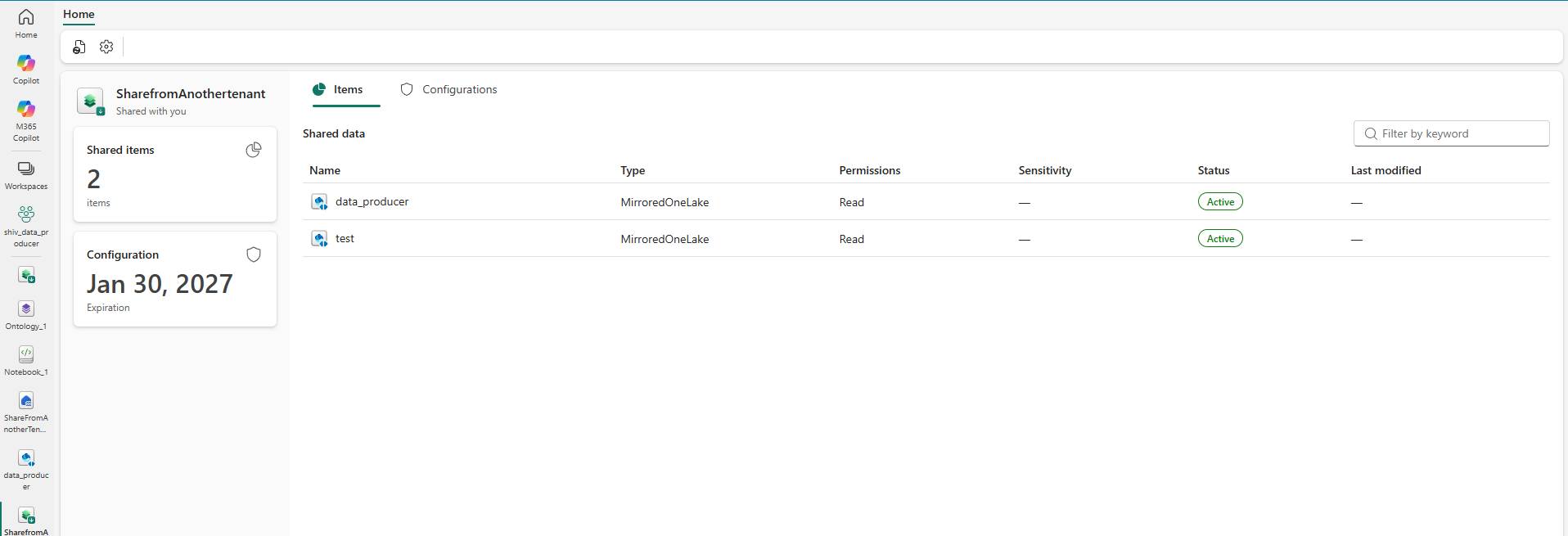
Open the selected workspace and verify that it contains the Share Subscription and a OneLake Mirrored Item for each shared source item. Open the Share Subscription and confirm that the shared items have an Active status.
What happens when a Share is accepted?
Fabric creates these items in the data consumer's selected workspace:
| Item | Purpose |
|---|---|
| Share Subscription | Represents the consumer's accepted relationship to the producer's Share. It displays the shared items, configuration, and current status. |
| OneLake Mirrored Item | Represents the shared item's data in the consumer workspace and provides read-only access to that data. |
The producer's Share remains the source of the sharing relationship. Changes to its access or lifecycle affect the consumer's Share Subscription and OneLake Mirrored Items.
How data sharing works
- IQ Sharing doesn't copy the producer's data. Fabric creates shortcuts in the consumer tenant that reference the shared data.
- New tables added to the shared item automatically appear for the data consumer.
Known limitations
- When you share a lakehouse or warehouse, you share only its data. You don't share metadata such as views and stored procedures.
- You can't select individual tables. IQ Sharing shares the entire supported Fabric item.
Consume the shared data
The OneLake Mirrored Item provides read-only access to the shared data without copying it from the producer's tenant.
| Experience | Current preview guidance |
|---|---|
| SQL queries | Fabric creates a SQL analytics endpoint for the OneLake Mirrored Item. Use the SQL analytics endpoint to query the shared data with T-SQL. |
| Spark notebooks | Direct use of a OneLake Mirrored Item isn't currently supported. Create a lakehouse, create shortcuts from it to the shared data, and attach the notebook to that lakehouse. |
| Semantic models | Direct use of a OneLake Mirrored Item isn't supported. Create a lakehouse, create shortcuts from it to the shared data, and use the lakehouse with the semantic model. |
| Data agents | Direct use of a OneLake Mirrored Item isn't currently supported. Use an intermediate lakehouse and shortcuts. |
| Ontologies | Direct use of a OneLake Mirrored Item isn't currently supported. Use an intermediate lakehouse and shortcuts. |
Permissions and security
Review the permissions required to accept a Share and maintain access to its data.
Acceptance permissions
You must be a named recipient of the Share and sign in with the invited identity. The invitation URL alone doesn't grant access.
You also need Write permission on the destination workspace where Fabric creates the Share Subscription and OneLake Mirrored Items.
Read the shared data
Consumers receive read-only access to the shared data. Access depends on the Share creator retaining the required permissions on each source item:
- Without OneLake security: The creator must retain Read and Reshare.
- With OneLake security: The creator must retain Write and Reshare.
If the creator loses a required permission or access to the source item or workspace, consumers of that Share also lose access. Share expiration or recipient revocation can also end access.
For future production rollouts, plan to create Shares with a service principal so access doesn't depend on an individual user.
Permissions at a glance
| Action | Required permissions |
|---|---|
| Accept a Share | Be a named recipient and have Write permission on the destination workspace. |
| Read shared data | The Share creator must retain Read and Reshare without OneLake security, or Write and Reshare with OneLake security. |