Note
Access to this page requires authorization. You can try signing in or changing directories.
Access to this page requires authorization. You can try changing directories.
Before building agents, make sure your project is technically ready. This step is important for aligning platform capabilities with organizational requirements and for minimizing risk during implementation.
Selecting the right platform is the first step in building effective agents. Consider the following factors:
- End-user needs: Are you building for employees, customers, or both? Identify personas and their preferred channels (Teams, web, mobile).
- Integration requirements: What systems and data sources must your agent connect to? Confirm API availability and authentication models.
- Scalability: Does your solution need to support large volumes or complex business processes? Plan for environment strategy and performance testing.
- Security and compliance: Does your organization have specific requirements for data protection, authentication, or governance? Validate alignment with Zero Trust, Purview data loss prevention policies, and sensitivity labels.
Tip
Review the available experiences for building agents to match your project's complexity.
Understand key concepts
Before you start implementing your project, understand the foundational concepts that shape your solution design and implementation. Review:
- Microsoft 365 Copilot overview
- Microsoft 365 Copilot architecture and how it works
- Microsoft 365 Copilot extensibility
- Copilot Studio overview
Types of agents
Copilot Studio supports different agent types to address a range of business scenarios.
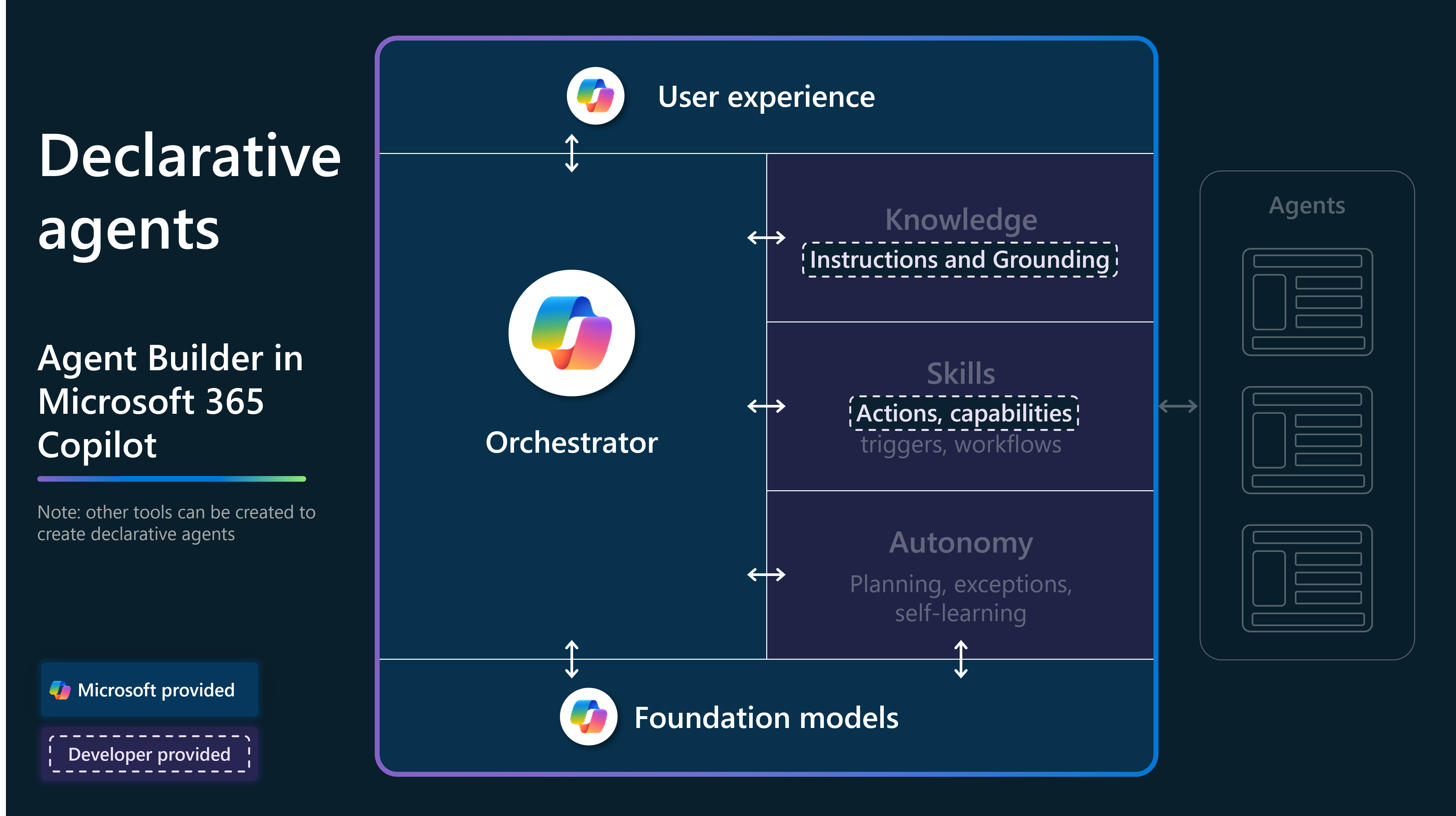
Declarative agents
Declarative agents provide low-code extensibility for Microsoft 365 Copilot. They enable makers to define structured workflows and actions without writing custom code.
Key features include:
- Natural language triggers mapped to predefined actions.
- Ideal for extending Microsoft 365 Copilot with domain-specific commands.
- Governed and secure within Microsoft 365 compliance boundaries.
Learn more:
- Declarative agents for Microsoft 365 Copilot
- Choose the right tool to build your declarative agent
- Declarative agents FAQ
Custom engine agents
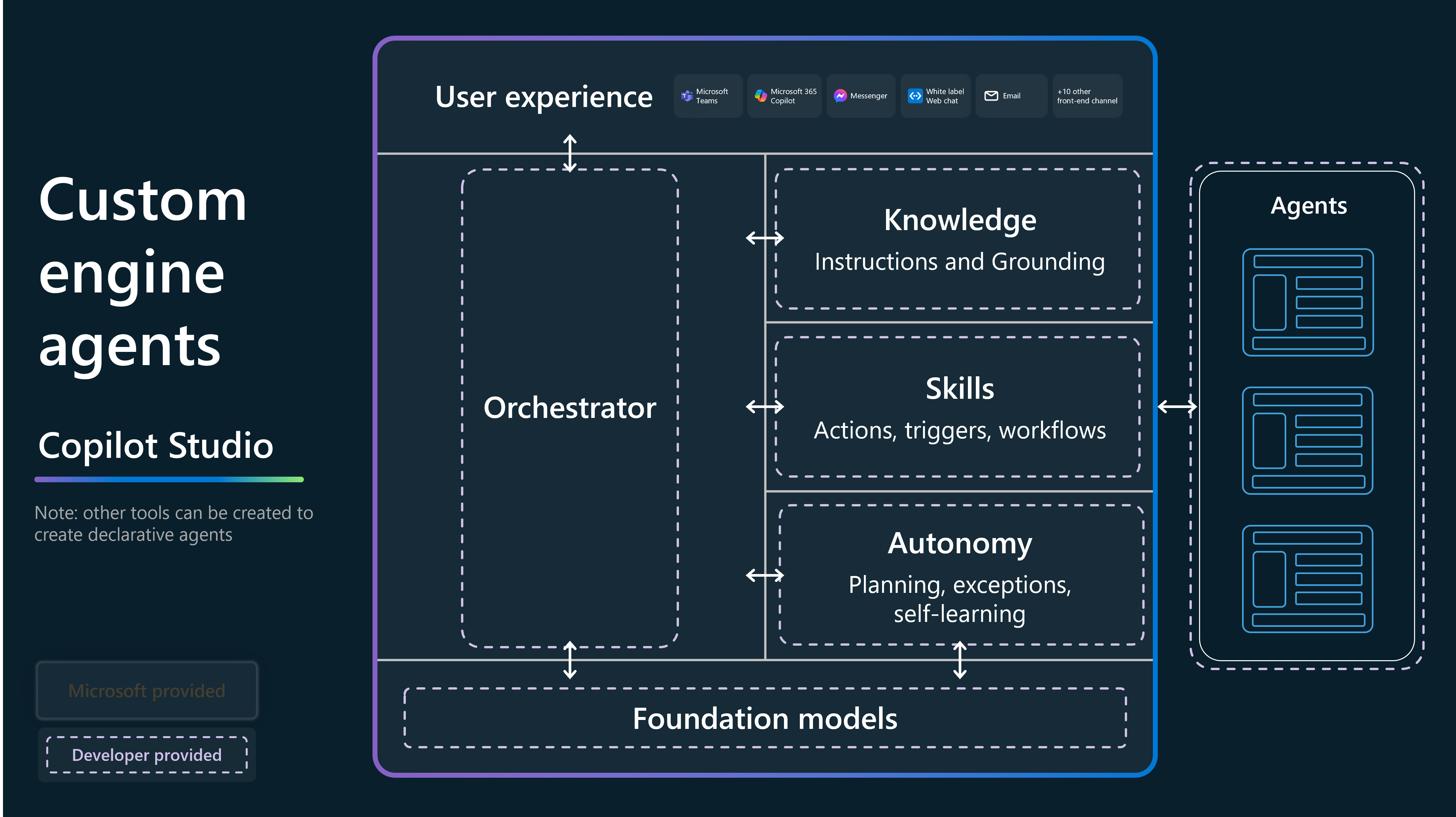
Custom engine agents offer maximum flexibility for advanced scenarios that need custom logic, external APIs, or complex orchestration.
Key features include:
- Created with custom code and APIs.
- Supports multistep workflows and dynamic decision-making.
- Ideal for integrating with line-of-business systems or third-party platforms.
Learn more: Custom engine agents for Microsoft 365 overview
Next step
Prepare your technical foundation by assessing platform readiness and alignment with organizational requirements.