Note
Access to this page requires authorization. You can try signing in or changing directories.
Access to this page requires authorization. You can try changing directories.
Note
The CoE CLI is deprecated and will be removed in a future release. Use the Power Platform Project Setup Wizard to set up and manage your ALM Accelerator for Power Platform projects.
The Center of Excellence (CoE) command line interface automates common tasks for the CoE Starter Kit. It provides a set of commands that meet the needs of various personas across the organization.
Use it to automate the process of installing CoE CLI components covering Azure, Azure DevOps, and Power Platform.
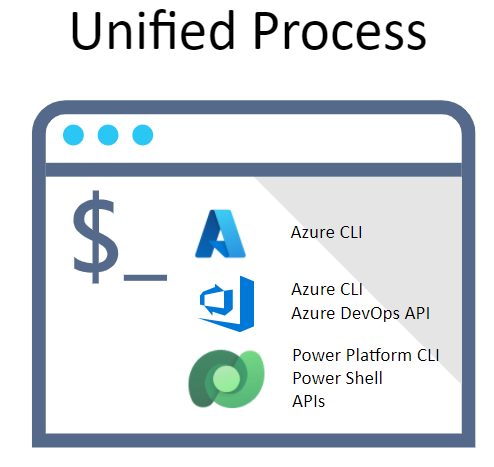
The CoE CLI provides a set of commands that you can use to automate the end-to-end deployment for CoE solutions.
Compare the CoE CLI to other CLI tools or APIs:
The CoE CLI aims to automate the end-to-end deployment of components across the Microsoft cloud.
The Azure CLI aims at automating Azure resources, and via extension, Azure DevOps. The CoE CLI uses the Azure CLI for authentication and for managing Azure related resources.
The Power Platform CLI is a simple, one-stop developer CLI that empowers developers and independent software vendors (ISVs) to perform various operations in Microsoft Power Platform related to environment lifecycle features, and to authenticate and work with Dataverse environments, solution packages, portals, and code components. As new features are added to the cross-platform Power Platform CLI, the CoE CLI will use the Power Platform CLI features.
The Azure DevOps services REST API provides a REST-based set of commands to interact with Azure DevOps. The CoE CLI uses these APIs to build aggregate commands.
Get started
After you install the CoE CLI, use the -h argument to see help options.
coe -h
Authentication for tasks is managed through the Azure CLI. With standard Azure CLI commands, you can sign in, sign out, and select accounts. For example:
az login
coe alm install -c aad
az logout
Get help
You can get short descriptions of any command by adding --help to the command line. To get more detailed help, use the help command.
For example, to get help on the ALM Accelerator for Power Platform, use the following command:
coe help alm install
Get detailed descriptions of each command in the help articles.