Note
Access to this page requires authorization. You can try signing in or changing directories.
Access to this page requires authorization. You can try changing directories.
Important
As of October 2026, this content is archived and no longer maintained. Information on this page may not reflect the latest product plans, features, or guidance. For current roadmap information across Dynamics 365, Power Platform, Dataverse, Microsoft 365, and Copilot, visit the roadmap. Continue to use Microsoft Learn for authoritative product guidance and documentation.
| Enabled for | Public preview | Early access | General availability |
|---|---|---|---|
| Users, automatically | - | - |  Oct 1, 2024 |
Business value
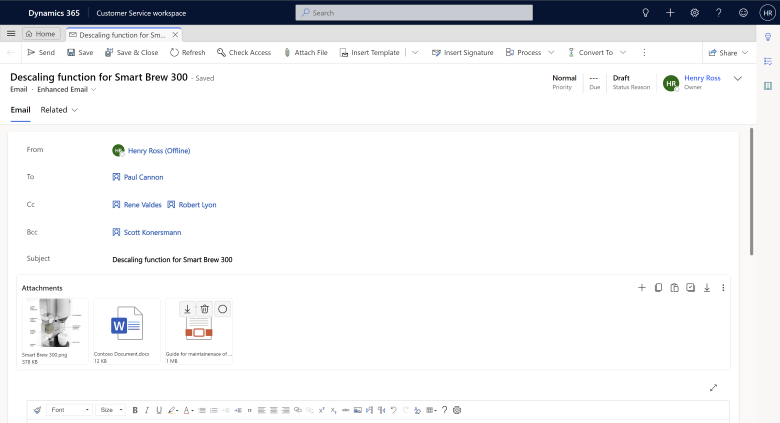
The enhanced attachment experience lets agents drag and drop attachments in emails, so they save time and get more done. If agents forget to include an attachment after mentioning it in the email subject or body, the system sends a reminder.
Feature details
With the enhanced email attachment experience, agents can:
- Add attachments by dragging and dropping them to the email.
- Copy attachments from one or more emails and paste them to another email.
- Download and attach an email as an attachment to another email.
- Bulk download and delete attachments.
- See the attachment size in the appropriate units.
- Toggle between the tile and grid views.
- Export attachment details to Excel.
- Receive reminders to add attachments.
- Add attachments before saving an email.
- Add previously used attachments.
Geographic areas
Visit the Explore Feature Geography report for Microsoft Azure areas where this feature is planned or available.
Language availability
Visit the Explore Feature Language report for information on this feature's availability.