Note
Access to this page requires authorization. You can try signing in or changing directories.
Access to this page requires authorization. You can try changing directories.
RECAP: June 2026 Enterprise Partner Community Q&A Call
This article consolidates the operational changes, readiness guidance, and roadmap items covered in the June 2026 Enterprise Partner Enablement community call. It is written for Volume Licensing partners — LSPs, SSPs, CSPs, distributors, SPLAR, and ISV-Distributors — who need a single, operationally focused reference for what is changing in Volume Licensing Central (VLC) and what to do before FY26 Q4 close.
Three spotlight topics anchor this release: the migration of the remaining Non-EA programs into VL Central Contracts, a set of WSA validation and cloud-scope improvements, and FY26 Q4 close readiness with a data-driven look at the most common processing holds. The update closes with a fast-paced roadmap of recent and upcoming launches, reference material, and a consolidated Questions and Answers section.
Note
Call content for VL partner enablement calls is now published as a single consolidated recap article on the new Partner Enablement section of the VL Central Hub on Microsoft Learn. The recap combines the slides, the spoken content, and the chat Q&A into one page that you can search, summarize with Ask Learn, print to PDF, or download as Markdown. The source PowerPoint deck is not distributed directly.
Topics June 2026
| # | Topic | In one line |
|---|---|---|
| 1 | Non-EA Programs Move to VL Central Contracts | OV, OVS, SPLA, ISV, Select/Select Plus, Campus contracting moves from eAgreements (VLCM) to VL Central; VLCM read-only July 10, retired August. |
| 2 | A New Partner Enablement Experience on Microsoft Learn | Call recaps, recordings, and demos now published as searchable Learn articles on a dedicated Partner Enablement section. |
| 3 | WSA Validation and Cloud Scope | Customer WSA must match enrollment cloud scope; four May 2026 validation fixes reduce holds; rolls out to Non-EA in Q1 FY27. |
| 4 | FY26 Q4 Close Readiness | June 25 GCO cut-off; submit early and clean; confirm WSA, contacts, and permissions before peak week. |
| 5 | Reducing Processing Holds: A Data-Driven View | Signature, enrollment, and tenant-setup holds analysed (Jan–Apr 2026); most are preventable with a pre-submission checklist. |
| 6 | Launch Roadmap and Reminder Topics | Midterm packages, customer-initiated COCP, E2E validation, auto PSF for SCE, AI Assistant, reporting fast follows, DocuSign. |
| 7 | Staying Current | Use the What's New page, Launch Enablement Guide, and the partner feedback mechanisms. |
| 8 | Reference: Security Topics Still in Effect | Mandatory MFA for VLC and MAC role segregation / secure authorization remain in force. |
| 9 | Questions and Answers | Consolidated partner Q&A from the call and chat. |
Links June 2026
Non-EA Adoption Calls — Registration: Register: Non-EA VLC Adoption Calls
Non-EA Contracting — How-to: Create agreement package for Non-EA programs
Non-EA Recording — Package Creation Demo: Non-EA package creation demo
Non-EA Recording — May 12 Call: May 12, 2026 adoption call recording
Non-EA Recording — May 2026 Recap: May 2026 full content recap
WSA Cloud Scope — Partner Guidance: WSA Partner Guidance (landing page)
WSA Cloud Scope — Entra ID Enforcement: WSA / Entra ID enforcement section
WSA Cloud Scope — May 2026 Validation Fixes: Latest WSA validation improvements (May 2026)
COCP — M365 Admin Center (Customer): COCP via Microsoft 365 admin center (customer)
COCP — Azure Portal (Customer): COCP via Azure portal (customer)
COCP — Partner Guidance (VLC Contracts): COCP partner guidance (VLC Contracts)
PSF Automation (SCE) — Readiness: Automatic PSF generation for SCE
AI Assistant — Contracts Guidance: AI Assistant for Contracts
AI Assistant — Feedback & Ideas: AI Assistant feedback & ideas form
Reporting & Analytics — EA Workspace: How to use the Reporting & Analytics workspace
Reporting & Analytics — Open License / Select Plus: Open License and Select Plus programs
E-signature — Initiate Signature: Initiate signature (Contracts)
E-signature — Send via DocuSign: Send a contract via DocuSign
E-signature — DocuSign Option Scope: DocuSign e-sign option scope
Staying Current — What's New: VL Central — What's New
Staying Current — VL Central Home: VL Central home / landing page
Staying Current — Orders FAQ: Orders workspace FAQ
Staying Current — Partner Launch Calendar (PDF): Partner Launch Calendar (VL) PDF
Staying Current — Partner Journey Map (PDF): Partner Journey Map (Simplifying VL) PDF
Staying Current — Quick Link (What's New slide): VL Central quick link (aka.ms/AArq6fu)
Staying Current — Quick Link (What's New slide): VL Central quick link (aka.ms/AArprbd)
Launch Enablement — Guide: Launch Enablement Guide
Partner Feedback — Enterprise Q&A Calls: Enterprise Partner Enablement call series
Partner Feedback — VLC Feedback Form: VLC Feedback Form
MFA — Enable for VL Central: How to enable MFA for VL Central
Roles — VL Sign-in: Where to sign in to view & manage VL licenses
Roles — Manage VL User Roles: Manage Volume Licensing user roles
Non-EA Programs Move to VL Central Contracts
What's changing
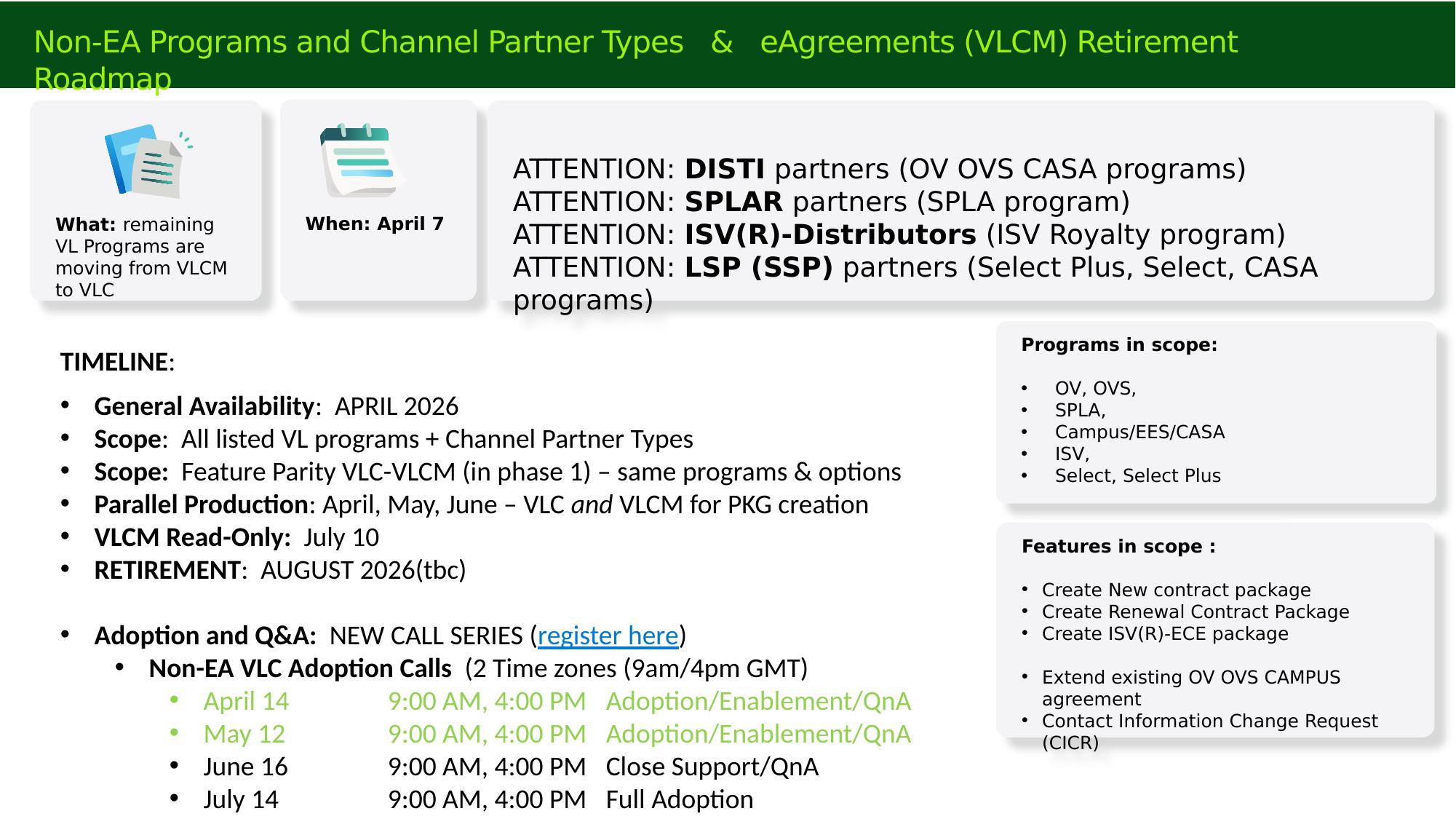
The remaining Volume Licensing programs that were still contracted through the legacy eAgreements (VLCM) tool are moving to VL Central Contracts. This mirrors the 2025 migration of EA, EAS, and SCE contracting and package management from eAgreements into VL Central, and it completes the consolidation of VL contracting in a single workspace.
Programs in scope: Open Value (OV), Open Value Subscription (OVS), SPLA, Campus/EES/CASA, ISV (Royalty), Select, and Select Plus. Channel partner types in scope include DISTI partners (OV/OVS/CASA), SPLAR partners (SPLA), ISV(R)-Distributors (ISV Royalty), and LSP/SSP partners (Select Plus, Select, CASA).
The functionality has been generally available since April 2026, delivered at feature parity with VLCM for the same programs and options. Supported features include creating new contract packages, creating renewal contract packages, creating ISV(R)-ECE packages, extending existing OV/OVS/Campus agreements, and submitting Contact Information Change Requests (CICR).
eAgreements (VLCM) retirement timeline
- April 2026 — General availability of Non-EA contracting in VL Central; parallel production with VLCM begins.
- July 10, 2026 — eAgreements (VLCM) goes read-only for all in-scope programs and partner types.
- August 2026 (to be confirmed) — The eAgreements Smart Client is retired. The eAgreements web interface is also retired; its only partner-facing functions — inviting users and downloading the Smart Client — are already covered in VL Central, where Partner User Management is now native.
Adoption as of early June stood at 35% across all in-scope programs and partner types. The remaining months of parallel production are the window to move all VL contracting to VL Central safely. Both VL Central Contracts and eAgreements remain available in parallel, so an urgent deal can fall back to eAgreements if needed — but partner feedback on the VL Central experience has been strongly positive, citing speed, simplicity, and consistency with the other VL Central workspaces.
Why this matters for partners
Once VLCM goes read-only on July 10, in-scope packages can no longer be created or edited there. Validating the VL Central experience now — during parallel production — removes the risk of discovering a gap during a close or at retirement. Partners are encouraged to raise any concerns or questions early so they can be addressed in the recap article and in the dedicated Non-EA adoption calls.
Dedicated Non-EA adoption call series
A separate Non-EA VLC Adoption Call series runs alongside this community call, with two sessions per date to cover both time zones:
| Date | Focus |
|---|---|
| April 14 | Adoption / Enablement / Q&A |
| May 12 | Adoption / Enablement / Q&A |
| June 16 | Close support / Q&A (engineering present) |
| July 14 | Full adoption |
| August 11 | VLCM retirement |
Registration for these calls — and for the community calls — has moved from the third-party event platform to Teams webinar, with registration links published on Microsoft Learn.
A New Partner Enablement Experience on Microsoft Learn
What's changing
The VL Central Hub on learn.microsoft.com now includes a dedicated Partner Enablement section alongside the existing What's New blog. This section is the new home for community-call and adoption-call registration, call content and recaps, call recordings, and video assets such as the Non-EA demo walkthroughs.

Why this matters for partners
Call recaps are now published as structured Learn articles rather than as recordings on the retired event platform. Each recap consolidates the slides, the spoken content, and the chat Q&A onto one page, so you can:
- Search the content and jump to the section you need rather than scrubbing through an hour of video.
- Use Ask Learn and the "Summarize this article for me" function to get answers quickly.
- Print the article to PDF or download it as Markdown for your own records.
- Access both call recordings and demo videos for VL Central functionality in the same place.
Recaps are typically published within a day or two of each call.
WSA Validation and Cloud Scope
Key rules to remember
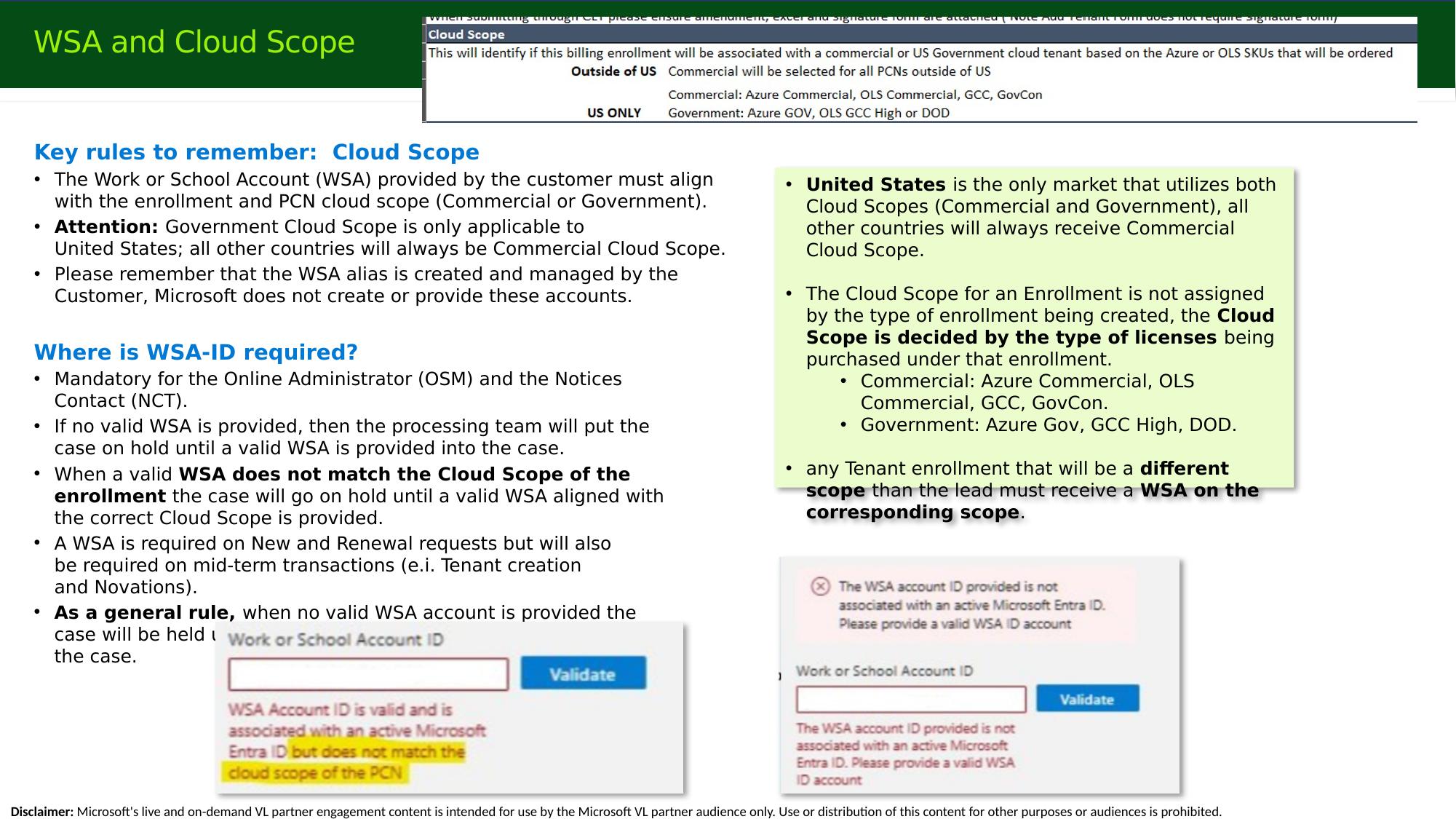
The Work or School Account (WSA) provided by the customer must align with the enrollment and PCN cloud scope — Commercial or Government.
- The WSA alias is created and managed by the customer. Microsoft does not create or provide these accounts.
- Government cloud scope applies only to the United States. All other countries are always Commercial cloud scope. The US is the only market that uses both scopes.
- Cloud scope is determined by the licenses purchased, not by the type of enrollment created.
- Commercial: Azure Commercial, OLS Commercial, GCC, GovCon.
- Government: Azure Government, GCC High, DoD.
- Any tenant enrollment whose scope differs from the lead enrollment must receive its own WSA on the corresponding scope (a US-only, cross-cloud, multi-tenant scenario).
Where a WSA is required
A valid WSA is mandatory for two contacts: the Online Administrator / Online Service Manager (OSM) and the Notices Contact (NTC). WSAs are required on new and renewal requests, and also on mid-term transactions such as tenant creation and novations. They are not required for supplemental orders.
If no valid WSA is provided — or if a valid WSA does not match the enrollment's cloud scope — the processing team places the case on hold and emails the partner to request the correct WSA. There is no system override for this requirement; the case waits until the customer provides a valid, scope-aligned WSA.
What's improved (May 2026)
Four engineering fixes went live in May 2026 for EA, targeting the most common WSA-related holds across the NTC, OSM, and CICR workflows. Partners have confirmed a reduction in cases and holds since deployment.
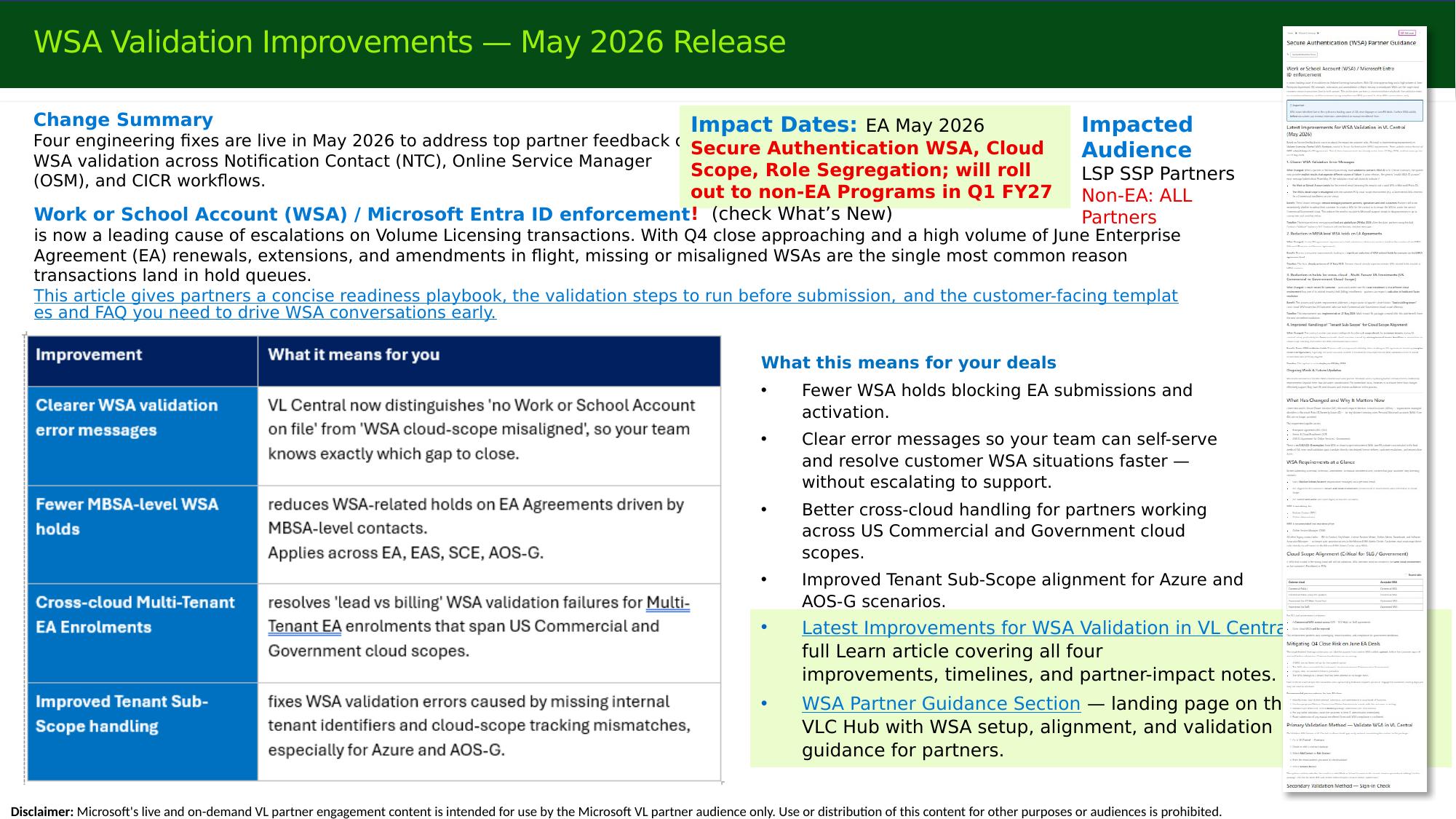
- Clearer validation error messages. The VL Central "Validate email" function now returns two distinct signals — whether the ID was found and valid, and whether its cloud scope aligns with the intended package and tenant. Partners can now tell whether they need a different WSA (scope mismatch) or a corrected ID (not found/invalid) without escalating to support. The same improvement applies to the internal error message the operations teams receive.
- Existing MBSA reuse no longer blocks WSA requirements. Cases where an existing MBSA agreement was reused, and its contact information blocked the WSA requirement, are now handled correctly — driving a strong reduction in related holds.
- Better cross-cloud multi-tenant handling (US only). Back-end improvements address US deals where the lead and majority of tenants are Commercial but one or more tenants are Government/high-security (or vice versa). In some cases where the improvement allows the agreement to process without complete government WSA information, the customer will not have an admin automatically created for the government environment; that admin is provisioned afterward through the existing CSS support process once valid WSA information is supplied. This path is documented in the published guidance.
- Tenant sub-scope alignment. Missing back-end detail on tenant usage (Azure vs. M365) previously blocked the "Validate email" function. With that information now available to the system, validations for both Commercial and Government cloud-scope WSA IDs return correct results.
What partners need to know
The same higher-security authentication mandate — secure WSA authentication, cloud scope, and role segregation — will roll out to the Non-EA programs in Q1 FY27 (starting July), expanding beyond EA agreements and LSP partners to all programs and partner types. Watch the What's New blog and the upcoming community and adoption calls for details. Full guidance is available in the Latest Improvements for WSA Validation in VL Central (May 2026) Learn article and the WSA Partner Guidance landing page on the VLC Hub.
FY26 Q4 Close Readiness
Cut-off and coverage
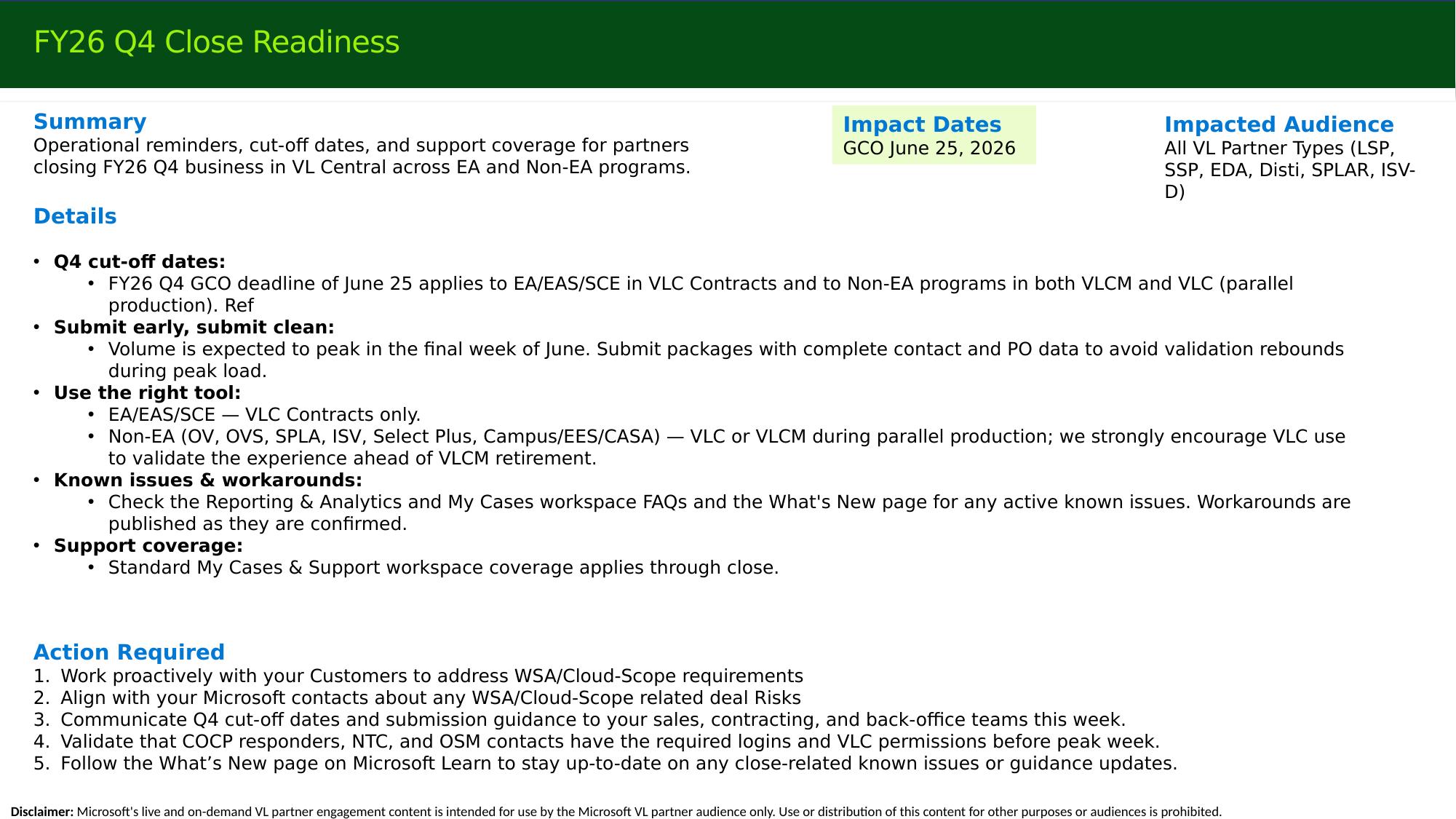
The FY26 Q4 GCO cut-off is June 25, 2026 — three business days before month end. It applies to EA/EAS/SCE in VL Central Contracts and to Non-EA programs in both VLCM and VL Central during parallel production. Standard My Cases & Support coverage applies through close.
What partners need to do
- Address WSA and cloud-scope requirements proactively with customers before peak week.
- Submit early and submit clean. Volume peaks in the final week of June; complete contact and PO data avoids validation rebounds under load.
- Use the right tool. EA/EAS/SCE in VL Central Contracts only; Non-EA in VL Central or VLCM during parallel production (VL Central strongly encouraged).
- Flag at-risk deals — those dependent on customer action or Microsoft engagement — to your deal manager or PDM so they have visibility and can support you.
- Confirm logins and permissions. Ensure COCP responders, NTC, and OSM contacts have the required WSA logins and VL Central permissions before peak week.
- Watch the What's New page for any close-related known issues; workarounds are published as confirmed.
Reducing Processing Holds: A Data-Driven View
A study of EA processing holds over the four-month period January–April 2026 identified three document hold types that most affect partner submissions: signature form holds, enrollment form holds, and tenant setup documentation holds. Across all three, the common root cause is incomplete documentation at submission — and most holds are preventable with a short pre-submission checklist.

Tip
A checklist does not have to be extensive to be effective. A short list focused on the most common checks measurably improves submission quality and reduces processing friction — useful for new and experienced staff alike. If you hit a genuine tool issue, raise a query through My Cases & Support in VLC.
Signature form holds
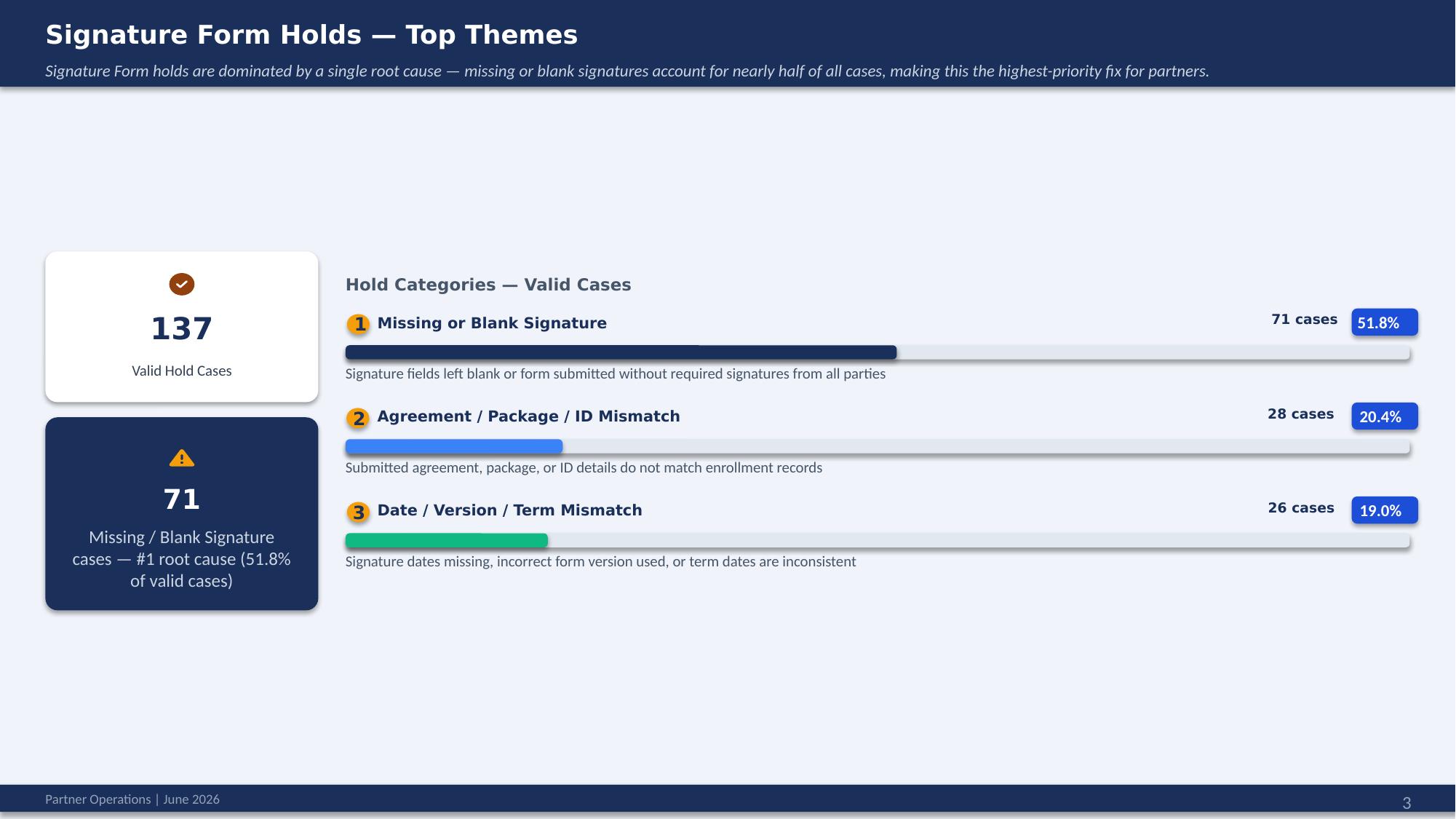
Missing or blank signatures are the single largest cause, at 51.8% (71 of 137 valid cases). The next contributors are agreement/package/ID mismatch (20.4%) and date/version/term mismatch (19.0%).
Partner actions to prevent them:
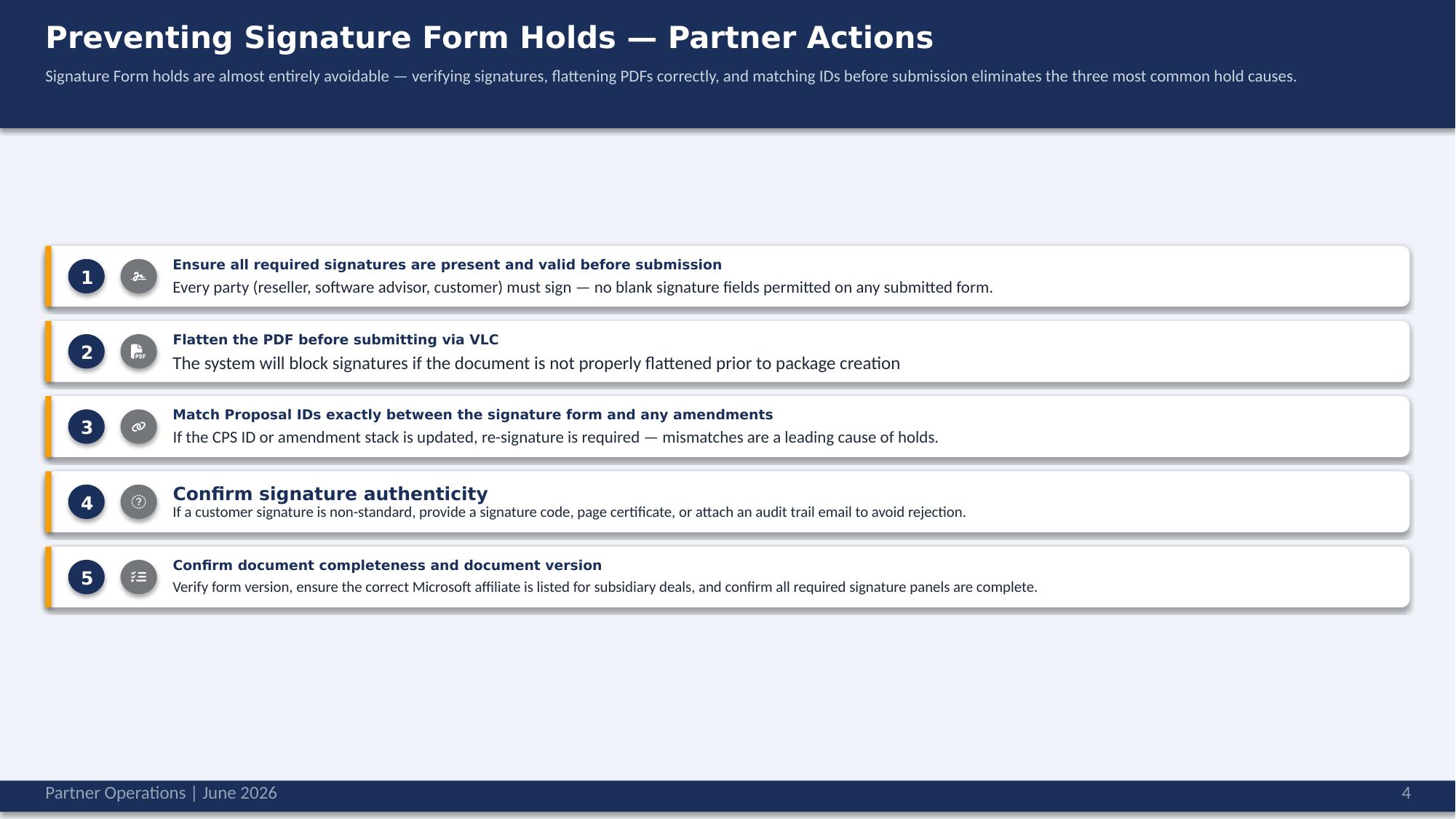
- Ensure all required signatures (reseller, software advisor, customer) are present and valid — no blank signature fields.
- Flatten the PDF before submitting via VLC; the system blocks signatures on documents that are not properly flattened. (Flattening issues commonly originate in Adobe Sign or DocuSign exports.)
- Match Proposal IDs exactly between the signature form and any amendments. If the CPS ID or amendment stack changes, re-signature is required.
- For non-standard customer signatures, provide a signature code, page certificate, or attached audit-trail email to avoid rejection.
- Confirm completeness and version — correct form version, correct Microsoft affiliate for subsidiary deals, and all required signature panels complete.
Enrollment form holds
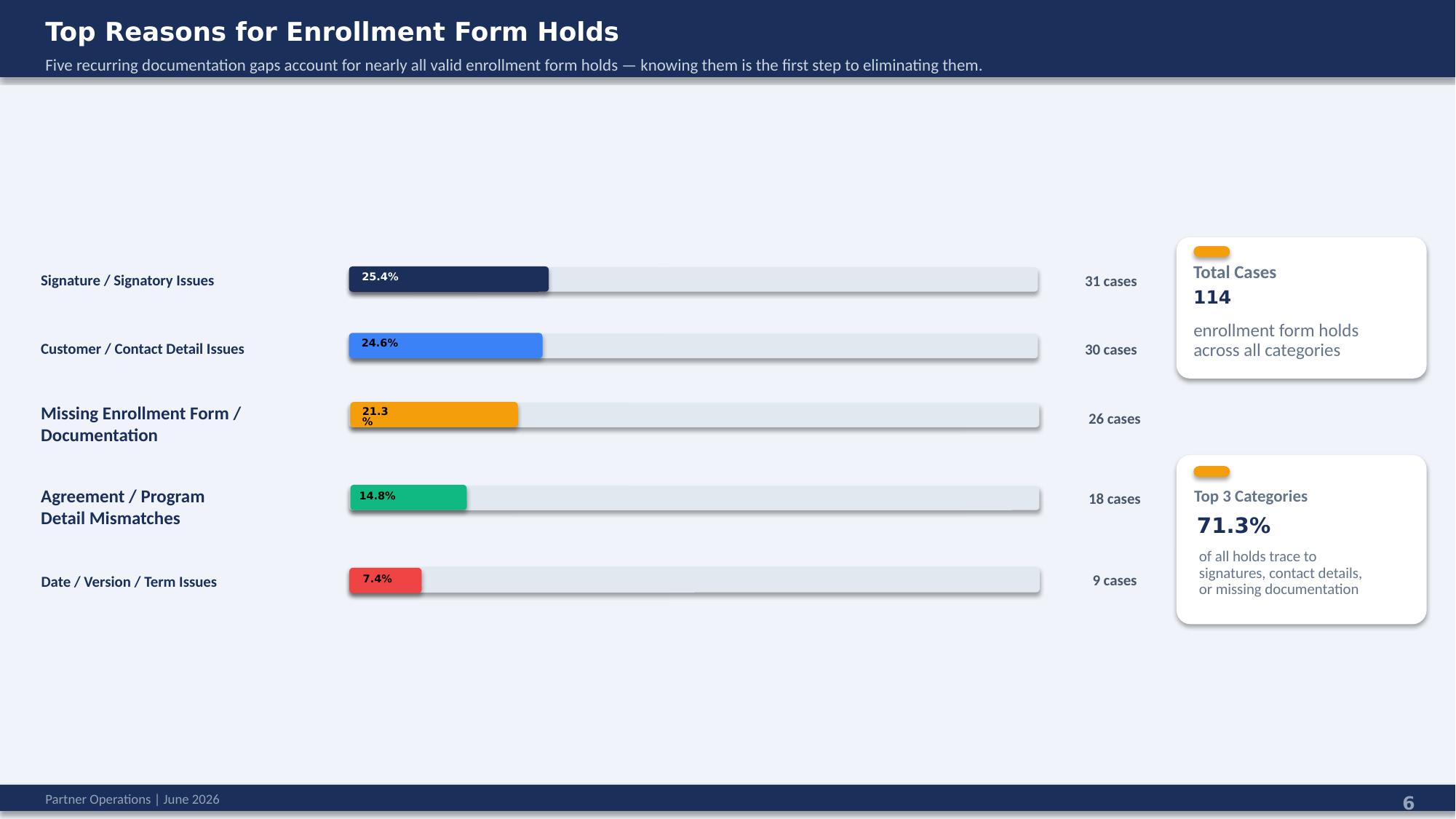
Across 114 enrollment form holds, the top three categories account for 71.3%: signature/signatory issues (25.4%), customer/contact detail issues (24.6%), and missing enrollment form/documentation (21.3%), followed by agreement/program detail mismatches (14.8%) and date/version/term issues (7.4%).
Pre-submission checklist:
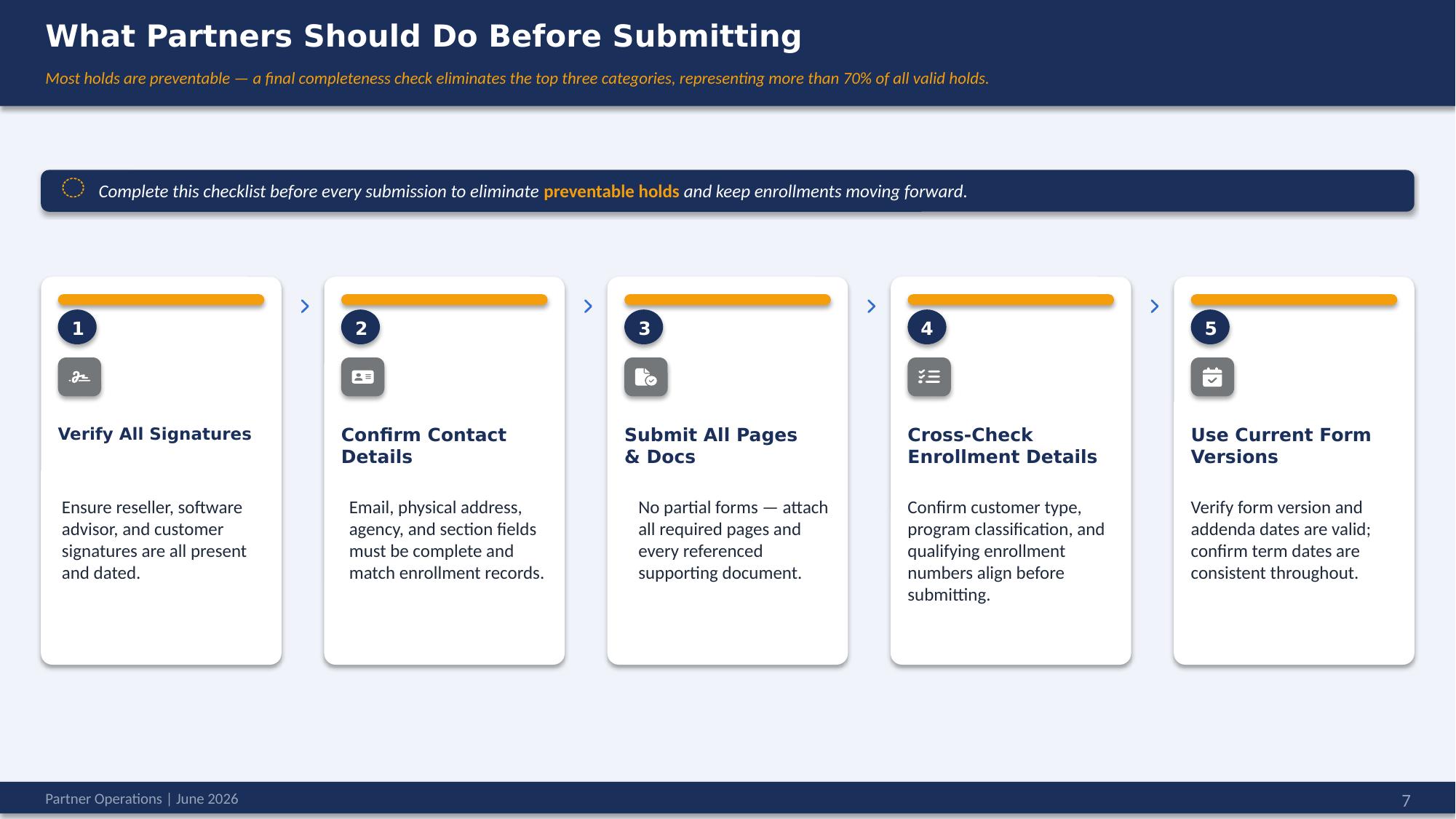
- Verify all signatures — reseller, software advisor, and customer present and dated.
- Confirm contact details — email, physical address, agency, and section fields complete and matching enrollment records.
- Submit all pages and documents — no partial forms; attach every referenced supporting document.
- Cross-check enrollment details — customer type, program classification, and qualifying enrollment numbers aligned.
- Use current form versions — avoid reusing forms saved locally years ago; confirm form version and term dates are consistent.
Tenant setup documentation holds
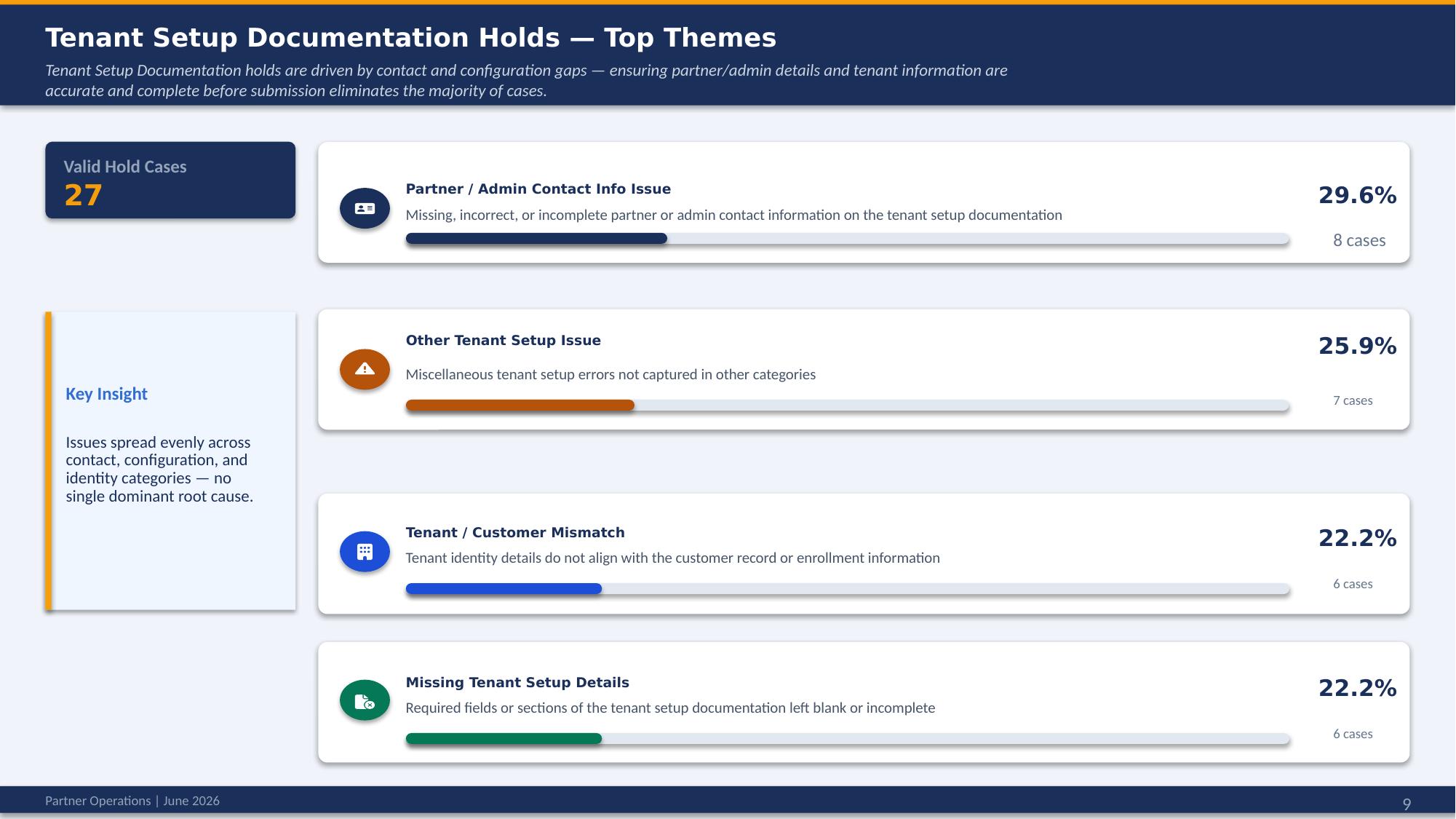
Across 27 valid cases, holds are spread fairly evenly with no single dominant cause: partner/admin contact info issues (29.6%), other tenant setup issues (25.9%), tenant/customer mismatch (22.2%), and missing tenant setup details (22.2%).
Partner actions to prevent them:
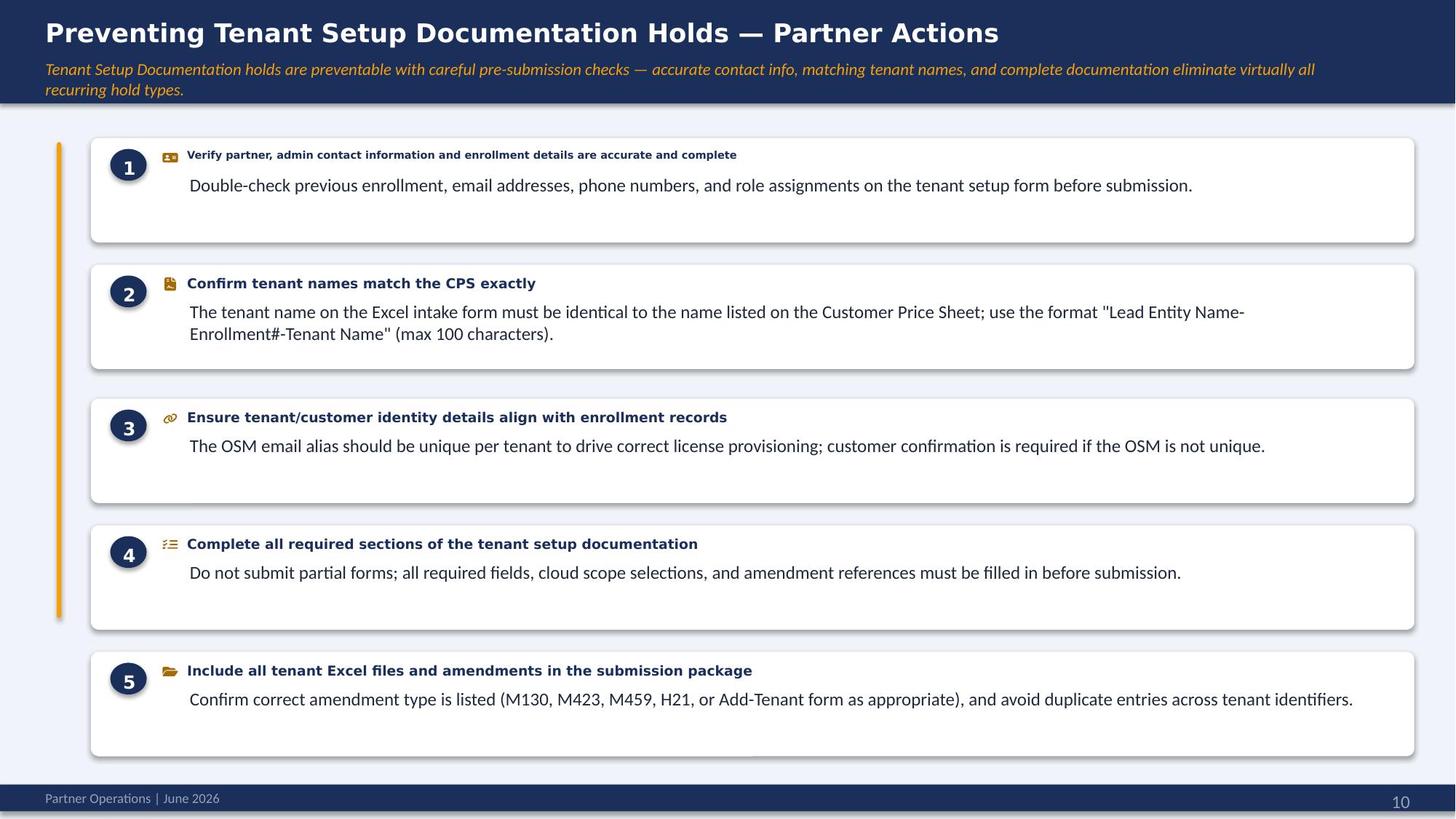
- Verify partner and admin contact information and enrollment details — previous enrollment, emails, phone numbers, and role assignments.
- Match tenant names to the CPS exactly. The tenant name on the Excel intake form must be identical to the Customer Price Sheet; use the format
Lead Entity Name-Enrollment#-Tenant Name(max 100 characters). - Align tenant/customer identity with enrollment records. The OSM email alias should be unique per tenant to drive correct license provisioning; customer confirmation is required if it is not unique.
- Complete all required sections — fields, cloud-scope selections, and amendment references must be filled in before submission.
- Include all tenant Excel files and amendments, confirm the correct amendment type (M130, M423, M459, H21, or Add-Tenant form), and avoid duplicate entries.
Launch Roadmap and Reminder Topics
Midterm packages coming to VL Central Contracts (EA)
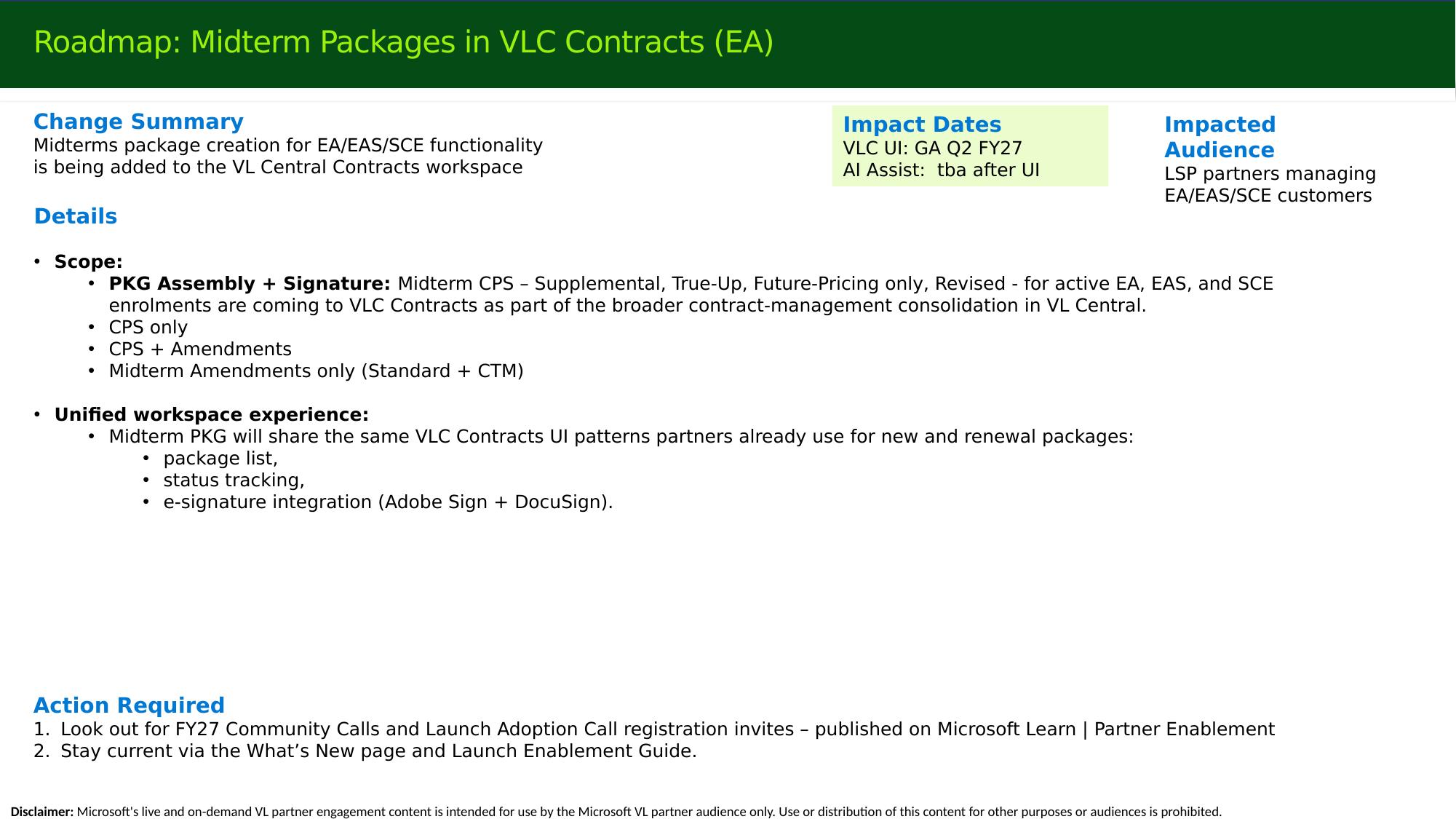
Midterm package creation for EA/EAS/SCE is being added to VL Central Contracts — generally available in Q2 FY27 (targeting end of September), with AI Assist to follow the UI. In scope: midterm CPS (supplemental, true-up, future-pricing, revised) for active EA/EAS/SCE enrollments — CPS only, CPS + amendments, and standalone midterm amendments (standard and CTM). The experience shares the same VL Central Contracts UI patterns partners already use — package list, status tracking, and e-signature (Adobe Sign + DocuSign). In short, this brings the remaining signature-form-based midterm submissions into the contracting tool.
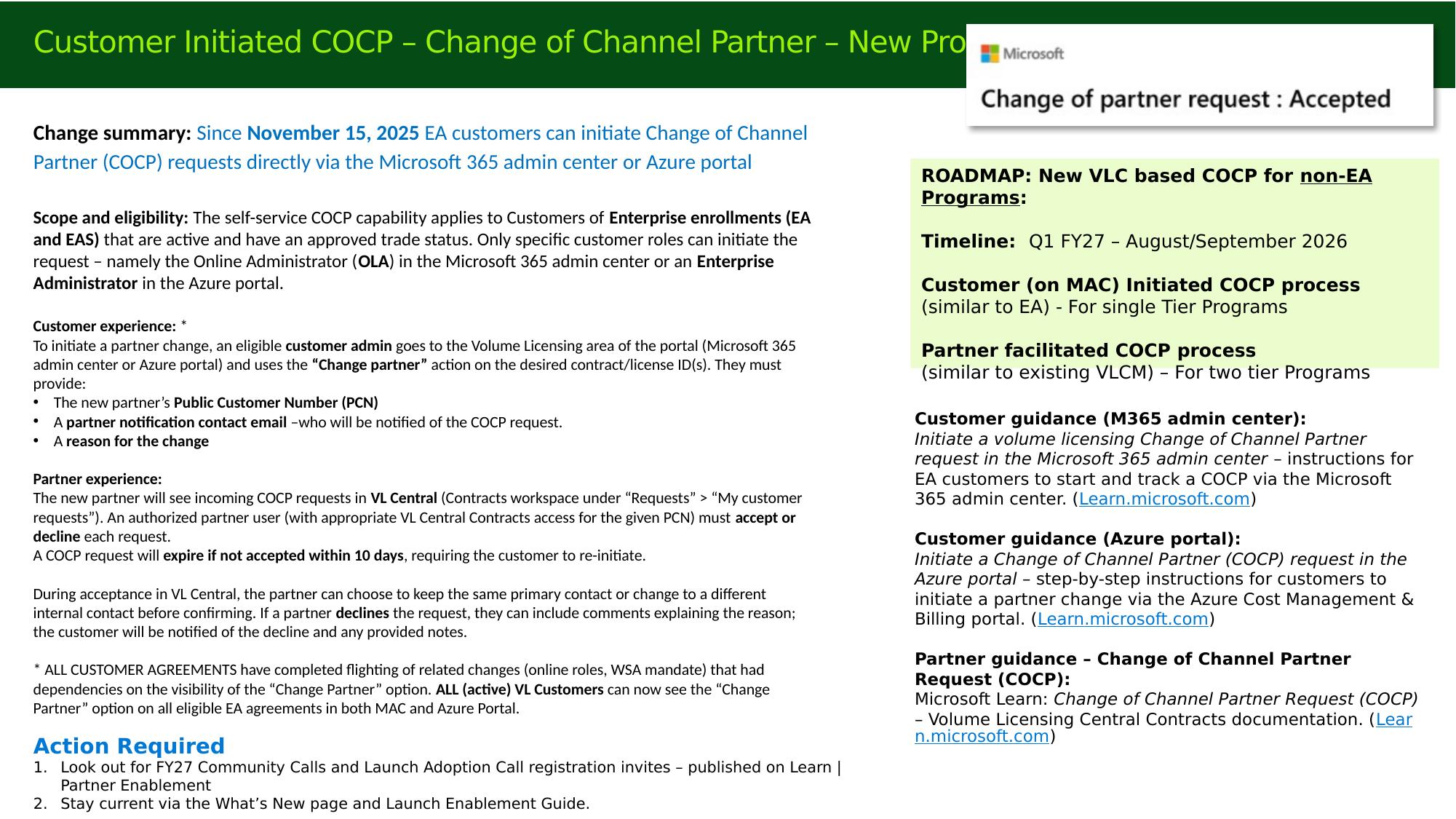
Customer-initiated Change of Channel Partner (COCP)
Since November 15, 2025, EA customers can initiate Change of Channel Partner (COCP) requests directly from the Microsoft 365 admin center or the Azure portal. The capability applies to active EA/EAS enrollments with an approved trade status, and can be initiated only by specific customer roles — the Online Administrator (OLA) in the M365 admin center or an Enterprise Administrator in the Azure portal.
Customer experience: the customer uses the "Change partner" action on the desired contract/license IDs and provides the new partner's Public Customer Number (PCN), a partner notification contact email, and a reason for the change.
Partner experience: the new partner sees incoming requests in VL Central under Contracts > Requests > My customer requests. An authorized partner user must accept or decline each request, and can keep the same primary contact or assign a different internal contact on acceptance. A request expires if not accepted within 10 days, after which the customer must re-initiate. Declines can include explanatory comments, which are shared with the customer.
Important
All eligible customer agreements have now completed the flighting that the "Change partner" option depended on (online roles and the WSA mandate). Earlier reports of customers not seeing the button were tied to that dependency and have not recurred in recent months. All active VL customers can now see the option on eligible EA agreements in both the MAC and Azure portals.
Roadmap: the same capability is coming to the Non-EA programs in Q1 FY27 (August/September 2026) — a customer-initiated (MAC) process for single-tier programs, and a partner-facilitated process (a lift-and-shift from eAgreements) for two-tier programs. Customer and partner step-by-step guidance is published on Microsoft Learn.
End-to-end validation automation in VL Central Contracts
A new set of automated validations went live as a soft launch on June 1, 2026 for EA/EAS/SCE packages. The 42 checks (11 quote, 7 amendment, 24 contract) are based on the work of the operations pre-validation team, providing a higher-quality level of pre-validation than the legacy hard-coded recommendations.
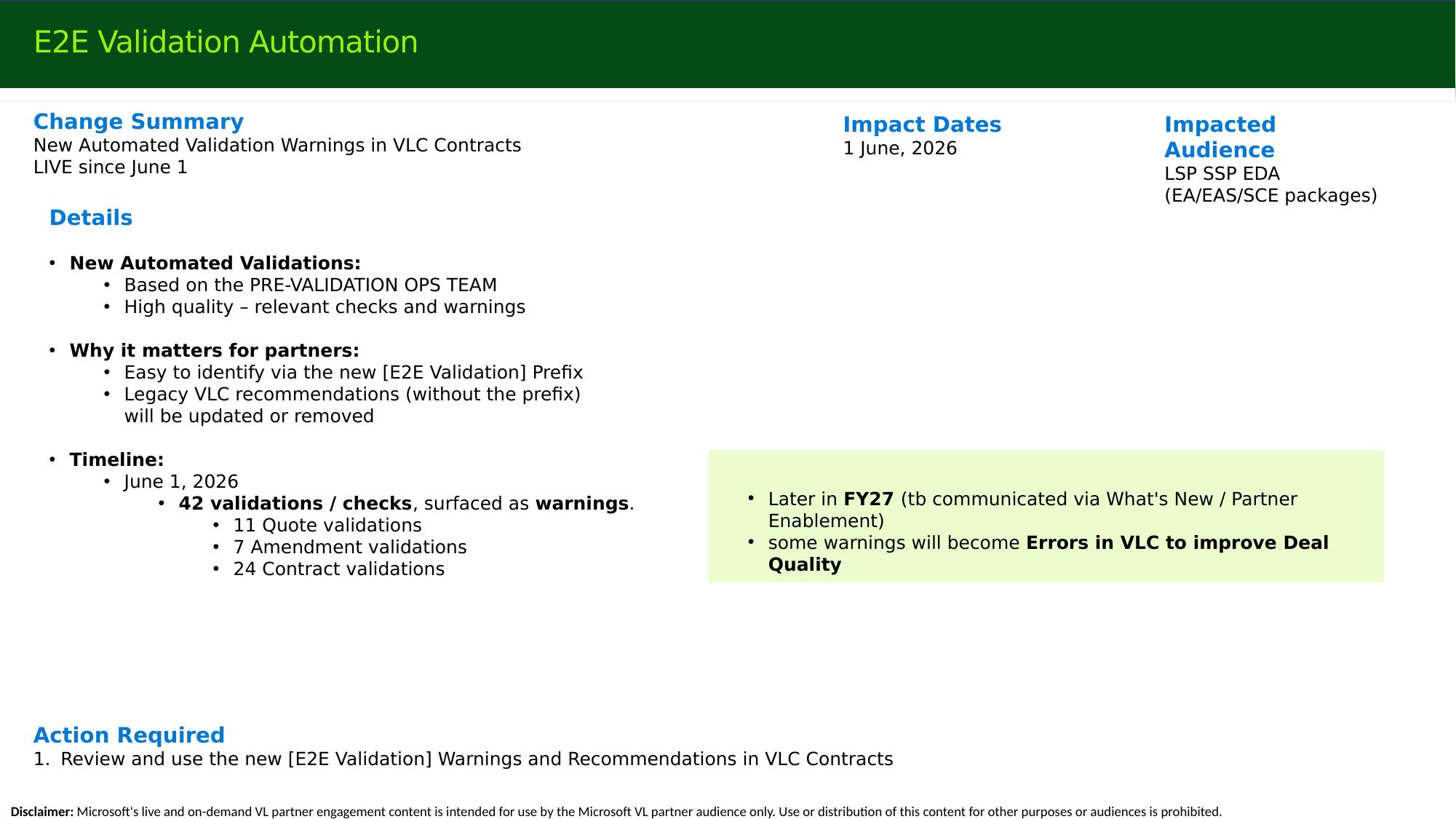
The new checks are tagged with an [E2E Validation] prefix so they are easy to distinguish from the older recommendations (which will be updated or removed over time). They currently surface as warnings and do not block submission. Later in FY27, some warnings will become submission-blocking errors to improve deal quality. Partner feedback on the relevance and quality of these checks is welcomed via the adoption calls and What's New.
Automatic PSF generation for Server and Cloud Enrollment (SCE)
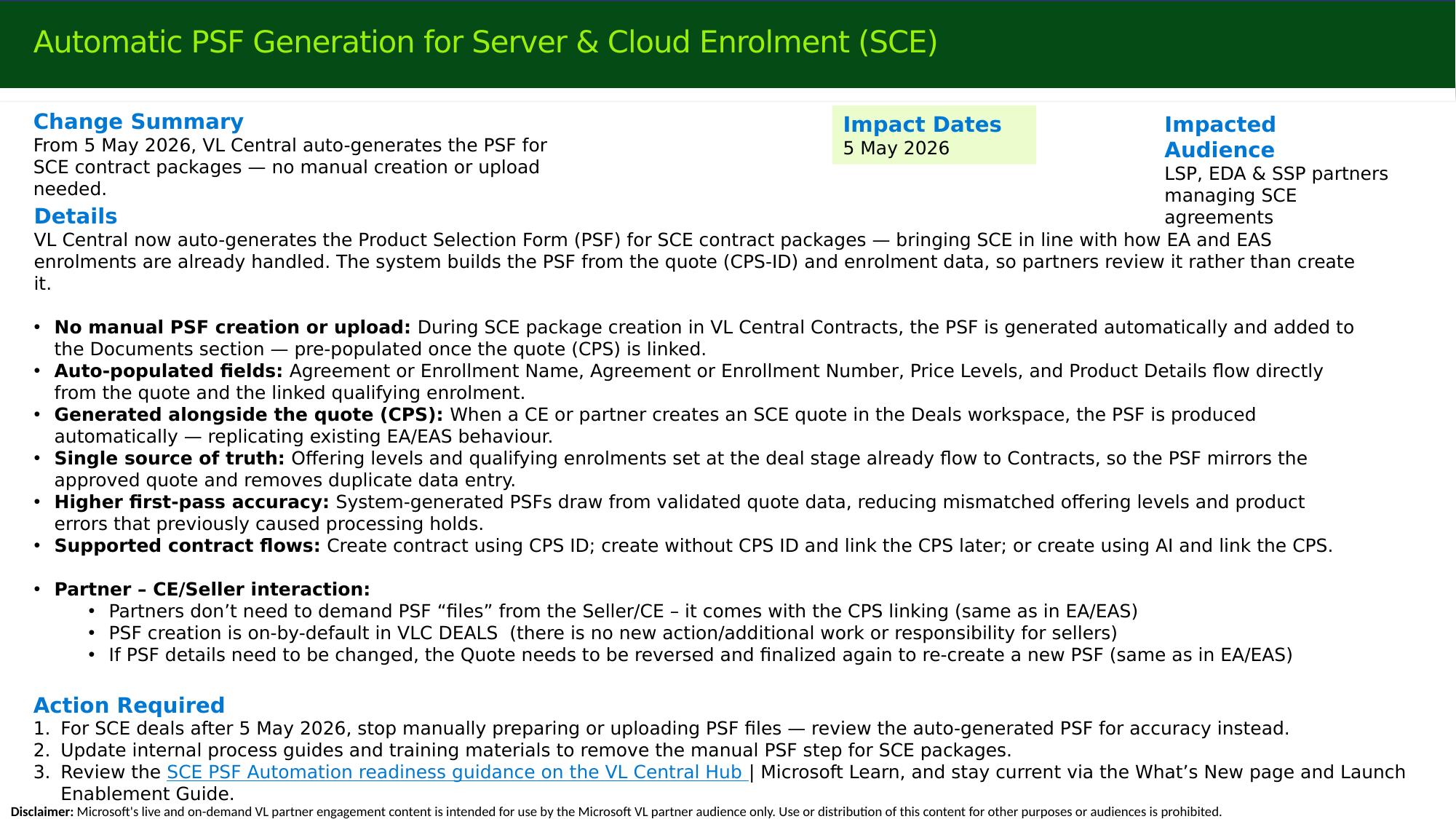
Since May 5, 2026, VL Central auto-generates the Product Selection Form (PSF) for SCE contract packages, bringing SCE in line with EA and EAS. The system builds the PSF from the quote (CPS-ID) and enrollment data, so partners review it rather than create it.
Key points:
- No manual creation or upload. The PSF is added to the Documents section automatically, pre-populated once the CPS is linked.
- Auto-populated fields — agreement/enrollment name and number, price levels, and product details flow from the quote and qualifying enrollment.
- Partner / seller interaction: partners do not need to request the PSF from the seller or CE. PSF creation is on by default in VL Central Deals — there is no new action or additional work for sellers. The on/off tick box is on by default.
- Changing a PSF: if details need to change, the quote must be reverse-finalized, edited, and finalized again to regenerate the PSF. Contracts cannot edit the PSF directly, consistent with other automated documents.
- Supported flows: create with CPS ID; create without and link the CPS later; or create with AI and link the CPS.
AI Assistant for Contracts (Preview)
Live in Preview since February 2, 2026, the AI Assistant for Contracts lets partners use natural language in the Contracts workspace for EA, EAS, and SCE. Beyond the menu-driven "create package from CPS ID," the assistant adds two areas of value:
- Contract inquiry / data retrieval — fetch agreement, participant, affiliate, or tenant details conversationally (for example, "List all participants for enrolment 123456"), including multi-agreement or multi-customer requests that go beyond the standard menu options, plus one-click Excel export.
- Draft package creation that pre-populates context — creating a package with AI first fetches customer and previous-enrollment information and pre-populates package fields; linking the CPS ID afterward gives the maximum amount of system-supported, pre-populated data.
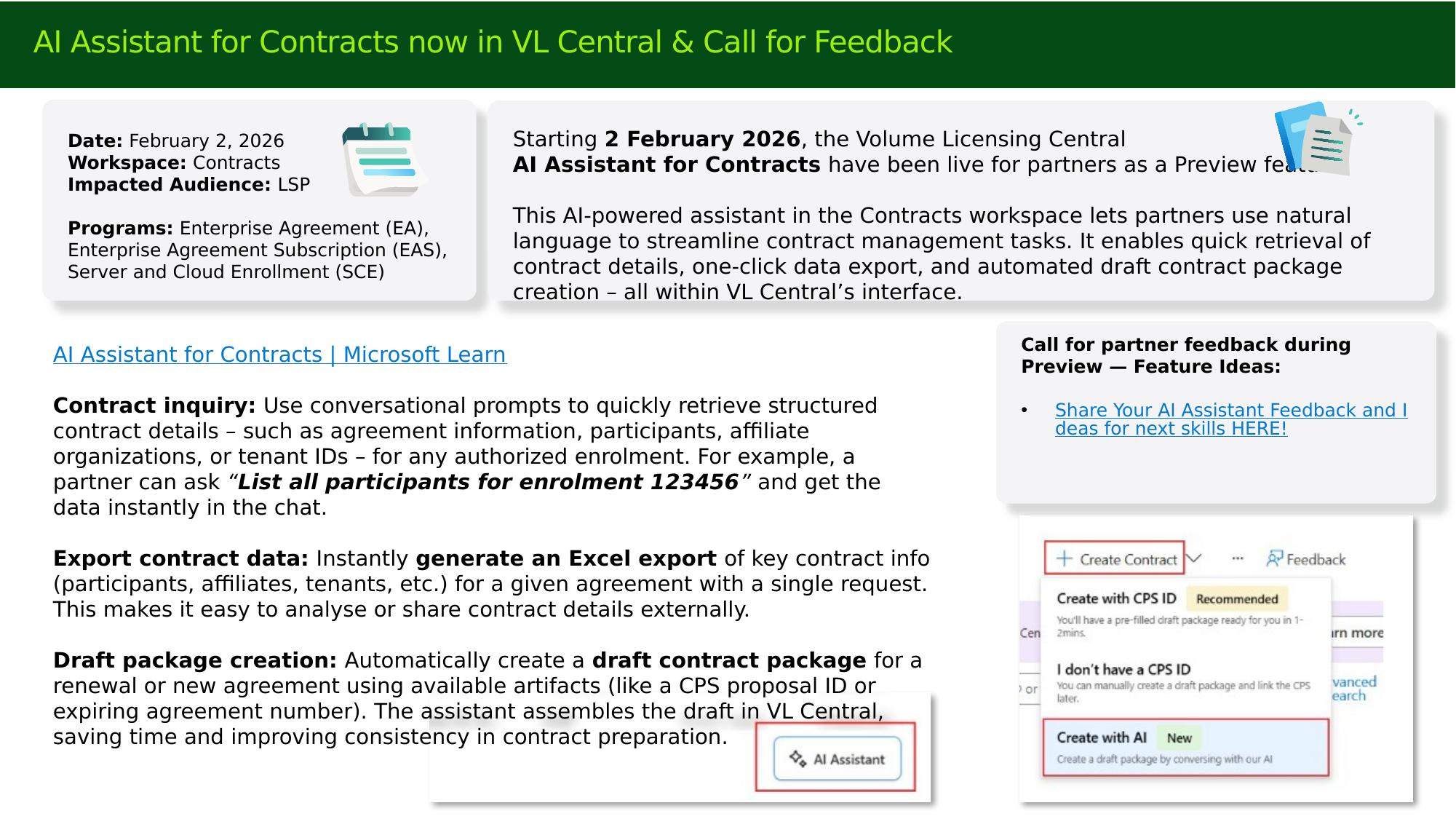
Partner feedback and feature ideas are requested during Preview via the AI Assistant for Contracts page on Microsoft Learn.
Reporting & Analytics fast follows
Effective March 5, 2026, further improvements enhance the EA experience in the Reporting & Analytics workspace (building on the Select Plus in-browser UI delivered in October).
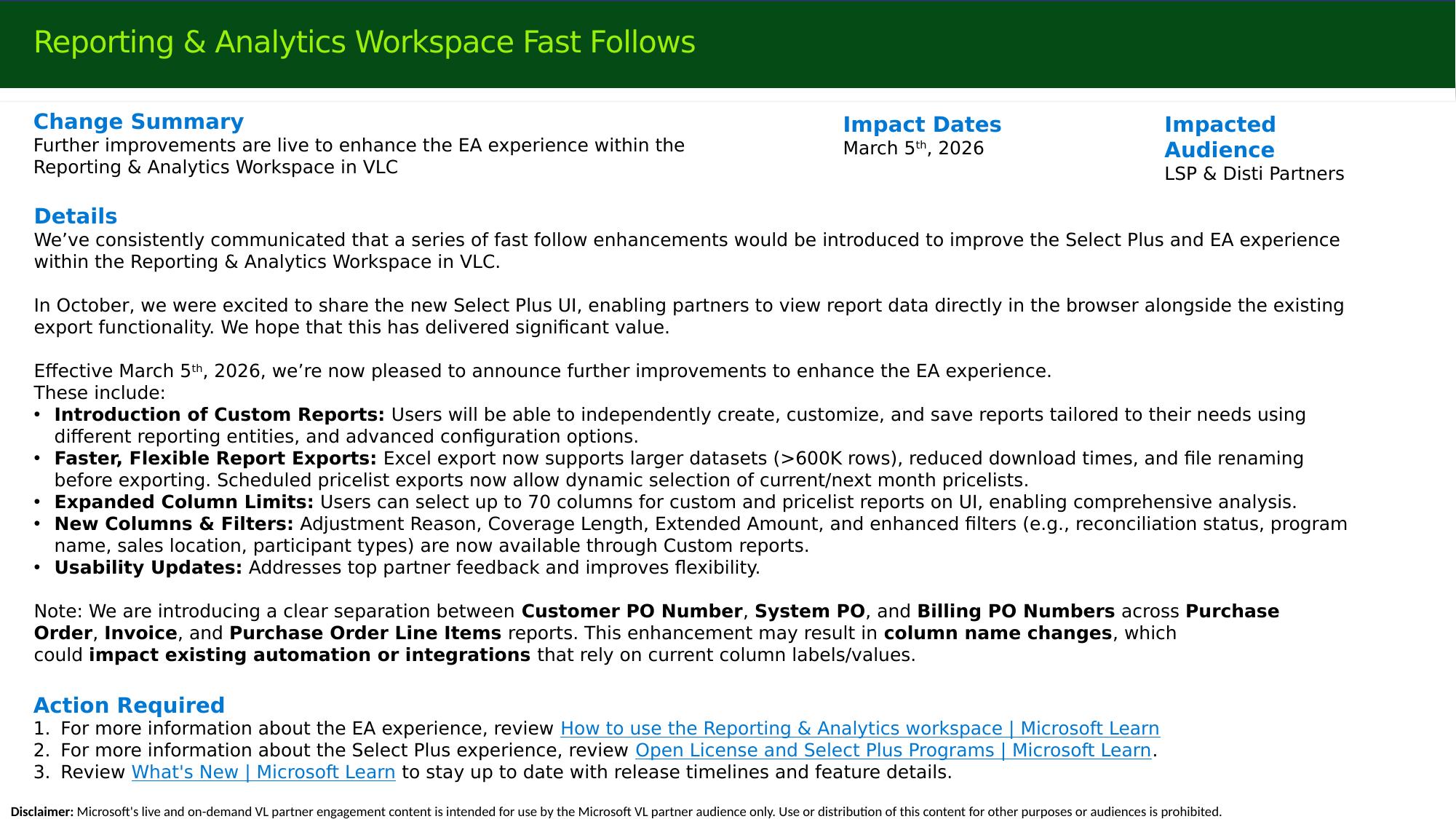
- Custom reports — create, customize, and save reports using different reporting entities and advanced configuration.
- Faster, more flexible exports — Excel export now supports larger datasets (>600K rows), reduced download times, and file renaming before export; scheduled pricelist exports allow dynamic current/next-month selection.
- Expanded column limits — up to 70 columns for custom and pricelist reports.
- New columns and filters — Adjustment Reason, Coverage Length, Extended Amount, and enhanced filters (reconciliation status, program name, sales location, participant types).
Note
A clear separation between Customer PO Number, System PO, and Billing PO Numbers is being introduced across Purchase Order, Invoice, and PO Line Items reports. This may change some column names and could affect automation or integrations that rely on current labels or values.
Large partners have confirmed improved reliability on large reports, with fewer failures and timeouts.
DocuSign as an additional e-signature option
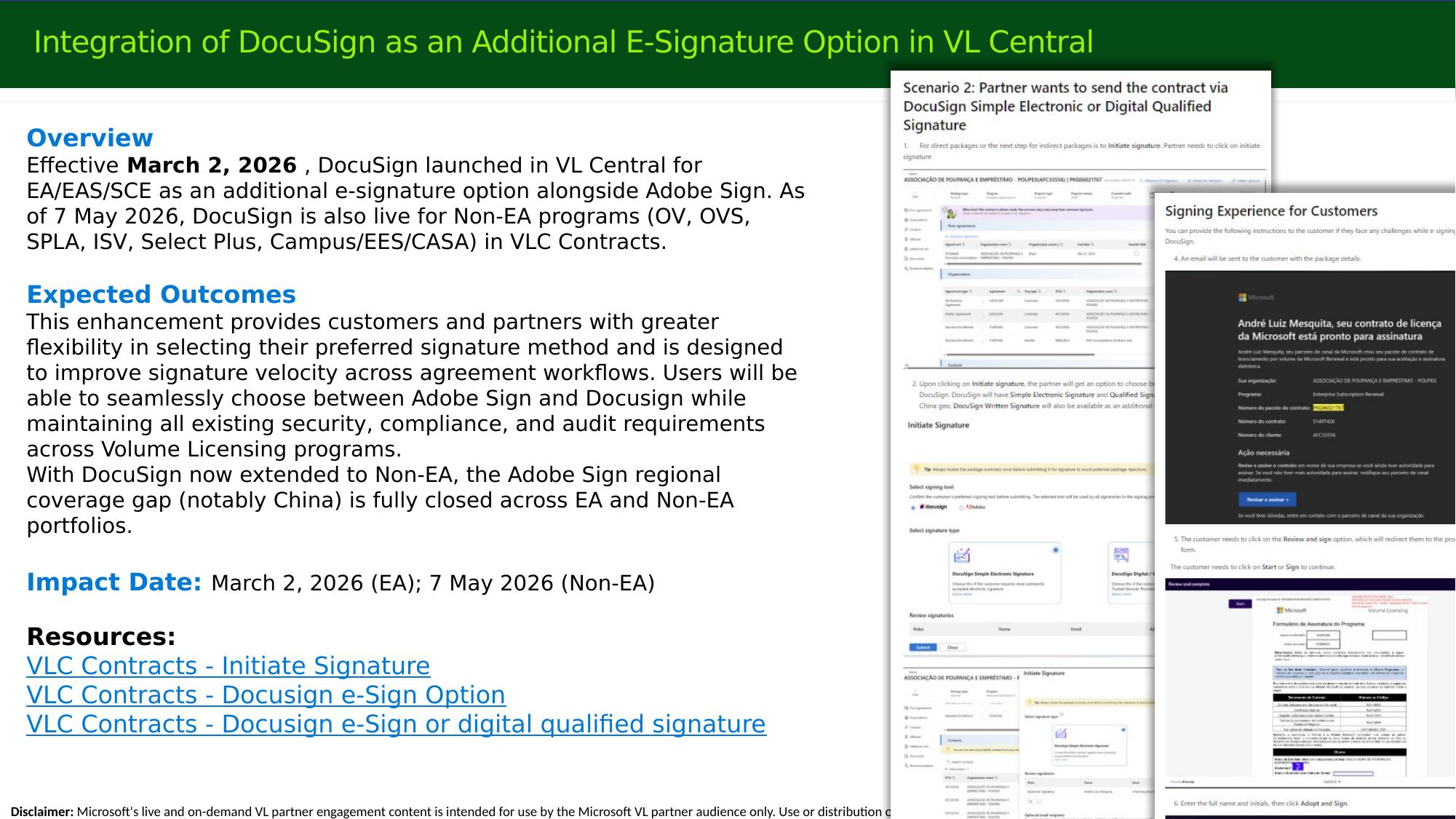
DocuSign is available as an additional e-signature option alongside Adobe Sign — live for EA/EAS/SCE since March 2, 2026, and for the Non-EA programs (OV, OVS, SPLA, ISV, Select Plus, Campus/EES/CASA) since May 7, 2026. Wherever "submit to electronic signature" is available, partners can choose Adobe Sign or DocuSign while preserving all existing security, compliance, and audit requirements. With DocuSign extended to Non-EA, the Adobe Sign regional coverage gap (notably China) is fully closed across the EA and Non-EA portfolios.
Note
The only path not implemented in DocuSign is physical (download-print-wet-signature-rescan), because downloading and printing a document is signature-technology agnostic — it makes no difference whether the document originated from Adobe Sign or DocuSign. The physical/download path remains available through Adobe Sign.
Staying Current
What's New on VL Central
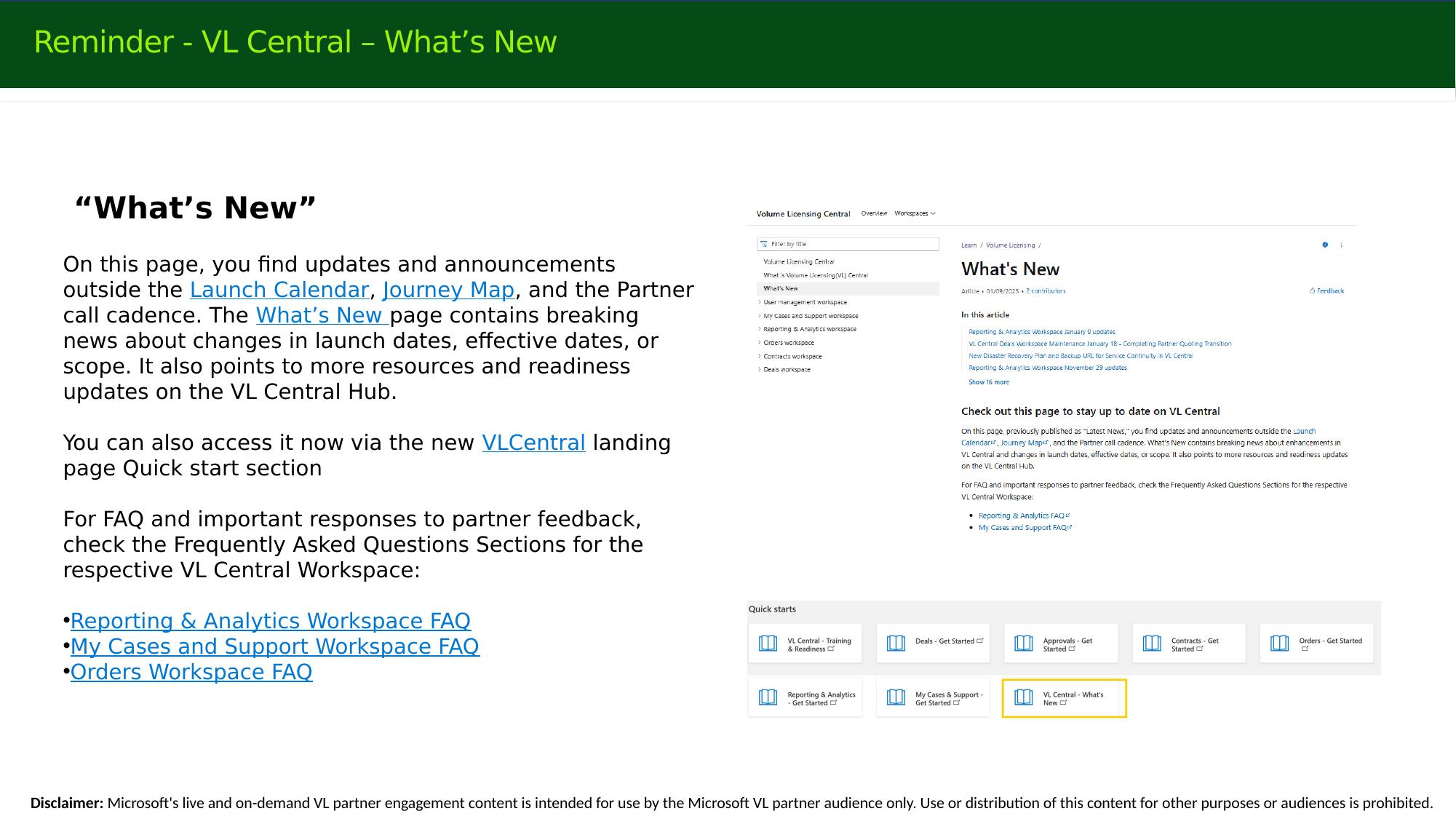
The What's New page on the VL Central Hub carries breaking news outside the Launch Calendar and Journey Map — changes to launch dates, effective dates, or scope — and points to readiness updates. It is accessible from the VL Central landing page Quick start section. For recurring questions, check the workspace FAQ sections (Reporting & Analytics, My Cases & Support, Orders).
Launch Enablement Guide
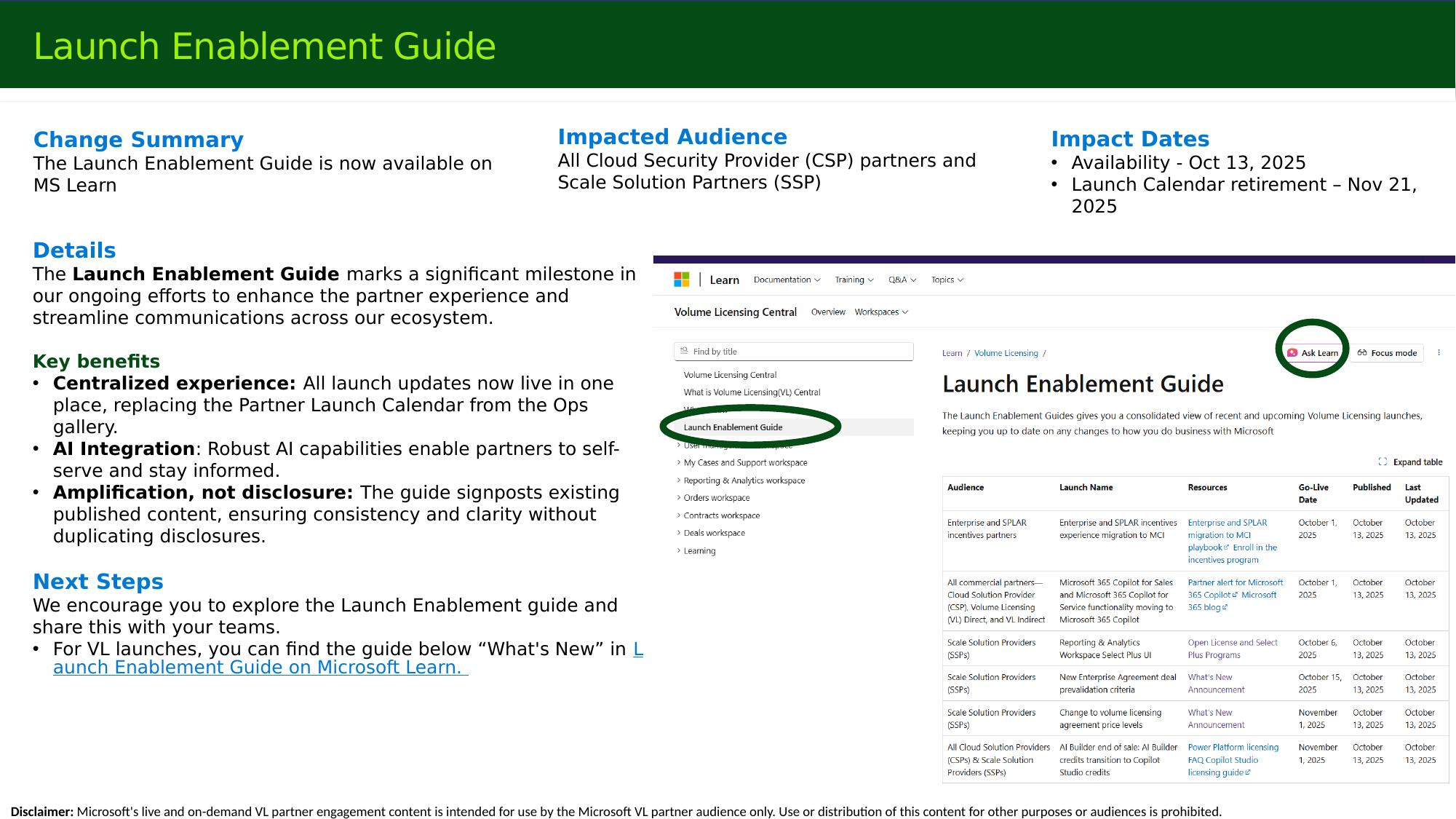
The Launch Enablement Guide on Microsoft Learn (available since October 13, 2025; the Partner Launch Calendar retired November 21, 2025) is the single, centralized view of launch updates, with AI-assisted self-service. It amplifies published content rather than duplicating disclosures. An updated FY27 edition will be published alongside the new set of call invites.
Partner feedback mechanisms
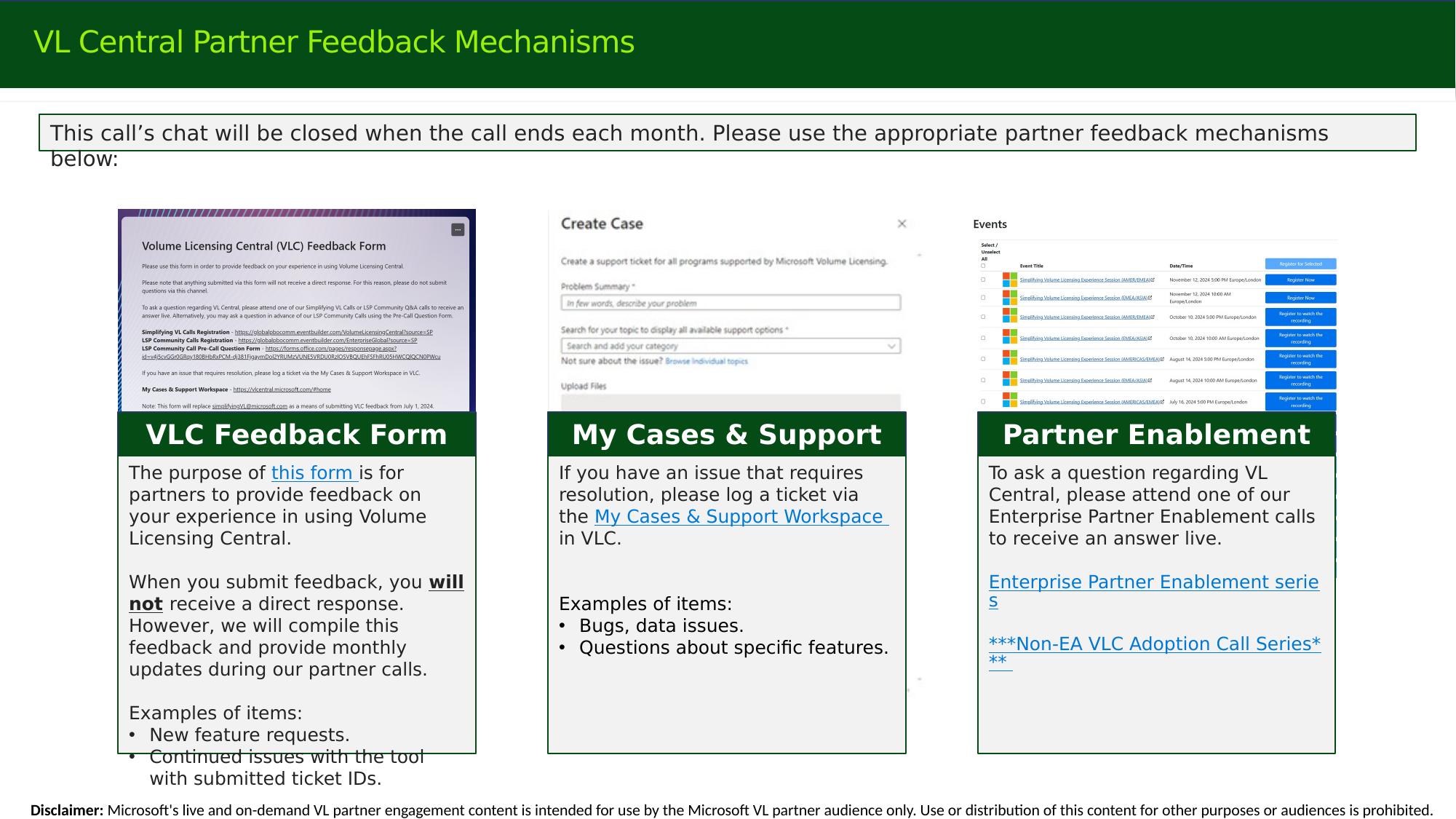
- VLC Feedback Form — for product experience feedback and feature requests. Submissions do not receive a direct response; feedback is compiled and summarized in monthly partner calls.
- My Cases & Support — for issues requiring resolution (bugs, data issues), via a ticket in the My Cases & Support workspace.
- Partner Enablement calls — to ask questions live. Note that the monthly call chat closes at the end of each call.
Reference: Security Topics Still in Effect
These previously launched changes remain relevant to partner enablement and are included for self-service review.
Mandatory MFA for VL Central
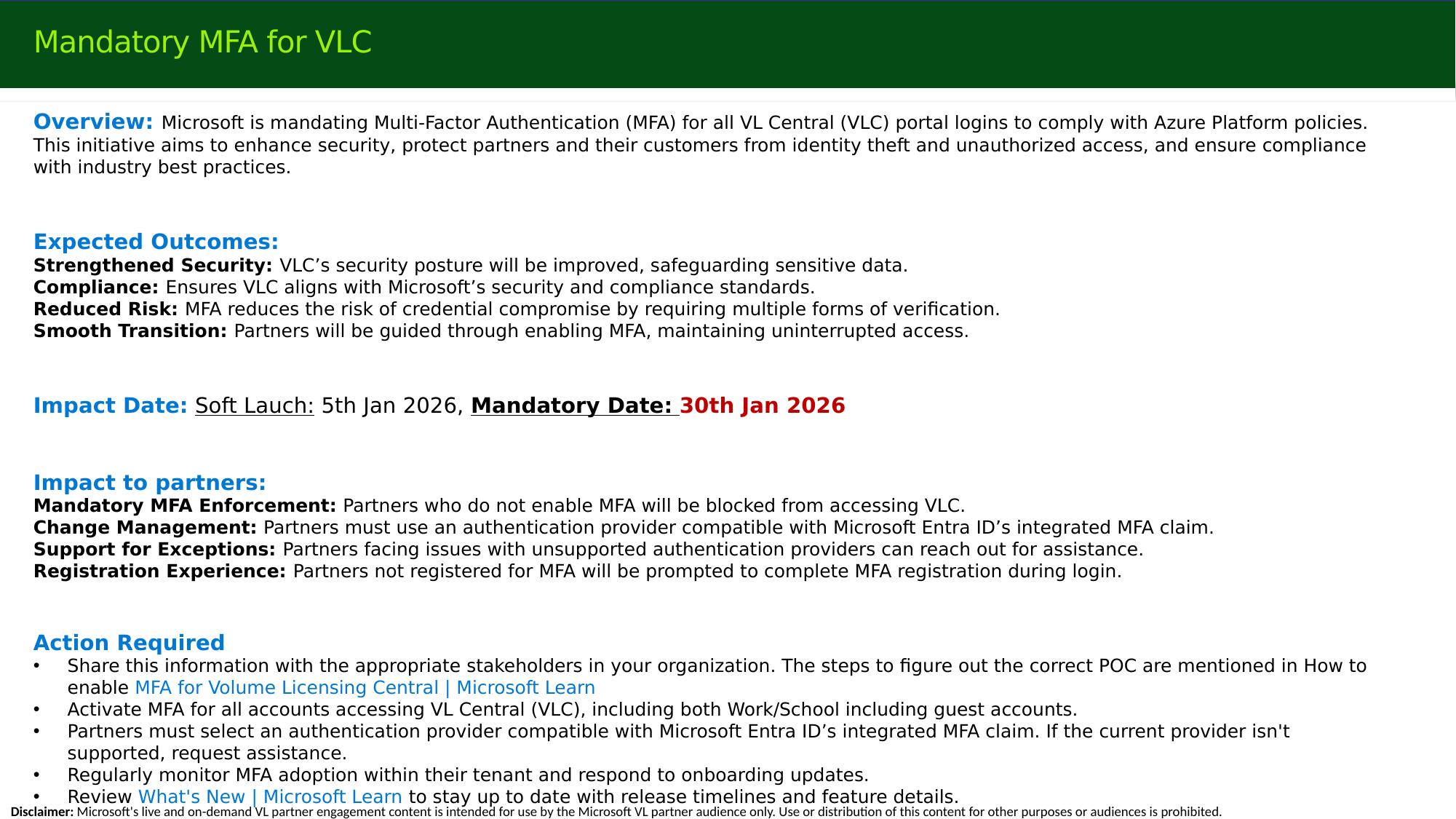
Microsoft mandates Multi-Factor Authentication (MFA) for all VL Central portal logins to comply with Azure Platform policies (soft launch January 5, 2026; mandatory January 30, 2026). Partners who do not enable MFA are blocked from accessing VLC. Partners must use an authentication provider compatible with Microsoft Entra ID's integrated MFA claim; those with unsupported providers can request assistance. Activate MFA for all accounts accessing VLC, including work/school and guest accounts. See How to enable MFA for Volume Licensing Central on Microsoft Learn.
MAC role segregation and secure authorization
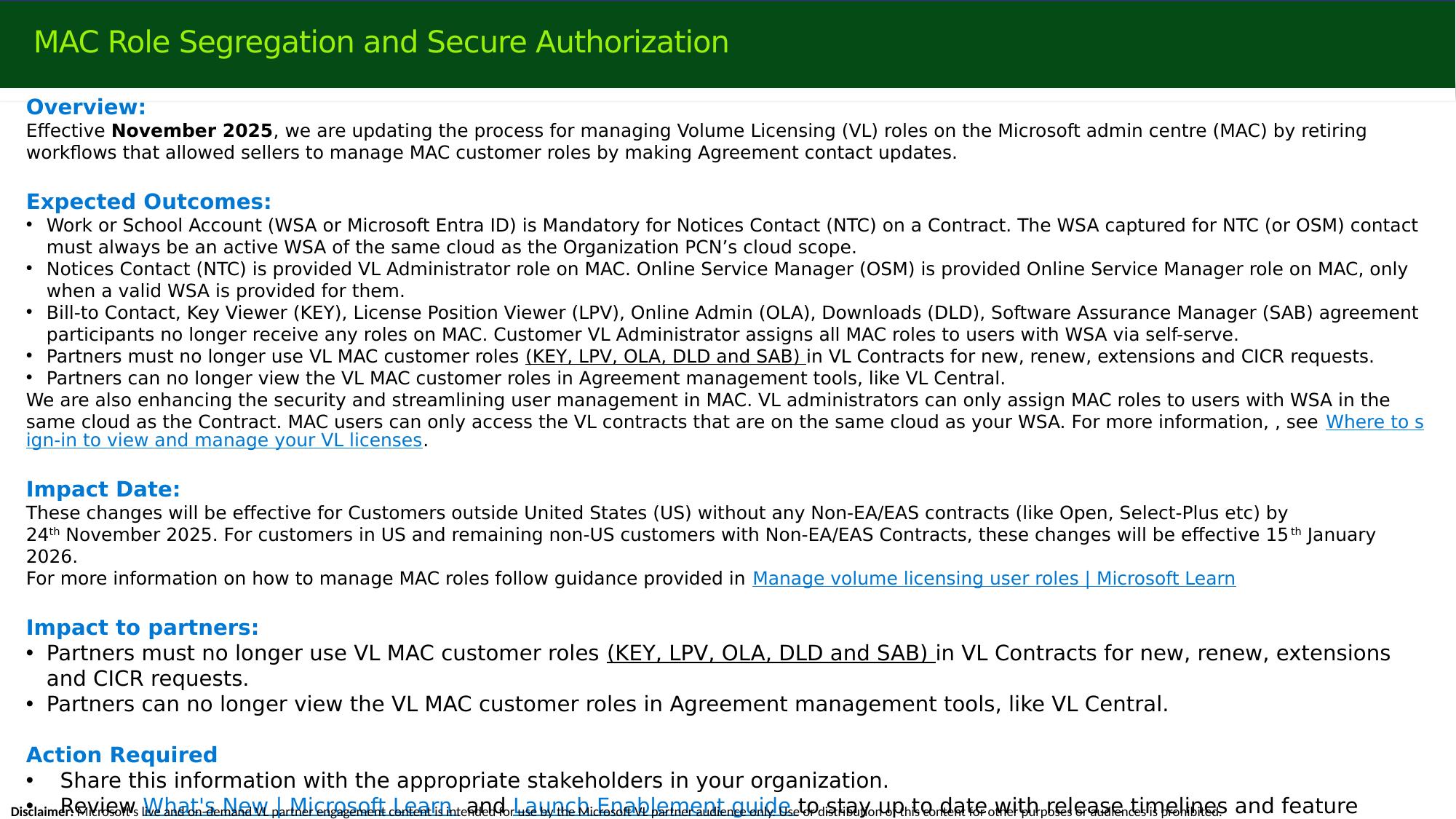
Effective November 2025, the process for managing VL roles in the Microsoft admin center (MAC) was updated, retiring the workflows that let sellers manage MAC customer roles through agreement contact updates.
- A WSA (Microsoft Entra ID) is mandatory for the Notices Contact (NTC), and must be an active WSA in the same cloud as the organization's PCN cloud scope.
- The NTC receives the VL Administrator role; the OSM receives the Online Service Manager role, only when a valid WSA is provided.
- Bill-to, Key Viewer (KEY), License Position Viewer (LPV), Online Admin (OLA), Downloads (DLD), and Software Assurance Manager (SAB) participants no longer receive MAC roles. The customer's VL Administrator assigns all MAC roles to WSA users via self-serve.
- Partners must no longer use VL MAC customer roles (KEY, LPV, OLA, DLD, SAB) for new, renewal, extension, or CICR requests, and can no longer view these roles in agreement management tools such as VL Central.
- VL Administrators can assign MAC roles only to users with a WSA in the same cloud as the contract, and MAC users can access only VL contracts on the same cloud as their WSA.
Effective dates: November 24, 2025 for customers outside the US without Non-EA/EAS contracts; January 15, 2026 for US customers and remaining non-US customers with Non-EA/EAS contracts.
Questions and Answers
Will the PowerPoint deck be shared after the call? The deck is not distributed directly. Instead, a consolidated content recap article — combining the slides, the spoken content, and the chat Q&A — is published on the new Partner Enablement section of Microsoft Learn. You can search it, summarize it with Ask Learn, print it to PDF, or download it as Markdown. Recaps are typically posted within a day or two of the call.
Where do I find the call recordings and the content recap? On the Partner Enablement section of the VL Central Hub on Microsoft Learn — see the Enterprise Recordings page (and the Non-EA VLC Adoption recordings page for Non-EA content). Both call recordings and demo videos are published there.
Is MPSA part of this migration to VL Central? No. MPSA has always had its own portal and back-end system (the MPSA Business Center). From today's perspective, MPSA remains on the MPSA Business Center and is not part of this launch or moving to VL Central.
Is there a known-issues / issue-tracking list? Current and known issues are addressed in the content recap article rather than as a separate known-issues list. The next Non-EA adoption call (June 16) has engineering present and focuses on Q&A and June close support.
When will EA enrollments with non-standard periods of performance show as compliant again? This is a recognized issue. For some long-duration agreements (for example, 6-, 7-, 8-, or 10-year terms), VL Central shows the timeline correctly but does not always interpret the compliance status correctly, which can prevent placing orders and force manual orders for each purchase. Engineering is aware; there is no active Orders launch project, so no committed timeline yet. Once an issue is proven, it is accepted as a bug and typically fixed relatively quickly — it does not have to wait for a future launch. Partners experiencing this should share specific examples so the team can follow up with engineering.
Is there a demo for the customer-side EA COCP process? Not a video, but step-by-step screenshots are provided in the two customer-facing assets listed on the COCP slide.
Where are the step-by-step COCP instructions? In the customer guidance for the Microsoft 365 admin center and the Azure portal (Cost Management & Billing), plus the partner guidance on Microsoft Learn — Initiate a volume licensing Change of Channel Partner request in the Microsoft 365 admin center and Initiate a change of channel partner request (Azure / Microsoft Cost Management).
Some of our customers only accept DocuSign but still want the download option. Is the download path redundant — and will it cover extension renewals and zero-usage forms? The physical/download (wet-signature) path remains available through Adobe Sign. The download is facilitated via the partner-signer role: the partner downloads the documents on behalf of the customer, handles the scan, and re-uploads — so whether the package was set up in DocuSign or Adobe Sign makes no difference to the customer for the download scenario. Physical signature is intentionally not duplicated in DocuSign because download-and-print is signature-technology agnostic.
Is the IS (Indirect) midterm still package-physical? Yes — at present that flow is still all physical.
Will there be Enterprise (EA) Incentives updates, given the current term expires September 30, 2026? Incentives were not on this call's agenda. If there are incentive updates or changes that need to be communicated or launched to partners, they will be included in the next community call (unless the Incentives team runs its own calls) and announced on the What's New blog.
VIDEO: Call Recording - June Enterprise Community QnA Call
Open Value Package