Note
Ang pag-access sa pahinang ito ay nangangailangan ng pahintulot. Maaari mong subukang mag-sign in o magpalit ng mga direktoryo.
Ang pag-access sa pahinang ito ay nangangailangan ng pahintulot. Maaari mong subukang baguhin ang mga direktoryo.
APPLIES TO: All API Management tiers
This article shows how to create and use policy fragments in your Azure API Management policy definitions. Policy fragments are centrally managed, reusable XML snippets that contain one or more API Management policy configurations.
Policy fragments help you configure policies consistently and maintain policy definitions without needing to repeat or retype XML code.
A policy fragment:
- Must be valid XML that contains one or more policy configurations.
- Can include policy expressions, if a referenced policy supports them.
- Is inserted as-is in a policy definition via the include-fragment policy.
Limitations:
- A policy fragment can't include a policy section identifier (
<inbound>,<outbound>, for example) or the<base/>element. - Currently, a policy fragment can't nest another policy fragment.
- The maximum size of a policy fragment is 32 KB.
Prerequisites
If you don't already have an API Management instance and a backend API, see:
Although it's not required, you might want to configure one or more policy definitions. You can copy policy elements from these definitions when you create policy fragments.
Go to your API Management instance
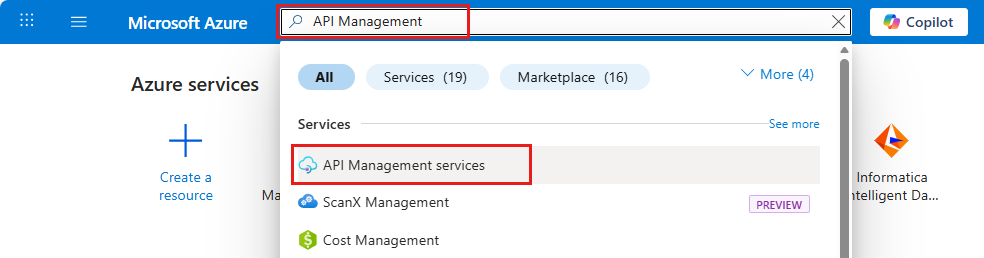
In the Azure portal, search for and select API Management services:
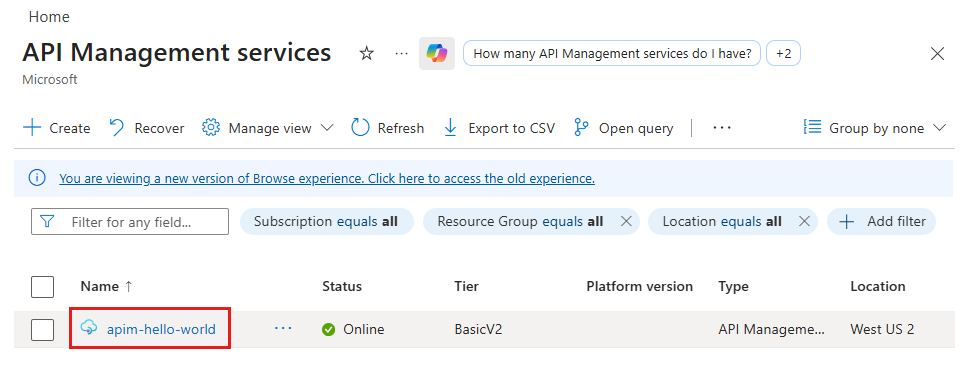
On the API Management services page, select your API Management instance:
Create a policy fragment
In the left pane of your API Management instance, under APIs, select Policy fragments. In the Policy fragments pane, select + Create.
In the Create a new policy fragment window, enter a Name and, optionally, a Description of the policy fragment. The name must be unique within your API Management instance.
Example name: ForwardContext
In the XML policy fragment editor, type or paste one or more policy XML elements between the
<fragment>and</fragment>tags: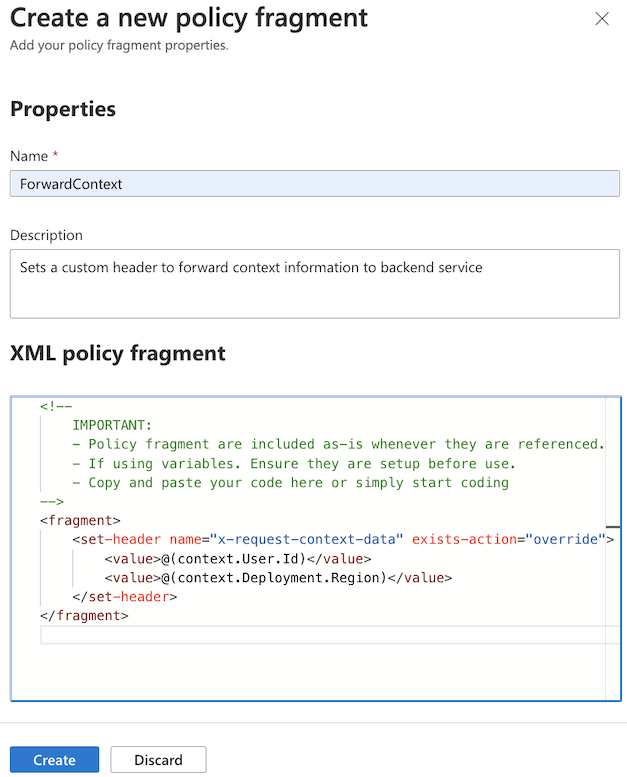
For example, the following fragment contains a
set-headerpolicy configuration to forward context information to a backend service. This fragment would be included in an inbound policy section. The policy expressions in this example access the built-incontextvariable.<fragment> <set-header name="x-request-context-data" exists-action="override"> <value>@(context.User.Id)</value> <value>@(context.Deployment.Region)</value> </set-header> </fragment>Select Create. The fragment is added to the list of policy fragments.
Include a fragment in a policy definition
Use the include-fragment policy to insert a policy fragment in a policy definition. For more information about policy definitions, see Set or edit policies.
- You can include a fragment at any scope and in any policy section, as long as the underlying policy or policies in the fragment support the usage.
- You can include multiple policy fragments in a policy definition.
For example, insert the policy fragment named ForwardContext in the inbound policy section:
<policies>
    <inbound>
        <include-fragment fragment-id="ForwardContext" />
        <base />
    </inbound>
[...]
Tip
To see the content of an included fragment displayed in the policy definition, select Calculate effective policy in the policy editor.
Manage policy fragments
After you create a policy fragment, you can view and update its properties or delete it at any time.
To view the properties of a policy fragment:
- In the left pane of your API Management instance, under APIs, select Policy fragments. Select the name of your fragment.
- On the Overview page, review the Policy document references to see the policy definitions that include the fragment.
- On the Properties page, under Settings, review the name and description of the policy fragment. The name can't be changed.
To edit a policy fragment:
- In the left pane of your API Management instance, under APIs, select Policy fragments. Select the name of your fragment.
- Under Settings, select Policy editor.
- Update the statements in the fragment, and then select Apply.
Note
Updates affect all policy definitions in which the fragment is included.
To delete a policy fragment:
- In the left pane of your API Management instance, under APIs, select Policy fragments. Select the name of your fragment.
- Review Policy document references for policy definitions that include the fragment. Before you delete a fragment, you must remove the fragment references from all policy definitions.
- After all references are removed, select Delete.
Build advanced pipelines with policy fragments
Fragments can be used to build advanced pipeline scenarios with custom behavior executed throughout the request and response lifecycle. Key recommendations for fragment-based pipelines include:
- Modularity - Design each fragment with a single, well-defined responsibility focused on one specific concern.
- Data sharing - Use context variables and central metadata caching for data sharing between fragments.
- Fragment execution behavior - Define execution behavior by inserting fragments sequentially in product and API policy definitions based on scope.
- Performance optimization - Follow performance guidelines for maximum efficiency.
Advanced pipeline guidance
For complete guidance on building advanced policy fragment designs, see these articles:
- Architecture for building advanced execution pipelines with policy fragments - Foundational patterns for designing modular, scalable policy fragments with clear separation of concerns
- Variable management for policy fragments - Comprehensive guidance on context variable handling, safe access patterns, and data sharing between fragments
- Central metadata cache for policy fragments - Implementation guidance for shared metadata caching pattern across fragments
- Policy insertion and fragment execution - Fragment execution via product-scoped and API-scoped policies
Related content
For more information about working with policies, see:
- Tutorial: Transform and protect your API
- Policy reference for a full list of policy statements and their settings
- Policy expressions
- Set or edit policies
- Reuse policy configurations
- Policy snippets repo
- Policy playground repo
- Azure API Management policy toolkit
- Get Copilot assistance to create, explain, and troubleshoot policies