Megjegyzés
Az oldalhoz való hozzáféréshez engedély szükséges. Megpróbálhat bejelentkezni vagy módosítani a címtárat.
Az oldalhoz való hozzáféréshez engedély szükséges. Megpróbálhatja módosítani a címtárat.
Minden, ami látható a képernyőn egy WinUI-alkalmazásban, azért látható, mert ecsettel lett festve. Az ecsetek lehetővé teszik felhasználói felületi (UI) objektumok festését egyszerű, egyszínű színektől a képekig, rajzokig és összetett effektusláncokig terjedő tartalommal. Ez a témakör bemutatja a CompositionBrush festésének alapelveit.
WinUI XAML-alkalmazás használatakor dönthet úgy, hogy XAML-kefével vagy CompositionBrush-nal fest egy UIElement-et. Általában könnyebb XAML-kefét választani, ha a forgatókönyvet már támogatja egy. Például egy gomb színének animálása, vagy a szöveg vagy alakzat kitöltésének módosítása képpel. Ha olyan dologra van szüksége, amit egy XAML ecset nem támogat, mint például egy animált maszk, egy animált kilencrácsos feszítés vagy egy effektuslánc, akkor a CompositionBrush segítségével festheti meg a UIElement-et a XamlCompositionBrushBase segítségével.
A Vizualizáció réteg használatakor a SpriteVisual területének festéséhez egy CompositionBrush-t kell használni.
- Előfeltételek
-
Paint with CompositionBrush
- Festék egyszínű
- Festés lineáris színátmenettel
- Fessen radiális színátmenettel
- Kép festése
- Festés egyéni rajzokkal
- Festés videóval
- Festés szűrőeffektussal
- Fessen a CompositionBrush használatával átlátszósági maszkkal
- Fess egy CompositionBrush segítségével, NineGrid stretch használatával
- Festés háttér képpontokkal
- CompositionBrushes kombinálása
- XAML-ecset és CompositionBrush használata
- Kapcsolódó témakörök
Előfeltételek
Ez az áttekintés feltételezi, hogy ismeri egy alapszintű kompozíciós alkalmazás szerkezetét a Visual Layer áttekintésében leírtak szerint.
Fess egy CompositionBrush használatával
A CompositionBrush "fest" egy területet a kimenetével. A különböző kefék különböző kimenettípusokkal rendelkeznek. Egyes ecsetek szilárd színnel festenek egy területet, mások színátmenettel, képpel, egyéni rajztal vagy effektussal. Vannak speciális kefék is, amelyek módosítják más kefék viselkedését. Az opacítási maszkkal például szabályozható, hogy a CompositionBrush melyik területet festi, vagy egy kilenc rácsos háló segítségével szabályozható a CompositionBrush-ra alkalmazott nyújtás az adott terület festésekor. A CompositionBrush a következő típusok egyikének lehet:
| osztály | Részletek |
|---|---|
| CompositionColorBrush | Egy terület festése egyszínű színnel |
| CompositionSurfaceBrush | Terület festése ICompositionSurface tartalmával |
| CompositionEffectBrush | Egy terület festése kompozíciós effektus tartalmával |
| CompositionMaskBrush | Vizualizációt készít átlátszósági maszkkal a CompositionBrush használatával |
| CompositionNineGridBrush | Egy területet egy CompositionBrush-tal fest egy NineGrid-szakasz használatával |
| CompositionLinearGradientBrush | Terület festése lineáris színátmenettel |
| CompositionRadialGradientBrush | Sugárirányú színátmenettel fest egy területet |
| CompositionBackdropBrush | Az alkalmazás egy területet úgy fest meg, hogy mintát vesz a háttérképpontokból, amelyek az alkalmazásból vagy közvetlenül az alkalmazás ablaka mögött, az asztalon találhatók. Egy másik CompositionBrush, például a CompositionEffectBrush bemeneteként használatos |
Festék egyszínű
A CompositionColorBrush egy szilárd színű területet fest. A SolidColorBrush színét többféleképpen is megadhatja. Megadhatja például az alfa, a piros, a kék és a zöld (ARGB) csatornákat, vagy használhatja a Színek osztály által megadott egyik előre definiált színt.
Az alábbi ábrán és kódban egy kis vizuális fa látható, amely egy fekete színű ecsettel kontúrozott téglalapot hoz létre, és egy egyszínű ecsettel van festve, amelynek színértéke 0x9ACD32.

Compositor _compositor;
ContainerVisual _container;
SpriteVisual _colorVisual1, _colorVisual2;
CompositionColorBrush _blackBrush, _greenBrush;

_compositor = ElementCompositionPreview.GetElementVisual(this).Compositor;
_container = _compositor.CreateContainerVisual();

_blackBrush = _compositor.CreateColorBrush(Colors.Black);
_colorVisual1 = _compositor.CreateSpriteVisual();
_colorVisual1.Brush = _blackBrush;
_colorVisual1.Size = new Vector2(156, 156);
_colorVisual1.Offset = new Vector3(0, 0, 0);
_container.Children.InsertAtBottom(_colorVisual1);

_greenBrush = _compositor.CreateColorBrush(Color.FromArgb(0xff, 0x9A, 0xCD, 0x32));
_colorVisual2 = _compositor.CreateSpriteVisual();
_colorVisual2.Brush = _greenBrush;
_colorVisual2.Size = new Vector2(150, 150);
_colorVisual2.Offset = new Vector3(3, 3, 0);
_container.Children.InsertAtBottom(_colorVisual2);
Festés lineáris színátmenettel
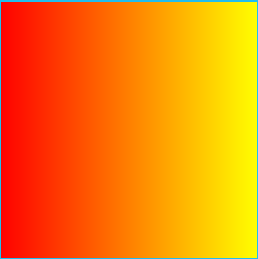
A CompositionLinearGradientBrush lineáris színátmenettel fest egy területet. A lineáris színátmenet két vagy több színt egyesít egy vonalon, a színátmeneti tengelyen. A GradientStop objektumokkal megadhatja a színátmenet színeit és pozícióit.
Az alábbi ábra és kód egy LinearGradientBrush-t használó SpriteVisual-t mutat be, amely piros és sárga színű, két stopból álló átmenettel van festve.
Compositor _compositor;
SpriteVisual _gradientVisual;
CompositionLinearGradientBrush _redyellowBrush;

_compositor = ElementCompositionPreview.GetElementVisual(this).Compositor;

_redyellowBrush = _compositor.CreateLinearGradientBrush();
_redyellowBrush.ColorStops.Add(_compositor.CreateColorGradientStop(0, Colors.Red));
_redyellowBrush.ColorStops.Add(_compositor.CreateColorGradientStop(1, Colors.Yellow));
_gradientVisual = _compositor.CreateSpriteVisual();
_gradientVisual.Brush = _redyellowBrush;
_gradientVisual.Size = new Vector2(156, 156);
Festés tárcsaátmenettel
A CompositionRadialGradientBrush radiális színátmenettel fest egy területet. A radiális színátmenet két vagy több színt kever el, a színátmenet az ellipszis középpontjából indul, és az ellipszis sugaránál végződik. A GradientStop objektumok a színátmenet színeinek és helyének meghatározására szolgálnak.
Az alábbi ábra és kód egy SpriteVisual-t ábrázol, amelyet RadialGradientBrush-sal festettek 2 GradientStops-zal.

Compositor _compositor;
SpriteVisual _gradientVisual;
CompositionRadialGradientBrush RGBrush;

_compositor = ElementCompositionPreview.GetElementVisual(this).Compositor;

RGBrush = _compositor.CreateRadialGradientBrush();
RGBrush.ColorStops.Add(_compositor.CreateColorGradientStop(0, Colors.Aquamarine));
RGBrush.ColorStops.Add(_compositor.CreateColorGradientStop(1, Colors.DeepPink));
_gradientVisual = _compositor.CreateSpriteVisual();
_gradientVisual.Brush = RGBrush;
_gradientVisual.Size = new Vector2(200, 200);
Festés egy képpel
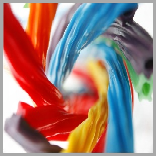
A CompositionSurfaceBrush egy ICompositionSurface-ra renderelt képpontokkal rendelkező területet fest. A CompositionSurfaceBrush például az LoadedImageSurface API használatával egy ICompositionSurface-ra renderelt képpel rendelkező terület festésére használható.
Az alábbi ábrán és kódon egy SpriteVisual látható, amely egy édesgyökér bitképpel van megfestve, amelyet egy LoadedImageSurface segítségével ICompositionSurface-re rendereltek. A CompositionSurfaceBrush tulajdonságaival a bitképet a vizualizáció határain belül lehet kinyújtani és igazítani.
Compositor _compositor;
SpriteVisual _imageVisual;
CompositionSurfaceBrush _imageBrush;

_compositor = ElementCompositionPreview.GetElementVisual(this).Compositor;

_imageBrush = _compositor.CreateSurfaceBrush();

// The loadedSurface has a size of 0x0 till the image has been downloaded, decoded and loaded to the surface. We can assign the surface to the CompositionSurfaceBrush and it will show up once the image is loaded to the surface.
LoadedImageSurface _loadedSurface = LoadedImageSurface.StartLoadFromUri(new Uri("ms-appx:///Assets/licorice.jpg"));
_imageBrush.Surface = _loadedSurface;

_imageVisual = _compositor.CreateSpriteVisual();
_imageVisual.Brush = _imageBrush;
_imageVisual.Size = new Vector2(156, 156);
Festés egyéni rajzokkal
A CompositionSurfaceBrush arra is használható, hogy egy Win2D (vagy D2D) használatával renderelt ICompositionSurface-ból képpontokat vigyen fel egy területre.
Az alábbi kód bemutat egy SpriteVisual-t, amely egy szöveges futtatással van kifestve, és egy ICompositionSurface-re van renderelve a Win2D használatával. A Win2D winUI-val való használatához telepítse a Microsoft.Graphics.Win2D NuGet-csomagot a projektbe.
Compositor _compositor;
CanvasDevice _device;
CompositionGraphicsDevice _compositionGraphicsDevice;
SpriteVisual _drawingVisual;
CompositionSurfaceBrush _drawingBrush;

_compositor = ElementCompositionPreview.GetElementVisual(this).Compositor;
_device = CanvasDevice.GetSharedDevice();
_compositionGraphicsDevice = CanvasComposition.CreateCompositionGraphicsDevice(_compositor, _device);

_drawingBrush = _compositor.CreateSurfaceBrush();
CompositionDrawingSurface _drawingSurface = _compositionGraphicsDevice.CreateDrawingSurface(
    new Size(256, 256),
    DirectXPixelFormat.B8G8R8A8UIntNormalized,
    DirectXAlphaMode.Premultiplied);

using (var ds = CanvasComposition.CreateDrawingSession(_drawingSurface))
{
    ds.Clear(Colors.Transparent);
    var rect = new Rect(new Point(2, 2), (_drawingSurface.Size.ToVector2() - new Vector2(4, 4)).ToSize());
    ds.FillRoundedRectangle(rect, 15, 15, Colors.LightBlue);
    ds.DrawRoundedRectangle(rect, 15, 15, Colors.Gray, 2);
    ds.DrawText("This is a composition drawing surface", rect, Colors.Black, new CanvasTextFormat()
    {
        FontFamily = "Comic Sans MS",
        FontSize = 32,
        WordWrapping = CanvasWordWrapping.WholeWord,
        VerticalAlignment = CanvasVerticalAlignment.Center,
        HorizontalAlignment = CanvasHorizontalAlignment.Center
    });
}

_drawingBrush.Surface = _drawingSurface;

_drawingVisual = _compositor.CreateSpriteVisual();
_drawingVisual.Brush = _drawingBrush;
_drawingVisual.Size = new Vector2(156, 156);
Hasonlóképpen, a CompositionSurfaceBrush is használható egy SpriteVisual festéséhez egy SwapChain segítségével a Win2D interop révén. Ez a minta egy példa arra, hogyan lehet a Win2D-vel egy SpriteVisualt swapchainnel festeni.
Festés videóval
A CompositionSurfaceBrush a MediaPlayer osztályon keresztül betöltött videóval renderelt ICompositionSurface-ból képpontokkal ellátott terület festésére is használható.
Az alábbi kód egy ICompositionSurface-ra betöltött videóval festett SpriteVisual-et ábrázol.
Compositor _compositor;
SpriteVisual _videoVisual;
CompositionSurfaceBrush _videoBrush;

_compositor = ElementCompositionPreview.GetElementVisual(this).Compositor;

// MediaPlayer setup with a source URI.
_mediaPlayer = new MediaPlayer();

// Get a source from a URI. This could also come from a file or a stream.
var source = MediaSource.CreateFromUri(new Uri("https://go.microsoft.com/fwlink/?LinkID=809007&clcid=0x409"));
var item = new MediaPlaybackItem(source);
_mediaPlayer.Source = item;
_mediaPlayer.IsLoopingEnabled = true;

// Get the surface from MediaPlayer and put it on a brush.
_videoSurface = _mediaPlayer.GetSurface(_compositor);
_videoBrush = _compositor.CreateSurfaceBrush(_videoSurface.CompositionSurface);

_videoVisual = _compositor.CreateSpriteVisual();
_videoVisual.Brush = _videoBrush;
_videoVisual.Size = new Vector2(156, 156);
Festés szűrőeffektussal
A CompositionEffectBrush egy CompositionEffect kimenetű területet fest. A vizuális réteg effektusai olyan animálható szűrőeffektusok, amelyek a forrástartalmak gyűjteményére, például színekre, színátmenetekre, képekre, videókra, swapchainsekre, felhasználói felület régióira vagy vizualizációk fáira vonatkoznak. A forrástartalom általában egy másik CompositionBrush használatával van megadva.
Az alábbi ábrán és kódon egy SpriteVisual felirat látható, amelyen egy olyan macska képe látható, amely desaturációs szűrőeffektust alkalmaz.

Compositor _compositor;
SpriteVisual _effectVisual;
CompositionEffectBrush _effectBrush;

_compositor = ElementCompositionPreview.GetElementVisual(this).Compositor;

var graphicsEffect = new SaturationEffect
{
    Saturation = 0.0f,
    Source = new CompositionEffectSourceParameter("mySource")
};

var effectFactory = _compositor.CreateEffectFactory(graphicsEffect);
_effectBrush = effectFactory.CreateBrush();

CompositionSurfaceBrush surfaceBrush = _compositor.CreateSurfaceBrush();
LoadedImageSurface loadedSurface = LoadedImageSurface.StartLoadFromUri(new Uri("ms-appx:///Assets/cat.jpg"));
surfaceBrush.Surface = loadedSurface;

_effectBrush.SetSourceParameter("mySource", surfaceBrush);

_effectVisual = _compositor.CreateSpriteVisual();
_effectVisual.Brush = _effectBrush;
_effectVisual.Size = new Vector2(156, 156);
További információ az Effektusok a CompositionBrushes használatával történő létrehozásáról: Effektusok a Vizualizáció rétegben
Fessen egy CompositionBrush segítségével, alkalmazott átlátszósági maszkkal
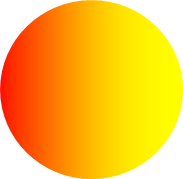
A CompositionMaskBrush egy területet fest egy CompositionBrush használatával, amelyre átlátszatlansági maszk van alkalmazva. Az átlátszatlansági maszk forrása lehet bármilyen CompositionBrush, amely az alábbi típusok egyikéhez tartozik: CompositionColorBrush, CompositionLinearGradientBrush, CompositionSurfaceBrush, CompositionEffectBrush vagy CompositionNineGridBrush. Az átlátszatlansági maszkot CompositionSurfaceBrush-ként kell megadni.
Az alábbi ábra és kód egy CompositionMaskBrush-nal festett SpriteVisual képet mutat be. A maszk forrása egy CompositionLinearGradientBrush, amelyet úgy maszkolnak, hogy egy kör képe maszkként alkalmazva kör alakúnak tűnjön.
Compositor _compositor;
SpriteVisual _maskVisual;
CompositionMaskBrush _maskBrush;

_compositor = ElementCompositionPreview.GetElementVisual(this).Compositor;

_maskBrush = _compositor.CreateMaskBrush();

CompositionLinearGradientBrush _sourceGradient = _compositor.CreateLinearGradientBrush();
_sourceGradient.ColorStops.Add(_compositor.CreateColorGradientStop(0,Colors.Red));
_sourceGradient.ColorStops.Add(_compositor.CreateColorGradientStop(1,Colors.Yellow));
_maskBrush.Source = _sourceGradient;

LoadedImageSurface loadedSurface = LoadedImageSurface.StartLoadFromUri(new Uri("ms-appx:///Assets/circle.png"), new Size(156.0, 156.0));
_maskBrush.Mask = _compositor.CreateSurfaceBrush(loadedSurface);

_maskVisual = _compositor.CreateSpriteVisual();
_maskVisual.Brush = _maskBrush;
_maskVisual.Size = new Vector2(156, 156);
Fessen kompozíciós ecsettel NineGrid nyújtást használva
A CompositionNineGridBrush a kilencrácsos metaforával feszített CompositionBrush-nal fest egy területet. A kilencrácsos elrendezés munkamenet lehetővé teszi, hogy a CompositionBrush széleit és sarkait a középponttól eltérően húzza. A kilenc rácsos szakasz forrása bármely CompositionColorBrush típusú CompositionBrush, CompositionSurfaceBrush vagy CompositionEffectBrush.
Az alábbi kód egy CompositionNineGridBrush-nal festett SpriteVisual-et mutat be. A maszk forrása egy CompositionSurfaceBrush, amelyet egy Nine-Grid segítségével feszítenek ki.
Compositor _compositor;
SpriteVisual _nineGridVisual;
CompositionNineGridBrush _nineGridBrush;

_compositor = ElementCompositionPreview.GetElementVisual(this).Compositor;

_nineGridBrush = _compositor.CreateNineGridBrush();

// nineGridImage.png is 50x50 pixels; nine-grid insets, as measured relative to the actual size of the image, are: left = 1, top = 5, right = 10, bottom = 20 (in pixels)
LoadedImageSurface _imageSurface = LoadedImageSurface.StartLoadFromUri(new Uri("ms-appx:///Assets/nineGridImage.png"));
CompositionSurfaceBrush sourceBrush = _compositor.CreateSurfaceBrush(_imageSurface);
_nineGridBrush.Source = sourceBrush;

// Set nine-grid insets.
_nineGridBrush.SetInsets(1, 5, 10, 20);

// Set the appropriate stretch on the SurfaceBrush for the center of the nine-grid.
sourceBrush.Stretch = CompositionStretch.Fill;

_nineGridVisual = _compositor.CreateSpriteVisual();
_nineGridVisual.Brush = _nineGridBrush;
_nineGridVisual.Size = new Vector2(100, 75);
Festés háttér képpontokkal
A CompositionBackdropBrush egy területet fest a terület mögötti tartalommal. A CompositionBackdropBrush-t önmagában soha nem használják, hanem egy másik CompositionBrush bemeneteként használják, mint egy EffectBrush. Ha például egy CompositionBackdropBrush-ot használ egy Blur-effektus bemeneteként, akkor fagyos üvegeffektust érhet el.
Az alábbi kód egy kis vizuális fát mutat be, amely egy képet hoz létre a CompositionSurfaceBrush és egy matt üvegréteg használatával, a kép felett. A fagyos üvegréteg úgy jön létre, hogy egy SpriteVisualt helyez el, amely egy EffectBrush-tal van feltöltve a kép fölé. Az EffectBrush egy CompositionBackdropBrush-t használ elmosódás effektus bemeneteként.
Compositor _compositor;
ContainerVisual _containerVisual;
SpriteVisual _imageVisual;
SpriteVisual _backdropVisual;

_compositor = ElementCompositionPreview.GetElementVisual(this).Compositor;

// Create a container visual to host the visual tree.
_containerVisual = _compositor.CreateContainerVisual();

// Create _imageVisual and add it to the bottom of the container visual.
CompositionSurfaceBrush _licoriceBrush = _compositor.CreateSurfaceBrush();
LoadedImageSurface loadedSurface = LoadedImageSurface.StartLoadFromUri(new Uri("ms-appx:///Assets/licorice.jpg"));
_licoriceBrush.Surface = loadedSurface;

_imageVisual = _compositor.CreateSpriteVisual();
_imageVisual.Brush = _licoriceBrush;
_imageVisual.Size = new Vector2(156, 156);
_imageVisual.Offset = new Vector3(0, 0, 0);
_containerVisual.Children.InsertAtBottom(_imageVisual);

// Create a SpriteVisual and add it to the top of the container visual.
// Paint the visual with an EffectBrush that applies blur to the content underneath it.
GaussianBlurEffect blurEffect = new GaussianBlurEffect()
{
    Name = "Blur",
    BlurAmount = 1.0f,
    BorderMode = EffectBorderMode.Hard,
    Source = new CompositionEffectSourceParameter("source")
};

CompositionEffectFactory blurEffectFactory = _compositor.CreateEffectFactory(blurEffect);
CompositionEffectBrush _backdropBrush = blurEffectFactory.CreateBrush();

// Create a BackdropBrush and bind it to the EffectSourceParameter source.
_backdropBrush.SetSourceParameter("source", _compositor.CreateBackdropBrush());

_backdropVisual = _compositor.CreateSpriteVisual();
_backdropVisual.Brush = _backdropBrush;
_backdropVisual.Size = new Vector2(78, 78);
_backdropVisual.Offset = new Vector3(39, 39, 0);
_containerVisual.Children.InsertAtTop(_backdropVisual);
CompositionBrushes kombinálása
Számos CompositionBrush más CompositionBrush-okat használ bemenetként. A SetSourceParameter metódussal például beállíthat egy másik CompositionBrush-ot egy CompositionEffectBrush bemeneteként. Az alábbi táblázat a CompositionBrushes támogatott kombinációit ismerteti. Vegye figyelembe, hogy a nem támogatott kombinációk kivételt jelentenek.
| Ecset | EffectBrush.SetSourceParameter() | MaskBrush.Mask | MaskBrush.Source | NineGridBrush.Source |
|---|---|---|---|---|
| CompositionColorBrush | IGEN | IGEN | IGEN | IGEN |
| CompositionLinear GradientBrush |
IGEN | IGEN | IGEN | NEM |
| Kompozíciófelület-ecset | IGEN | IGEN | IGEN | IGEN |
| CompositionEffectBrush | NEM | NEM | IGEN | NEM |
| KompozícióMaszkEcset | NEM | NEM | NEM | NEM |
| CompositionNineGridBrush | IGEN | IGEN | IGEN | NEM |
| CompositionBackdropBrush | IGEN | NEM | NEM | NEM |
XAML-ecset és CompositionBrush használata
Az alábbi táblázat felsorolja a forgatókönyveket, és azt, hogy az XAML vagy a Composition kefe használata elő van-e írva egy UIElement vagy egy SpriteVisual festésekor az alkalmazásban.
Megjegyzés:
Ha XAML UIElement esetén a CompositionBrush használata javasolt, a rendszer feltételezi, hogy a CompositionBrush egy XamlCompositionBrushBase használatával van csomagolva.
| Scenario | XAML UIElement | Kompozíció SpriteVisual |
|---|---|---|
| Terület festése egyszínű színnel | SolidColorBrush | CompositionColorBrush |
| Terület festése animált színnel | SolidColorBrush | CompositionColorBrush |
| Terület festése statikus színátmenettel | LinearGradientBrush | CompositionLinearGradientBrush |
| Terület festése animált színátmeneti végpontokkal | CompositionLinearGradientBrush | CompositionLinearGradientBrush |
| Terület festése képpel | ImageBrush | CompositionSurfaceBrush |
| Terület festése weblaptal | WebView2 | N/A |
| Terület festése képpel a NineGrid stretch használatával | Képvezérlő | CompositionNineGridBrush |
| Egy terület festése animált NineGrid-nyújtással | CompositionNineGridBrush | CompositionNineGridBrush |
| Terület festése swapchainnel | SwapChainPanel | CompositionSurfaceBrush swapchain interoperabilitással |
| Terület festése videóval | MediaPlayerElement | CompositionSurfaceBrush médiainteroperabilitással |
| Terület festése egyéni 2D rajzokkal | CanvasControl a Win2D-ből | CompositionSurfaceBrush a(z) Win2D interoperabilitással |
| Terület festése nem animált maszkkal | XAML-alakzatok használata maszk definiálásához | CompositionMaskBrush |
| Terület festése animált maszkkal | CompositionMaskBrush | CompositionMaskBrush |
| Terület festése animált szűrőeffektussal | CompositionEffectBrush | CompositionEffectBrush |
| Terület festése háttér képpontokra alkalmazott effektussal | CompositionBackdropBrush | CompositionBackdropBrush |
Kapcsolódó témakörök
Natív DirectX és Direct2D interop kompozíció a BeginDraw és az EndDraw között
Dolgozzon együtt velünk a GitHubon
A tartalom forrása a GitHubon található, ahol létrehozhat és áttekinthet problémákat és lekéréses kérelmeket is. További információért tekintse meg a közreműködői útmutatónkat.

Windows developer