Microsoft Security DevOpsは、静的解析ツールを開発ライフサイクルに統合するコマンドラインアプリケーションです。 Security DevOps は、SDL、セキュリティ、コンプライアンス ツールなどの最新バージョンの静的分析ツールをインストール、構成、実行します。 Security DevOps は、複数の環境で確定的な実行を可能にする移植可能な構成を備えたデータ ドリブンです。
Microsoft Security DevOps では、次のオープンソース ツールを使用します。
| Name | Language | License |
|---|---|---|
| マルウェア対策 | マルウェアをスキャンし、マルウェアが見つかった場合にビルドを中断するMicrosoft Defender for EndpointからのWindowsのマルウェア対策保護。 このツールは、Windows 最新のエージェントで既定でスキャンします。 | オープンソースではない |
| Bandit | Python | アパッチライセンス 2.0 |
| BinSkim | Binary--Windows、ELF | MIT ライセンス |
| Checkov | Terraform、Terraform plan、CloudFormation、アマゾン ウェブ サービス (AWS) SAM、Kubernetes、Helm チャート、Kustomize、Dockerfile、サーバーレス、Bicep、OpenAPI、ARM | アパッチライセンス 2.0 |
| ESlint | JavaScript | MIT ライセンス |
| テンプレートアナライザー | ARM テンプレート、Bicep | MIT ライセンス |
| Terrascan | Terraform (HCL2)、Kubernetes (JSON/YAML)、Helm v3、Kustomize、Dockerfiles、CloudFormation | アパッチライセンス 2.0 |
| Trivy | コンテナー イメージ, コードとしてのインフラストラクチャ (IaC) | アパッチライセンス 2.0 |
前提条件
Microsoft Security DevOps GitHubアクションを設定する前に、以下の前提条件を必ず確認してください。
Azure サブスクリプション。 Azure サブスクリプションをお持ちでない場合は、開始する前に無料の Azure アカウントを作成してください。
新しいウィンドウで Microsoft Security DevOps GitHub アクション を開きます。
ワークフローのアクセス許可が GitHub リポジトリの読み取りと書き込みに設定されていることを確認します。 このステップには、Microsoft Defender for Cloudとのフェデレーションのための
ID-token: write権限を設定するGitHubワークフローが含まれます。
GitHubアクションワークフローを設定してください
GitHubアクションを設定するには:
GitHub にサインインします。
GitHub アクションを構成するリポジトリを選びます。
[アクション] を選択します。
![[アクション] ボタンが配置されている場所を示すスクリーンショット。](media/msdo-github-action/actions.png)
[ 新しいワークフロー] を選択します。
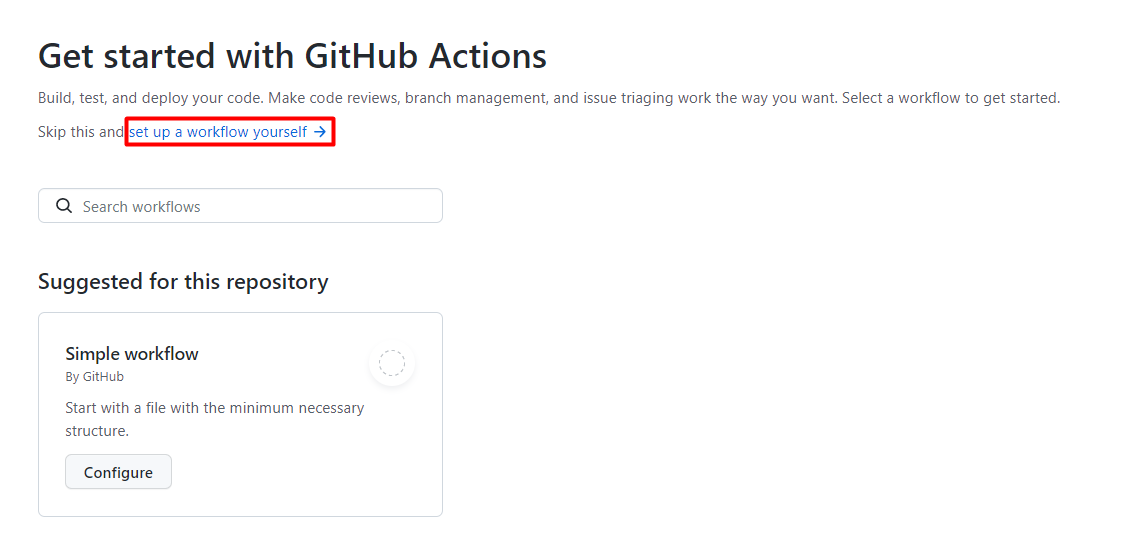
「GitHub Actionsで始める」で「自分でワークフローを設定する」を選択してください。
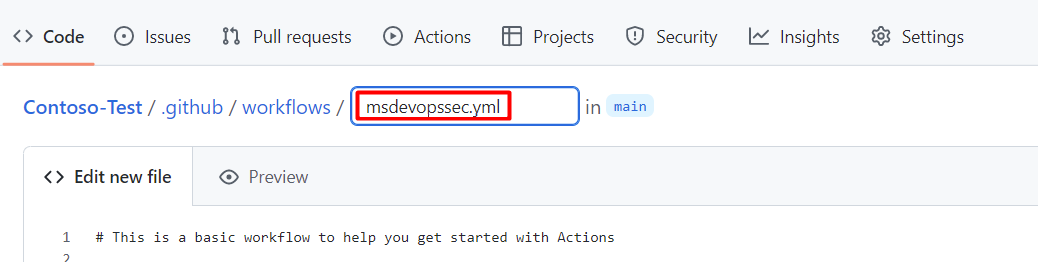
ワークフローファイルの名前を入力してください。 例えば、 msdevopssec.yml。
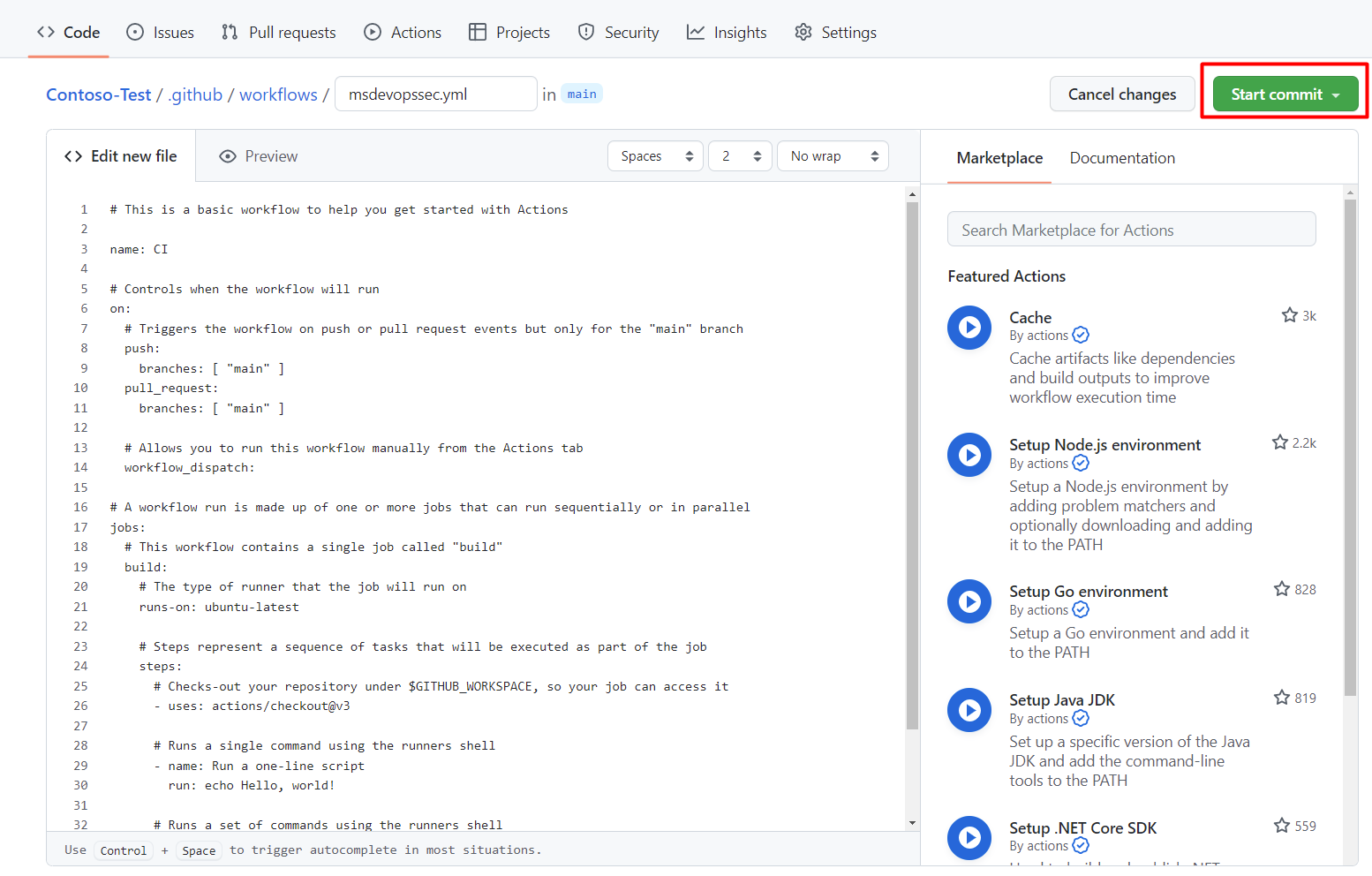
以下の サンプルアクションワークフロー をコピーして「 新しいファイルを編集 」タブに貼り付けます。
name: MSDO
on:
  push:
    branches:
      - main

jobs:
  sample:
    name: Microsoft Security DevOps

    # Windows and Linux agents are supported
    runs-on: windows-latest

    permissions:
      contents: read
      id-token: write
      actions: read
      # Write access for security-events is only required for customers looking for MSDO results to appear in the codeQL security alerts tab on GitHub (Requires GHAS)
      security-events: write

    steps:

      # Checkout your code repository to scan
    - uses: actions/checkout@v3

      # Run analyzers
    - name: Run Microsoft Security DevOps
      uses: microsoft/security-devops-action@latest
      id: msdo
    # with:
      # config: string. Optional. A file path to an MSDO configuration file ('*.gdnconfig').
      # policy: 'GitHub' | 'microsoft' | 'none'. Optional. The name of a well-known Microsoft policy. If no configuration file or list of tools is provided, the policy may instruct MSDO which tools to run. Default: GitHub.
      # categories: string. Optional. A comma-separated list of analyzer categories to run. Values: 'code', 'artifacts', 'IaC', 'containers'. Example: 'IaC, containers'. Defaults to all.
      # languages: string. Optional. A comma-separated list of languages to analyze. Example: 'javascript,typescript'. Defaults to all.
      # tools: string. Optional. A comma-separated list of analyzer tools to run. Values: 'bandit', 'binskim', 'checkov', 'eslint', 'templateanalyzer', 'terrascan', 'trivy'.

      # Upload alerts to the Security tab - required for MSDO results to appear in the codeQL security alerts tab on GitHub (Requires GHAS)
    # - name: Upload alerts to Security tab
    #  uses: github/codeql-action/upload-sarif@v3
    #  with:
    #    sarif_file: ${{ steps.msdo.outputs.sarifFile }}

      # Upload alerts file as a workflow artifact - required for MSDO results to appear in the codeQL security alerts tab on GitHub (Requires GHAS)
    # - name: Upload alerts file as a workflow artifact
    #  uses: actions/upload-artifact@v3
    #  with:
    #    name: alerts
    #    path: ${{ steps.msdo.outputs.sarifFile }}
注
ツールの設定オプションや手順については、Microsoft Security DevOps ウィキをご覧ください。
[ コミットの開始] を選択します。
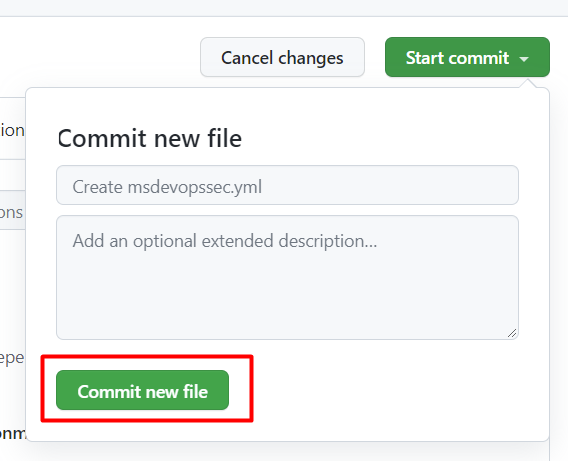
[ 新しいファイルのコミット] を選択します。 この手続きは完了までに最大1分かかることもあります。
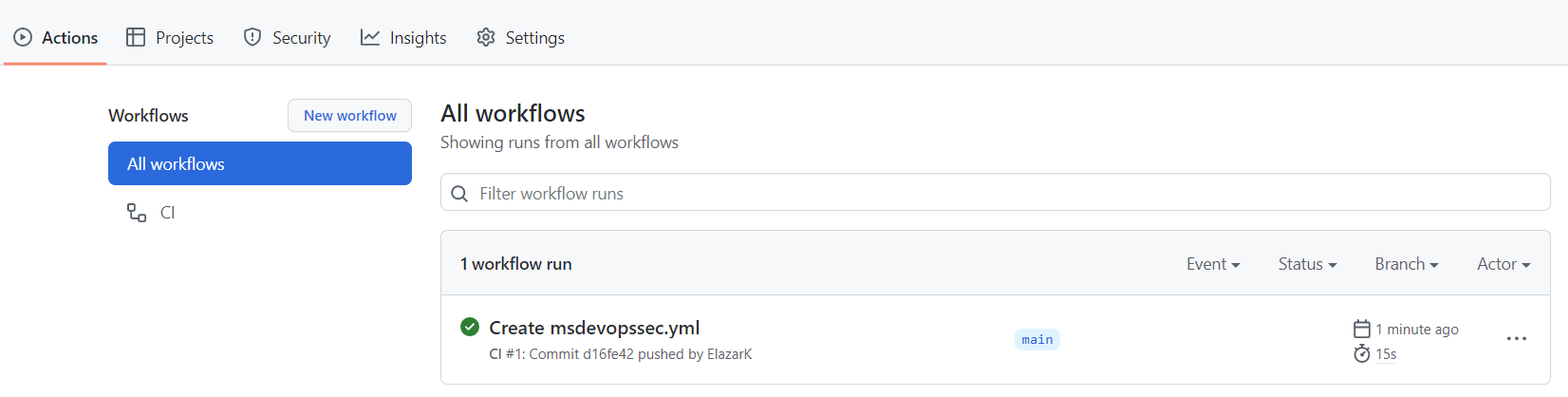
[Actions] (アクション) を選んで、新しいアクションが実行されていることを確認します。
スキャン結果を表示する
スキャン結果を表示するには:
Azure にサインインします。
Defender for Cloud>DevOps Securityに行ってください。
DevOpsセキュリティパネルからは、同じMicrosoft Security DevOps(MSDO)のセキュリティ結果を見ることができます。 開発者はこれらの結果を関連するリポジトリのCIログで数分で確認できます。 GitHub Advanced Security を使用しているお客様には、これらのツールから取り込まれた結果も表示されます。