Nata
Norint pasiekti šį puslapį, reikalingas leidimas. Galite pabandyti prisijungti arba pakeisti katalogus.
Norint pasiekti šį puslapį, reikalingas leidimas. Galite pabandyti pakeisti katalogus.
This article explains how Git integration and deployment pipelines work for user data functions in Microsoft Fabric. With Git integration, you can keep your Fabric workspace in sync with a repository branch, enabling you to version control your user data functions, collaborate using branches and pull requests, and work with your code in your preferred Git tooling, such as Azure DevOps.
Learn more about the process of integrating Git with your Microsoft Fabric workspace in Basic concepts in Git integration.
Set up a connection
From your workspace settings, you can easily set up a connection to your repo to commit and sync changes. To set up the connection, see Get started with Git integration. Once connected, your items, including user data functions, appear in the Source control pane.
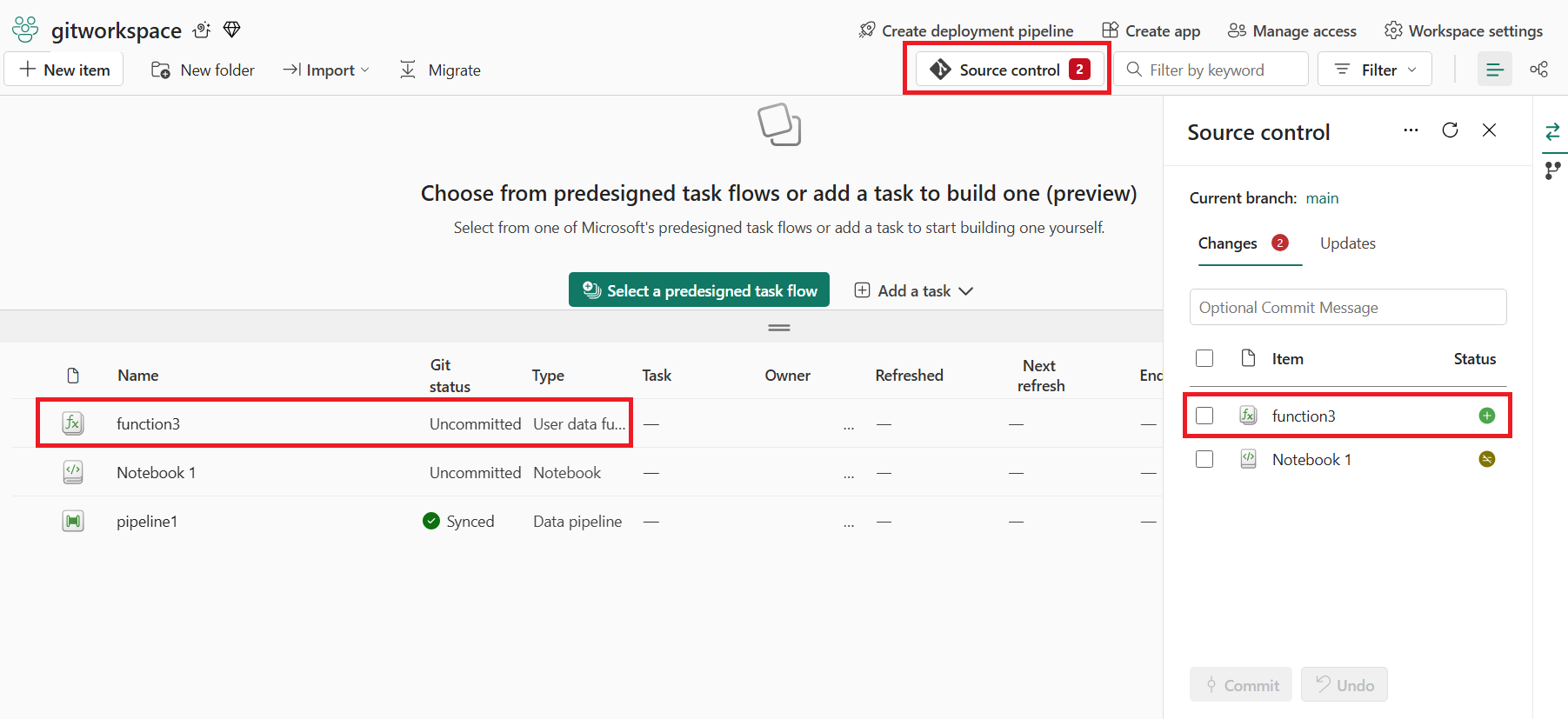
After you successfully commit the user data functions items to the Git repo, you see the user data functions folders in the repository. You can now execute future operations, like create a pull request.
User data functions representation in Git
The following image shows an example of the file structure of each user data functions item in the repo.
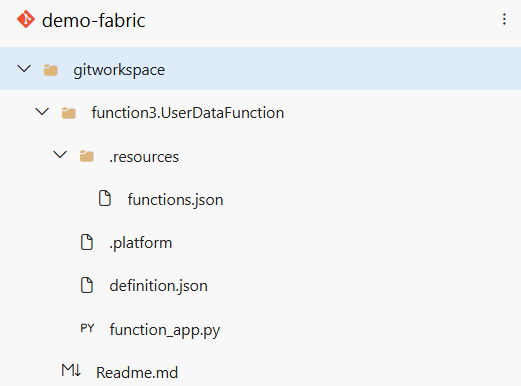
The folder structure includes the following elements:
.platform: The
.platformfile contains the following attributes: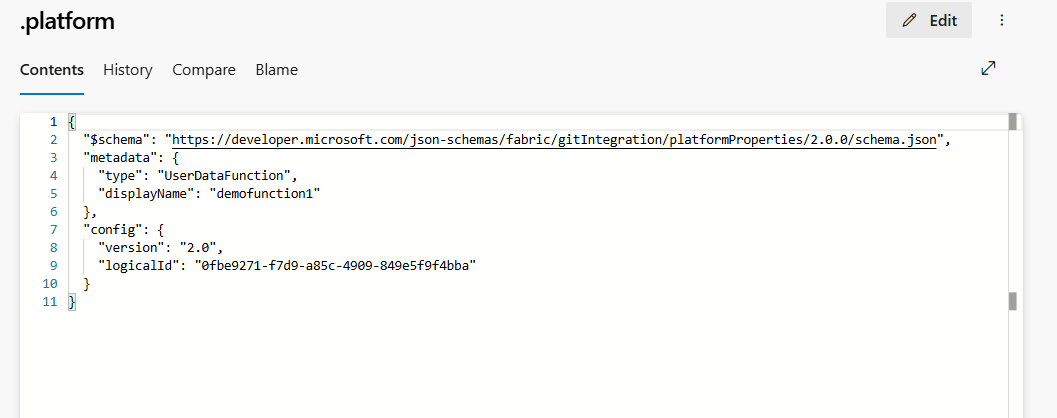
- version: Version number of the system files. This number is used to enable backwards compatibility. The version number of the item might be different.
- logicalId: An automatically generated cross-workspace identifier representing an item and its source control representation.
- type:
UserDataFunctionis the type to define a user data functions item. - displayName: Represents the name of the item. When the user data functions item is renamed, this displayName is updated.
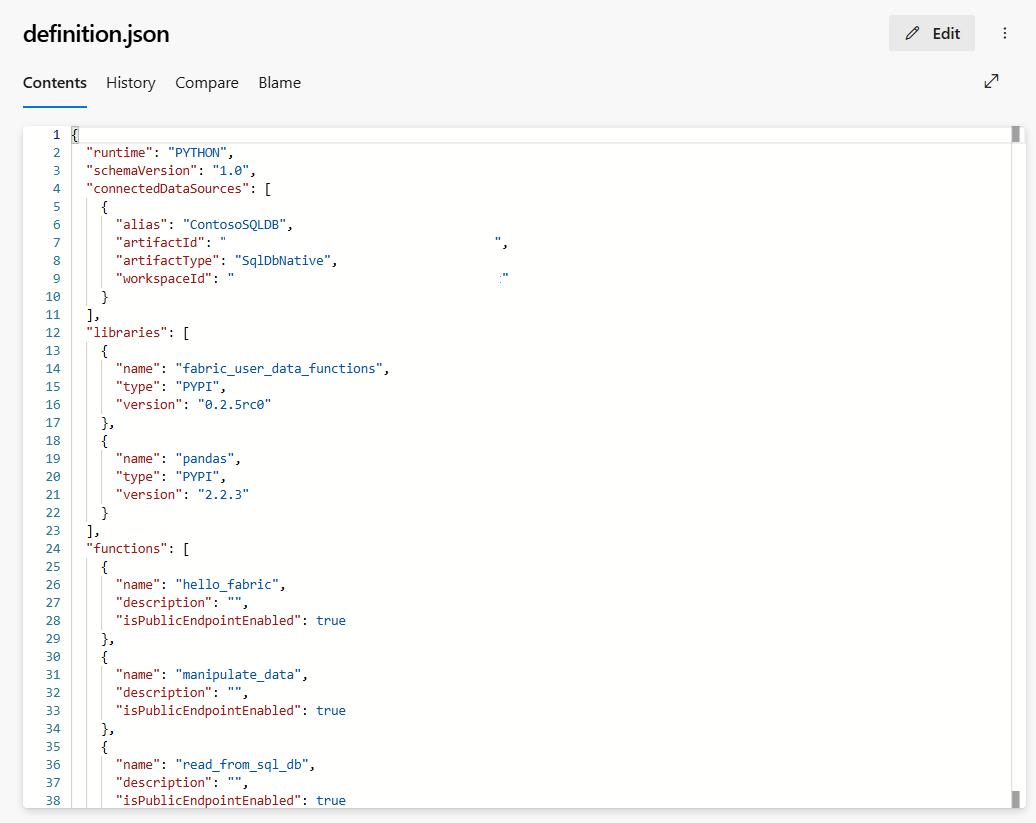
definitions.json: This file shares all the user data functions item definitions such as connections, libraries, etc. as a representation of the user data functions item properties.
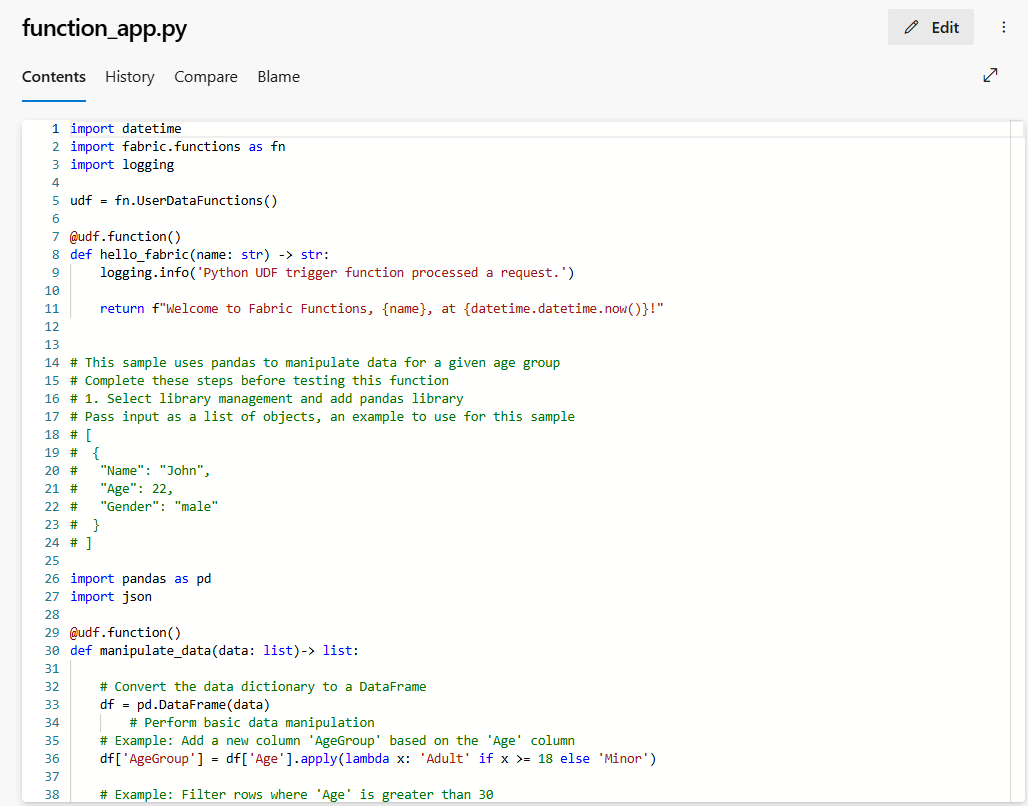
function-app.py: This file is your functions code. Any code changes you make to the user data functions item is synced into the repo with this file. You can perform various Git operations to manage the code development cycle.
resources: The folder contains a functions.json file with all the metadata such as connections, libraries, and functions within this item. DO NOT UPDATE THIS FILE manually.
functions.jsonallows Fabric to create or recreate the user data functions item in a workspace.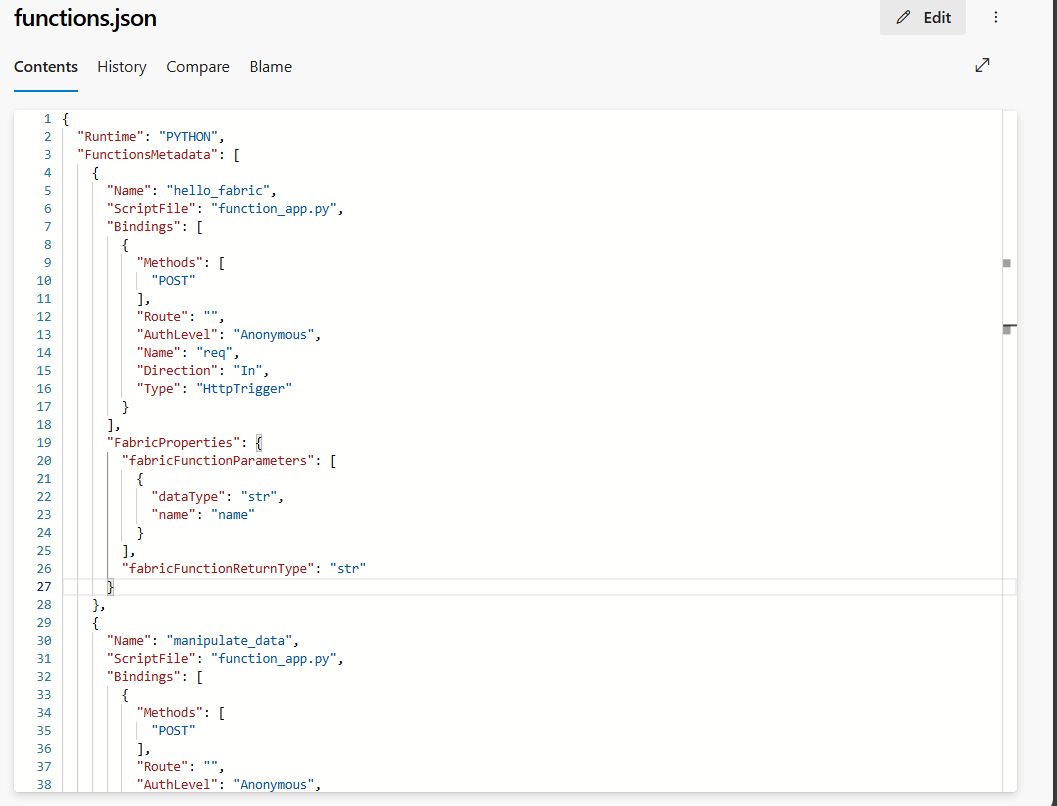
For more information about Git integration, including details about the folder structure and system files, see Git integration source code format.
User data functions in deployment pipelines
You can use deployment pipelines to deploy your user data functions across different environments, such as development, test, and production. Deployment pipelines help you streamline your development process, ensure quality and consistency, and reduce manual errors with lightweight, low-code operations.
Note
All connections and libraries are added to new user data functions items created in other environments.
To deploy your user data functions using a deployment pipeline:
Create a new deployment pipeline or open an existing deployment pipeline. See Get started with deployment pipelines for more information.
Assign workspaces to different stages according to your deployment goals.
Select, view, and compare items including user data functions items between different stages.
Select Deploy to deploy your user data functions item to your test environment. You can add a note to provide details on the changes for this deployment. Similarly, you can push changes across the Development, Test, and Production stages.
Monitor the deployment status from Deployment history.