Lưu ý
Cần có ủy quyền mới truy nhập được vào trang này. Bạn có thể thử đăng nhập hoặc thay đổi thư mục.
Cần có ủy quyền mới truy nhập được vào trang này. Bạn có thể thử thay đổi thư mục.
Note
This article applies to Azure SQL Database, Azure SQL Managed Instance, and Azure Synapse Analytics (dedicated SQL pools (formerly SQL DW)). For documentation on Transparent Data Encryption for dedicated SQL pools inside Synapse workspaces, see Azure Synapse Analytics encryption.
Required Permissions
To enable Transparent Data Encryption (TDE), you must be an administrator or a member of the dbmanager role.
Enabling Encryption
To enable TDE, follow the steps below:
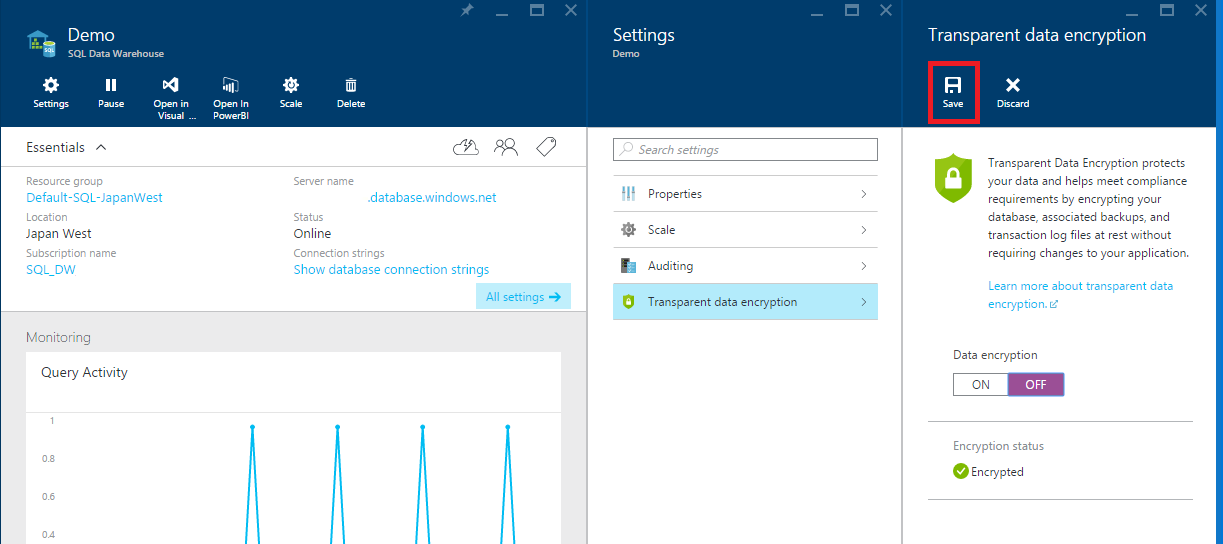
- Open the database in the Azure portal
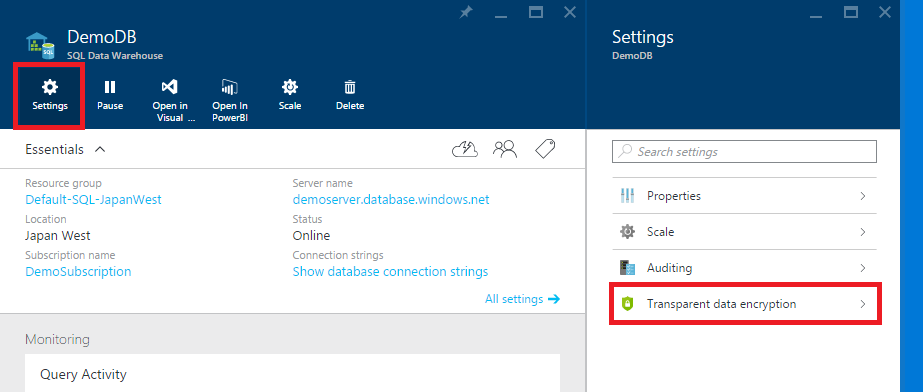
- In the database blade, click the Settings button
- Select the Transparent data encryption option
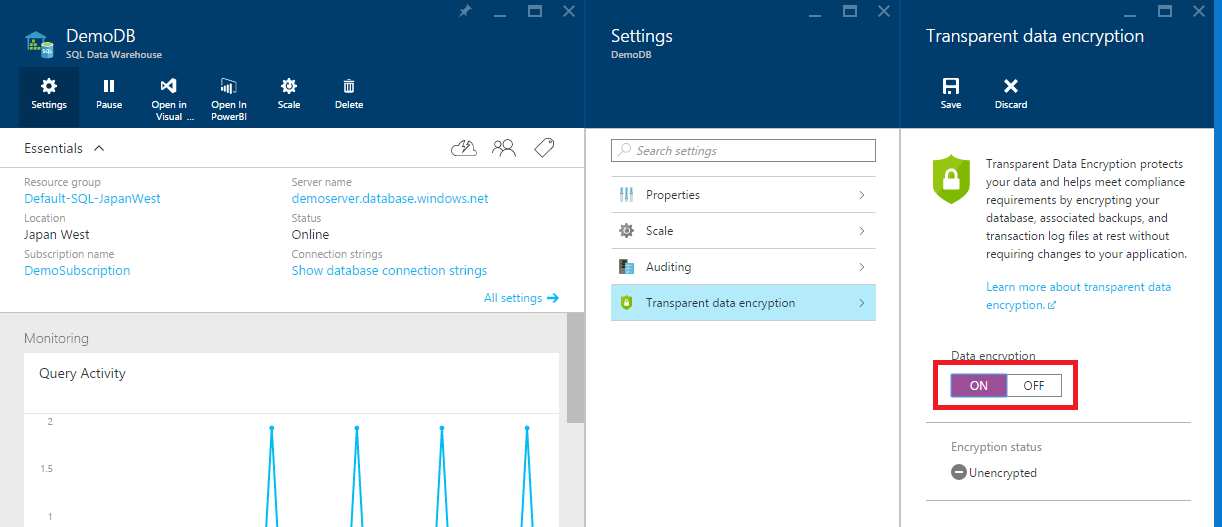
- Select the On setting
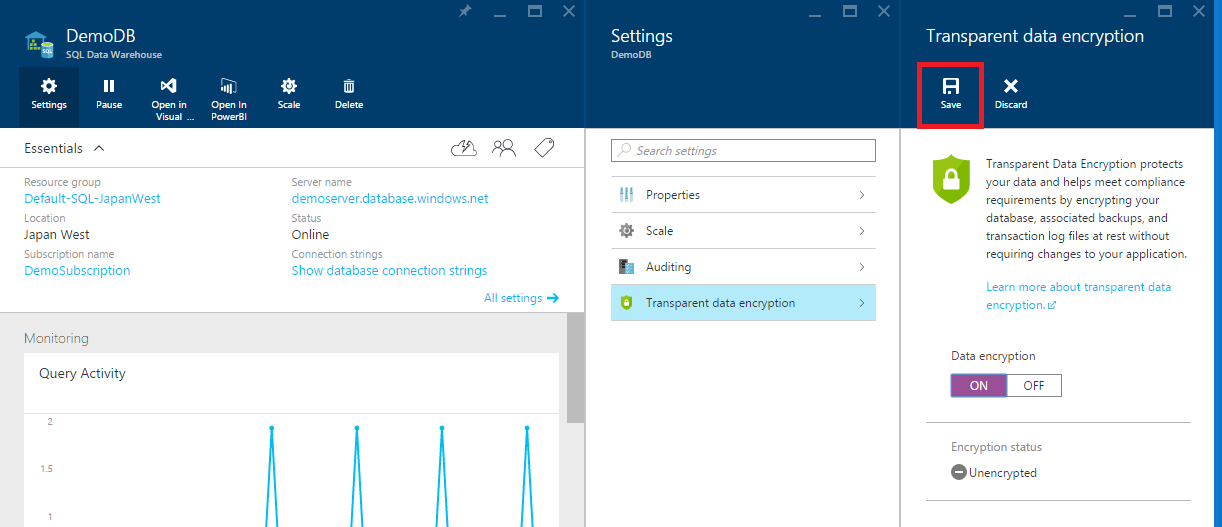
- Select Save
Disabling Encryption
To disable TDE, follow the steps below:
- Open the database in the Azure portal
- In the database blade, click the Settings button
- Select the Transparent data encryption option
- Select the Off setting
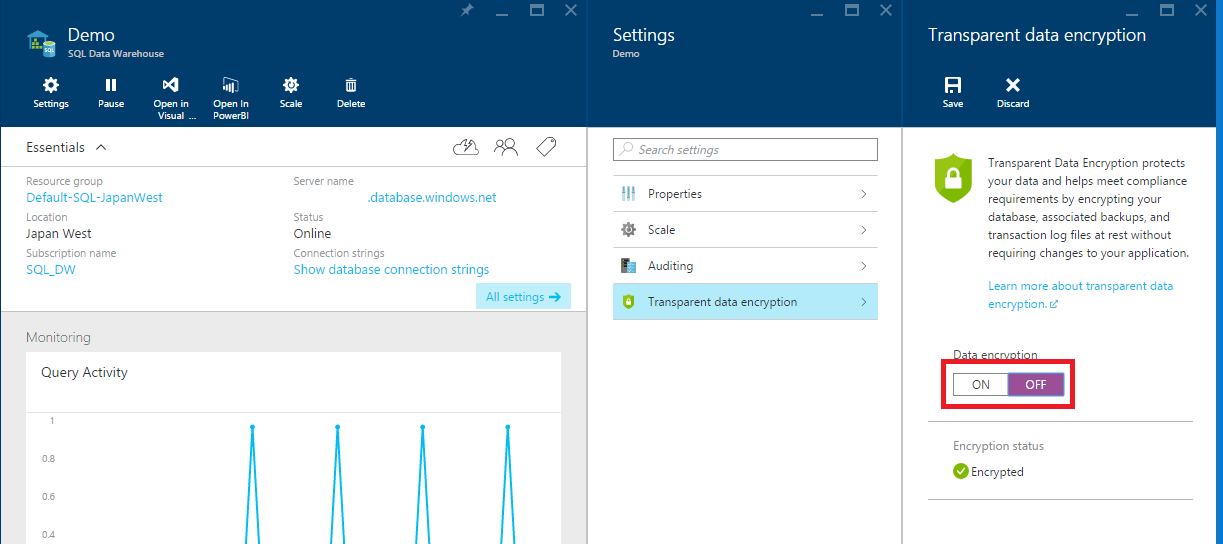
- Select Save
Encryption DMVs
Encryption can be confirmed with the following DMVs: