注意
对于 Spring Boot 应用程序,请使用Azure 容器应用。 但是,你仍然可以使用 Azure Kubernetes 服务作为目标。 有关详细信息,请参阅为 Java 应用程序选择合适的 Azure 服务。
本教程介绍如何使用 Kubernetes 和 Docker 开发和部署 Spring Boot 应用程序以Microsoft Azure。 更具体地说,使用 Spring Boot 进行应用程序开发,Kubernetes 进行容器部署,Azure Kubernetes 服务(AKS) 托管应用程序。
Kubernetes 和 Docker 是开源解决方案,可帮助开发人员自动化部署、缩放和管理在容器中运行的应用程序。
先决条件
- Azure订阅;如果还没有Azure订阅,请激活 MSDN 订阅者权益或注册免费Azure帐户。
- Azure 命令行接口 (CLI)。
- 一个受支持的 Java 开发工具包 (JDK)。 有关在 Azure 上进行开发时可供使用的 JDK 的详细信息,请参阅 Azure 和 Azure Stack 上的 Java 支持。
- Apache 的 Maven 生成工具(版本 3)。
- Git 客户端。
- Docker 客户端。
- ACR Docker 凭据帮助器。
注意
由于本教程的虚拟化要求,无法在虚拟机上执行本文中的步骤。 必须使用启用了虚拟化功能的物理计算机。
在 Docker 入门 Web 应用上创建 Spring Boot
以下步骤将指导你 Spring Boot Web 应用程序并在本地进行测试。
打开命令提示符并创建一个用于保存应用程序的本地目录,并更改为该目录;例如:
mkdir C:\SpringBoot
cd C:\SpringBoot
\- 或 -
mkdir /users/$USER/SpringBoot
cd /users/$USER/SpringBoot
克隆 Docker 上的 Spring Boot 入门指南 示例项目到目录中。
git clone https://github.com/spring-guides/gs-spring-boot-docker.git将目录更改为已完成项目。
cd gs-spring-boot-docker
cd complete
使用 Maven 生成和运行示例应用。
mvn package spring-boot:run通过浏览到
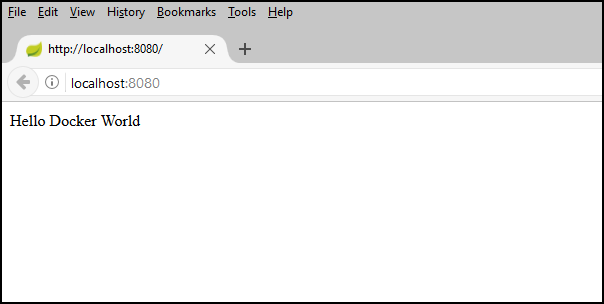
http://localhost:8080或使用以下curl命令测试 Web 应用:curl http://localhost:8080将显示以下消息: Hello Docker World
使用 Azure CLI 创建 Azure 容器注册表
打开命令提示符。
请登录到 Azure 帐户:
az login选择Azure订阅:
az account set -s <YourSubscriptionID>为本教程中使用的 Azure 资源创建资源组。
az group create --name=wingtiptoys-kubernetes --location=eastus在资源组中创建私有 Azure 容器注册表。 本教程的后续步骤会将示例应用作为 Docker 映像推送到此注册表。 用注册表的唯一名称替换
wingtiptoysregistry。az acr create --resource-group wingtiptoys-kubernetes --location eastus \ --name wingtiptoysregistry --sku Basic
通过 Jib 将应用推送到容器注册表
从Azure CLI登录到Azure 容器注册表。
# set the default name for Azure Container Registry, otherwise you need to specify the name in "az acr login" az config set defaults.acr=wingtiptoysregistry az acr login使用文本编辑器(如Visual Studio Code)打开 pom.xml 文件。
code pom.xml使用你的 Azure 容器注册表的注册表名称和
jib-maven-plugin的最新版本更新pom.xml文件中的<properties>集合。<properties> <!-- Note: If your ACR name contains upper case characters, be sure to convert them to lower case characters. --> <docker.image.prefix>wingtiptoysregistry.azurecr.io</docker.image.prefix> <jib-maven-plugin.version>2.5.2</jib-maven-plugin.version> <java.version>1.8</java.version> </properties>更新
<plugins>文件中的 集合,使<plugin>元素包含jib-maven-plugin的条目,如以下示例中所示。 使用来自 Microsoft 容器注册表 (MCR) 的基础映像:mcr.microsoft.com/openjdk/jdk:11-ubuntu,其中包含 Azure 官方支持的 JDK。 有关其他包含官方支持的 JDK 的 MCR 基础映像,请参阅安装 Microsoft Build of OpenJDK。<plugin> <artifactId>jib-maven-plugin</artifactId> <groupId>com.google.cloud.tools</groupId> <version>${jib-maven-plugin.version}</version> <configuration> <from> <image>mcr.microsoft.com/openjdk/jdk:11-ubuntu</image> </from> <to> <image>${docker.image.prefix}/gs-spring-boot-docker</image> </to> </configuration> </plugin>转到 Spring Boot 应用程序的已完成项目目录,运行以下命令以生成映像并将映像推送到注册表:
az acr login && mvn compile jib:build
注意
出于安全原因,使用 az acr login 创建的凭据有效期为 1 小时。 如果看到 401 Unauthorized 错误,请再次运行 az acr login --name <your registry name> 该命令以重新进行身份验证。 如果看到 Read timed out 错误,请尝试将超时时间增加到 mvn -Djib.httpTimeout=7200000 jib:dockerBuild,或使用 -Djib.httpTimeout=0 以实现无限超时。
使用 Azure CLI 在 AKS 上创建 Kubernetes 群集
在 Azure Kubernetes 服务中创建 Kubernetes 群集。 以下命令在
wingtiptoys-kubernetes资源组中创建 Kubernetes 群集,其中包含wingtiptoys-akscluster群集名称、附加Azure 容器注册表(ACR)wingtiptoysregistry和wingtiptoys-kubernetesDNS 前缀:az aks create --resource-group=wingtiptoys-kubernetes --name=wingtiptoys-akscluster \ --attach-acr wingtiptoysregistry \ --dns-name-prefix=wingtiptoys-kubernetes --generate-ssh-keys此命令可能需要一段时间才能完成。
使用 Azure CLI 安装
kubectl。 Linux 用户可能需要将此命令sudo作为前缀,因为它将 Kubernetes CLI 部署到/usr/local/bin。az aks install-cli下载群集配置信息,以便可以从 Kubernetes Web 界面和
kubectl管理群集。az aks get-credentials --resource-group=wingtiptoys-kubernetes --name=wingtiptoys-akscluster
将映像部署到 Kubernetes 群集
本教程使用 kubectl 部署应用,然后可以通过 Kubernetes Web 界面浏览部署。
使用 kubectl 进行部署
打开命令提示符。
使用
kubectl run命令在 Kubernetes 群集中运行容器。 为 Kubernetes 中的应用程序提供服务名称和完整的映像名称。 例如:kubectl run gs-spring-boot-docker --image=wingtiptoysregistry.azurecr.io/gs-spring-boot-docker:latest在此命令中:
在
gs-spring-boot-docker命令后立即指定容器名称run。该
--image参数将合并的登录服务器和映像名称指定为wingtiptoysregistry.azurecr.io/gs-spring-boot-docker:latest。
使用
kubectl expose命令向外部公开 Kubernetes 群集。 指定服务名称、用于访问应用的面向公众的 TCP 端口,以及应用侦听的内部目标端口。 例如:kubectl expose pod gs-spring-boot-docker --type=LoadBalancer --port=80 --target-port=8080在此命令中:
在
gs-spring-boot-docker命令后立即指定容器名称expose pod。--type参数指定群集使用负载均衡器。--port参数指定面向公众的 TCP 端口 80。 通过此端口访问应用。--target-port参数指定内部 TCP 端口 8080。 负载均衡器将请求转发到此端口上的应用。
将应用部署到群集后,查询外部 IP 地址并在 Web 浏览器中打开它:
kubectl get services -o=jsonpath='{.items[*].status.loadBalancer.ingress[0].ip}'
在 Azure 上
使用 Kubernetes 资源视图进行部署
从任何资源视图(命名空间、工作负荷、服务和流入量、存储或配置)中选择添加。
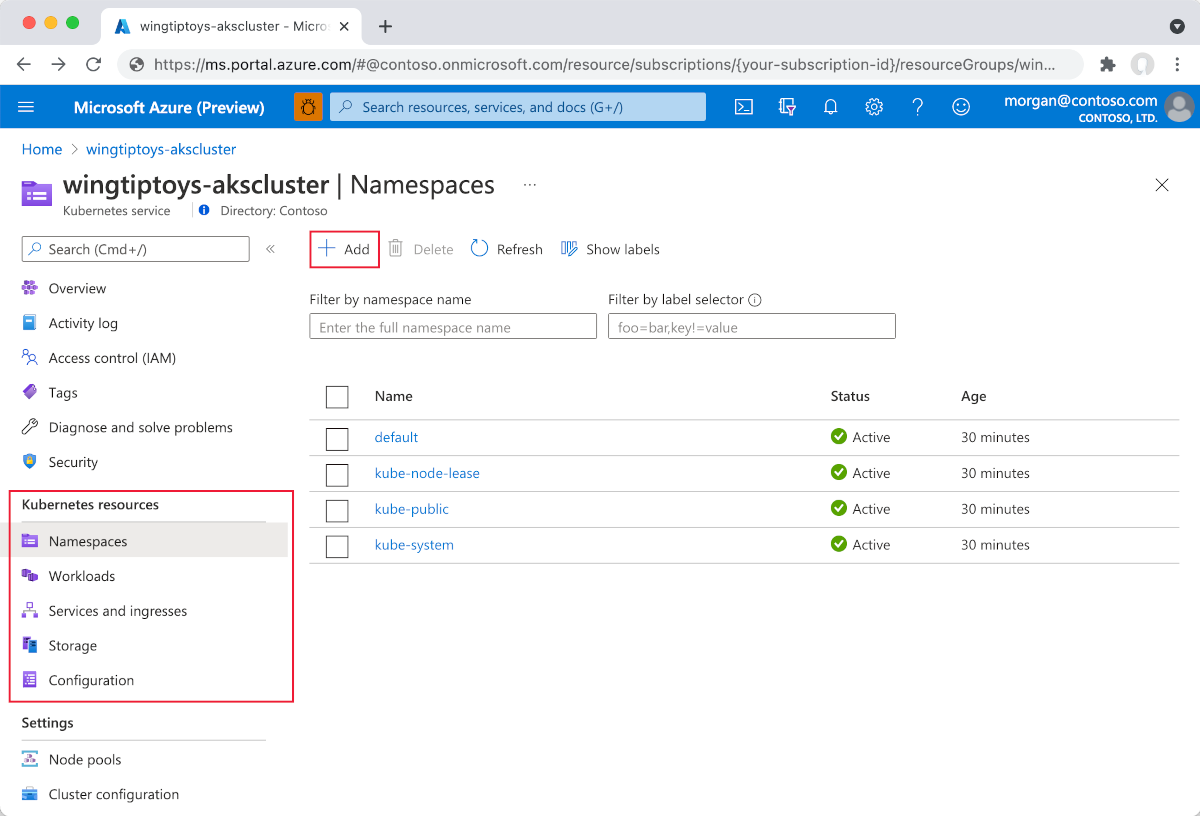
粘贴以下 YAML:
apiVersion: apps/v1
kind: Deployment
metadata:
  name: gs-spring-boot-docker
spec:
  replicas: 1
  selector:
    matchLabels:
      app: gs-spring-boot-docker
  template:
    metadata:
      labels:
        app: gs-spring-boot-docker
    spec:
      containers:
      - name: gs-spring-boot-docker
        image: wingtiptoysregistry.azurecr.io/gs-spring-boot-docker:latest
在 YAML 编辑器的底部选择 ,然后添加 以部署应用程序。
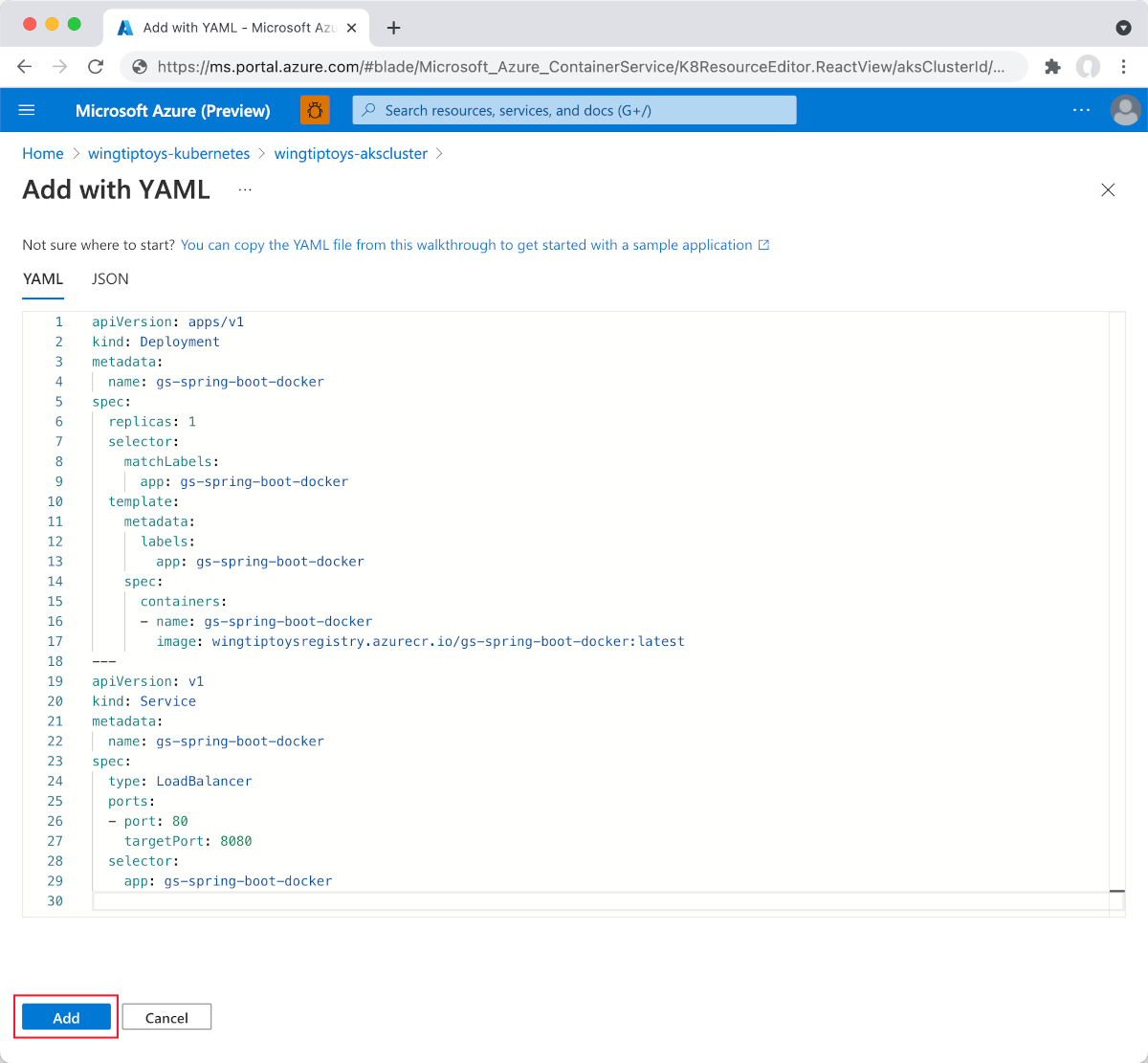
部署
Deployment后,就像在前面的步骤中一样,选择 YAML 编辑器底部的 “添加 ”,以使用以下 YAML 进行部署Service:apiVersion: v1 kind: Service metadata: name: gs-spring-boot-docker spec: type: LoadBalancer ports: - port: 80 targetPort: 8080 selector: app: gs-spring-boot-docker添加 YAML 文件后,资源查看器会显示 Spring Boot 应用程序。 外部服务包含链接的外部 IP 地址,因此你可以轻松地在浏览器中查看应用程序。
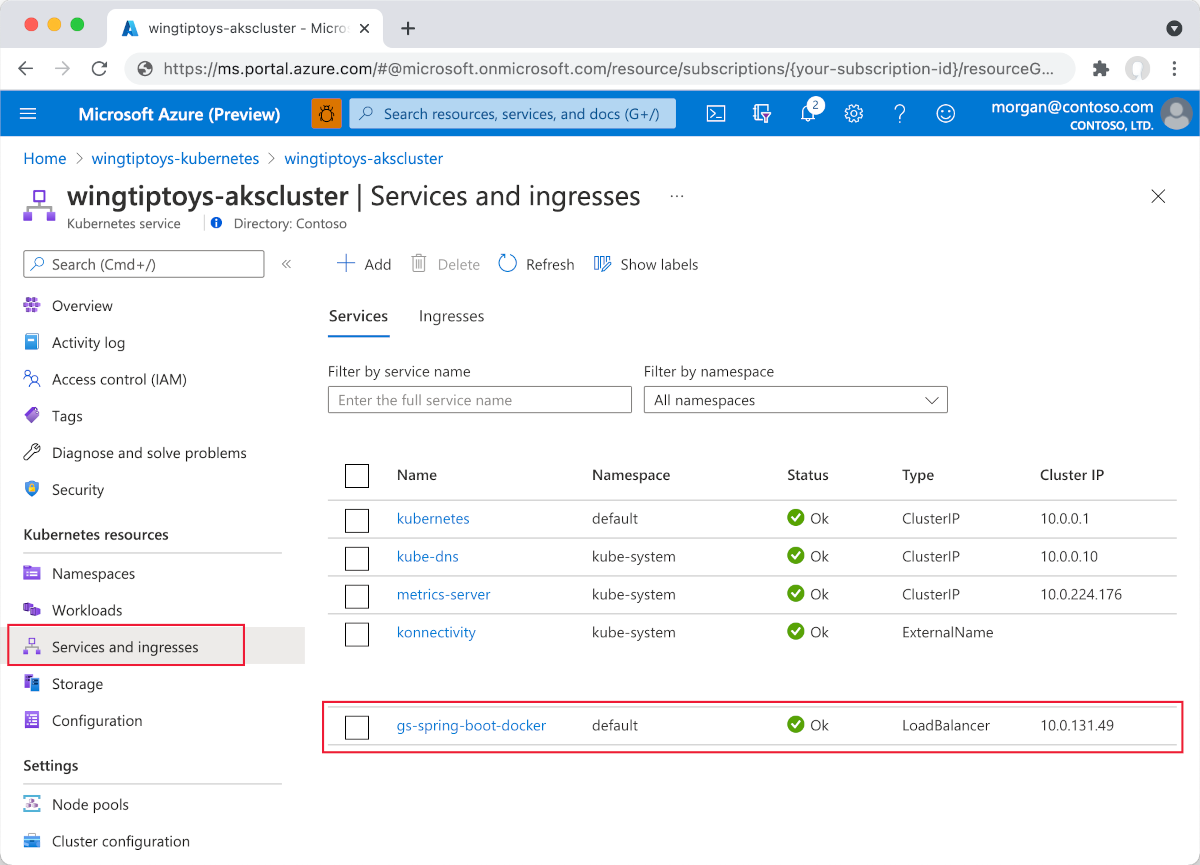
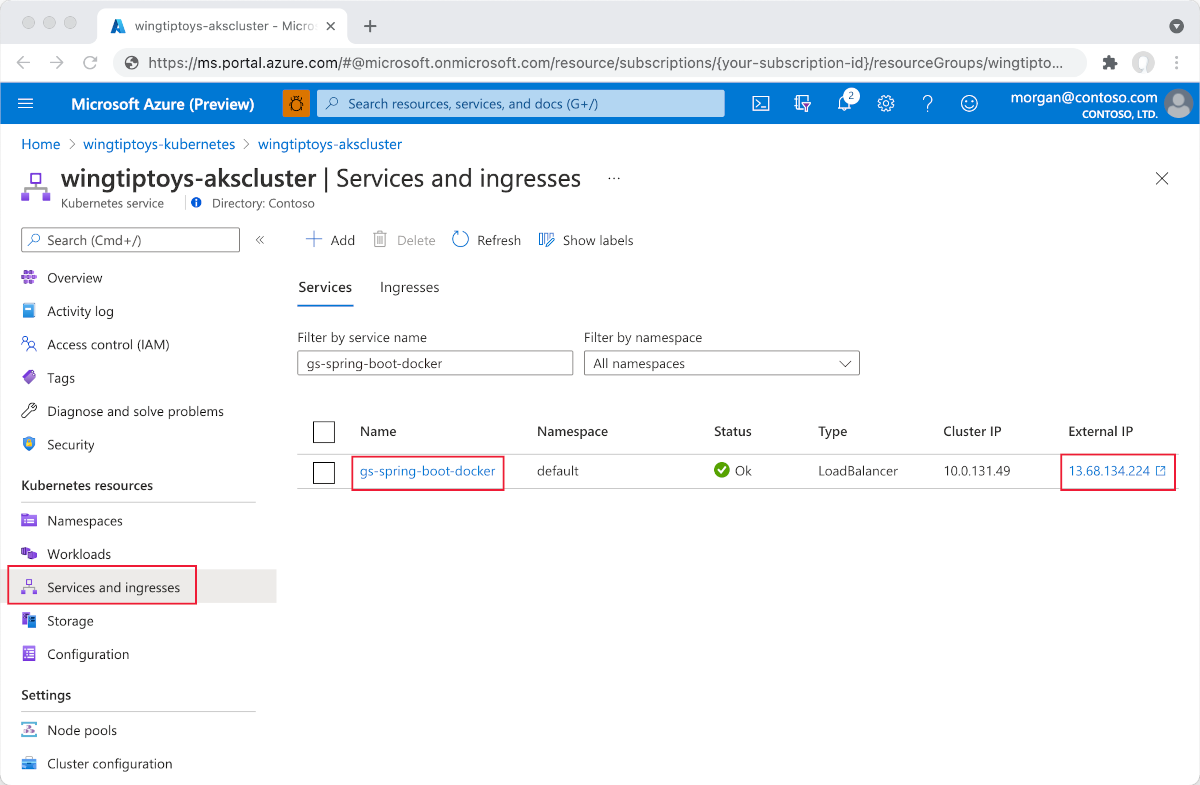
选择 外部 IP. 会看到在 Azure 上运行的 Spring Boot 应用程序。
在 Azure 上
浏览示例应用
后续步骤
若要了解有关 Spring 和 Azure 的详细信息,请继续访问“Azure 上的 Spring”文档中心。
另请参阅
有关在 Azure 上使用 Spring Boot 的详细信息,请参阅以下文章:
有关如何将 Azure 与 Java 配合使用的详细信息,请参阅面向 Java 开发人员的 Azure 和使用 Azure DevOps 和 Java。
有关使用 Visual Studio Code 将 Java 应用程序部署到 Kubernetes 的详细信息,请参阅 Visual Studio Code Java 教程。
有关 Docker 上的 Spring Boot 示例项目的详细信息,请参阅 Docker 上的 Spring Boot 入门。
以下链接提供有关创建 Spring Boot 应用程序的详细信息:
- 有关创建简单的 Spring Boot 应用程序的详细信息,请参阅 https://start.spring.io/ 中的 Spring Initializr。
以下链接提供了有关将 Kubernetes 与Azure配合使用的详细信息:
有关使用 Kubernetes 命令行接口的详细信息,请参阅 kubectl 用户指南。https://kubernetes.io/docs/reference/kubectl/
Kubernetes 网站包含多篇文章,讨论在私有注册表中使用镜像。
有关如何将自定义 Docker 映像与Azure配合使用的更多示例,请参阅在 Linux 上使用适用于 Azure Web 应用的自定义 Docker 映像。
有关使用 Azure Dev Spaces 在 Azure Kubernetes 服务 (AKS) 中以迭代方式运行和调试容器的详细信息,请参阅 Azure Dev Spaces 入门Java。