Changing windows 10 cursor does not work - issue has been happening for more than 6 months

Anonymous
2018-11-12T02:25:15+00:00

Hello - Changing the Windows 10 cursor does not work

I use Windows 10 at work and at home on my personal computer, and both don't have the ability to add a custom cursor.

The option is there in settings, just like every other version of Windows, but when the computer is restarted - the cursor changes to the default white microsoft cursor...

(it's ok if Microsoft want to not allow their users to change the cursor in Windows 10, just don't give the option there - it's frustrating to have a feature just not work - like it was programmed by amatures...)

Change cursor screen:
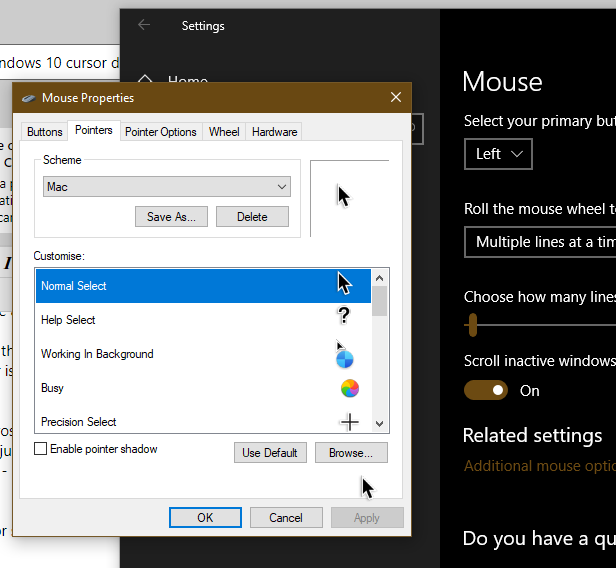
When resetting - the cursor goes white, and if I just open this mouse cursor screen , switch to the 2nd tab, and click ok (not changing or updating any settings, just going to this page and selecting ok) - then the cursor changes to what it's supposed to be / what it's saved as / what the profile is switched to................... 

Version of Windows 10 - latest version - I checked for updates 5 seconds ago:
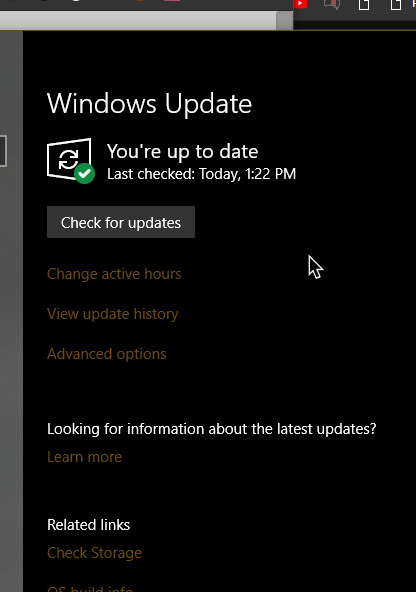
Windows for home | Windows 10 | Settings

Locked Question. This question was migrated from the Microsoft Support Community. You can vote on whether it's helpful, but you can't add comments or replies or follow the question.

0 comments No comments
{count} votes

19 answers

Sort by: Most helpful
  1. Anonymous
    2018-11-12T15:53:33+00:00

    Hi again Ben -

    What is the version at Settings > System > About? It should work if it's Version 1803 or less.

    You can create the installation media or download the ISO on another PC, move it back to the PC to click to mount the ISO file or open the bootable media, right click Setup to Run as Administrator.

    You can also use this alternative download site to download Version 1803 in your bit rate, click to mount and run.

    I hope this helps.

    0 comments No comments
  2. Anonymous
    2018-11-12T22:38:31+00:00

    Ah, I think I had the slowest-release windows insider switched on, I'll roll back to basic mode and try again

    0 comments No comments
  3. Anonymous
    2018-11-12T23:12:49+00:00

    hmmm, I clicked to stop the insider program, but the version didn't change upon restart,,

    0 comments No comments
  4. Anonymous
    2018-11-12T23:20:06+00:00

    Ben, check at Settings > Update & Security > Recovery if Go Back is still available.

    0 comments No comments
