EDIT: I would delete this post since this was actually a hardware fault, but I won't do it myself on the 0.0001% chance someone's processor also acts up in the same way mine did.
So for roughly the past couple of weeks, I have been having issues with task manager giving me incorrect readings on the CPU usage. Before noticing this issue, I have been running my 9900K at 4.8 GHz all core with an AVX offset of 1. Initially, reducing
my clock speed by 100 MHz down to 4.7 GHz all core (AVX offset 0) solved the problem for a couple of weeks, but the problem has now resurfaced despite the CPU literally running at specified stock speeds.
The Task Manager program is incorrectly reporting CPU usage spiking up to 100% at times, sometimes accompanied by the display turning into a black screen for a half-second while playing SCP: Secret Laboratory. Meanwhile, other programs that were running
at the time such as Google Chrome or DIscord turn into black windows and require restarting. Other programs such as HWiNFO64, Corsair iCUE, and Process Explorer are reporting much lower CPU usage percentages.
Any ideas on what is causing Task Manager to behave like this? I thought Windows shipped out an update that fixed the broken Task Manager, but apparently not for me. I have already tried a clean installation of Windows 10 Pro to no avail.
CPU: i9-9900K @ 4.7 GHz all core
RAM: 4x8 GB @ 3200 MHz, XMP I
Motherboard: Asus ROG Maximus XI Formula, BIOS - American Megatrends Inc. 0905, 4/10/2019
Windows 10.0.17763 Pro Version 1809
OS Build 17763.437
Full Desktop Parts List: https://pcpartpicker.com/list/Cz87LJ
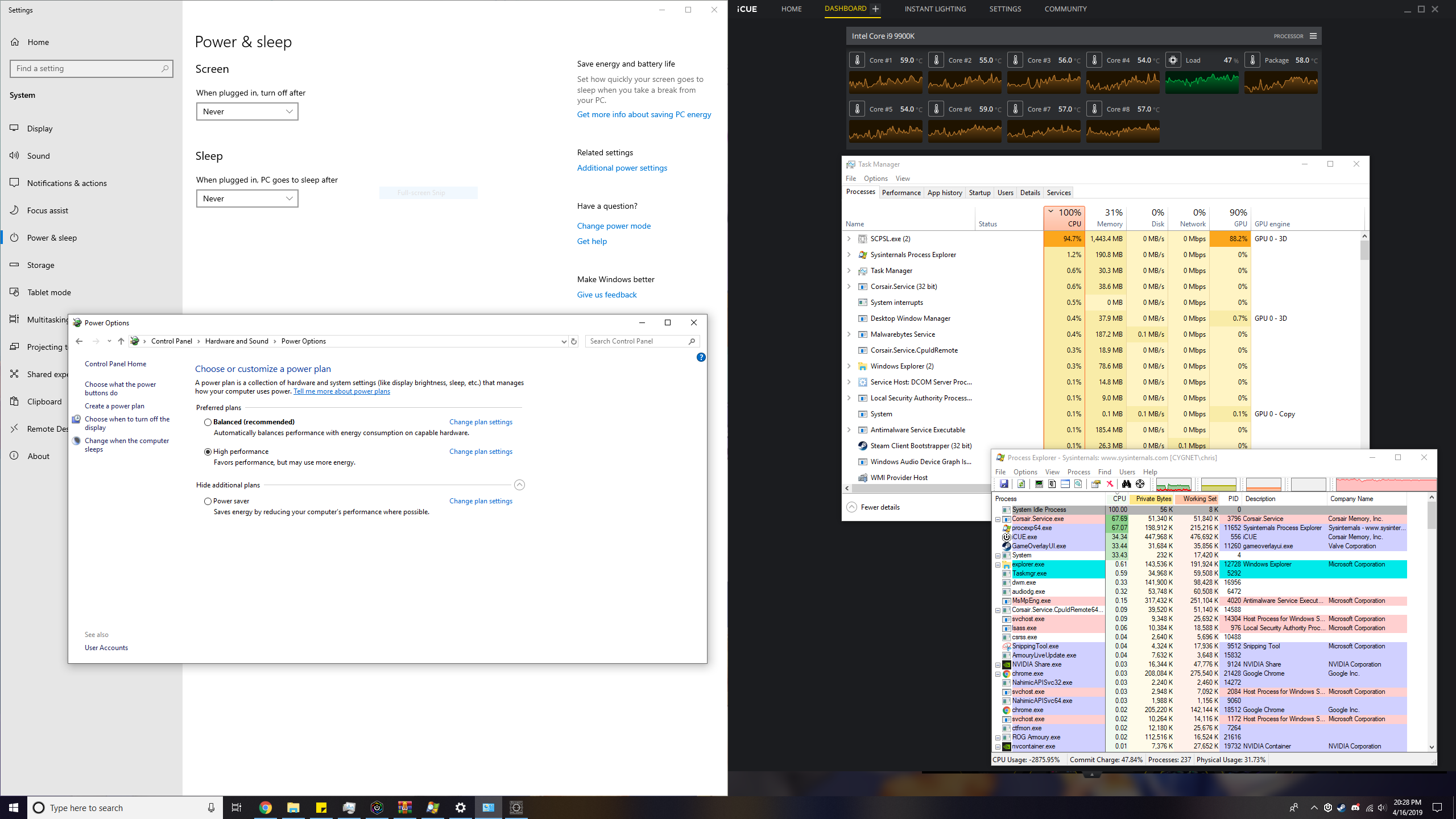
This was taken while running a game (SCP: Secret Laboratory, SCPSL.exe). Something seems off with the process explorer too since the game should be the highest in CPU usage, and the CPU use of the processes don't add up to 100%. I have seen this occur when
the computer freezes for a half-second for no apparent reason.
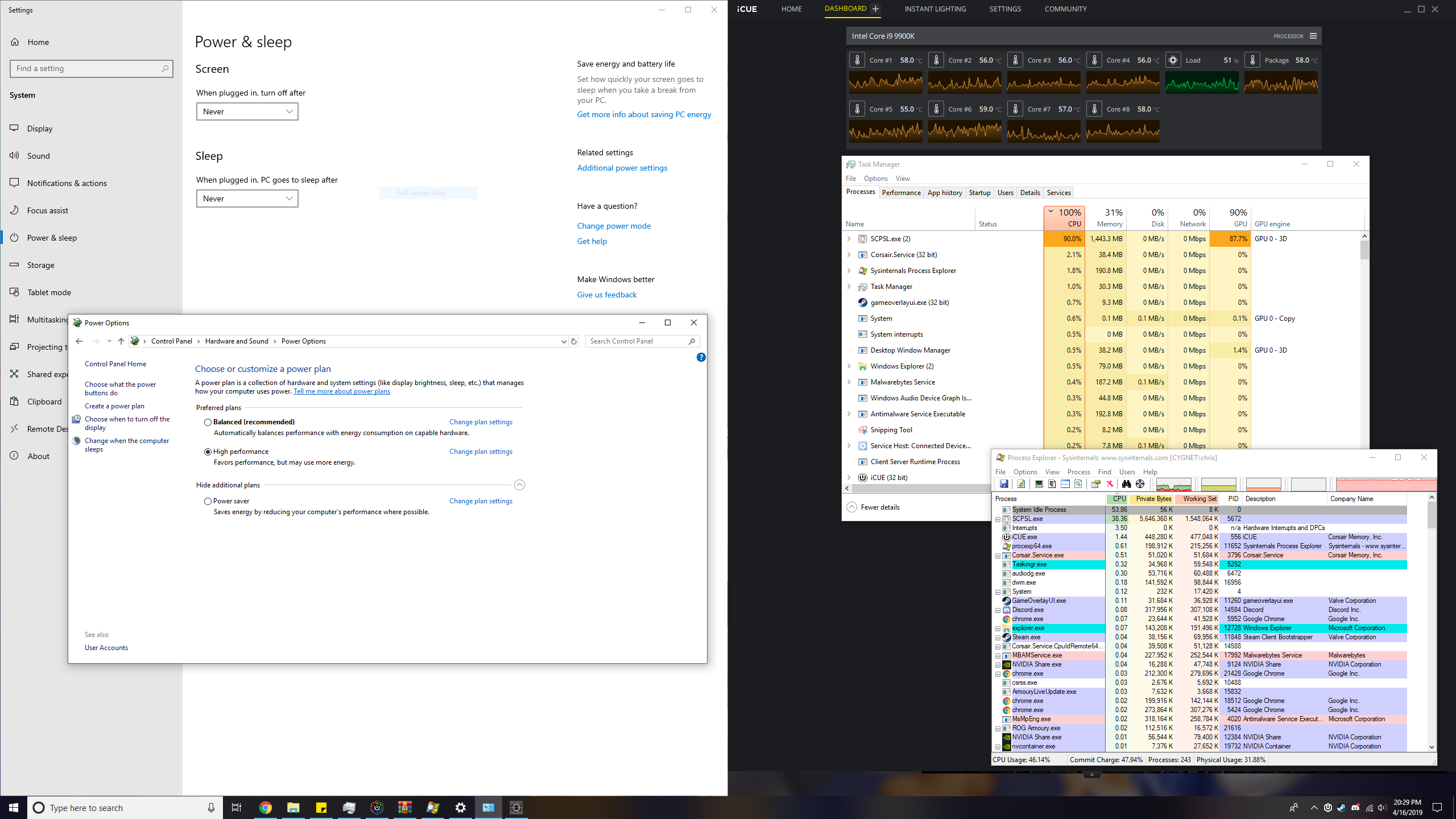
This was also taken while running the same game mentioned above, except this time only the Task Manager is reporting an incorrect CPU usage while Process Explorer says otherwise.
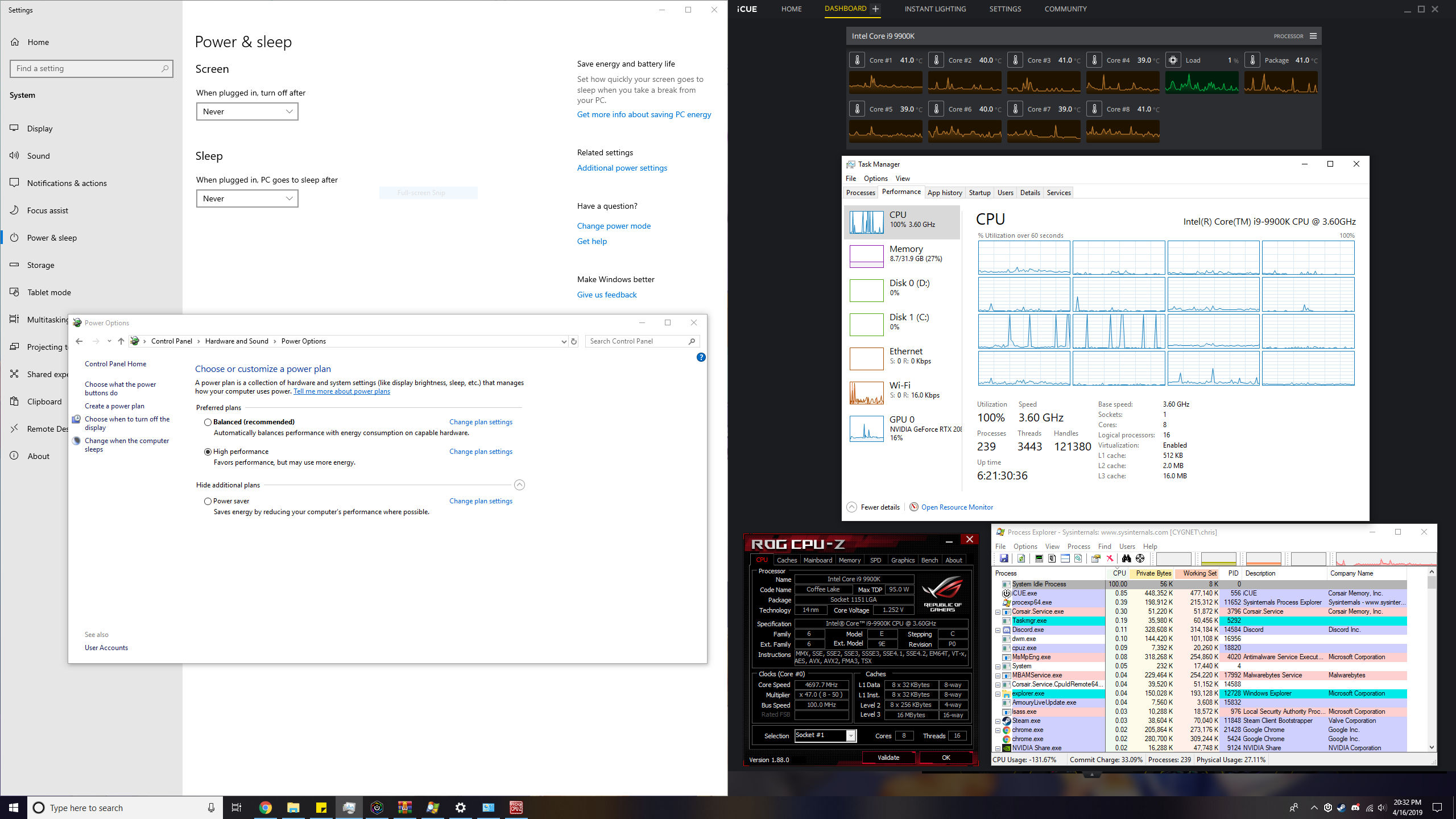
This image shows Task Manager claiming that the CPU frequency is being throttled to 3.6 GHz. CPU-Z is reporting a clock speed of about 4.7 GHz. Task Manager also seems to think CPUs #8 and #9 (starting from #0) are going crazy. I've checked both CPUs in
HWiNFO64 and Process Explorer and found nothing wrong with them.
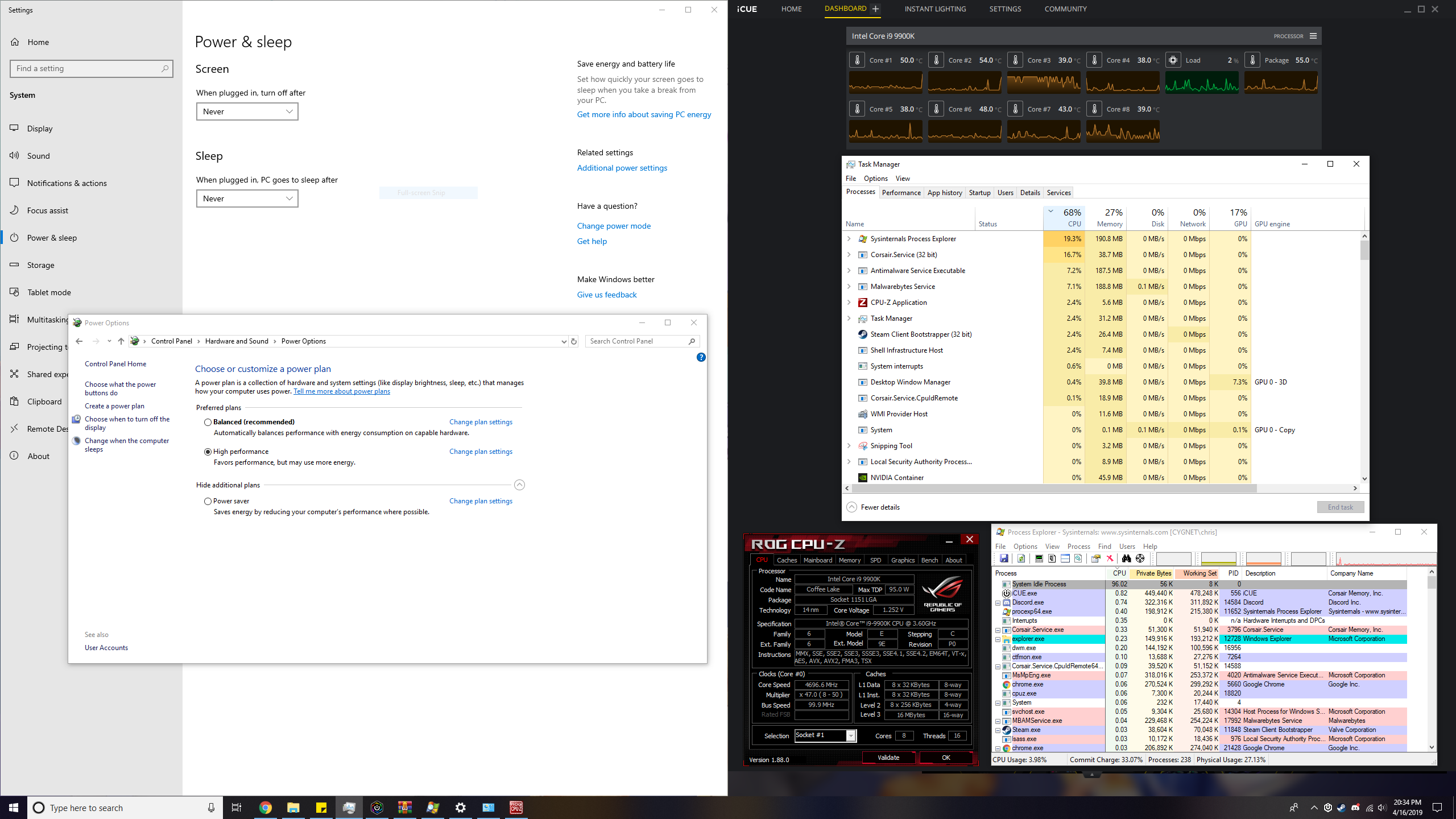
This image is another example of incorrect CPU usage where the actual CPU usage is much less than 50%.
' cx='32' cy='32' r='32' /%3E%3Ctext x='50%25' y='55%25' dominant-baseline='middle' text-anchor='middle' fill='%23FFF' %3EA%3C/text%3E%3C/svg%3E)
