hi rob,
to view the structure of a sharepoint online site, you may click the content and structure under
site administration. to do that:
1.let the site admin log into a sharepoint online site(the root site)>click the gear on the upper right corner>site settings.
2.under site administration, click content and structure.
note: if you couldn't find the content and structure, please click
site collection features under site collection administration> find
sharepoint server publishing infrastructure> click activate
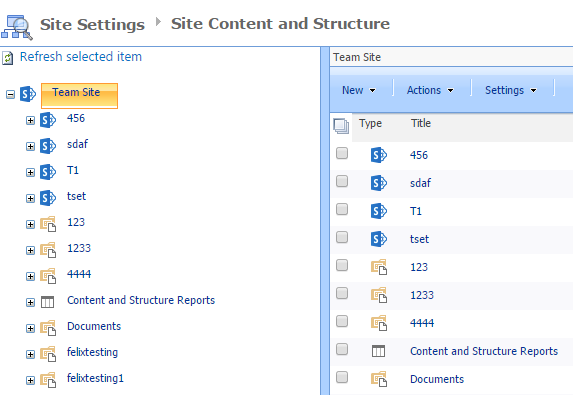
if there is any update, please let us know.
thanks,
felix
' cx='32' cy='32' r='32' /%3E%3Ctext x='50%25' y='55%25' dominant-baseline='middle' text-anchor='middle' fill='%23FFF' %3EA%3C/text%3E%3C/svg%3E)
