Note
Access to this page requires authorization. You can try signing in or changing directories.
Access to this page requires authorization. You can try changing directories.
Microsoft Defender for Cloud is transitioning its recommendation model from grouped recommendations to individual recommendations. As part of this change:
- Grouped recommendations are being deprecated and replaced with individual recommendations. Learn more about this transition.
- Disable rules, which are used with grouped recommendations, are being deprecated.
- Exemption rules are the new approach for individual and risk-based recommendations.
What's changing
In the old model, which is being deprecated, grouped recommendations use disable rules to suppress findings.
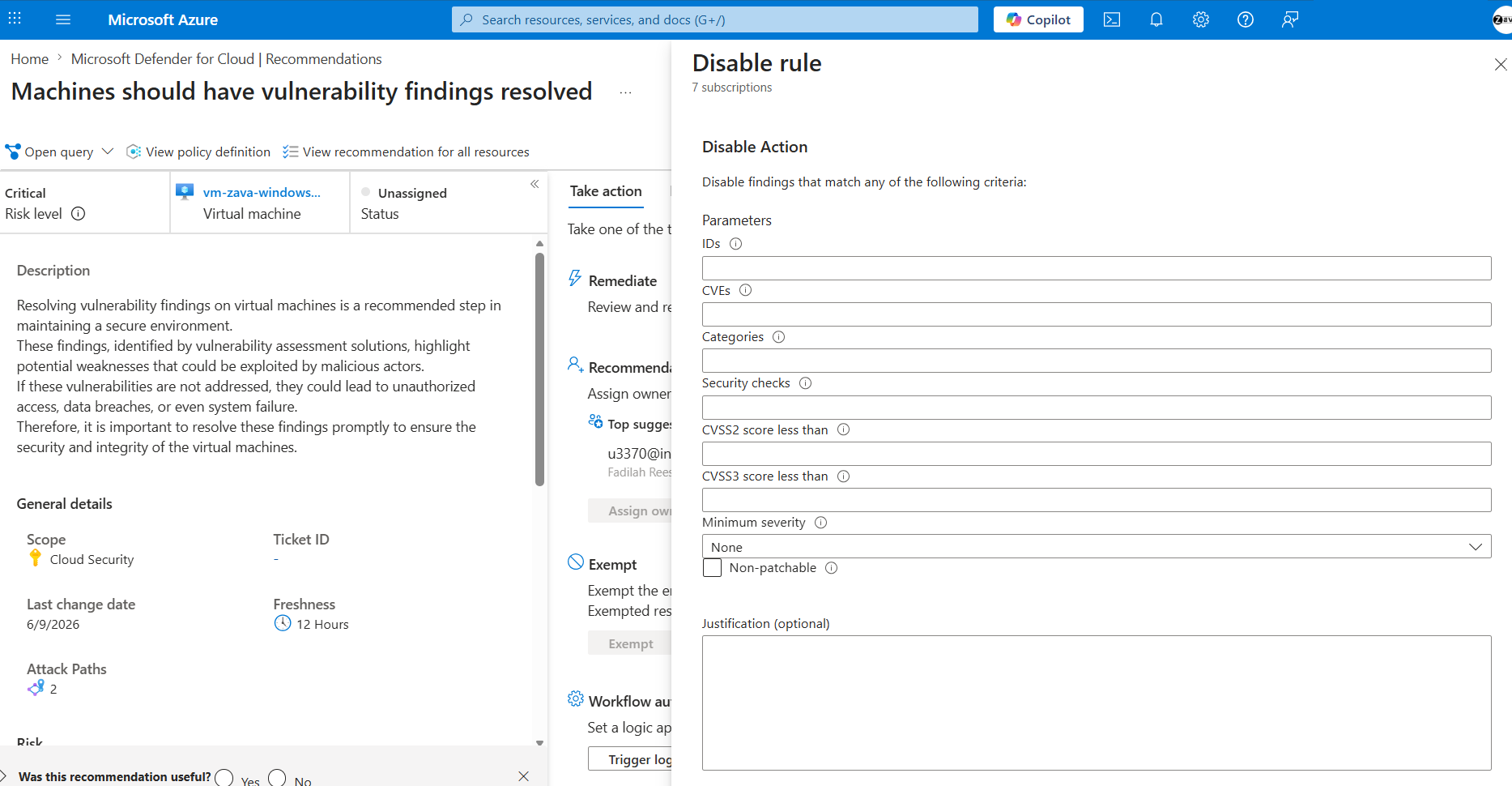
In the new model, individual and risk-based recommendations use exemption rules. Learn more in Exempt resources at scale and Exempt resources from recommendations.
Disable rules that you created for grouped recommendations aren't supported in the new model.
Why use exemptions?
Exemptions give you a more scalable, flexible, and centralized way to manage exceptions.
- Centralized management across recommendations: Disable rules apply per recommendation. If you wanted to disable the same CVE across multiple recommendations, you had to create a separate rule for each one. With exemptions, you apply a rule once and it affects all relevant recommendations.
- Resource-level granularity: Disable rules don't support fine-grained control for a specific resource. Exemptions let you apply rules at the individual resource level, such as a VM or container.
- Central visibility and tracking: With disable rules, you had to open each recommendation to view its rules. With exemptions, you can view and manage all rules in one centralized experience.
- Exemption lifecycle with expiry dates: Disable rules remain in effect until you remove them manually. Exemptions support expiry dates, which helps you reduce long-lived risk and review accepted vulnerabilities regularly.
Migration guidance
There's no automatic migration from disable rules to exemptions. However, you can recreate your existing rules by using exemption conditions.
Map disable rules to exemption conditions
Use this table to translate your existing disable rules into exemption conditions.
| Disable rule action | Exemption condition |
|---|---|
| IDs | Use the Selected recommendations condition and search for the relevant recommendation. |
| Categories | Use Recommendation category. For example, use categories such as System updates or Service upgrade. |
| Security checks | Use the Selected recommendations condition and search for the relevant recommendation. |
| CVEs | Use the Vulnerabilities condition and enter the CVE value in the CVE property. |
| CVSS | Use the Vulnerabilities condition and enter the CVSS value in the CVSS property. |
| Minimum severity | Use the Vulnerabilities condition and enter the severity value in the Minimum severity property. |
| Non-patchable | Use the Vulnerabilities condition and select Non-patchable. |
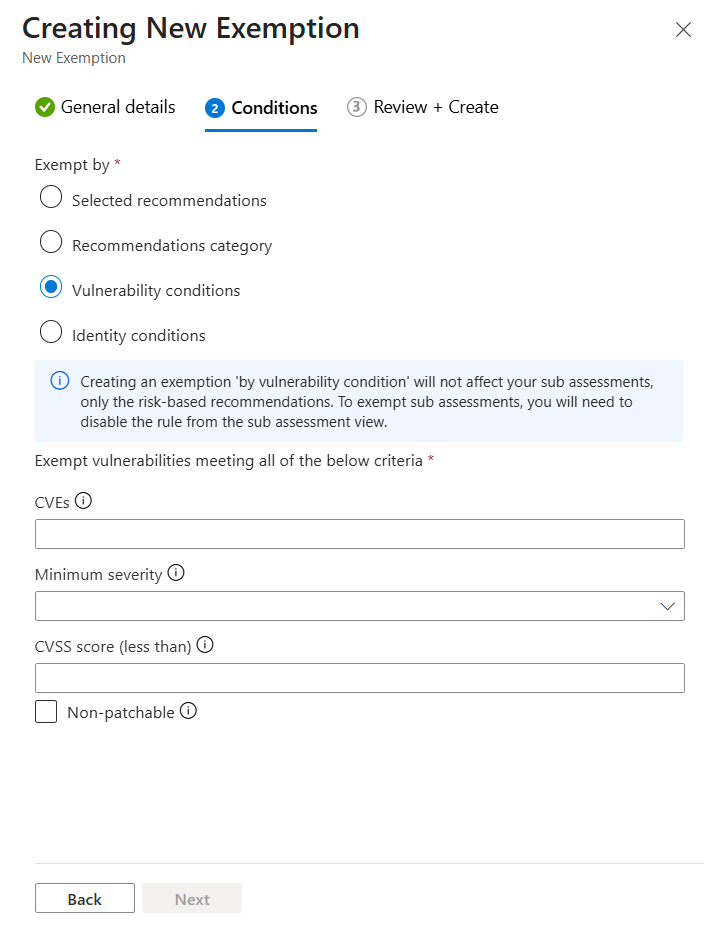
Recommended migration steps
- Identify existing disable rules: Review the rules configured for each recommendation and note the conditions you use, such as CVE and severity. Alternatively, you can use the following Azure Resource Graph (ARG) query to retrieve all existing disabled rules:
policyresources
| where type =~ "microsoft.authorization/policyassignments"
| extend filters = todynamic(properties).metadata.subAssessmentSettings.filters
| where filters != ""
Translate to exemption conditions: Use the preceding mapping table to convert each rule to its exemption equivalent.
Create the exemptions: To create and manage exemptions, see Exempt resources at scale and Exempt resources from recommendations.
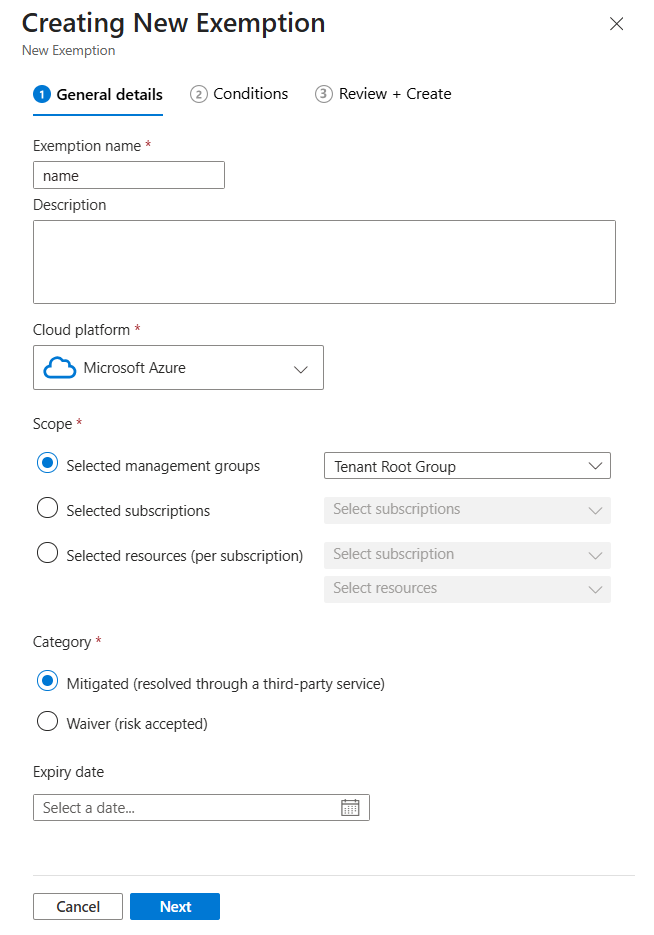
Prefer reusable rules: Where possible, use broader exemption conditions that apply across multiple recommendations to reduce duplication.
Next steps
- Transition from grouped to individual recommendations — Learn about the broader recommendation model change that this transition is part of.
- Exempt resources from recommendations — Create an exemption for a specific resource or subscription.
- Exempt resources at scale — Manage exemptions centrally across multiple scopes.
- Review exemptions — View and audit all active exemption rules.
- Disable vulnerability findings on images (risk-based) — Learn about the disable rules feature that's being deprecated.
- Security recommendations in Defender for Cloud — Understand how recommendations work in the new individual recommendations model.