Note
Access to this page requires authorization. You can try signing in or changing directories.
Access to this page requires authorization. You can try changing directories.
Incident cases use alert correlation to group related alerts into a single incident case. If an alert is correlated to the wrong incident case, you can move the alert to another incident case so that analysts investigate and respond with the correct context.
When you move an alert, you must add a comment that explains the change. You can also submit feedback to Microsoft about the incorrect correlation type or irrelevant entities to help improve alert correlation.
Note
Incident cases are in preview and are the recommended experience for managing incidents in the Microsoft Defender portal. The legacy incident experience remains available during this preview.
Prerequisites
Before you begin, make sure that:
- Your tenant is onboarded to the Microsoft Defender portal.
- You have access to incident cases in the Defender portal.
- You have the Security Data Manage Microsoft Defender unified RBAC permission.
- You have access to the alert you want to move and both the current and destination incident cases.
Incident case permissions and scoping follow the same permissions model as the legacy incident experience. You can move alerts only between incident cases included in your assigned data sources and scopes.
For more information, see Microsoft Defender unified role-based access control (RBAC).
Move an alert to another incident case
Sign in to the Microsoft Defender portal.
Select Cases.
Select Incident.
Open the incident case that contains the alert you want to move.
Under Artifacts, select Alerts.
Select the alert you want to move.
Select Move alert to another incident.
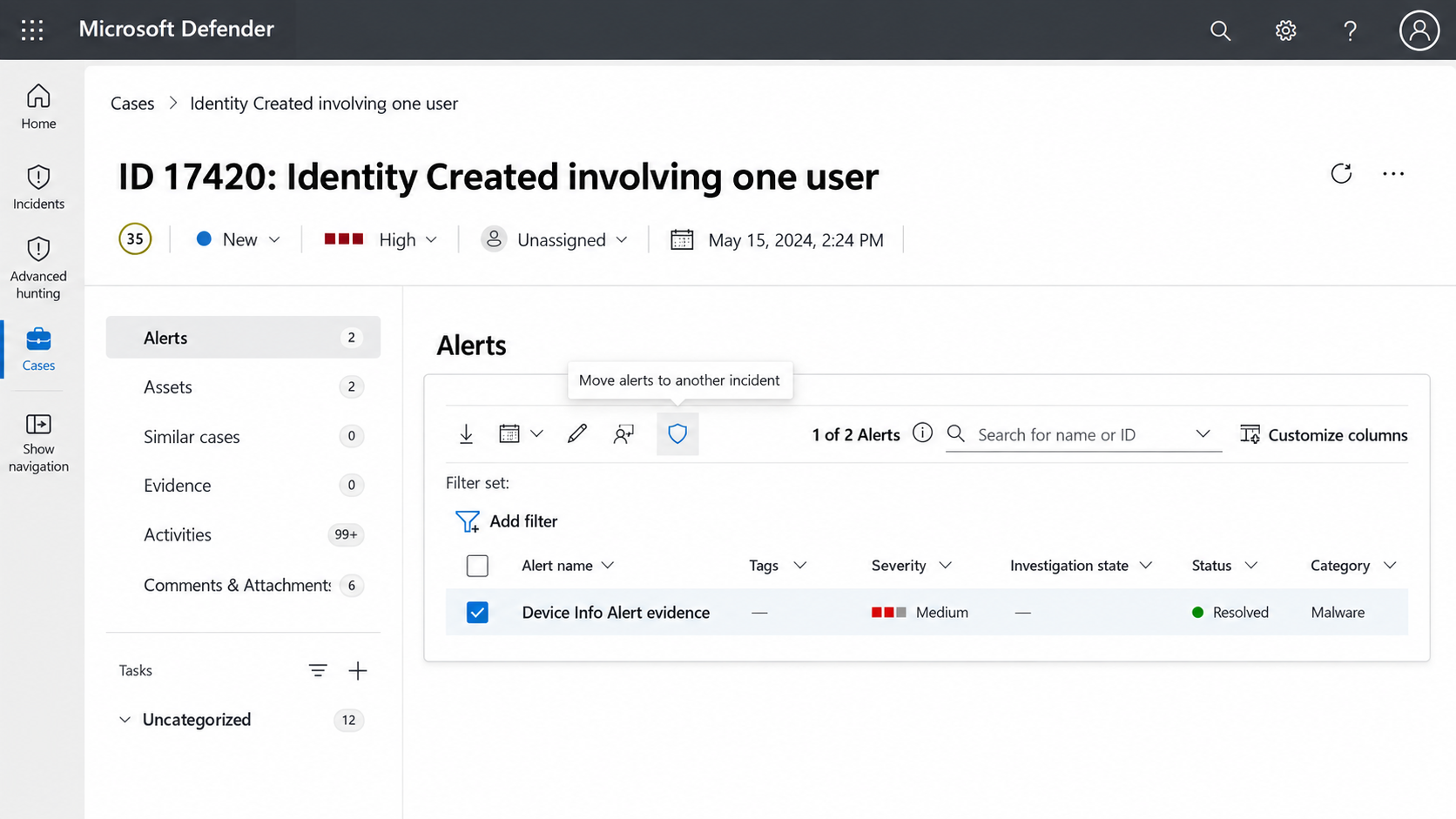
Search for and select the incident case that you want to move the alert to.
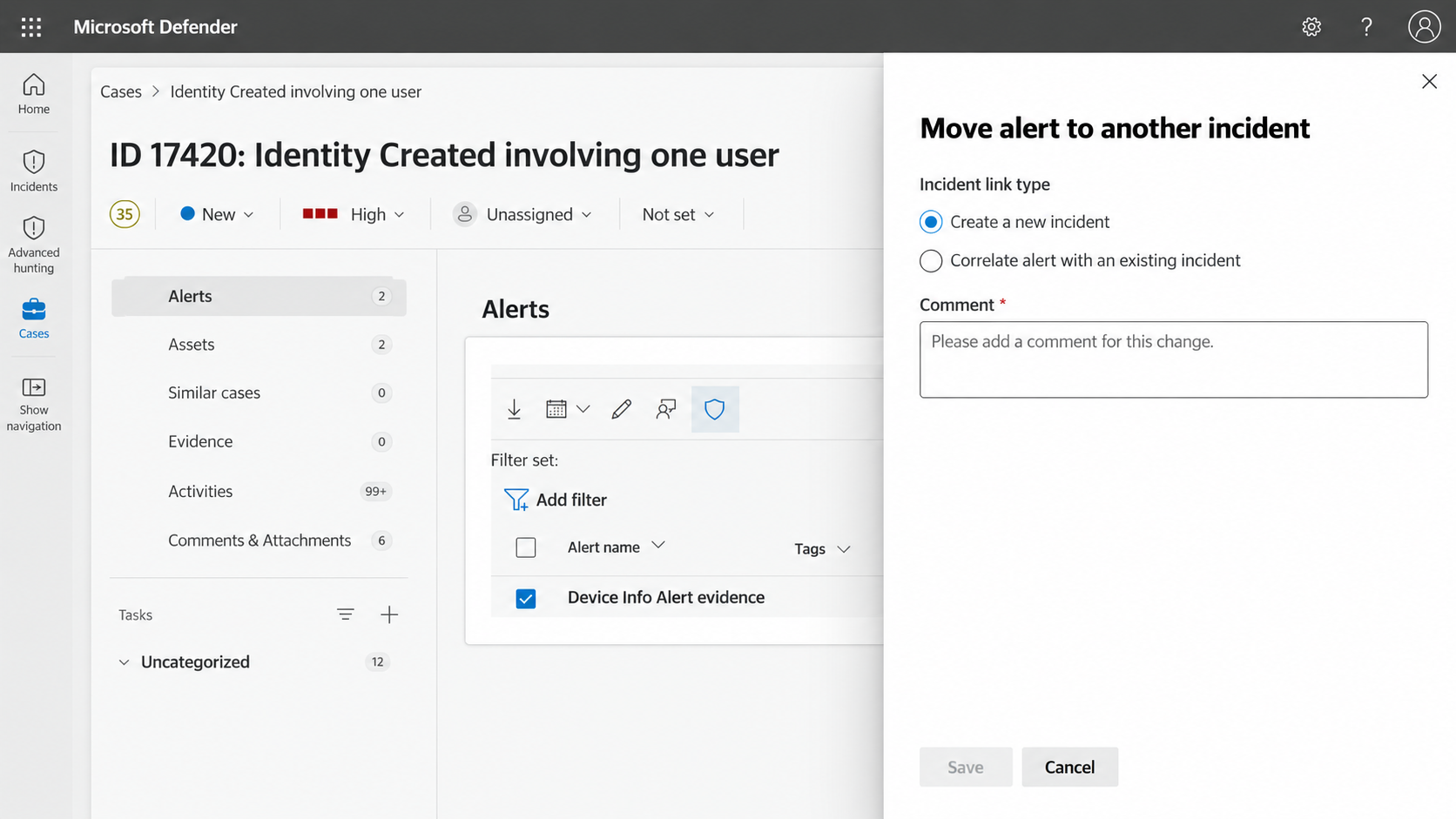
In Comment, enter a comment that explains why you're moving the alert.
Under Submit feedback to Microsoft for this correlation change, provide feedback about the correlation change.
You can select:
- The correlation types that are incorrect.
- The entities that are irrelevant to the current correlation.
Select Save.
The alert is moved to the selected incident case. The alert is removed from the original incident case and becomes part of the destination incident case investigation context.