Note
Access to this page requires authorization. You can try signing in or changing directories.
Access to this page requires authorization. You can try changing directories.
To enhance flexibility and scalability, we're introducing advanced variables alongside the existing basic variable types. These advanced variables are designed to meet key requirements such as parameterizing external and internal connections (e.g., Snowflake, AWS, OneLake).
An item reference variable is an advanced variable type used within the Fabric Variable Library to hold a reference to an existing Fabric item—such as a lakehouse, notebook, or data pipeline, by storing its workspace ID and item ID. This type of variable enables internal connection parameterization, allowing developers to dynamically link items to specific Fabric items based on deployment stage or workspace context.
How to use
An item reference variable can be used just like other variables in a variable library.
- Sign in to Fabric.
- Navigate to your workspace and variable library
- At the top, select + New Variable
- Provide a name for the variable, select item reference for the type, and then click the ... to select a value
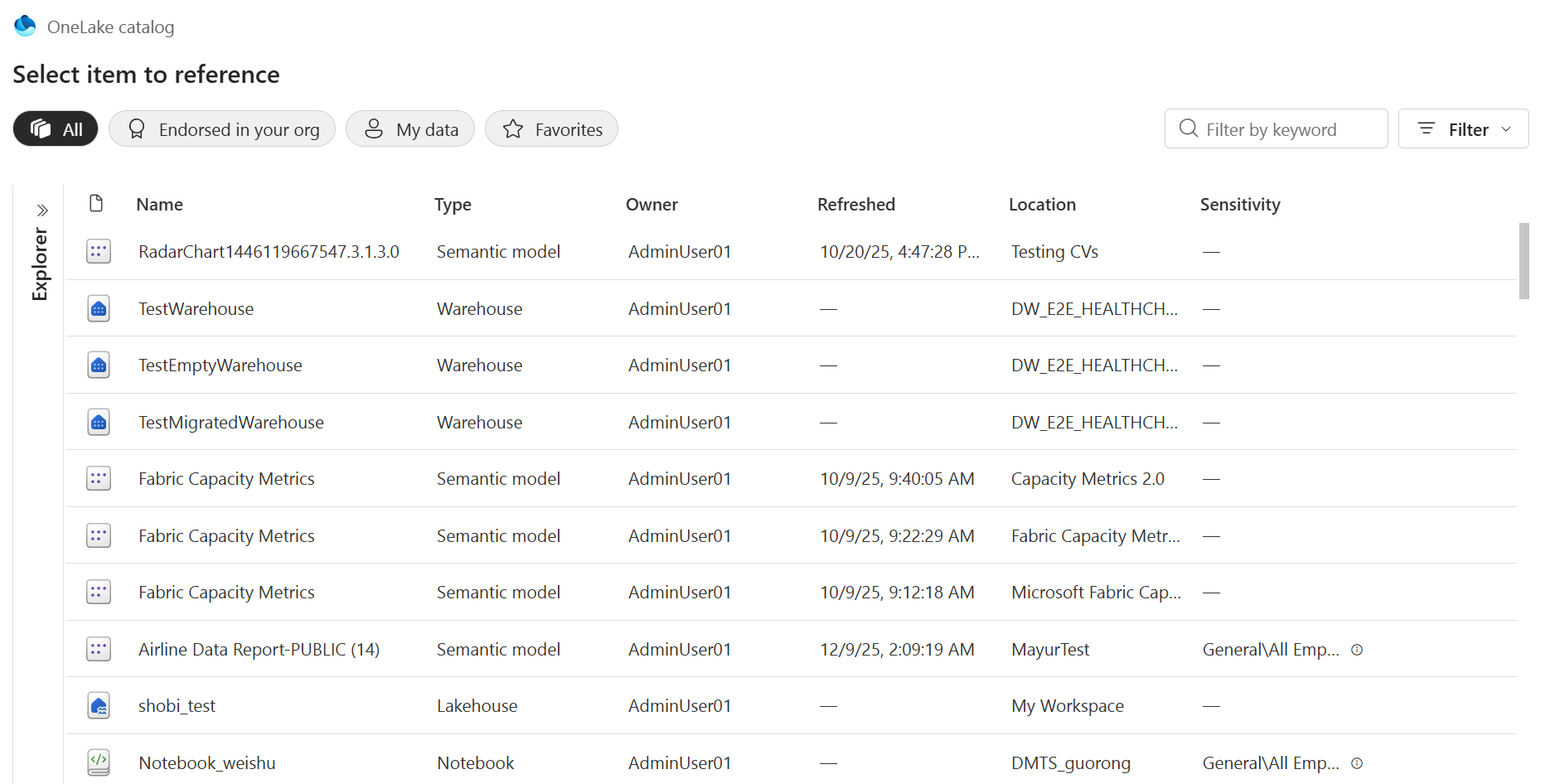
- This will open a dialog to select the desired item. You'll see all of the items that you have permissions on, available for selection. Use the explorer on the left to filter the list by workspace. Use the filter in the top-right corner to filter by type.
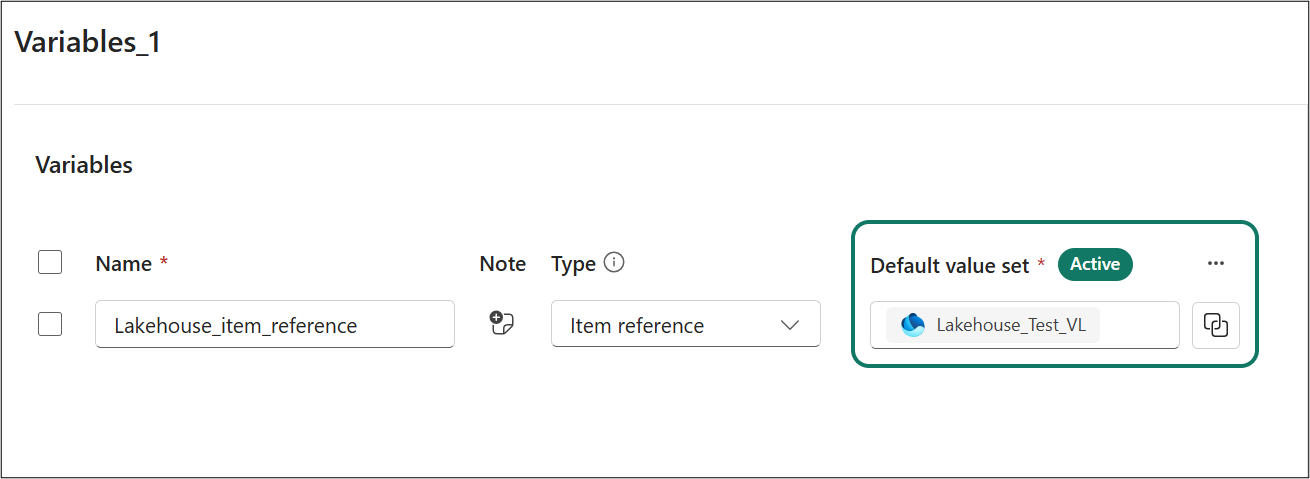
 6. Once selected, it will appear like this on the varlib page - as a read only component showing the name of the item.
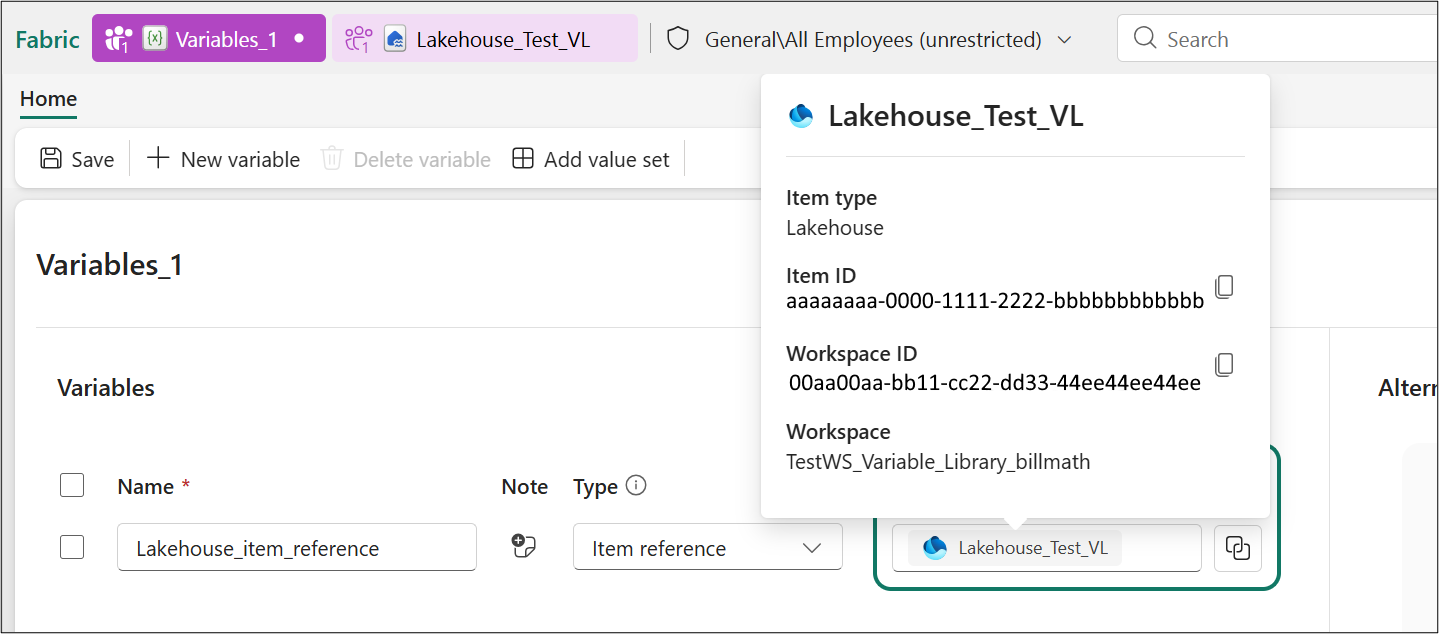
If you need to edit an item reference or need to double-check the value:
- to see additional details click the value
- to edit this value or values of other value-sets- click the button next to the value.
How it works
An item reference variable's value is essentially a static pointer to a Fabric item identified by Workspace ID + Item ID. The value is stored as a pair of GUIDs corresponding to the target item's workspace and the item itself. For example, a reference might be stored internally as:
- WorkspaceID = aaaaaaaa-0000-1111-2222-bbbbbbbbbbbb
- ItemID = 00aa00aa-bb11-cc22-dd33-44ee44ee44ee
These two IDs together uniquely identify the referenced item.
Keep in mind the following when working with item references:
- Item references enable internal connection parameterization, allowing developers to dynamically link items to specific Fabric resources based on deployment stage or workspace context.
- The reference is static, pointing to a specific item and not automatically adjusting across environments.
- For stage-specific variations, use value-sets, where each set can point to a different static item (e.g., different lakehouses per stage).
- All values across value-sets should be of the same item type to ensure compatibility and prevent runtime errors. However, we don't enforce having the same item type across value sets.
Representation in Git and APIs
Manage the variable library as code. By using Git or REST APIs, you can work with item reference variables through a clear JSON format. All variables appear in the variable library’s definition file (stored in Git, usually .json), listing properties like name, type, and value.
For an item reference (static) variable, the value is structured data for workspace and item IDs. Example:
{
 "name": "MyDataLake",
 "note": "",
 "type": "ItemReference",
 "value": {
  "itemId": "00aa00aa-bb11-cc22-dd33-44ee44ee44ee",
  "workspaceId": "aaaaaaaa-0000-1111-2222-bbbbbbbbbbbb"
 }
}
Remember the following when working via API:
- Only IDs are stored; names and metadata are retrieved at runtime or cached in Fabric.
- Creating/updating via API, you provide workspace and item IDs. Invalid IDs cause errors.
Supported items
The following is a list of items that are currently supported using item reference:
- Shortcut for a lakehouse
- User data functions
- Notebook, through NotebookUtils
Note
Notebook, through %%configure isn't supported.
Python code example
The following code example shows how to use an item reference in a python script.
var_ref = "$(/**/VarLibItem/itemReference)"
var_obj = notebookutils.variableLibrary.get(var_ref)
workspace_id = var_obj.get("workspaceId").value()
item_id = var_obj.get("itemId").value()
print(workspace_id)
print(item_id)
This code does the following:
- Resolves an item reference variable from a variable library in Fabric.
- Retrieves the metadata object for that referenced item
- Extracts the workspace ID and item ID
- Prints them so they can be used programmatically.
Permissions Required to Create/Use item reference variables
Using item reference variables involves two layers of permissions:
- Create and Edit an item reference variable: Users with Contributor or above roles in the workspace can create and edit variables in the library, while Viewers are read-only.
- Accessing the item reference variable: In addition to rights on the Variable Library, you must have at least Read permission on the item reference variable you intend to reference.
For more information on permissions and permission validation, see Variable library permissions
Limitations
Currently, you can only reference fabric items and semantic models. Other Power BI items, like Dataflow Gen1 are currently not supported.
Additional information
The variable library enables CI/CD for Fabric content across environments (Dev, Test, Prod) by using item reference variables for stage-specific configurations. Keep the following points in mind:
- Item references are tied to a specific workspace and item ID.
- Deploying to a new stage, these references still point to the original workspace unless manually updated.
- Use multiple value sets for each stage and activate the correct set manually or via API scripts.
For more information, see value-sets in variable libraries.
Related content
- Variable library overview
- Variable types
- Value sets
- Variable library permissions](./variable-library-permissions.md)