Note
Access to this page requires authorization. You can try signing in or changing directories.
Access to this page requires authorization. You can try changing directories.
The Refresh Materialized Lake View activity refreshes a materialized lake view as part of a Fabric pipeline. Materialized lake views are precomputed, cached result sets stored in a Lakehouse that speed up downstream queries. Use this activity to keep cached results in sync with your source data after ingestion, transformation, or maintenance operations.
Use the Refresh Materialized Lake View activity when you want to:
- Refresh a materialized lake view on demand or on a schedule.
- Refresh views after upstream activities like Copy, Notebook, or Lakehouse Maintenance.
- Include lake view refreshes in end-to-end pipeline orchestration.
Prerequisites
Before you start, make sure you have:
- A Microsoft Fabric workspace
- A Lakehouse in the target workspace
- A materialized lake view in the Lakehouse
- Permission to access the workspace and the Lakehouse
- A pipeline with access to the Lakehouse through the selected connection
Add the refresh materialized lake view activity to a pipeline
Create a new pipeline or open an existing one.
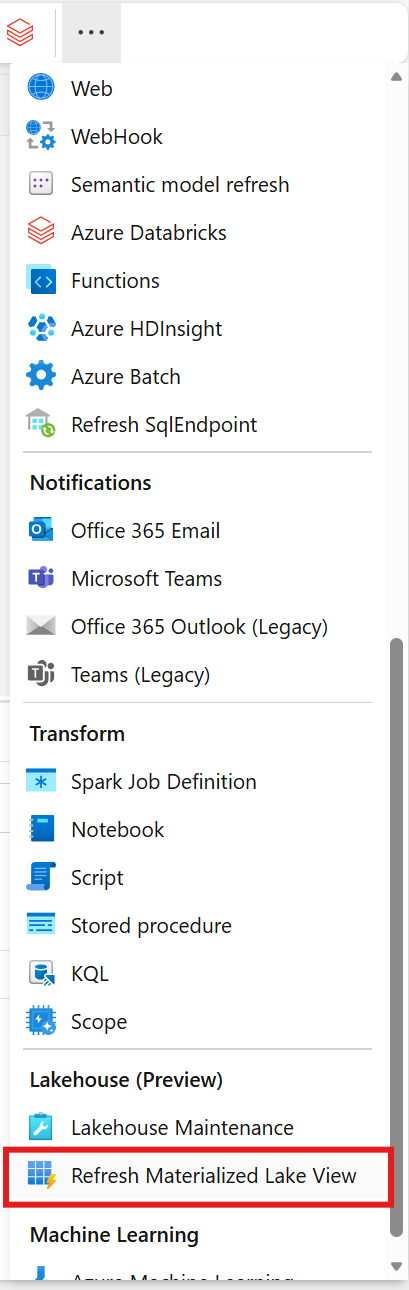
Search for Refresh Materialized Lake View in the Activities pane and select it to add it to the canvas.
Select the activity on the canvas.
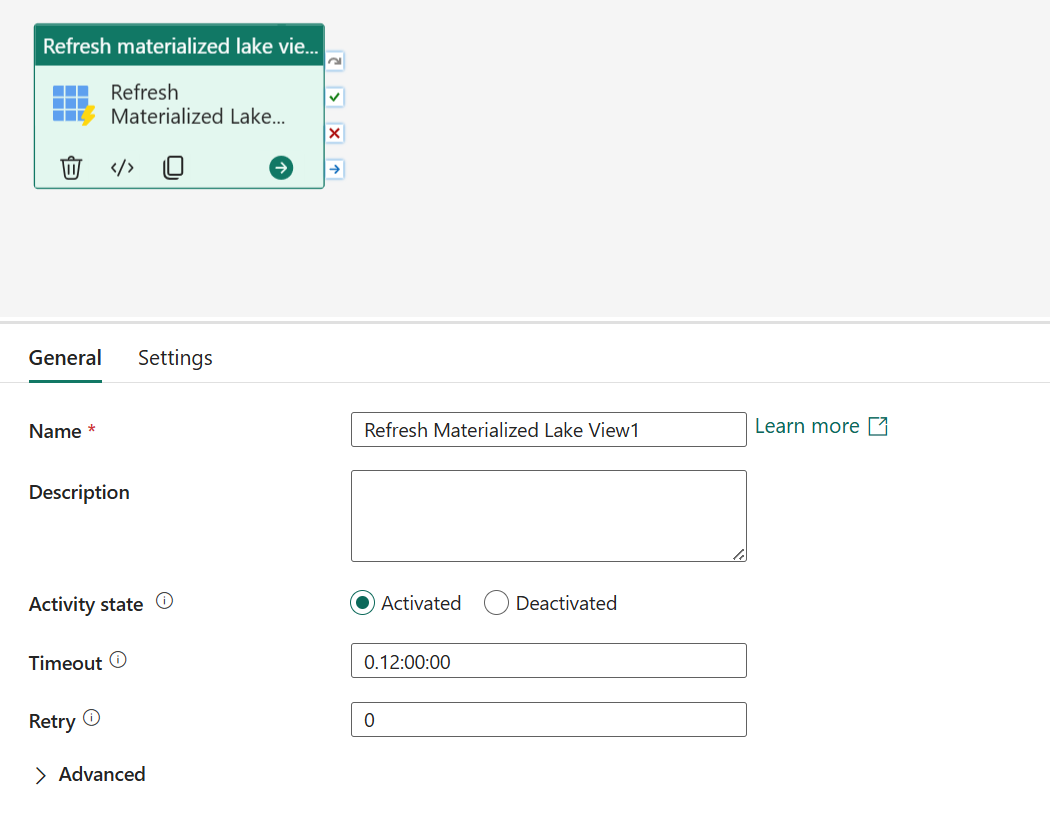
On the General tab, configure the activity name and other general settings. For guidance, see General settings.
Configure refresh materialized lake view settings
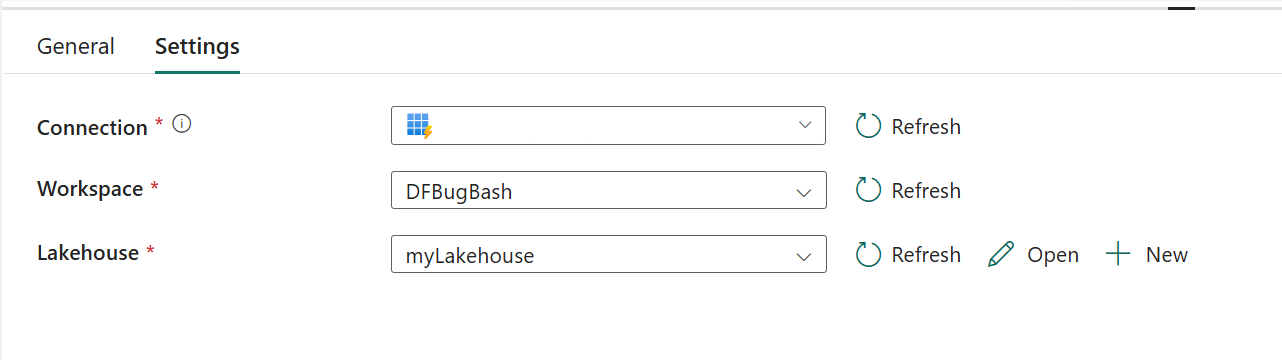
On the Settings tab:
- Select an existing Connection from the dropdown, or create a new one.
- Select the Workspace that contains the Lakehouse.
- Select the Lakehouse that contains the materialized lake view you want to refresh.
Common scenarios
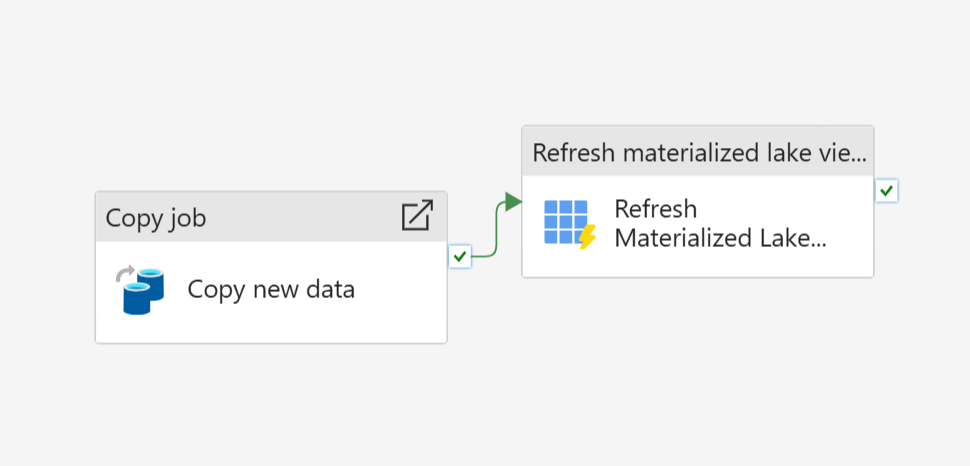
Refresh after ingestion
Add the Refresh Materialized Lake View activity after a Copy activity so that your analytics reflect the latest data.
Scheduled refresh
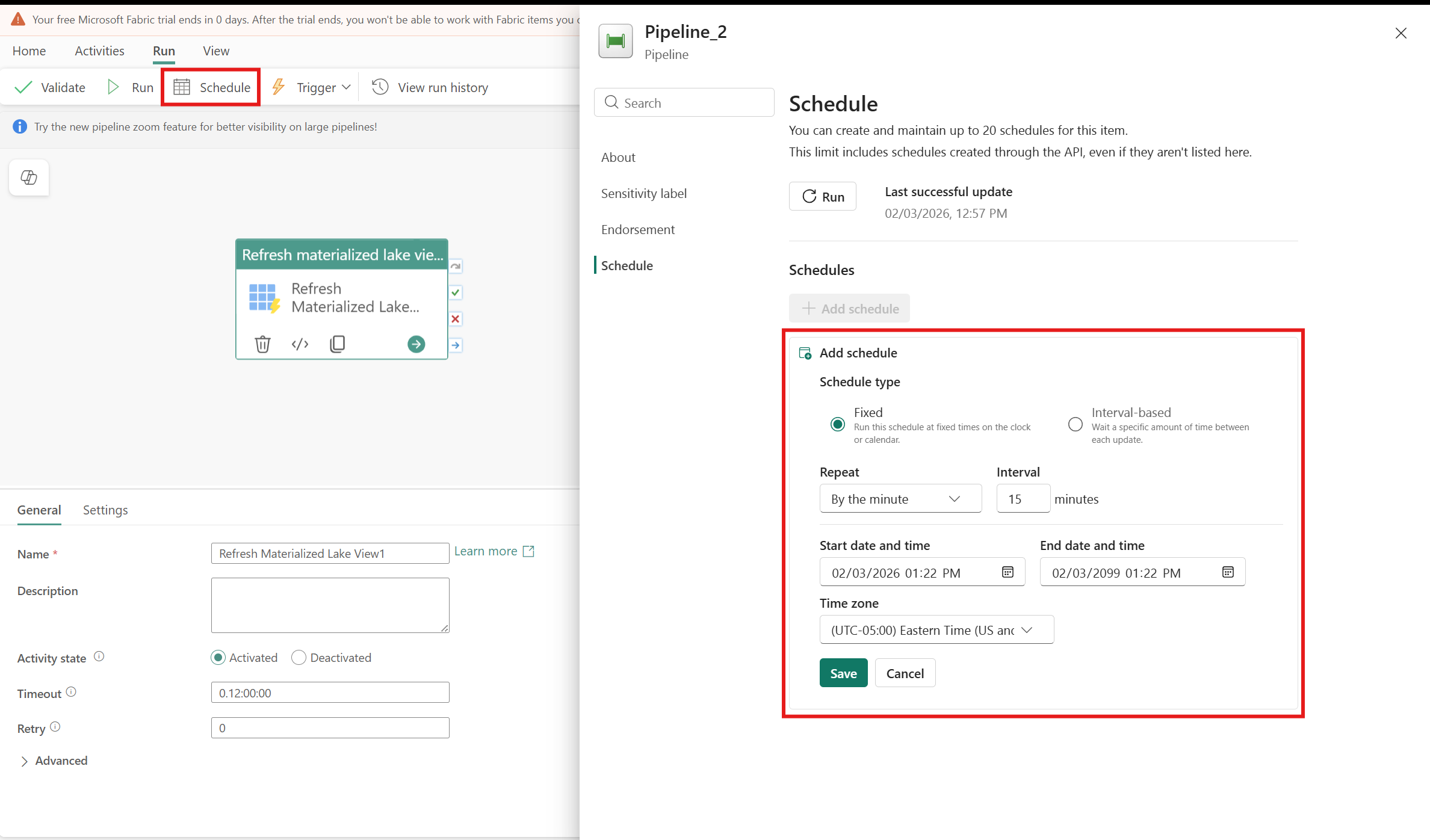
Run the activity on a schedule to keep lake views current without manual steps.
End-to-end orchestration
Include the activity in a broader pipeline that ingests, transforms, and publishes data. Place the refresh step after upstream data operations so materialized lake views always reflect the most recent data.
Known limitations
The Refresh Materialized Lake View activity doesn't currently support service principal name (SPN) or workspace identity authentication. If you use SPN or workspace identity for automated or service-based access, you might encounter limitations when configuring or running this activity.