หมายเหตุ
การเข้าถึงหน้านี้ต้องได้รับการอนุญาต คุณสามารถลอง ลงชื่อเข้าใช้หรือเปลี่ยนไดเรกทอรีได้
การเข้าถึงหน้านี้ต้องได้รับการอนุญาต คุณสามารถลองเปลี่ยนไดเรกทอรีได้
Important
This feature is in Beta. Account admins can control access to this feature from the Previews page.
What is AI Gateway (Beta)?
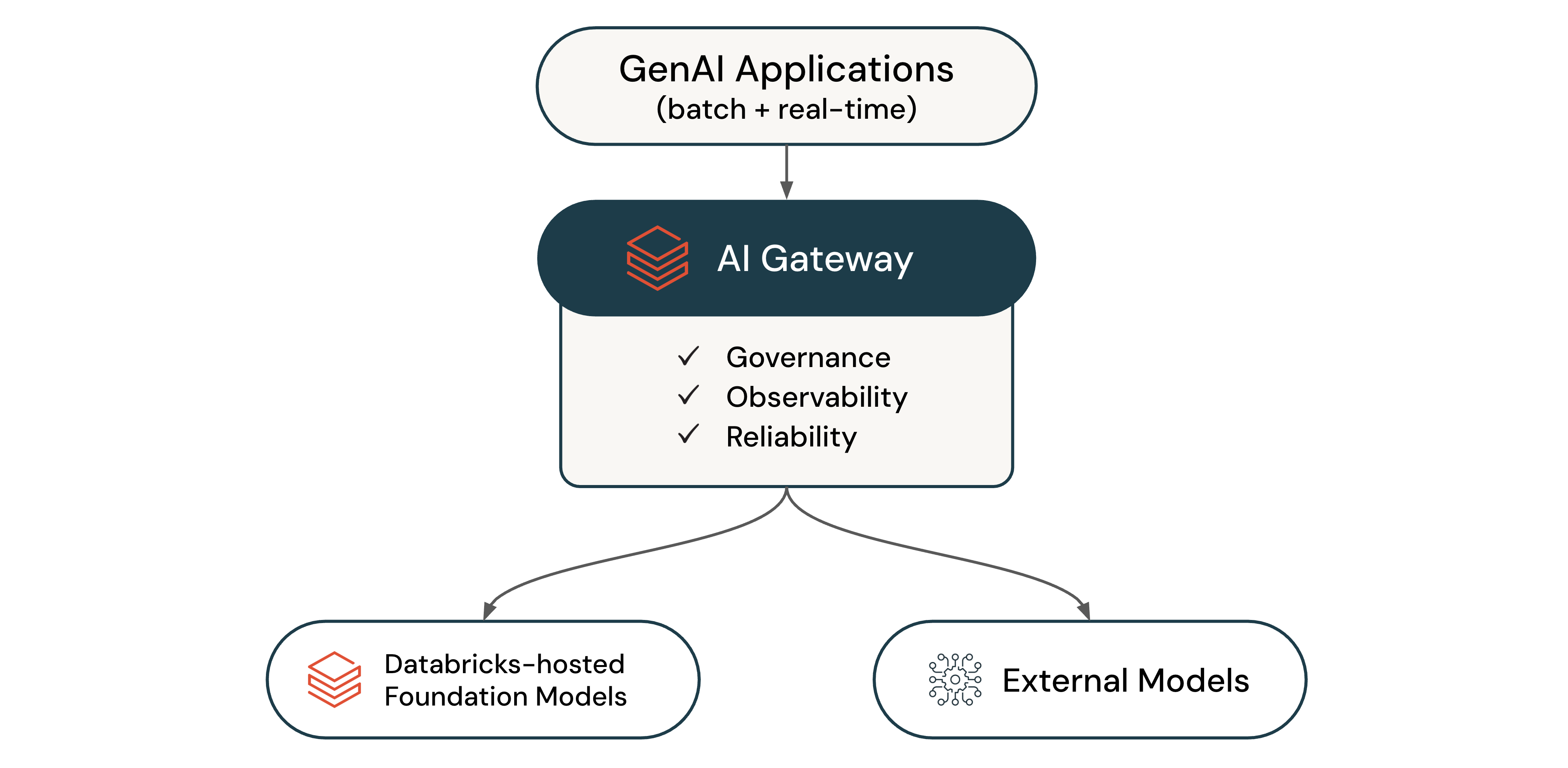
AI Gateway (Beta) is the enterprise control plane for governing LLM endpoints and coding agents. Use it to analyze usage, configure permissions, and manage capacity across providers.
With AI Gateway, you can:
- Analyze how LLMs and coding agents are used in your organization
- Govern access to Azure Databricks-hosted and external models
- Log LLM traffic across all endpoints to Unity Catalog
- Monitor endpoint health and provider availability
- Enforce rate limits
- Route traffic intelligently across providers for reliability and load balancing
- Switch providers and models without code changes
Supported features
The following table defines the available AI Gateway features:
| Feature | Description |
|---|---|
| Permissions | Control who has access to your endpoints. |
| Usage tracking | Monitor usage and costs using system tables. |
| Inference tables | Monitor and audit requests and responses in Unity Catalog Delta tables. |
| Operational metrics | Monitor usage in real time. |
| Rate limits | Enforce consumption limits at the endpoint, user, or group level. |
| Fallbacks | Increase reliability by routing to multiple providers when failures occur. |
Note
AI Gateway features don't incur charges during Beta.
Use AI Gateway
Azure Databricks provides AI Gateway endpoints for popular LLMs. You can create new endpoints to govern coding agents and other applications.
To get started, see Configure AI Gateway endpoints. To query endpoints, see Query AI Gateway endpoints. To integrate coding agents like Cursor, Gemini CLI, Codex CLI, and Claude Code, see Integrate with coding agents.
Query quickstart
The following example shows how to query an AI Gateway endpoint using Python and the OpenAI client:
from openai import OpenAI
import os

# To get a Databricks token, see https://docs.databricks.com/dev-tools/auth/pat
DATABRICKS_TOKEN = os.environ.get('DATABRICKS_TOKEN')

client = OpenAI(
    api_key=DATABRICKS_TOKEN,
    base_url="https://<ai-gateway-url>/mlflow/v1"
)

chat_completion = client.chat.completions.create(
    messages=[
        {"role": "user", "content": "Hello!"},
        {"role": "assistant", "content": "Hello! How can I assist you today?"},
        {"role": "user", "content": "What is Databricks?"},
    ],
    model="databricks-gpt-5-2",
    max_tokens=256
)

print(chat_completion.choices[0].message.content)
Replace <ai-gateway-url> with your AI Gateway endpoint URL.