Note
Access to this page requires authorization. You can try signing in or changing directories.
Access to this page requires authorization. You can try changing directories.
Use automation with Integrated Security Operations Center (ISOC) in Microsoft Defender to streamline security operations workflows and automate response actions.
Automation includes automation rules, Logic Apps-based playbooks, Playbook Generator, integration profiles, and enhanced alert trigger support.
This article describes the automation capabilities available with ISOC, the requirements that apply, and the current limitations.
Note
This feature is in preview. Capabilities and availability might change during the preview period.
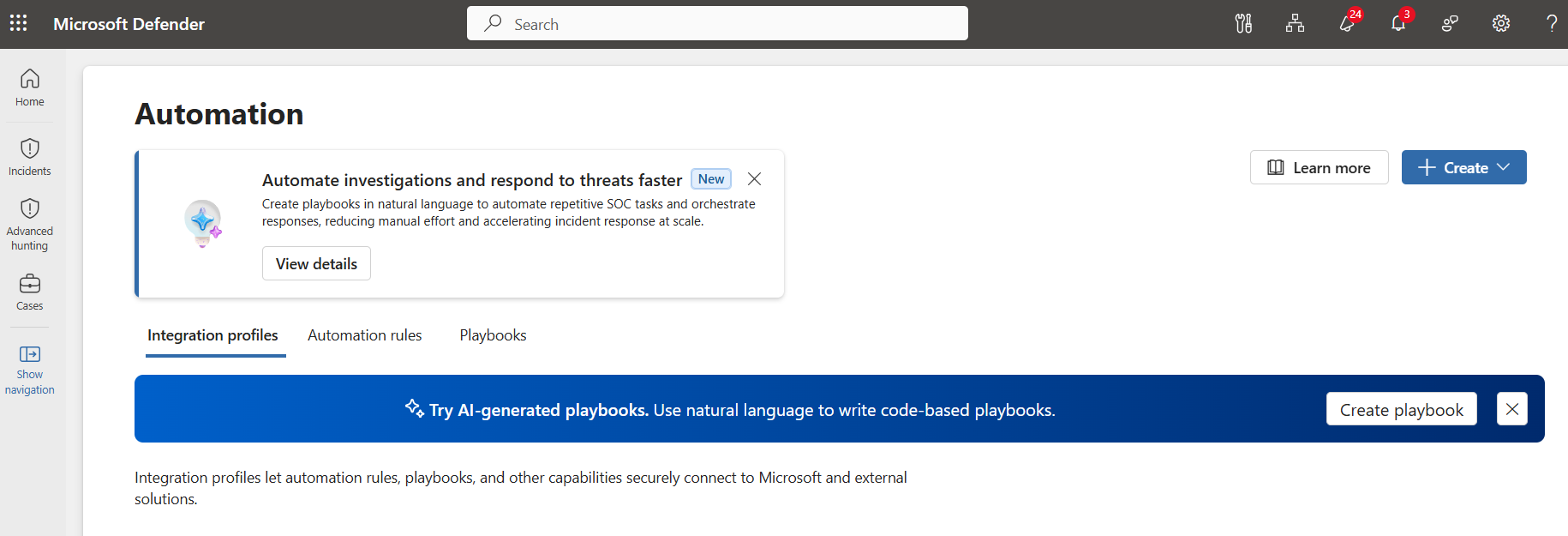
Automation capabilities
Automation with ISOC helps security teams reduce repetitive work, standardize response actions, and automate supported alert and incident workflows.
| Capability | Description |
|---|---|
| Automation rules | Trigger automated actions for supported alert and incident workflows. |
| Logic Apps-based playbooks | Run response workflows built with Azure Logic Apps. |
| Playbook Generator | Create generated playbooks from natural language in the Defender portal. |
| Integration profiles | Configure Microsoft and third-party API connections used by generated playbooks. |
| Enhanced alert trigger | Trigger generated playbooks from supported alert conditions across the Defender portal experience. |
Automation rules
Automation rules define when automation runs and which actions are taken. Use automation rules to run playbooks, update alert or incident properties, or apply standardized response logic.
Playbooks and Playbook Generator
Playbooks automate response actions. Automation supports Logic Apps-based playbooks and generated playbooks in the Defender portal.
Playbook Generator creates playbooks from natural language. Describe the automation workflow you want, and the experience generates a code-based playbook that you can review, test, save, and activate.
Generated playbooks can use integration profiles to connect to Microsoft and third-party APIs. Configure the required integration profiles before you create or run playbooks that call external services.
Workspace requirements
Workspace requirements depend on the automation scenario.
| Scenario | Workspace requirement |
|---|---|
| Automation on Microsoft data | A Microsoft Sentinel workspace isn't required. |
| Automation on third-party data ingested through Log Analytics | A Microsoft Sentinel workspace is required. |
Roles and permissions
Automation in the Defender portal uses Unified RBAC.
The following permissions are available for automation:
| Permission | Access levels |
|---|---|
| Automation Admin | Execution Low / Medium / High |
| Automation Rules | Read / Write |
| Automation Integration | Read / Write |
| Automation Playbooks | Read / Write |
Make sure users have the permissions required for the automation actions they need to perform.
Limitations
The following limitations apply to generated playbooks and enhanced alert trigger automation.
Playbook limitations
Generated playbooks have the following limitations:
- Only Python is supported for playbook authoring.
- Generated playbooks currently support alerts and incident cases as input.
- A single user can edit only one playbook at a time.
- External libraries aren't currently supported.
- Users must manually review and validate generated code.
- You can create up to 100 playbooks per tenant.
- Each playbook can have up to 5,000 lines.
- Maximum runtime per playbook execution is 10 minutes.
- Maximum of 8M AI interaction tokens per day per tenant.
- Playbook nesting isn't supported. A playbook can't invoke another playbook.
Integration profile limitations
Integration profiles have the following limitations:
- Microsoft Graph and Azure Resource Manager integration profiles must be configured before generated playbooks can use them.
- Custom integration profiles support OAuth2 Client Credentials, API Key, AWS Auth, User and Password, Bearer/JWT Authentication, and Hawk.
- The API URL and authentication method of a custom integration profile can't be changed after creation.
- You can configure up to 500 integration profiles per tenant.
Enhanced alert trigger limitations
Enhanced alert trigger rules have the following limitations:
- Enhanced alert trigger rules don't support priority ordering.
- The available actions are limited to running generated playbooks and updating alerts.
- For automation on third-party data, you can select only Microsoft Sentinel workspaces where you have the required permissions.
- You can create up to 500 active automation rules per tenant.
- You can execute one action per rule.