Note
Access to this page requires authorization. You can try signing in or changing directories.
Access to this page requires authorization. You can try changing directories.
Important
Some or all of this functionality is available as part of a preview release. The content and the functionality are subject to change. Preview features aren't intended for production use and might have restricted functionality. These features are subject to supplemental terms of use, and are available before an official release so that customers can get early access and provide feedback.
Note
Microsoft Sustainability Manager has been rebranded as Dynamics 365 Sustainability. This change reflects a new product name only. Product functionality, capabilities, licensing, and service offerings remain unchanged. Some screenshots and UI labels in this article may show the previous name while visuals are being updated.
Note
This feature is included in Microsoft Dynamics 365 Sustainability Premium.
Create a data collection plan
Sign in to Microsoft Dynamics 365 Sustainability as an admin or data manager. Select Data collection (preview) > Plans in the left navigation pane.
Select New, and enter the data collection plan details:
Title: Uniquely identifiable name of data collection plan.
Description: Optional field to describe the entity.
Reporting period: The date period for which the ESG data needs to be collected.
Due date: The date by which the ESG data needs to be collected.
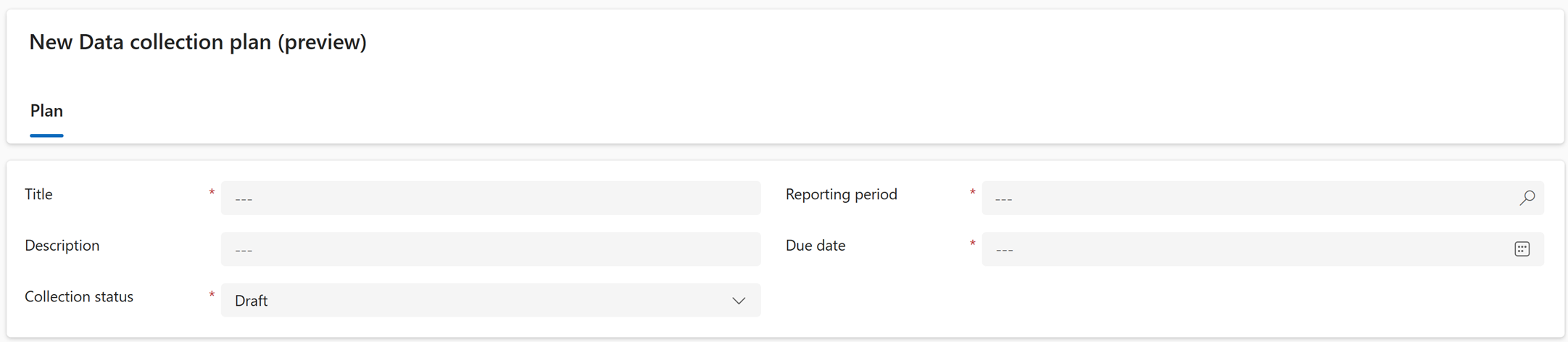
Select Save.
Select Add Existing Sustainability data definition.
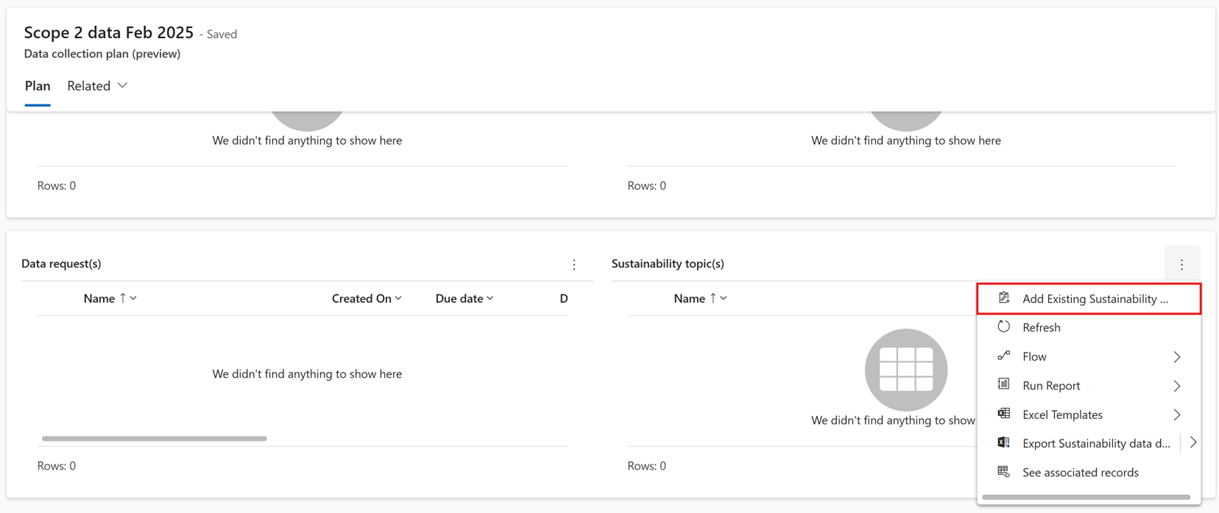
Enter the names of each of the Microsoft Dynamics 365 Sustainability tables for which you want to collect data, and select Add.
Select Add Existing Data owner (preview).
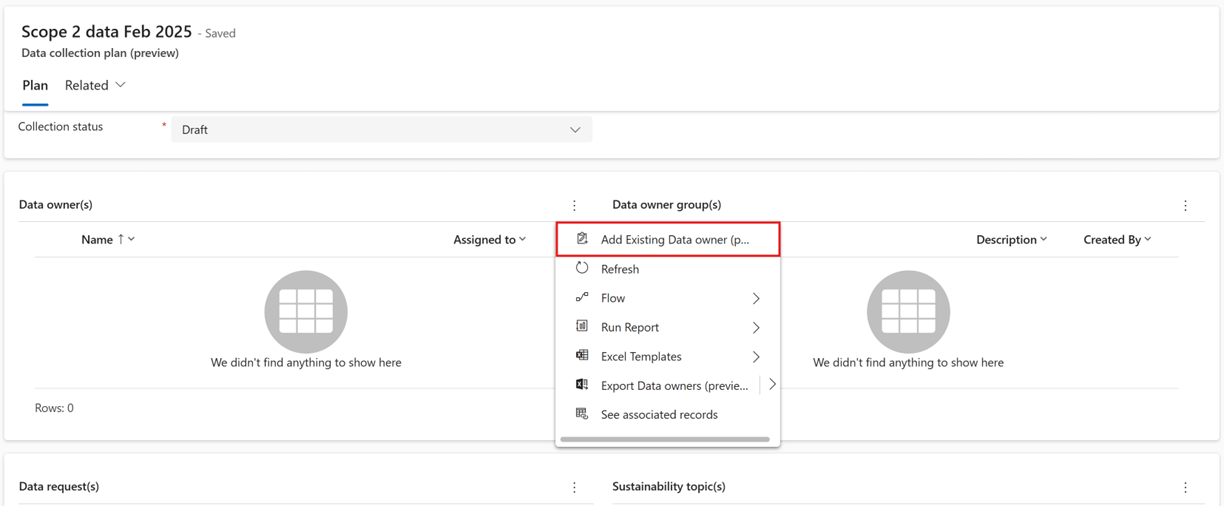
Enter the names of each Data owner record from whom you need to collect data, and then select Add.
Select Add Existing Data owner group (preview).
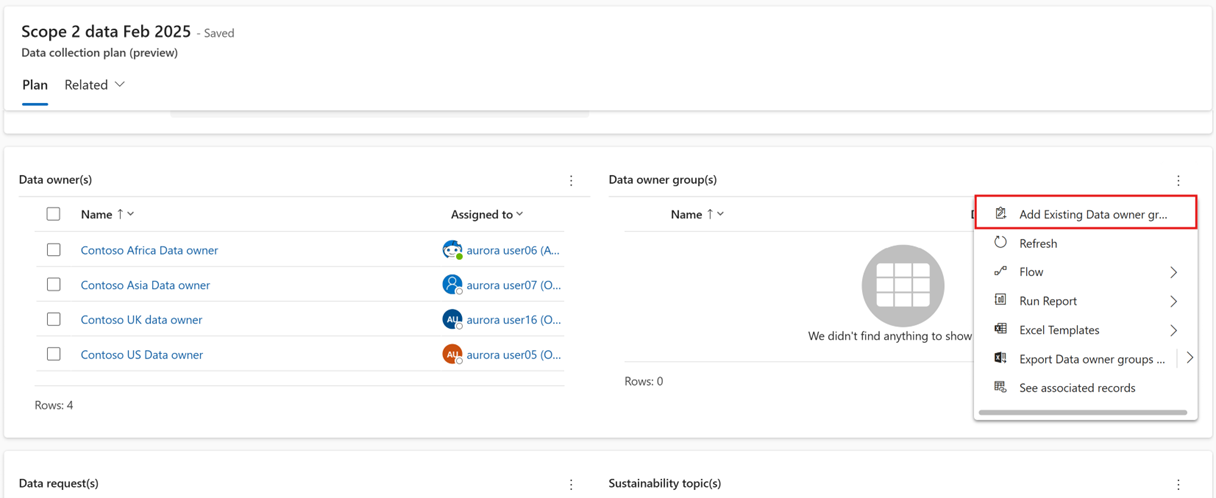
Enter the names of each Data owner group record from whom you need to collect data, and then select Add.
Select Save.
Generate data collection requests from a data collection plan
Sign in to Microsoft Dynamics 365 Sustainability and select Data collection (preview) > Plans in the left navigation pane.
Select the data collection plan for which you want to generate requests.
Select Generate requests.
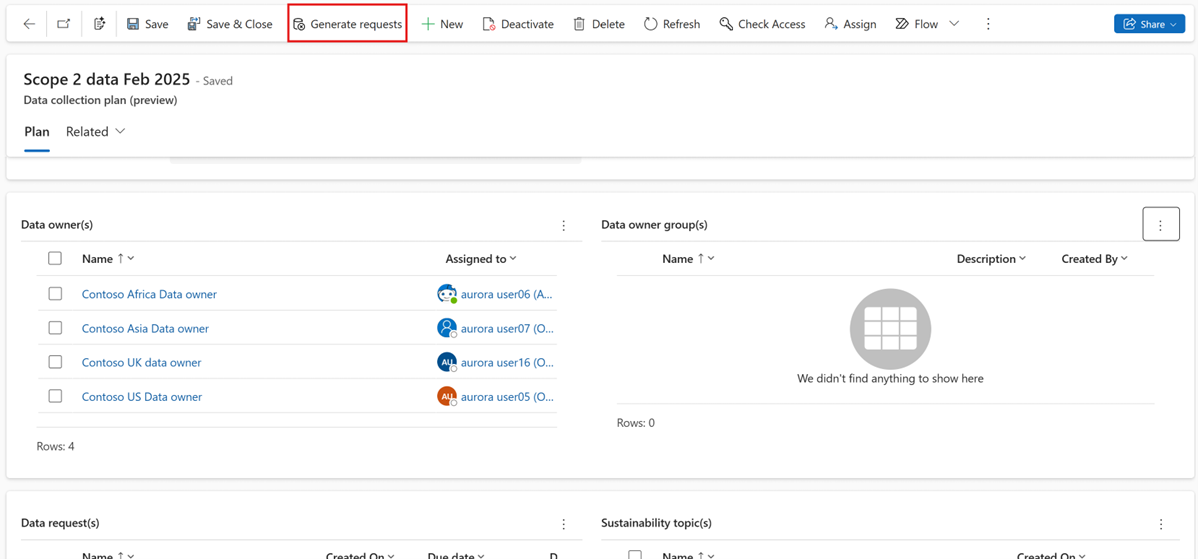
Select Yes in the dialog box.
Send email notifications for all data requests in a data collection plan
Sign in to Microsoft Dynamics 365 Sustainability and select Data collection (preview) > Plans in the left navigation pane.
Select the data collection plan for which you want to send email notifications.
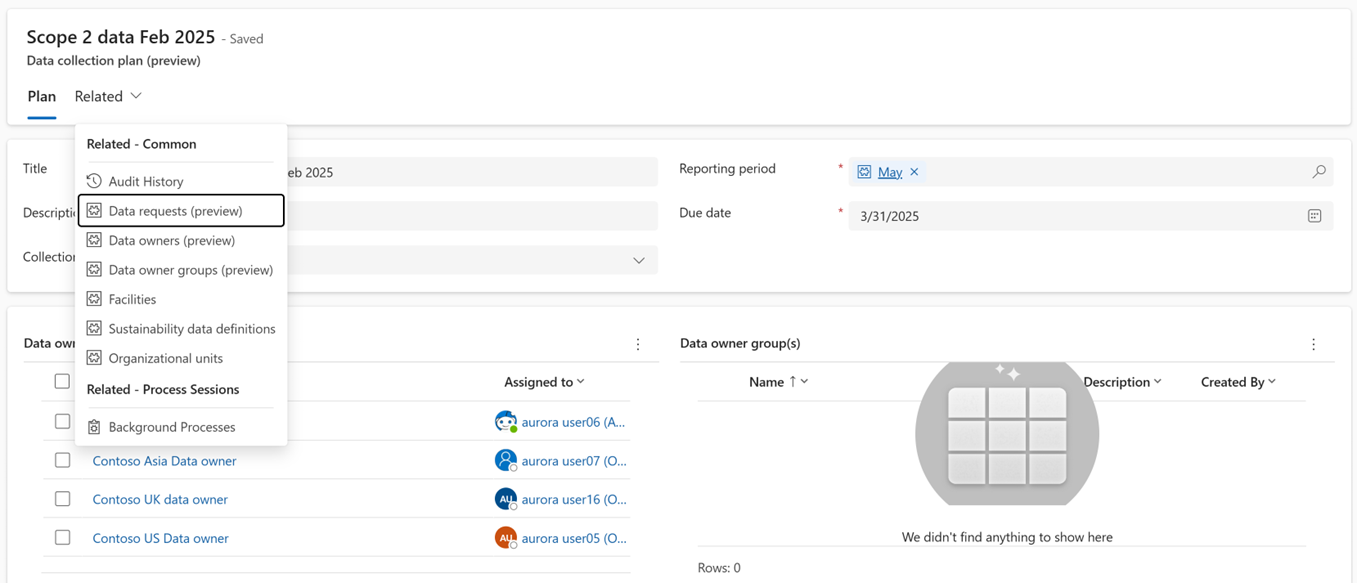
Select the Related dropdown, and then select Data requests (preview).
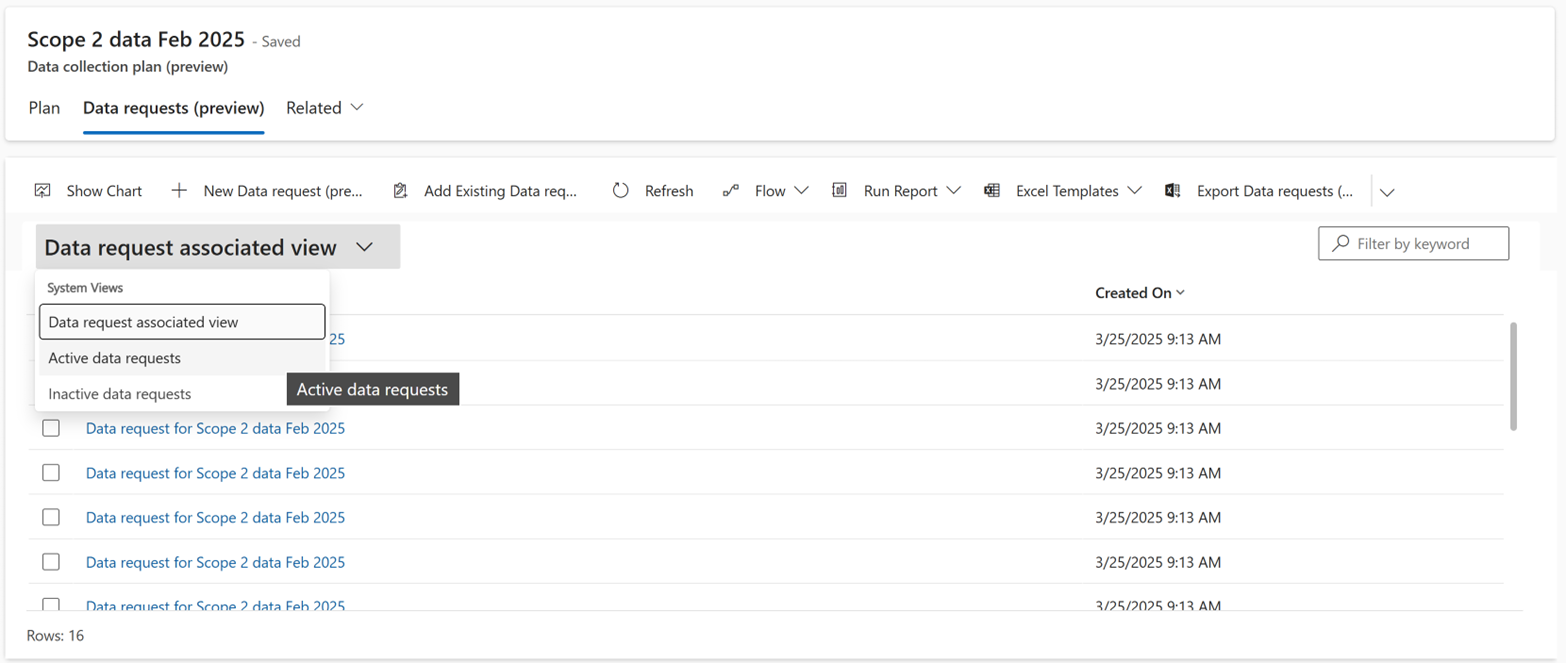
Change the view to Active data requests by selecting the Data request associated view dropdown.
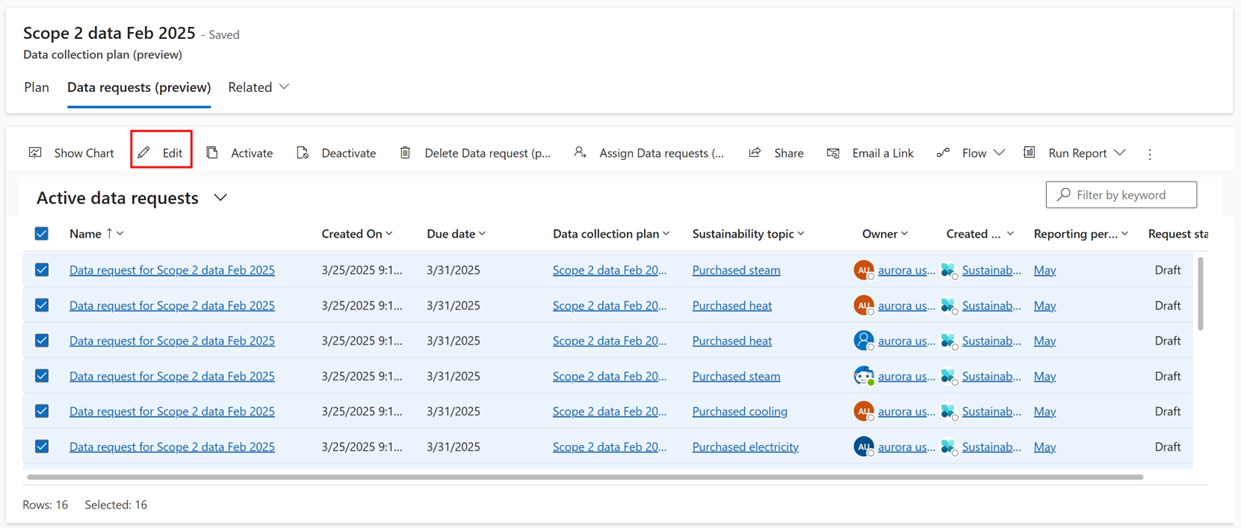
Select all the records, and then select Edit.
Change the Request status to Active in the dropdown.
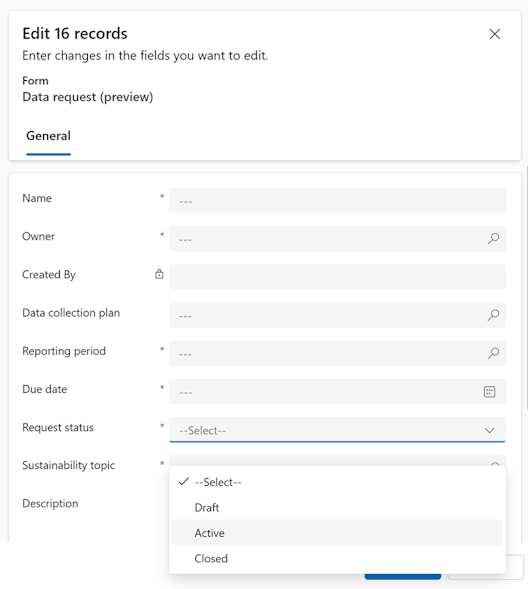
Select Save.
