หมายเหตุ
การเข้าถึงหน้านี้ต้องได้รับการอนุญาต คุณสามารถลอง ลงชื่อเข้าใช้หรือเปลี่ยนไดเรกทอรีได้
การเข้าถึงหน้านี้ต้องได้รับการอนุญาต คุณสามารถลองเปลี่ยนไดเรกทอรีได้
Microsoft 365 Copilot Tuning is an AI customization capability that enables organizations to create task-specific Copilot agents by tuning large language models (LLMs) with their own organizational data. Tuning allows agents to produce responses that reflect an organization's domain knowledge, terminology, tone, and quality standards.
Unlike general-purpose AI experiences, tuned agents are designed for specific, repeatable tasks. Because they operate entirely within the Microsoft 365 tenant, organizational data remains protected by existing security, compliance, and governance controls.
This article provides an overview of Copilot Tuning, including key capabilities, supported scenarios, tuning concepts, and administrative governance.
Important
Copilot Tuning is currently available in the Frontier early access program. Frontier includes early access to experimental features, which means features are subject to change. For more information, see What is Frontier?.
Key capabilities
Copilot Tuning enables organizations to build AI experiences that align closely with their business needs. It offers the following features:
No-code customization - Create tuned agents using templates in Agent Builder without coding or data science expertise. Business users and domain experts can guide tuning using curated examples and organizational content.
Task-specific agents - Build agents optimized for high-value scenarios such as answering questions, document writing, summarization, validation, and editing writing style. Tuned agents produce outputs that reflect organizational vocabulary, structure, and expectations.
Improved efficiency and consistency - By embedding organizational knowledge into Copilot, tuned agents can reduce the time required for complex content tasks while improving consistency and adherence to internal standards.
Integration with Microsoft 365 data - Tuned agents can use selected organizational content and reason over live enterprise data through Microsoft Graph, helping ensure responses are grounded in up-to-date information.
Enterprise-grade security - All tuning operations occur within the Microsoft 365 trust boundary. Tuned agents honor access control lists (ACLs) from the training data and only return information that users are authorized to access.
Supported scenarios
Copilot Tuning supports a set of task-oriented agent templates.
Document writing
Document writing agents generate structured, long-form documents based on organizational templates, examples, and standards. These agents can produce first drafts of content such as proposals, contracts, policies, and technical documentation while adhering to formatting and compliance requirements.
For more information, see Document Writing agent template.
Document summary
Document summary agents generate tailored summaries based on tone, audience, purpose, and length. Organizations can tune these agents to reflect internal summarization standards and emphasize information that is most relevant for their use cases.
For more information, see Document Summary agent template.
Expert answers (Q&A)
Expert answers agents provide domain-specific responses by grounding answers in organizational content. These agents support scenarios that require deep search across large datasets, strict policy guardrails, or specialized terminology.
For more information, see Expert Answers agent template.
Document validation
Document validation agents review documents for compliance with organizational guidelines, policies, branding standards, and regulatory requirements. They identify issues, categorize risks, and provide actionable feedback directly within documents.
For more information, see Document Validation agent template.
Style editing
Style editing agents refine drafts to align with an organization's brand voice, tone, and writing guidelines. These agents help ensure consistency across content produced by different users and teams.
For more information, see Style Editing agent template.
Optimization agent
Optimization agents assist with business optimization problems such as resource allocation, task assignment, and planning. Users define objectives and constraints, and the agent produces explainable solutions based on uploaded data and organizational rules.
For more information, see Optimization agent.
Agent tuning
Agent tuning enables you to refine agents created from tunable templates in Microsoft 365 Copilot Agent Builder. Each tunable template is designed for a specific task and includes a predefined inference workflow that specifies the foundation model, instructions, grounding approach, tool usage, and output generation. This workflow provides an optimized default configuration- a ready-to-use "recipe" that helps agents retrieve relevant context, apply tools effectively, and produce high-quality outputs from the start.
In many scenarios, agents created from these templates meet quality expectations without more customization. When further refinement is required- such as aligning outputs more closely with organizational standards, domain-specific needs, or user expectations- agent tuning provides structured ways to improve behavior and performance.
Tunable templates are available to Copilot-licensed users in eligible tenants and are created in Agent Builder. When you create an agent from a tunable template, users can customize supported properties such as the agent name, instructions, and prompts. Access to tuning capabilities depends on tenant administrator configuration. If tuning options aren't available, users might need to request access from an administrator. Eligible users would be able to view "tune agent" option after creating an agent from a tunable template.
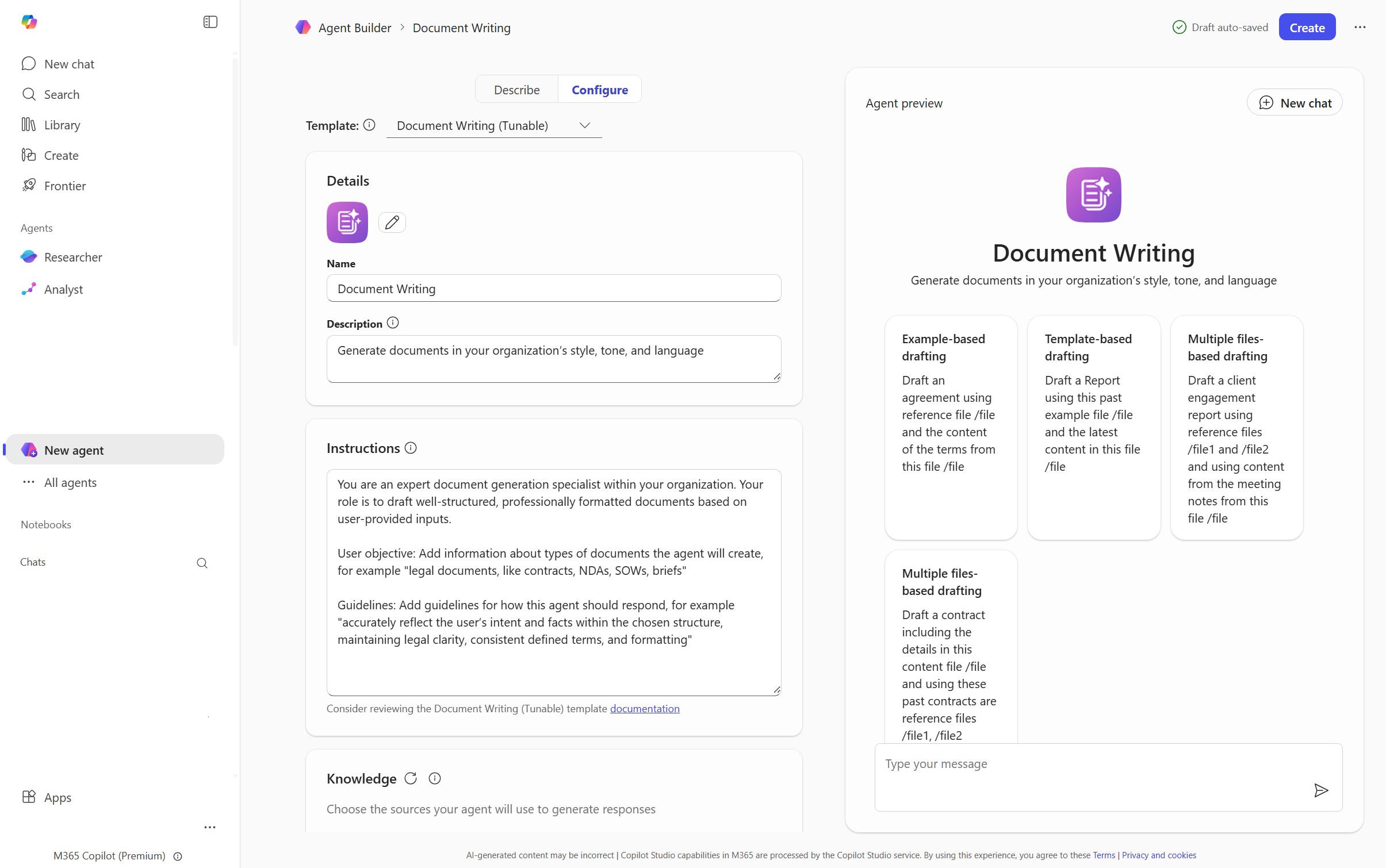
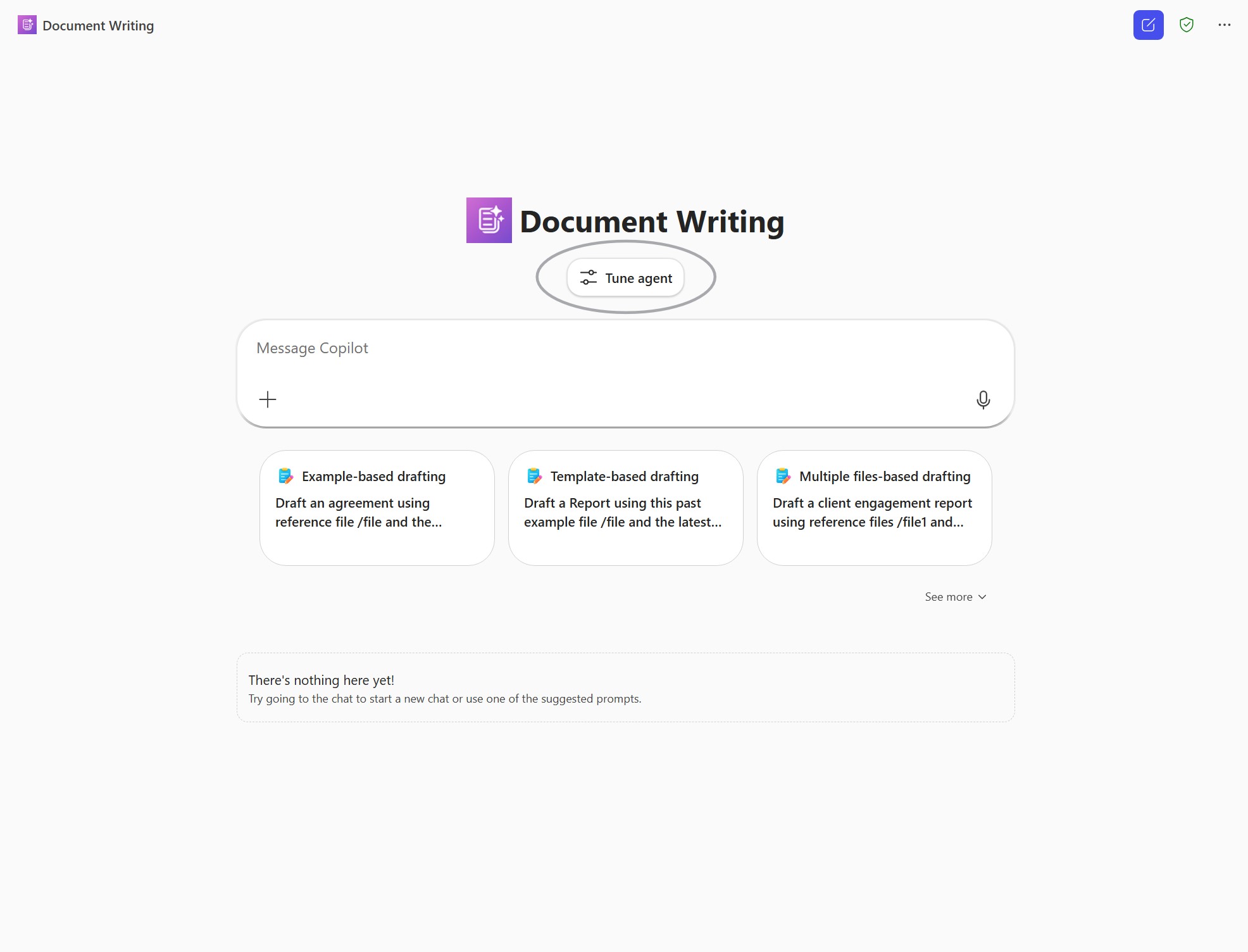
Three types of tuning are supported: tuning context, tuning tools, and tuning model. These dimensions are designed to work together and are evaluated using consistent user-goal driven rubric to ensure tuning leads to measurable improvements.
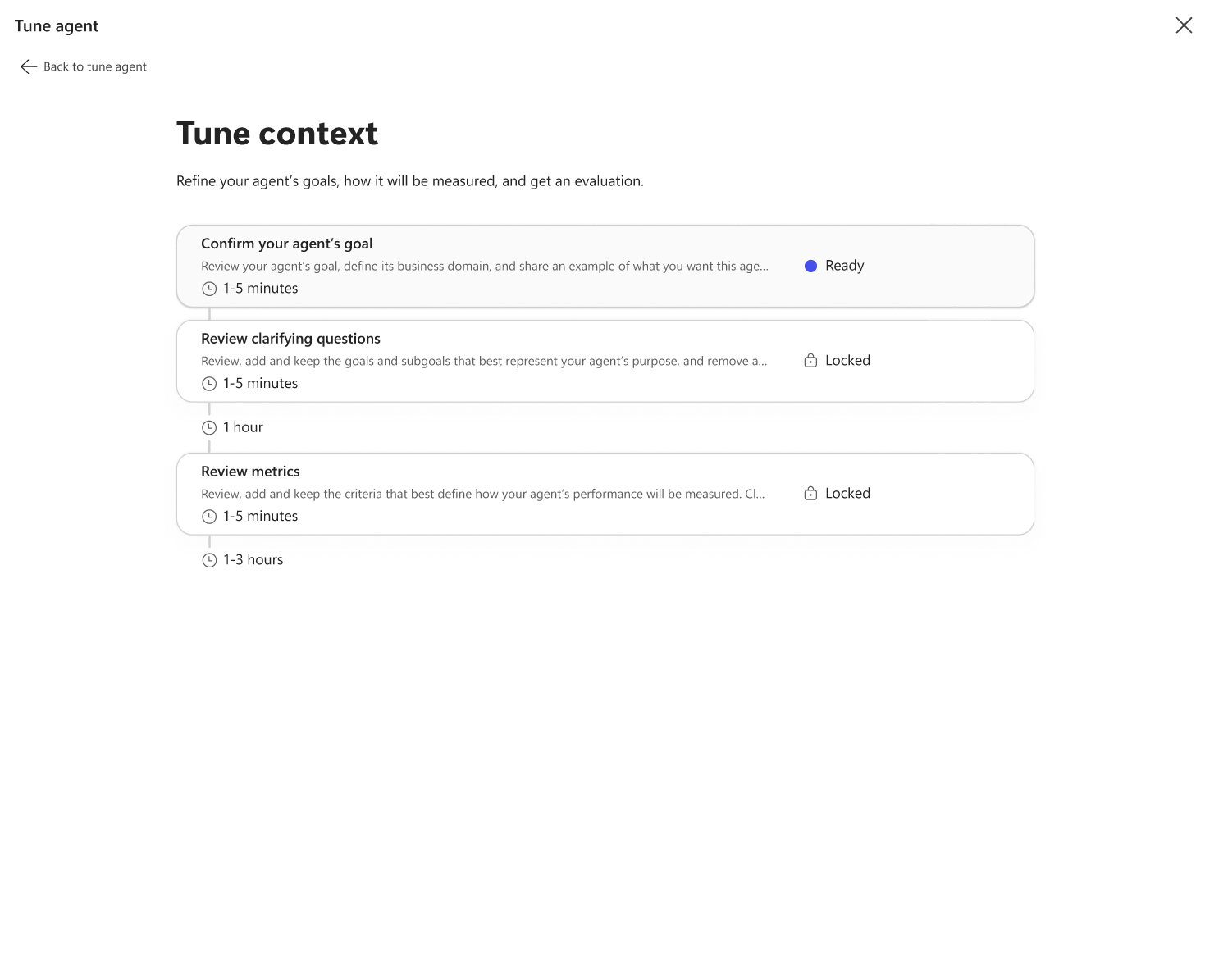
Tune Context
Context tuning defines the agent's goals and success criteria by specifying the primary task, domain, and representative examples. Context requirements vary by template. For example, document writing templates use examples of the types of documents the agent should produce, document summary templates require inputs such as purpose, audience, length, tone, and focus areas, and expert answers templates rely on sample files to generate evaluation questions and answers. Based on this input, the system proposes subgoals and evaluation rubrics, which establish a measurable baseline for assessing agent performance.
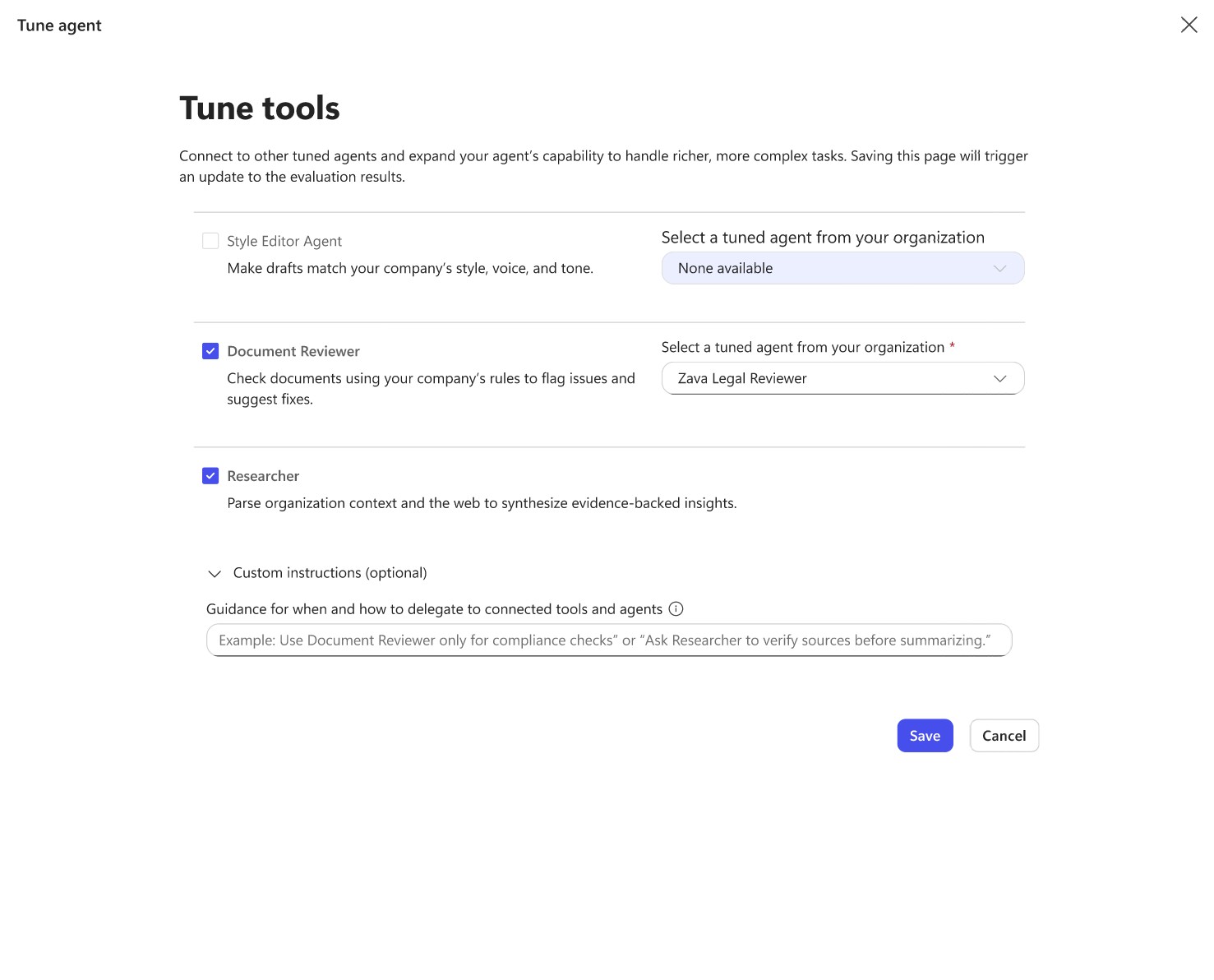
Tune Tool
Tool tuning extends agent capabilities by integrating additional agents or tools into the workflow. These tools can be used to perform tasks such as research, validation, or writing style alignment. Custom orchestration instructions define how tools are applied, and agent performance is re-evaluated against the established rubrics after changes are made.
Tune Model
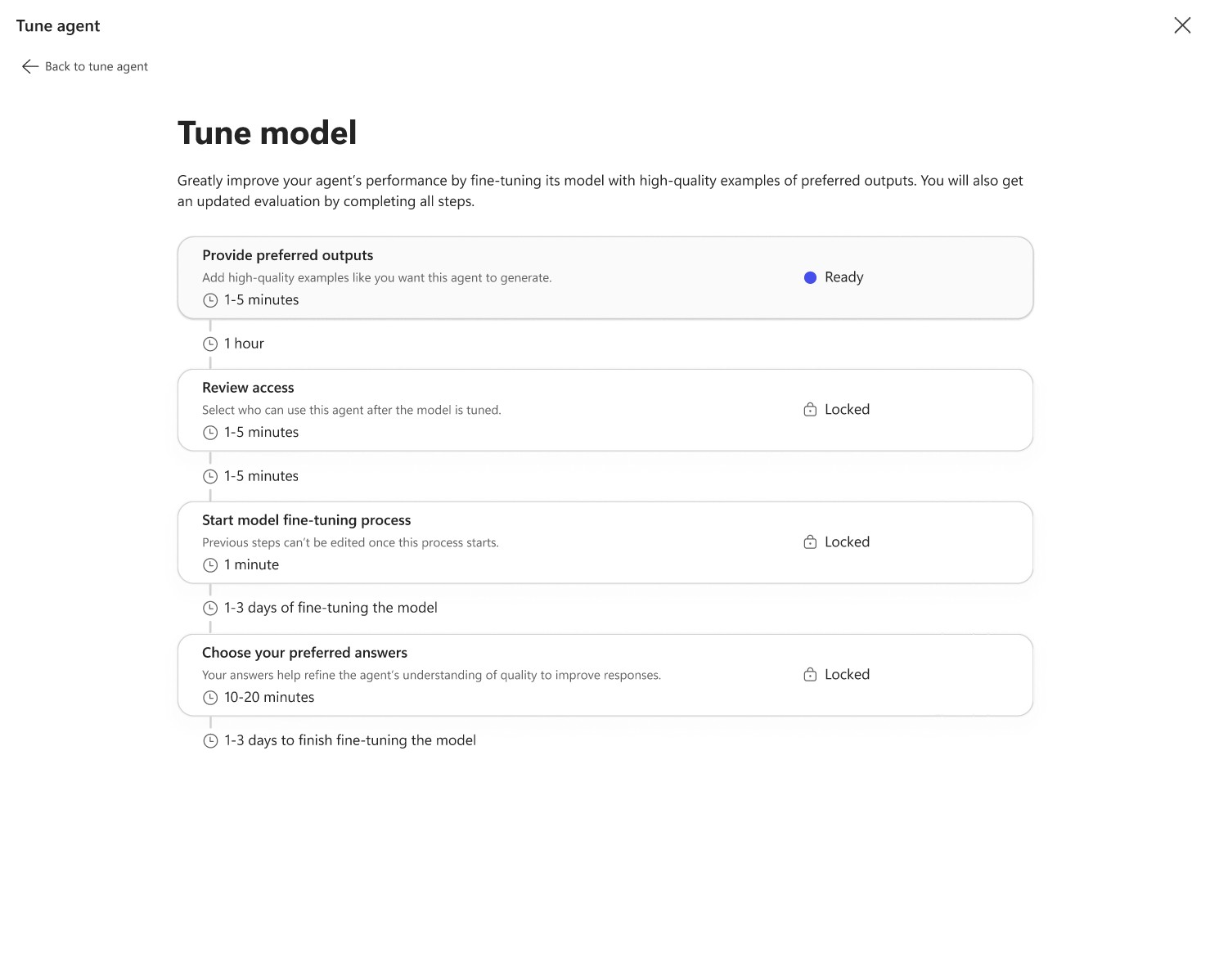
Model tuning focuses on improving reasoning and output quality through supervised fine-tuning and reinforcement learning techniques. High-quality examples from organizational data are used as training input, with evaluation rubrics guiding alignment to organizational expectations. During this process, access controls, file permissions, and sensitivity labels can be applied. Model tuning runs asynchronously, allowing users to continue using the existing agent while tuning is in progress. When tuning completes, evaluation results determine whether the updated model is ready to be published.
Agent tuning is an iterative process rather than a one-time configuration. Organizations are encouraged to monitor real-world usage, gather feedback, and refine context, tools, data, or rules as requirements evolve over time. This ongoing lifecycle helps ensure agents remain accurate, relevant, and aligned with changing needs.
Using tuned agents
After creation or tuning, agents can be shared with eligible users across the organization. Users interact with tuned agents through supported Microsoft 365 Copilot experiences, such as the Microsoft 365 Copilot app or Copilot Chat in Microsoft Teams.
Tuned agents provide the following benefits:
- Increased productivity through faster content creation and analysis
- Improved accuracy by grounding responses in organizational data
- Consistent outputs aligned with internal standards
- Broader access to organizational knowledge across teams
Best practices
Apply the following best practices to make the best use of tuned agents:
- Understand the agent's scope and limitations.
- Use clear, specific prompts.
- Provide starter prompts to guide users.
- Refine outputs through multi-turn interactions.
- Follow organizational security and compliance policies.
- Encourage user feedback to improve agent quality over time.
Disclaimer
The AI administrator is responsible for ensuring that your use of this product complies with all applicable data protection, privacy, and intellectual property laws. This includes meeting your obligations as a Data Controller under regulations such as the GDPR or CCPA.
Data controller obligations
- You're responsible for how data is collected, stored, and used within your tenant environment.
- You must ensure that your data practices meet legal requirements for transparency, consent, access, and deletion.
- You're responsible for verifying the accuracy, appropriateness, and compliance of any outputs generated from this system before using them. Might require reviewing with the subject matter experts.
Copyright and model training
- If you choose to train a custom model using your own data, you must ensure that you have the appropriate rights or licenses for any copyrighted materials included in the training set.
- Copyright protection won't apply to models trained using unauthorized copyrighted content. You assume full responsibility for any such use.
Data deletion
- If a user whose data is used in training a model submits a valid deletion request under GDPR (or similar regulations), you're be required to retrain the model.
- When you fine-tune a model, the model weights are adjusted based on the training data. You can delete the fine-tuned model at any time.