Note
Access to this page requires authorization. You can try signing in or changing directories.
Access to this page requires authorization. You can try changing directories.
The Azure Copilot Observability Agent is an AI-powered operational companion in Azure Monitor. It helps you work with observability data by using natural language, guided investigation, and issue-based follow-up across supported workflows.
The Observability Agent complements Azure Monitor's existing insights, visualization, analysis, and response experiences by helping you work across them through chat, investigation, issues, and autonomous operations. The agent helps shorten time to understanding during incidents, preserve operational context for handoff and follow-up, and improve consistency in how your team triages and investigates production problems.
Use the agent to move from raw signals toward explanation and next steps. In the current product surface, the agent helps you:
- Chat with your data — Use natural language to explore logs, metrics, and related telemetry.
- Investigate issues — Investigate an active incident across application, infrastructure, and Azure platform signals, then preserve findings in Azure Monitor issues.
- Run autonomous operations (preview) — Let the agent correlate alerts in the background, apply custom instructions about your environment and business context, and create issues for your on-call team to review through a controlled-autonomy model where humans stay in control of decisions and actions.
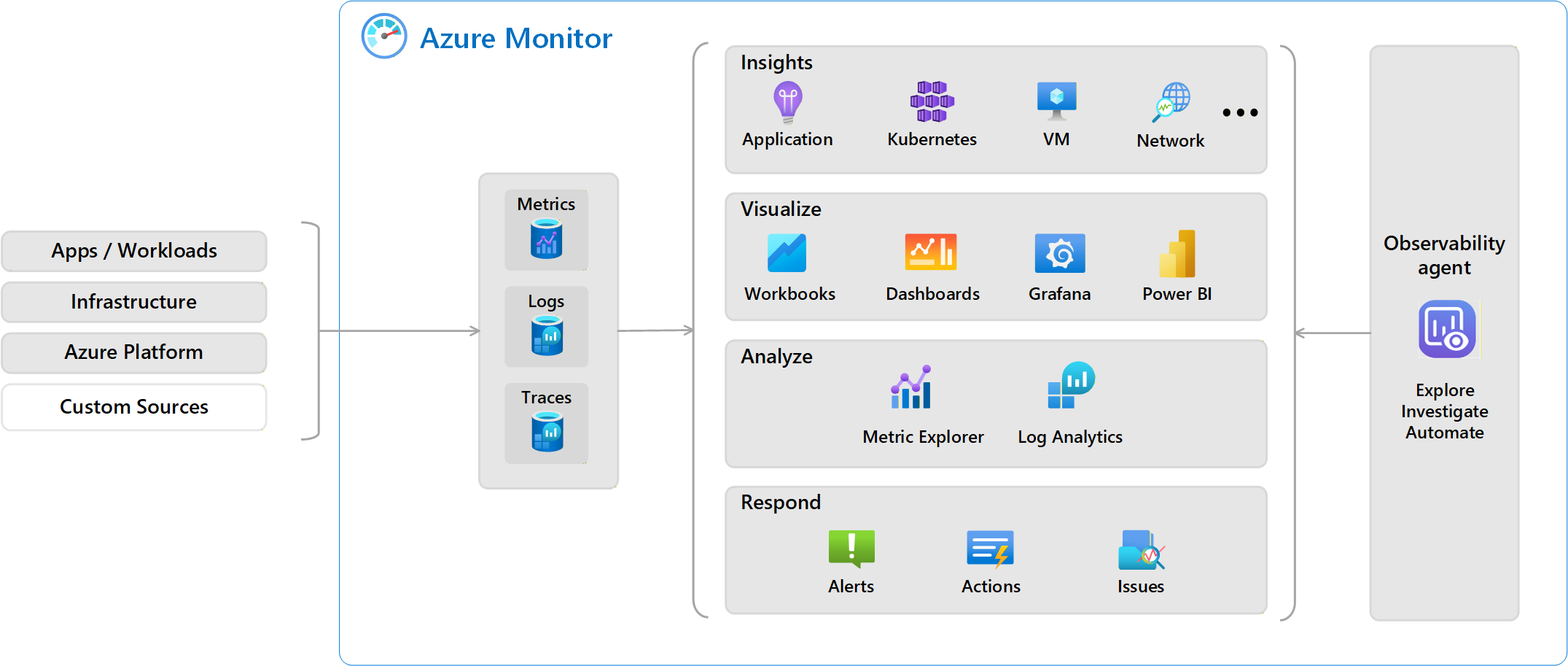
Work with the Observability Agent
The Observability Agent provides a conversational experience for exploring and understanding your observability data. You interact with the agent through chat and investigation to ask questions, explore signals, and gain insights in an iterative way. You can start using the Observability Agent immediately for chat and investigation with no resource provisioning or setup required. Create an Observability Agent resource only if you want to enable autonomous operations.
As the agent generates insights, it explains its reasoning. It highlights which signals it considered and how they relate to one another. This transparency helps you understand not only what the agent surfaced, but why it identified the information as relevant.
The following image shows the start of an investigation, where the agent restates the alert condition and announces the analysis steps it plans to run next.
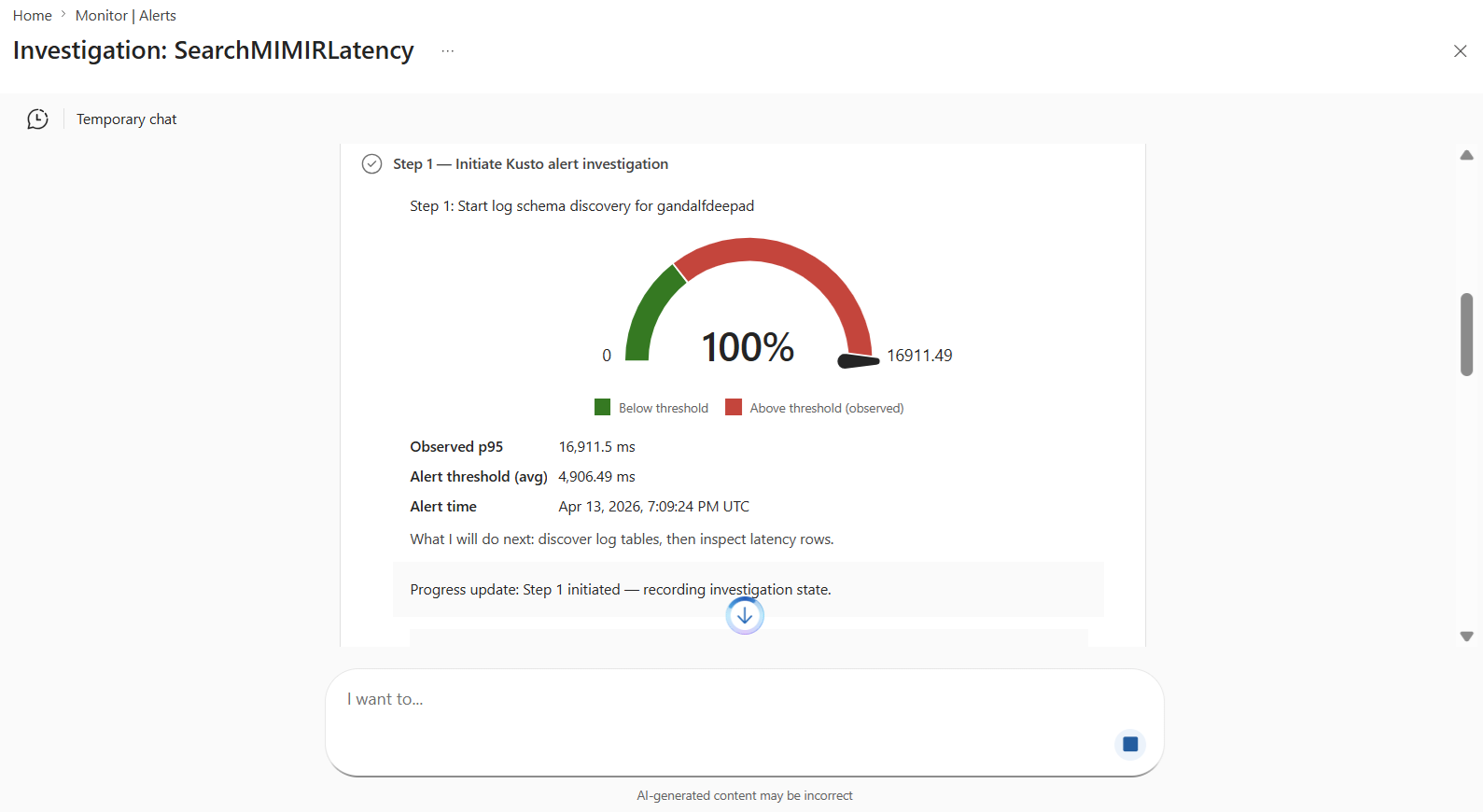
The conversation continues as your understanding evolves. Ask follow-up questions to dig deeper into the information already presented to clarify a specific behavior, focus on a particular resource or signal, or explore a related angle. The agent maintains context across the conversation.
Run a deep investigation
A deep investigation is a focused analysis that the Observability Agent runs when something is already wrong and you need to know what happened and what to do next. The agent collects signals from across the application, infrastructure, and Azure platform layers, correlates them automatically, and produces a report with findings and recommended next steps. Deep investigations are optimized for full-stack, distributed systems on Azure Kubernetes Service (AKS), Application Insights, and virtual machines.
See Deep investigations in the Azure Copilot Observability Agent.
If you want to preserve that context beyond the temporary session, save the investigation as an issue. Issues let you continue the analysis later and share the operational context with others.
See Azure Monitor issues (preview).
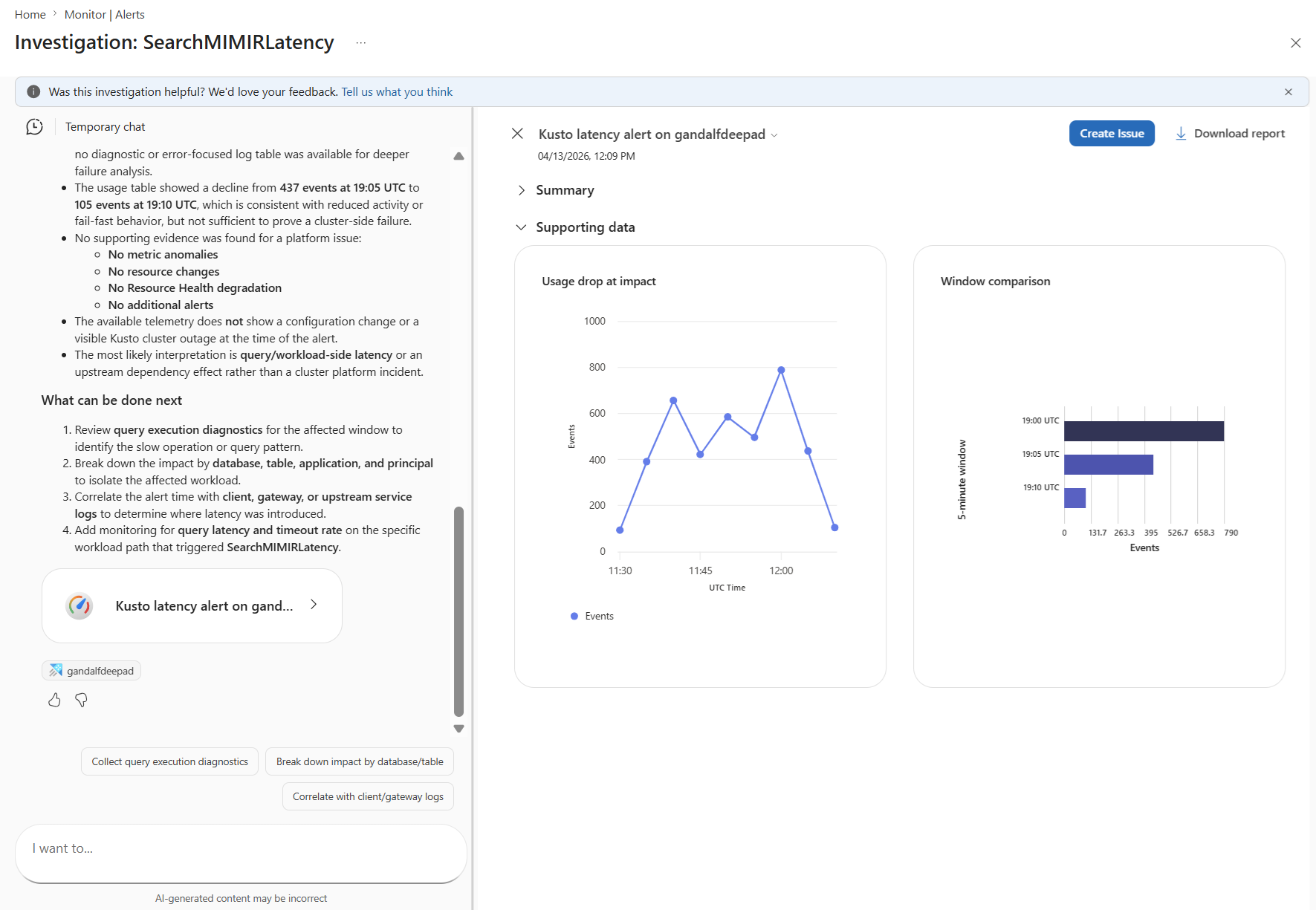
Chat with your data
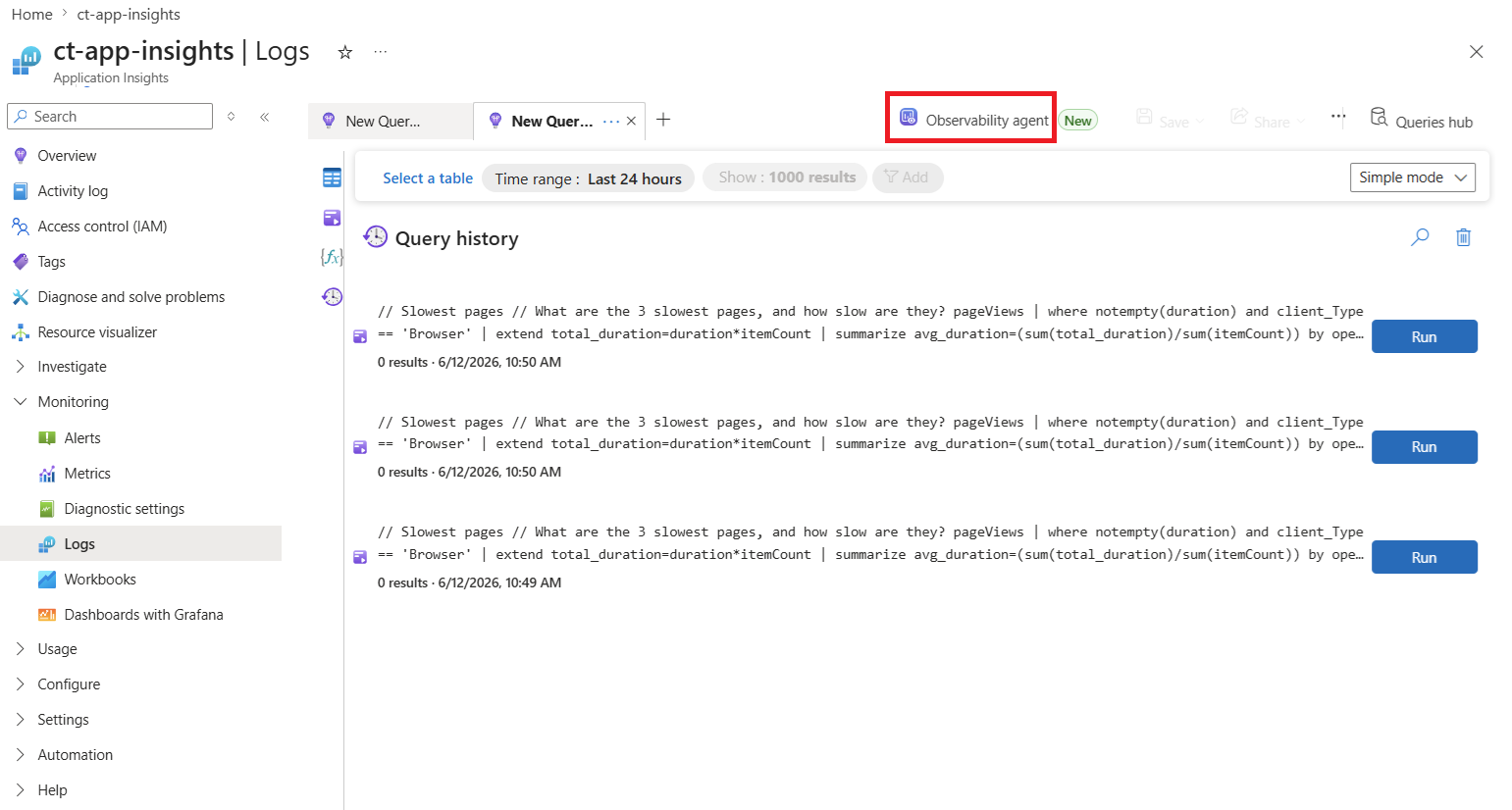
The Observability Agent transforms ad-hoc data exploration by letting you ask natural-language questions about logs, metrics, and related telemetry, so you can move from raw signals to usable insight without needing to write complex queries. It allows you to identify patterns, understand relationships, uncover insights, and decide whether you need a deeper investigation.
The chat experience is scoped to the resource where you launch the Observability Agent, so responses stay grounded in that resource’s telemetry. Chat context is temporary, and if you want to preserve the analysis for later collaboration, continue through a deep investigation and save it as an issue.
See Chat with your observability data in the Azure Copilot Observability Agent.
Run autonomous operations (preview)
Autonomous operations extend the Observability Agent from user-invoked workflows into background analysis. When you opt in, the agent continuously correlates alerts within the scope you select and creates Azure Monitor issues when those alerts appear to represent the same incident. This helps your on-call team start from a smaller set of higher-signal issues instead of a stream of individual alerts.
Autonomous operations use a controlled-autonomy model for triage and investigation. The agent doesn't restart resources, change configuration, or resolve issues on its own. Your team reviews the issues it creates, decides whether more investigation is needed, and takes any follow-up action.
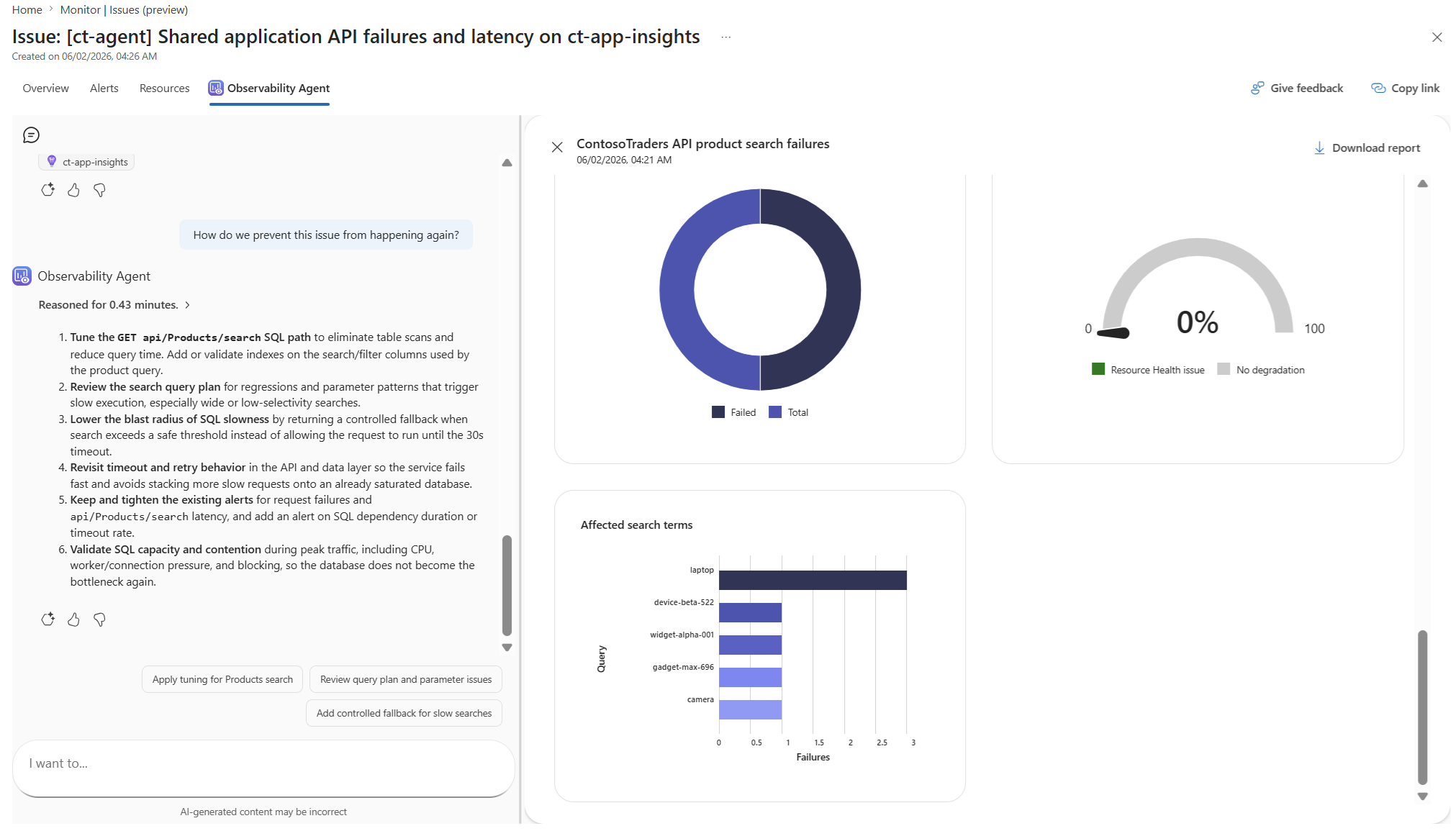
See Autonomous operations in the Azure Copilot Observability Agent.
Observability Agent resource (preview)
Autonomous operations run against an Observability Agent resource, an Azure resource you provision to give the agent a durable identity, scope, configuration, and governance boundary. The default on-demand chat and deep-investigation experiences continue to work without one. You create an Observability Agent resource when you're ready to assign autonomous tasks to the agent and to teach it about your environment with custom instructions.
See Observability Agent resource (preview).
Custom instructions
Custom instructions are natural-language rules you write once and store on an Observability Agent resource. The agent applies them consistently across every autonomous run: which alerts to correlate, which services are operationally distinct, which workloads carry revenue-critical traffic, and more. Instructions are durable, auditable as Azure resource state, and governed by the same Azure RBAC model as the resource itself. New on-call members and future autonomous runs inherit the same context automatically.
See Custom instructions for the Azure Copilot Observability Agent.
Regions
The Observability Agent is currently available in the following Azure regions. Some parts of the processing are geographically based rather than regional.
- Australia Central
- Australia East
- Australia Southeast
- Brazil South
- Canada Central
- Canada East
- Central India
- Central US
- Chile Central
- East Asia
- East US
- East US 2
- East US 2 EUAP
- France Central
- Germany West Central
- Indonesia Central
- Israel Central
- Italy North
- Japan East
- Japan West
- Korea Central
- Korea South
- Malaysia West
- Mexico Central
- New Zealand North
- North Central US
- North Europe
- Norway East
- Poland Central
- South Africa North
- South Central US
- South India
- Southeast Asia
- Spain Central
- Sweden Central
- Sweden South
- Switzerland North
- UAE North
- UK South
- UK West
- West Central US
- West Europe
- West US
- West US 2
- West US 3
Enable or disable the Observability Agent
Azure Copilot access controls access to the Observability Agent. Users require access to Azure Copilot to use the Observability Agent. See Manage access to Azure Copilot.
Current limitations
Keep in mind these general current limitations:
- You can't continue the same conversation beyond 24 hours.
- The agent supports English only. Other languages have limited support.
- Customer-managed keys (CMK) aren't currently supported for Observability Agent conversations. The data is encrypted by using Microsoft-managed encryption keys in accordance with Azure data protection standards.
Responsible AI
Azure Copilot is designed and operated in alignment with Microsoft's Responsible AI principles. See Transparency FAQ for Azure Copilot Observability Agent.
Related content
- Operational context and memory in Azure Copilot Observability Agent - Understand what context is session-scoped, what persists, and how resource-level memory improves consistency.
- Chat with your observability data in the Azure Copilot Observability Agent - Start from logs and explore telemetry by using natural language.
- Autonomous operations in the Azure Copilot Observability Agent - Learn how the agent correlates alerts and creates issues in the background.
- Azure Monitor issues overview - Learn how issues preserve investigation findings and operational context.
- Use Azure Monitor issues - Create, review, and work with issues.
- Best practices for Azure Copilot Observability Agent - Improve telemetry quality and investigation accuracy.
- Data, privacy, and governance FAQ for Azure Copilot Observability Agent - Understand governance, privacy, compliance, and model-use details.