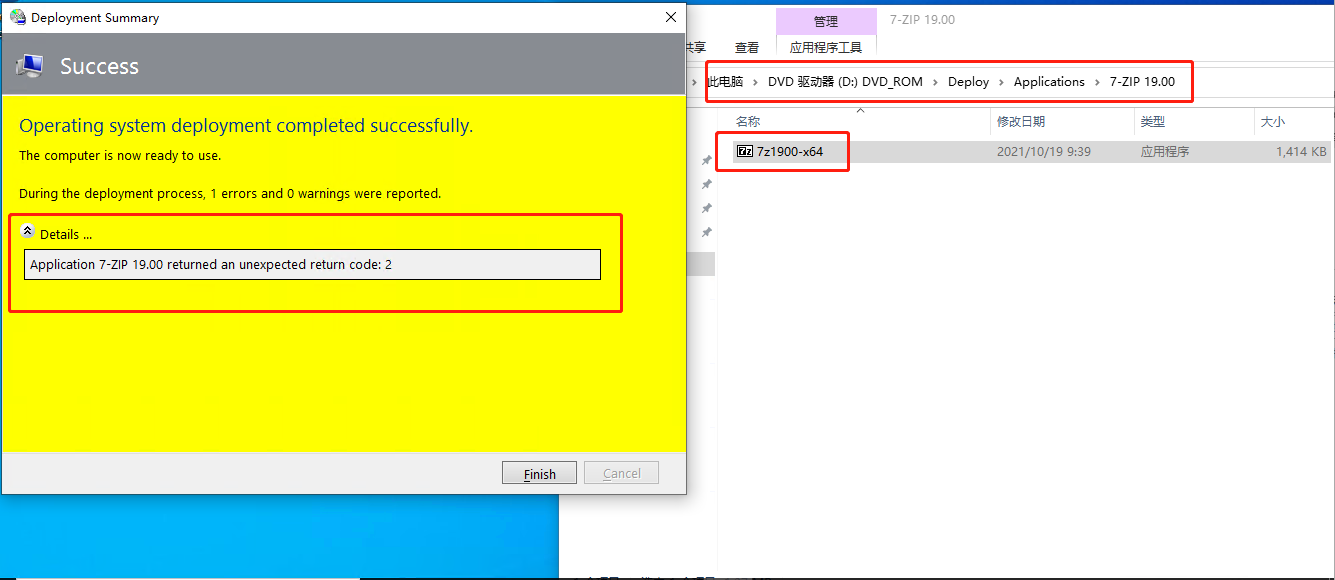
Hi,
Thank you for posting in Microsoft Q&A forum.
The Return code of 2 generally means that a file was not found, but it looks like you do have a file in the media.
You may try to recreate the application in MDT with the option "application without source files or elsewhere on the network" like below thread said and recreate the offline media to see if it helps:
https://social.technet.microsoft.com/Forums/en-US/12faf5f9-0c1a-4922-9fdf-b249ed4588fa/unexpected-return-code-2-when-installing-applications?forum=mdt
If the answer is helpful, please click "Accept Answer" and kindly upvote it. If you have extra questions about this answer, please click "Comment".
Note: Please follow the steps in our documentation to enable e-mail notifications if you want to receive the related email notification for this thread.